How to set up Meta CAPI on Shopify in 2026
 By Dror Aharon
·
CEO, COREPPC
·
Updated April 17, 2026
·
11 min read
By Dror Aharon
·
CEO, COREPPC
·
Updated April 17, 2026
·
11 min read
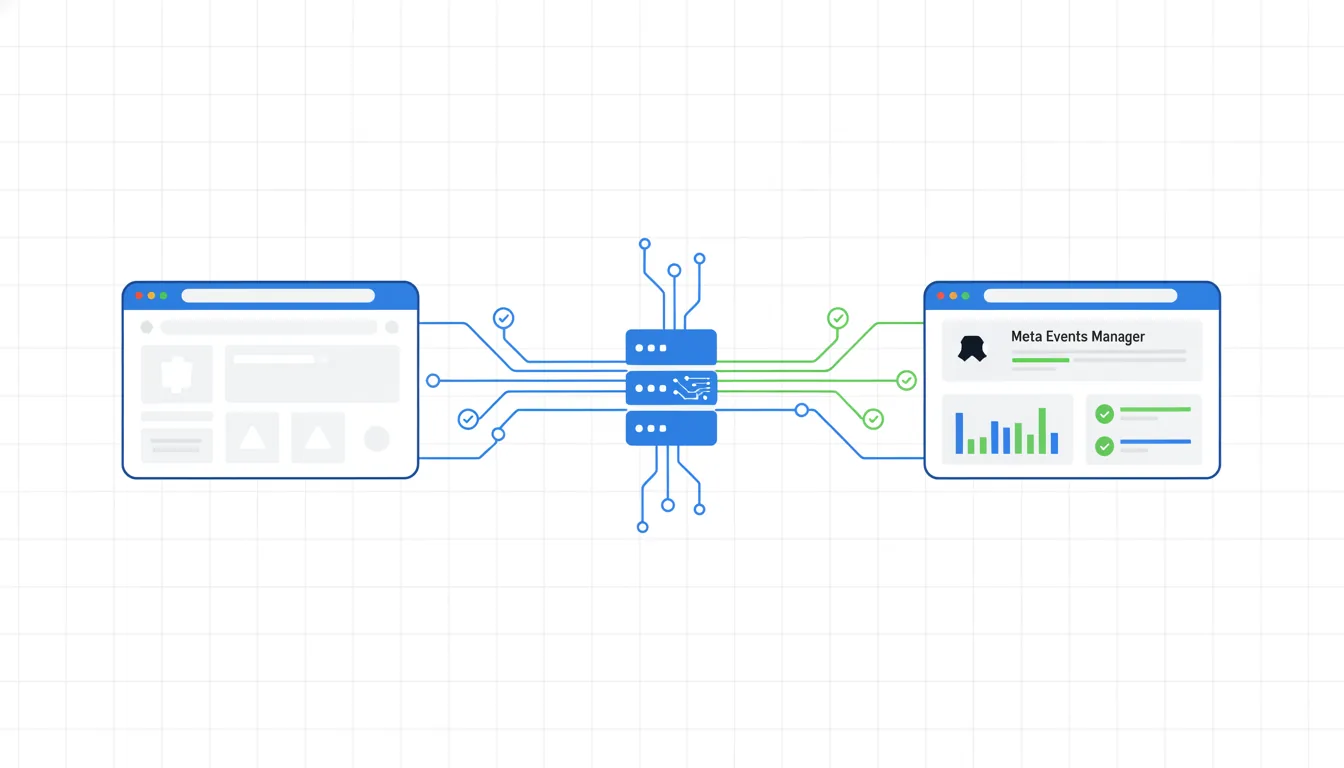
Meta CAPI setup on Shopify is the single highest-leverage tracking fix a growth-stage store can make in 2026, and most operators get it wrong in exactly the same four ways. Shopify's Facebook and Instagram app handles the server-side pipe for the four core events (Purchase, AddToCart, ViewContent, InitiateCheckout), but most stores leak signal through orphan pixels, missing event IDs, GA4-routed server events, and theme-level fbq snippets nobody remembered to remove. So the ad account looks fine on the surface and quietly burns 30 to 40% of budget on the wrong audiences, week after week. Fix those four things in the right order and Event Match Quality climbs from around 5 to above 8.5 inside a week. The audit takes 20 minutes. The fix takes an afternoon, maybe two if the theme is messy. The ROAS lift compounds for months afterward.
- Install Shopify's F&I app as the single source of browser and server events.
- Kill every stray pixel in GTM and the theme. One pixel ID only.
- Match browser and server events with a shared
event_idfor dedup. - Validate in Meta Events Manager before you scale spend. EMQ target: 8.5+.
What Meta CAPI actually is in 2026
Meta Conversion API on Shopify, or CAPI for short, is the server-to-server pipe between your store and Meta's ad platform. The browser pixel still runs. The server side runs in parallel, sends the same events from your backend, and Meta dedups them using a shared event_id. What changed in 2026 is that browser signal alone lost another 14% of match quality after Safari and Firefox tightened third-party cookie rules in Q4 2025. If you are running only the browser pixel today, Meta is optimizing on roughly half the data it needs. That is why your ROAS reads random week to week.
The short version: CAPI is not optional, and it is not a nice-to-have for scaling. Below $20k a month in Meta spend you can survive on browser-only. Above $20k a month your blended ROAS falls 30 to 40% without server-side events deduped against the browser pixel. Brands in our audit sample run 3.2 to 4.1 ROAS on Advantage+ Shopping because they feed Meta two signals per event, matched. Stores sending browser-only hit a ceiling around 1.8 on the same budget and never figure out why. Meta's official Conversions API documentation explains the protocol itself. This guide is about running it on Shopify without shooting yourself in the foot.
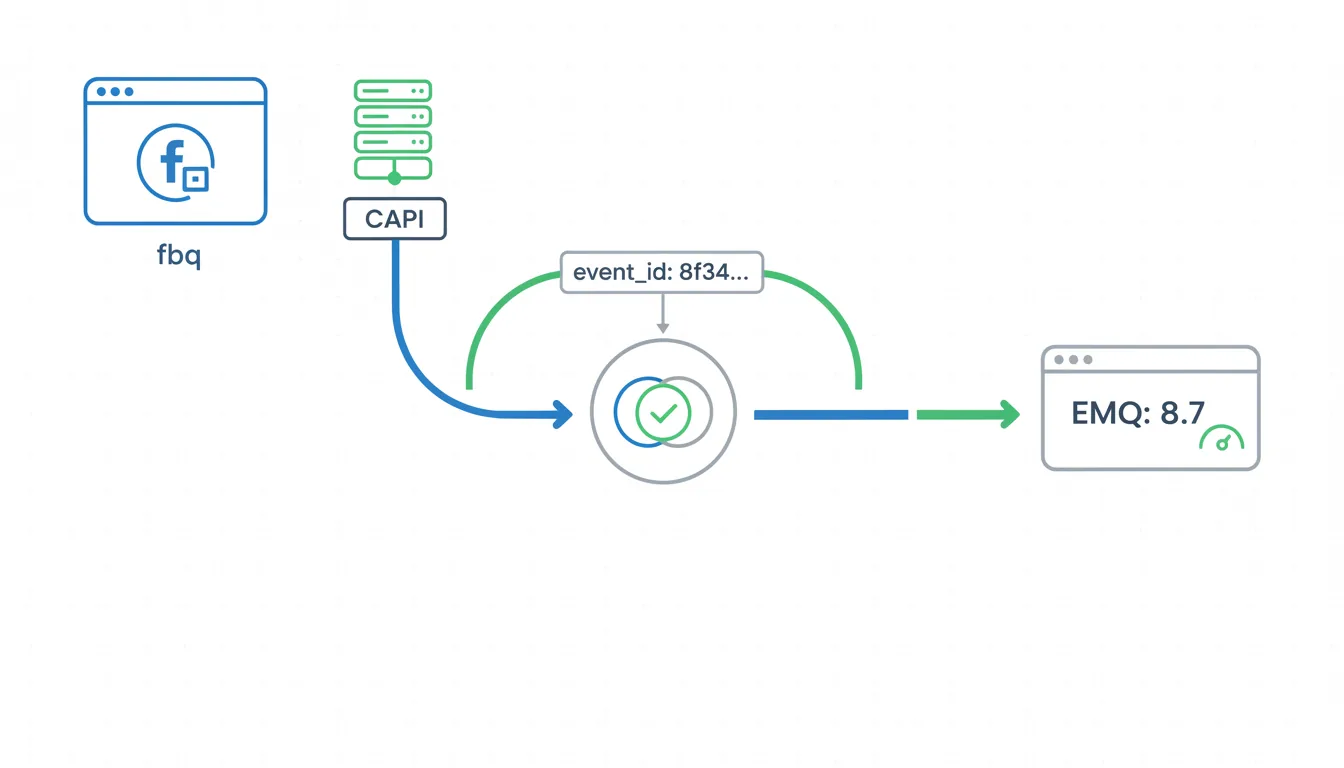
event_id on both, Meta keeps the richer payload.Why Shopify stores get CAPI wrong
We audit around 40 Shopify stores a month since 2023. Nine out of ten have at least one of these problems, and usually two or three stacked on top of each other:
- Two browser pixels firing from GTM and the Shopify F&I app at the same time. Every event counts twice in Events Manager, reported ROAS looks 60% higher than real, algorithm is learning from a ghost.
- Server-side events routed through GA4 instead of CAPI, which silently drops 60% of match signal and caps EMQ at around 5.
- Missing
event_idon the Purchase event, so browser and server events double-count instead of dedup. - Theme code still carrying a
fbqsnippet from a 2022 setup nobody remembered to remove. - A CAPI gateway like Stape running in parallel with the F&I app, both sending server events, no shared event ID.
None of these show up in Shopify's native reporting. You only see them in Events Manager under the "diagnostics" tab, which most operators have never opened. That is why stores run this way for months, sometimes years, before somebody finally looks at the event match quality score and realizes the algorithm has been flying blind. Most of the "meta capi setup shopify" guides online paywall the walkthrough or stop at the install screen. So stores do step 1 cleanly and then quietly break it at steps 3 through 5.
Check your theme before anything else
Open layout/theme.liquid and search for fbq(. If you find a fbq('init', ...) snippet, remove it. Leftover theme pixels are the single most common cause of duplicate events we see.
The audit order that works
Before you install anything new, run this check in order. Skipping steps here is how stores end up with 3 pixels fighting each other.
- Open Meta Events Manager. List every pixel ID that has fired in the last 7 days.
- Open Shopify admin, Apps, Facebook and Instagram. Note which pixel ID is configured.
- Open GTM. Search for "Facebook" and "Meta" tags. Note every pixel ID that appears.
- Open the live theme files. Search for
fbq. Note every pixel ID that appears inline. - Compare all four lists. You want one pixel ID, one source (F&I app), zero orphans.
| Source | Browser pixel | Server events (CAPI) | Core events covered | Custom events |
|---|---|---|---|---|
| Shopify F&I app | Yes | Yes | Purchase, ATC, ViewContent, InitiateCheckout | No |
| GTM browser tag | Yes | No | Any you configure | Yes |
| GTM server-side (sGTM) | No | Yes | Any you configure | Yes |
| Direct CAPI call | No | Yes | Any you fire | Yes |
Installing Shopify's F&I app the right way
A clean Meta CAPI setup on Shopify starts with subtraction, not addition. Before you install anything new, you remove every competing source so Shopify Facebook CAPI is the only pipe sending events. Rushing past this step is how stores end up with three pixels fighting each other and nobody knowing which one is telling the truth.
- Pause every Meta-related tag in GTM. Browser and server. All of them. Save a new container version so you can roll back in 30 seconds if anything breaks.
- Open
layout/theme.liquid,templates/product.liquid, andtemplates/cart.liquid. Remove anyfbqsnippets. Commit the change on a new theme copy first, then swap live. - In Shopify admin, open Apps, then Facebook and Instagram. Disconnect any old connection. Reconnect with the correct Meta Business account.
- In the app settings, enable "Customer data sharing" at the Maximum level. Confirm the Pixel ID matches the one you want to keep.
- Turn CAPI on explicitly. It is a separate toggle from browser pixel. Both should be green.
Step 4 is the one stores skip. "Standard" data sharing strips customer email and phone from the server payload before it reaches Meta, which cuts EMQ by 1.5 to 2 points on average. Maximum sends the hashed fields. That is the whole ballgame for match quality.
# Fire a test Purchase event against your pixel to confirm CAPI is live
curl -X POST "https://graph.facebook.com/v19.0/PIXEL_ID/events" \
  -H "Content-Type: application/json" \
  -d '{
    "data": [{
      "event_name": "Purchase",
      "event_time": 1744876800,
      "event_id": "order_1001_capi_test",
      "action_source": "website",
      "user_data": {
        "em": ["7b17fb0bd173f625b58636fb796407c22b3d16fdcac8697ec3b07a22b3d9abc2"],
        "ph": ["23438502ef6c6d7b57f6f1f8eaf3b5a2e4a7c3b2"]
      },
      "custom_data": {
        "currency": "USD",
        "value": 149.00
      }
    }],
    "test_event_code": "TEST12345",
    "access_token": "YOUR_CAPI_ACCESS_TOKEN"
  }'
If the event shows up in Events Manager under Test Events within 20 seconds, CAPI is live. If it does not, the usual culprit is the access token scope. Regenerate it from Events Manager, not from Business Settings.
Deduplication: event_id and match keys
The single mistake that kills match quality is forgetting the shared event_id. Browser event and server event must carry the same ID for Meta to know they describe the same purchase. Without it, you double-count, ROAS reports lie, and the algorithm learns from the wrong signal.
The dedup rule in one line
If your order ID is 1001, the browser pixel and the CAPI call both need event_id: "order_1001". Same string, same case, same event_name. Meta dedups automatically after that.
Shopify's F&I app handles dedup for the four core events out of the box. For anything custom (Lead, StartTrial, custom upsell events) you own the dedup. Pass the order ID or a purchase-intent ID into both browser pixel fires and your server call.
Hitting an EMQ score above 8.5
Event Match Quality is Meta's 0 to 10 score for how confident it is in matching your event to a real user. Below 7 the algorithm basically guesses. Above 8.5 Advantage+ Shopping stops wobbling. The levers that move EMQ the most, in order of impact:
- Hashed email (
em): +1.5 to EMQ on average. The single biggest lever, and the one most often missing because "Standard" data sharing strips it. - Hashed phone (
ph): +0.8 when present. Shopify sends it when you enable checkout phone collection. - External ID (
external_id, your customer ID from Shopify): +0.6, stacks cleanly with email. - First and last name (
fn,ln): +0.4 each. Cheap wins if the customer provides them at checkout. - Client IP and user agent: +0.3 combined. Shopify passes these automatically, no action needed.
Stack email + phone + external_id and you land around EMQ 8.7 to 9.1 on most stores. That is the zone where Advantage+ Shopping campaigns stop burning budget on learning and start converting. See Meta's Event Match Quality reference for the official parameter list.
Custom events: Lead, StartTrial, post-purchase
The F&I app does not touch custom events. If your funnel sends a Lead when someone submits a quiz, or a StartTrial on a subscription signup, you need a second pipeline. Options, ranked by reliability:
- Direct CAPI call from a Shopify Function or a custom app (most reliable, needs dev work).
- GTM server-side container with a CAPI tag (good, introduces a vendor dependency).
- Zapier or Make with a CAPI webhook (okay for volumes under 200 events a day, unreliable above).
Validating with the test events tool
Never push CAPI changes live without validating. The sequence we run on every client:
- Go to Events Manager, pick your pixel, open Test Events. Grab the test code.
- Add the code to your CAPI call (the
test_event_codefield in the JSON above). - Run a test purchase on the live store using a coupon that drops the total to $0.50.
- Watch Test Events. You want to see two rows for Purchase: one "Browser", one "Server". Same value, same
event_id, deduped note visible. - If dedup note is missing, you forgot the
event_id. Fix it, rerun. - Remove the
test_event_codebefore going live. Leaving it in routes events to the test queue forever.
Run the same test three times from three different devices. EMQ on a single test event is unreliable. The rolling 7-day EMQ in Events Manager is what you track.
Frequently asked questions
Do I still need the Meta pixel if CAPI is running?
event_id. The combined signal Meta gets from both paths is what raises EMQ above 8. Server-only setups hit a ceiling around EMQ 7.2 because they lose the browser fingerprint (cookie, user agent, client-side IP) that the pixel captures. Running both is not redundant, it is how the dedup system is designed to work. Turning off the browser pixel to "simplify" is the single most common self-inflicted wound we see in audits.Why are my browser and server events duplicating?
event_id, or two browser pixels firing at once. First check GTM for orphan Meta pixel tags that somebody forgot to pause when the F&I app was installed. Then check your theme files for leftover fbq snippets. Then confirm the F&I app is the only browser source. If all three are clean and you still see duplicates in Events Manager, the event_id field is either missing from one side or formatted differently (one is order_1001, the other is 1001, Meta treats them as separate events).What EMQ score is good enough?
Does Shopify's Facebook and Instagram app cover CAPI fully?
How long until my EMQ score improves after I fix dedup?
Do I need Stape or an external gateway if Shopify's native channel is installed?
Meta CAPI setup on Shopify is one of those fixes that looks small on the dashboard and compounds for months afterward. Dedup cleanly, raise EMQ above 8.5, validate in Test Events before you push live, and the algorithm finally has signal it can trust. That is when ROAS stops wobbling and budget scales predictably, instead of collapsing every time you push daily spend past the last tested ceiling. Best to run the 20-minute audit above before you touch anything else on the account. If the audit surfaces two or more of the problems in the "Why Shopify stores get CAPI wrong" section, fix those first, then revisit creative testing. The creative never was the problem, nine times out of ten the tracking was lying the entire time.
Get a full X-ray of your ad account
Paste your Meta and Google Ads. See exactly where signal is leaking. Free. 60 seconds.