How to scale Facebook ads on Shopify without tanking CPA
 By Dror Aharon
·
CEO, COREPPC
·
Updated April 17, 2026
·
11 min read
By Dror Aharon
·
CEO, COREPPC
·
Updated April 17, 2026
·
11 min read
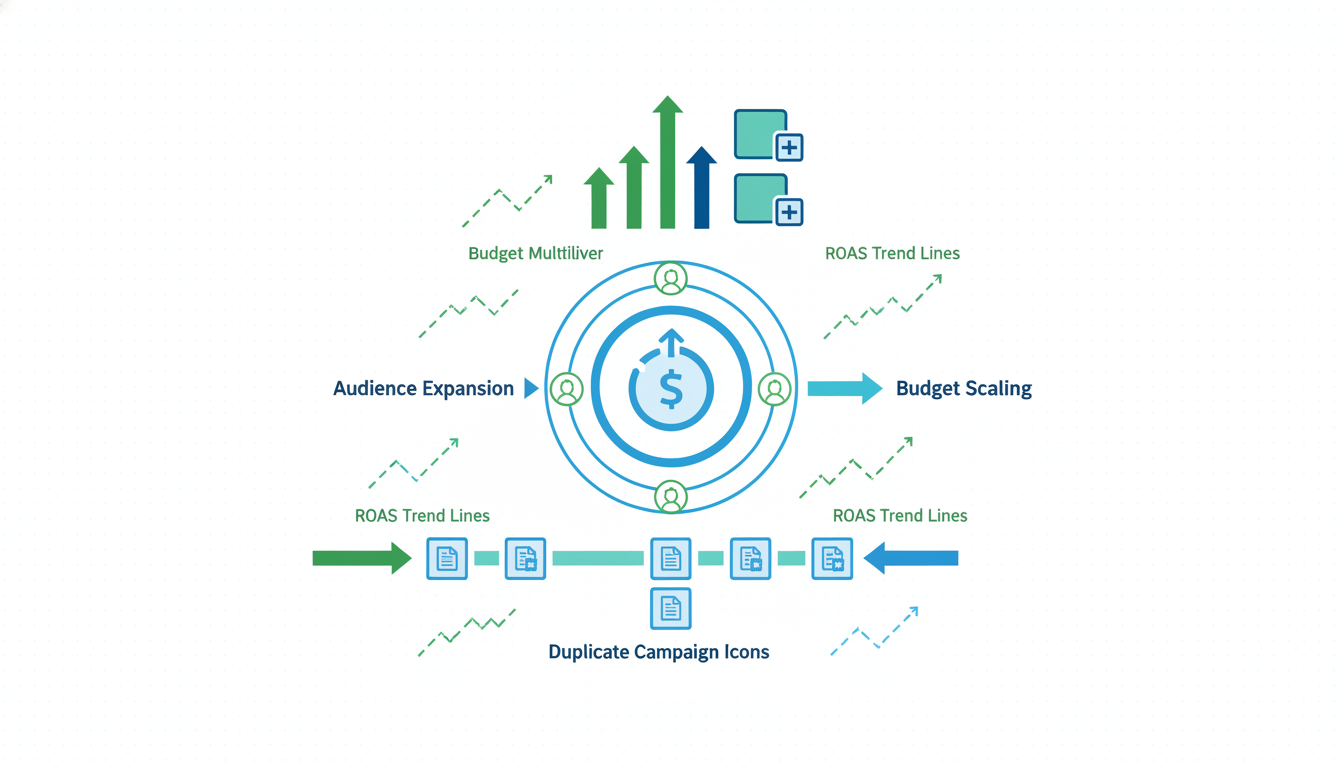
Shopify Facebook ads scaling is where most growth-stage stores hit a wall, and almost all of them hit it at exactly the same spend level. Around $500 a day on a single campaign, CPA starts to climb, ROAS drops 30 to 50%, and the operator assumes the creative is fatigued when the real problem is that the algorithm just got yanked back into the learning phase. Meta's own scaling rules are simpler than most guides make them sound, but they are unforgiving. Break the 20% rule once and you reset the learning phase, which costs 3 to 7 days of efficient spend while the algorithm rebuilds its bidding model from scratch. Scale the wrong axis (vertical instead of horizontal) and the account never recovers on that campaign. The fix is a mix of horizontal expansion, controlled budget steps, and a creative refresh cadence you can actually stick to.
- Scale budget in 20% steps, maximum once every 3 days, never more.
- Expand horizontally with new ad sets before you push vertical budget.
- Ship 2 new creatives per week minimum once you pass $300/day.
- Pause before scaling if frequency is above 3.5 or CPA is climbing 3 days in a row.
Why Facebook ads tank at $500/day on most Shopify stores
Shopify Facebook ads scaling breaks at roughly the same spend threshold across most stores we audit, and the pattern is honestly pretty boring once you have seen it enough times. A campaign that ran clean at $150 a day starts wobbling at $400. By $500 a day the CPA has climbed 40 to 60%, ROAS has dropped below the blended target, and the operator is staring at the dashboard wondering what changed. Nothing changed in the product. The creative is the same. The audience is the same. What changed is that Meta's optimizer stopped having enough headroom on the current audience pool to keep finding cheap conversions, and started spending into diminishing returns instead.
The $500/day number is not magic. It is what happens when a single ad set running Advantage+ audiences on a mid-sized Shopify store burns through the cheap slice of its audience faster than new signals can refresh. Below that number the algorithm is cherry-picking your warmest lookalikes and retargeting pool. Above that number it starts reaching into colder pockets where it has no history, CPM climbs 20 to 30%, click quality drops, and the whole unit economics shift. Most "scale facebook ads ecommerce" advice online treats this as a creative problem. Nine times out of ten it is a math problem. The audience pool is not big enough to absorb the budget at the same efficiency, and no amount of new creative will fix that until you expand the pool.
The tell that you are at the breakpoint, not at a creative fatigue wall, is pretty specific. Frequency is still under 3, CTR has not collapsed, but CPA is climbing day over day for 3 days straight. That is saturation, not fatigue. Fatigue looks different: CTR falls first, frequency passes 4, then CPA climbs. Learn to read which one you are looking at before you spend a Friday night editing ads.
Horizontal vs vertical scaling: what each actually means
Vertical scaling is raising the budget on an existing ad set. Horizontal scaling is adding new ad sets, new audiences, or new campaigns. Most operators mix these up and scale the wrong axis at the wrong time, which is how accounts that looked promising at $200 a day end up stuck at $600 a day with half the ROAS.
The short version: scale horizontally first, vertically second. Horizontal expansion gives Meta more audience surface to find cheap conversions on. Vertical budget increases force the algorithm to spend harder into whatever pool you already gave it. If that pool is saturated, vertical scaling just burns money. Almost every scaling plateau we audit on mid-sized Shopify accounts comes from operators trying to push vertical budget through an ad set that already hit its audience ceiling three weeks ago.
Horizontal scaling levers, in the order we usually run them:
- Duplicate the winning ad set into a new campaign with a different audience signal (broad, lookalike 1%, lookalike 3%, interest stack).
- Launch a second region if the product ships there (US to Canada, US to UK, and so on).
- Add a new placement group (Reels-only ad set separate from the Feed ad set).
- Spin up a new campaign type (Advantage+ Shopping alongside a manual Sales campaign for more control).
Once the horizontal map is filled in and each ad set has its own learning history, vertical scaling works. You raise budget 20% on the ad set with the best CPA, wait 3 days, read the data, raise again if it held. That is the whole move. What does not work is stacking vertical increases on a single ad set every day until CPA doubles. That is just lighting money on fire in 20% increments.
The 20% rule and why crossing it resets learning
The 20% rule is the one scaling rule that is actually enforced by Meta's learning system itself, not something performance marketers made up. Raise an ad set's budget by more than 20% in a 24-hour window and the algorithm treats the change as significant enough to re-enter the learning phase. Same thing happens if you raise the budget at the campaign level on a CBO. The learning phase restart costs 3 to 7 days of inefficient spend while the system rebuilds its bid model with the new budget constraints.
Most operators hear this rule and nod, then violate it constantly because "my campaign is already out of learning, it does not apply." It applies. Meta's learning phase documentation spells out the trigger conditions, and a budget change above 20% is on the list alongside creative changes, audience edits, and optimization event changes. Any of those pulls the ad set back into learning, and learning usually needs 50 conversions to exit.
Practical cadence that actually sticks:
- Day 0, ad set is performing. Current budget: $100/day. Decision to scale.
- Day 1, raise to $120. Wait. Do nothing else for 3 days.
- Day 4, read results. If CPA held within 15% of target, raise to $144.
- Day 7, read again. If CPA held, raise to $173.
- If CPA moves outside the 15% band, hold the budget for 3 more days before touching anything.
That path takes you from $100/day to $173/day over 7 days without tripping a learning reset. Most operators try to jump $100 to $300 in a day, which triggers the reset, and then wonder why CPA spikes for the next week. The spike is not the market, it is the algorithm restarting. Acting like the 20% rule is optional is the single most common reason Shopify ads scale breakpoint problems look like creative problems when they are actually learning-reset problems.
Scaling audiences: duplicates, broad, advantage+
Audience scaling is the heart of horizontal expansion, and it is where most accounts get stuck because operators copy what worked on another store instead of reading what their own data is telling them. The duplicate-and-vary pattern is the most reliable playbook we run, and it works for stores spending anywhere from $300/day to $5,000/day on Meta.
The pattern is straightforward. Take your best-performing ad set. Duplicate it four times. Change exactly one variable per duplicate:
- Duplicate 1: same creative, lookalike 1% audience instead of the original.
- Duplicate 2: same creative, lookalike 3% audience.
- Duplicate 3: same creative, broad audience (no targeting, age 18-65).
- Duplicate 4: same creative, Advantage+ Shopping campaign wrapper.
Run all five (original plus four duplicates) in parallel for 7 days at $50 to $80/day each. Kill the bottom two on CPA, double down on the top two. This gives you three winning audience signals stacked on top of the original, which is three times the audience surface for vertical scaling later. Most "scaling meta ads shopify" guides skip this step and jump straight to broad or straight to Advantage+, and then wonder why the account plateaus at $800/day.
Broad audiences work better on Shopify stores with 50+ conversions a week and a pixel with 90+ days of history. Advantage+ Shopping works better on stores with a catalog of 10+ SKUs and a tight EMQ score (above 8, ideally). If your EMQ is below 7 because tracking is leaky, Advantage+ will underperform a well-built manual campaign every time, because the algorithm cannot trust the signal it is getting back from your site. Our guide to Advantage+ Shopping campaigns on Shopify covers when to run it and when to stay manual.
Scaling creative: the 2-creative-per-week minimum
Creative fatigue is the second wall most operators hit, and it hits harder as budget scales because higher spend means higher frequency faster. At $200/day on a tight audience, one creative can carry the ad set for 4 to 6 weeks. At $800/day on the same audience, that same creative fatigues in 10 to 14 days. The math is cruel: double the budget, half the creative lifespan, because frequency doubles.
The rule we run on every scaling account past $300/day: ship 2 new creatives per week minimum. Not one. Not three if we feel like it. Two, every single week, no exceptions. This is the cadence that keeps frequency manageable while the ad set budget climbs. Below two per week the top performers start burning out faster than replacements are ready, frequency climbs past 4, CTR collapses, and CPA spikes. Above four per week the account gets noisy (too many sub-scale learning phases running at once) and Meta cannot find the signal to optimize on.
What "new creative" actually means:
- A different hook in the first 3 seconds of the video. Not a color tweak. A genuinely different opening.
- A different visual format (UGC handheld vs studio vs motion graphics vs static carousel).
- A different angle on the product (problem-led vs solution-led vs social-proof-led).
Swapping the headline or changing the CTA color is not a new creative. Meta's algorithm reads creatives as full objects and a small edit barely registers as new. If you are shipping two creatives a week and CPA is still climbing, the refreshes are too shallow. Budget for proper shoots, UGC briefs, or a creator-led content workflow that can actually produce two real variants a week. If that feels expensive, compare it to what a learning-phase reset costs on a $3k/day account (roughly $6k to $10k of inefficient spend over 5 days). Creative budget wins that math every time.
Dayparting and geo splits at scale
Once budget is above $1k/day, dayparting and geo splits start mattering in a way they did not at smaller spend. At $200/day the algorithm has enough room to absorb inefficient hours and still hit CPA. At $2k/day those inefficient hours eat 15 to 25% of the budget before you notice.
Dayparting on Meta is less granular than Google Ads. You cannot schedule down to the hour on an Advantage+ campaign, and the manual schedule options are coarser than most operators want. What works: split the campaign into a daytime ad set and an evening ad set, each with its own budget and schedule window, each optimizing independently. The daytime ad set targets 9am to 6pm local time in the main geo. The evening ad set runs 6pm to midnight. This lets the algorithm optimize the bidding curve differently for the two audiences (browsers vs buyers, essentially) and usually improves blended CPA by 10 to 15% on accounts spending over $1.5k/day.
Geo splits work similarly. A single ad set targeting US + Canada + UK blends three very different CPA curves into one average and optimizes to the weakest. Splitting into three ad sets, one per country, lets each one find its own CPA and usually lifts the overall ROAS by 8 to 12%. The cost is operational (three ad sets to manage instead of one) but the return is worth it past $1k/day. Below that number the operational overhead eats the gain and a single multi-geo ad set is fine.
The trap here is dayparting too aggressively, which cuts off impression volume Meta needed to fill its learning quota. If you restrict a scaling ad set to a 4-hour window you will starve it. 8-hour windows are the floor we run. Tighter than that and the learning phase never completes.
Decision rules: when to pause instead of scale
Not every performing ad set should be scaled. Some are performing because they hit a narrow audience slice that does not extend, and pushing more budget into them just erodes the same ROAS that looked good at low spend. Learning when to hold budget, or cut it, is what separates accounts that scale cleanly from accounts that peak at $1k/day and never move past.
The pause-before-scaling rules we run on every account:
- Frequency above 3.5 on a 7-day window. Scale kills this. Hold or refresh creative first.
- CPA climbing 3 days in a row on stable creative. Something in the audience pool is saturating. Horizontal expansion needed before vertical.
- ROAS within 10% of breakeven. No scaling room. Every budget push drops ROAS further. Fix margins or kill the ad set.
- Single-creative campaign. Scaling a one-creative ad set is roulette. Get a second creative live, read both, then scale the winner.
- Account EMQ below 7. The signal is bad. The algorithm cannot trust what it sees. Fix tracking before fixing budget (our CAPI setup guide covers the EMQ fix).
If two or more of those conditions are true on the ad set you are about to scale, you are scaling into a problem, not out of one. Hold the budget, fix the condition, then revisit. The best performance marketers we work with treat scaling as a conditional action, not a default one. Most operators treat it as default and scale everything that looks green, which is how accounts end up at $3k/day with the same CPA they had at $1k/day and no idea where the extra $2k went.
Frequently asked questions
What is the fastest way to scale Facebook ads on Shopify without tanking CPA?
Why does my CPA spike every time I raise budget on a winning ad set?
How often should I refresh creative when scaling Meta ads on Shopify?
Should I use Advantage+ Shopping or manual campaigns when scaling past $1k/day?
When should I pause an ad set instead of scaling it?
What is a realistic ROAS target when scaling Shopify Facebook ads past $500/day?
Shopify Facebook ads scaling is a discipline problem more than a tactics problem. The playbook is not complicated: horizontal first, 20% steps, two creatives a week, pause before scaling if the account is wobbling. What kills most accounts is impatience. An operator raises budget 50% on Monday, sees CPA spike Tuesday, panics Wednesday, cuts budget Thursday, and by Friday the account is back where it started with a week of spend wasted on a learning-phase reset. Best to run through the pause-before-scaling checklist above before every budget change, not just the big ones. If the account is clean on all five conditions, scale in 20% steps and let the math compound. If two or more are broken, fix those first. The accounts that scale cleanly past $3k/day are the ones where the operator treats scaling as a sequence of small, patient decisions instead of one big heroic push.
Get a full X-ray of your ad account
Paste your Meta and Google Ads. See exactly where signal is leaking. Free. 60 seconds.