How to set up GA4 on Shopify without losing events
 By Dror Aharon
·
CEO, COREPPC
·
Updated April 17, 2026
·
11 min read
By Dror Aharon
·
CEO, COREPPC
·
Updated April 17, 2026
·
11 min read
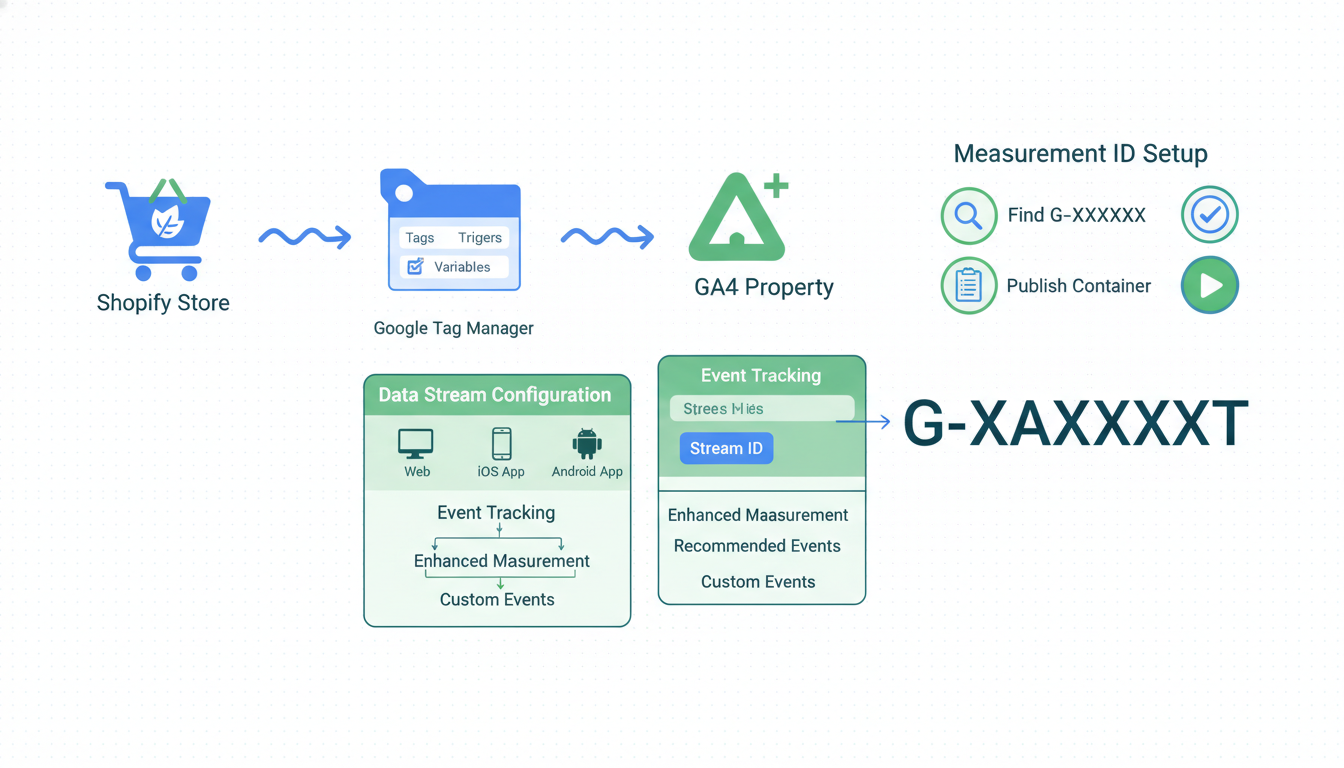
Shopify GA4 setup looks like a five-minute job on paper and quietly turns into a week of data cleanup when you get it wrong. Shopify's Google & YouTube channel handles the base install for you and fires seven default events automatically: page_view, view_item, add_to_cart, begin_checkout, add_payment_info, purchase, and search. What it does not fire is view_item_list, select_item, remove_from_cart, and view_promotion. Those four gaps are what make your funnel reports wrong in GA4, and they are invisible on the surface because the standard reports still populate. Fill them with a GTM custom tag set, validate every event in DebugView before you trust a single number, and the Shopify GA4 ecommerce reports will finally match what actually happens on the store. This guide walks the exact install sequence, the four GTM events to add, the cross-domain fix for Shopify checkout, and the discrepancy checks that stop you from getting burned when reality hits the weekly revenue dashboard.
- Install the Google & YouTube channel for the seven default events.
- Add the four missing events through GTM custom tags.
- Validate in GA4 DebugView before touching any campaign.
- Cross-check GA4 purchases against Shopify orders on day three.
What GA4 actually measures on Shopify
GA4 on Shopify is the event pipeline between the storefront and Google's analytics property. Every click, scroll, add-to-cart, and purchase becomes a named event with parameters attached (item_id, value, currency, quantity), and GA4 builds reports by counting and grouping those events. What changed from Universal Analytics is that there are no more sessions as a top-level unit. Everything is events, and if the event names and parameters do not match what GA4 expects, the Monetization, Ecommerce purchases, and Funnel reports all go blank or fill with (not set).
Most operators assume Shopify's native Google & YouTube channel gives them full ecommerce tracking. It gives you about 65% of it, which is enough to make purchase reporting work and enough to fool a weekend audit. The gaps show up when you try to read the full Shopify GA4 ecommerce funnel (list views to product views to cart adds to purchases) and find that list-view data is missing entirely. That is the single most common reason GA4 funnel charts on Shopify stop at step two.
The 7 default events Shopify sends and the 4 it misses
We audit around 40 Shopify stores a month since 2023, and nine out of ten of them have the same four missing events. Shopify's Google & YouTube channel, which is the official google analytics 4 shopify integration, fires these automatically when you connect the channel and paste your measurement ID:
| Event | Fires on | Captures |
|---|---|---|
| page_view | Every page load | page_location, page_title |
| view_item | Product page view | item_id, item_name, price, currency |
| add_to_cart | Add-to-cart button click | items array, value, currency |
| begin_checkout | Checkout page load | items, value, currency |
| add_payment_info | Payment method entered | items, value, payment_type |
| purchase | Order confirmation page | transaction_id, items, value, tax, shipping |
| search | Search bar submission | search_term |
The four it does not fire, all critical for ecommerce funnel reporting:
view_item_list- when a user sees a collection page or product gridselect_item- when a user clicks a product card from a listremove_from_cart- when a user removes an item from cartview_promotion- when a banner, hero, or promo block is viewed
Without view_item_list and select_item you cannot build the full funnel (list view to product click to cart add to purchase) in GA4's Funnel Exploration. The report just shows a drop-off cliff at step one that is not real. Without remove_from_cart you lose the signal that a shopper pulled back, which is the strongest re-engagement trigger you have. Without view_promotion you cannot measure hero banner conversion rates, which is the single most expensive real estate on the site.
The Google & YouTube channel sets itself up as "good enough" for new stores. It is not good enough for any store doing more than $50k a month. The gaps compound.
Setting up the data stream correctly
A clean shopify ga4 setup starts in the GA4 admin, not in the Shopify app. Do the property and stream work first, then connect Shopify. Doing it the other way round gets you duplicate measurement IDs and a data stream that fires into a property Shopify does not know about.
- In GA4, go to Admin, Data Streams, Add Stream, Web. Enter your full store URL (
https://yourstore.com), name the stream "Shopify web", and save. - Copy the measurement ID (format
G-XXXXXXXXXX). This is the only ID that matters for Shopify. Ignore the "tag ID" field for now. - In Shopify admin, open the Google & YouTube channel (install it if you haven't). Connect your Google account and select the GA4 property you just created.
- Paste the measurement ID into the "Google Analytics" field. Save. The channel writes the tracking snippet into your theme automatically.
- In GA4 Admin, Data Streams, click the stream you just created, open "Configure tag settings", then "Show more" at the bottom. Turn on "Enhanced measurement" if it is off. Turn off "Form interactions" (Shopify forms will double-fire with your custom events).
- Under "Automatic event detection", leave
page_view,scroll,file_download, andvideo_engagementenabled. Turn offoutbound click(we will measure outbound clicks manually through GTM to avoid noise from footer links).
The "Enhanced measurement" toggle is the one step most ga4 shopify integration walkthroughs skip. Leave it off and you lose scroll depth, which is the most-used engagement signal in content-heavy Shopify stores.
Set the default currency in the property to your store's checkout currency (GA4, Admin, Property, Property Settings, Currency). If Shopify is USD and GA4 is EUR, every purchase event gets silently converted and your revenue report reads 1.1x higher than reality for months before anyone catches it.
Filling the gaps with GTM custom events
The four missing events (view_item_list, select_item, remove_from_cart, view_promotion) all need GTM. Install GTM on the storefront through the Shopify theme (Online Store, Themes, Edit code, insert the GTM container in theme.liquid inside <head> and right after <body>). Google's GTM web container install docs cover the snippet format. Then wire the four custom events.
The data comes from Shopify's dataLayer pushes, which fire on collection pages, product cards, and cart lines. On a modern theme (Dawn 11+, Horizon, most Shopify 2.0 themes) the dataLayer is already there. On an older theme you inject it through a Customer Events pixel inside Shopify admin.
The four tags to create in GTM:
view_item_list- fires when a collection page loads. Trigger: Page View on URL matching/collections/. Parameters:item_list_id(the collection handle),item_list_name(the collection title),items(array of product IDs and names from the dataLayer).select_item- fires when a product card is clicked inside a collection or list. Trigger: custom eventproductCardClickwhich you push from a small snippet added to the product card template. Parameters:item_list_id,item_list_name, plus the single item clicked.remove_from_cart- fires when cart line is removed. Trigger: custom eventremove_from_cartfrom the cart AJAX update. On Dawn themes this fires natively; on older themes you wire it through the cart form submission. Parameters: items array, value.view_promotion- fires when a promo block enters the viewport. Trigger: Element Visibility on elements with[data-promo-id]attribute. Parameters:promotion_id,promotion_name,creative_name(the banner variant).
The single mistake that breaks every shopify ga4 ecommerce funnel we audit: sending view_item_list without the items array, or sending an items array with mismatched item_id values between list and detail events. GA4 matches items across the funnel by item_id. If the list page sends item_id: "12345" and the product page sends item_id: "gid://shopify/Product/12345", GA4 treats them as different items and the funnel breaks. Normalize on one format (numeric ID is simplest) across every event.
Google's recommended events reference lists the exact parameter names for each. Match it character for character. GA4 silently drops events with unknown parameters, which is why an event can fire cleanly in Tag Assistant and still not appear in reports.
Validating GA4 debug view before you trust the numbers
GA4 DebugView is the only place you can see events in real time before they hit the 24 to 48 hour processing delay that normal reports run on. Never trust a shopify ga4 setup until DebugView shows every event firing with the right parameters. Otherwise you spend two weeks scaling ad spend on top of broken data.
The validation pass we run on every client:
- Install the Google Analytics Debugger Chrome extension, turn it on.
- Open the store in Chrome, open GA4, go to Admin, DebugView.
- Run the full funnel on the store: homepage, collection page, product card click, product page, add to cart, remove from cart, re-add, checkout, test purchase with a 100%-off coupon.
- Watch DebugView. You should see 11 events in order:
page_view,view_item_list,select_item,view_item,add_to_cart,remove_from_cart,add_to_cart,begin_checkout,add_payment_info,purchase,page_view(thank you page). - Click each event in DebugView. Check the parameters panel. Every ecommerce event must have an
itemsarray withitem_id,item_name, andpriceat minimum.purchasemust also havetransaction_id,value,currency, and ideallytaxandshipping. - If any parameter is
(not set), fix it in GTM. Common cause: the dataLayer push is missing the field, or the GTM variable is reading the wrong path.
Most ga4 shopify integration tutorials tell you to run "a test event" and stop there. One event proves nothing. Run the full funnel three times, once as a logged-in customer, once as a guest, once on mobile. The mobile pass catches theme-specific bugs on older themes where the dataLayer fires differently on touch vs click.
Remove any debug extensions before going live. DebugView events do not count toward normal reports, but leaving debug mode on for a real customer session can skew their user journey attribution.
Cross-domain and subdomain tracking on Shopify
Shopify stores almost always end up on at least two hostnames: the storefront (yourstore.com) and the checkout. Shopify checkout runs on either yourstore.com/checkouts/ (new checkout extensibility), checkout.yourstore.com (older Plus setups), or shop.app (Shop Pay one-click). Without cross-domain tracking configured, a user who lands from Meta, browses on yourstore.com, then completes checkout on checkout.yourstore.com splits into two GA4 users with two separate sessions. Purchases attribute to (direct) or (self-referral) and your paid-channel ROAS reads 40% lower than real.
Fix in GA4 admin: Data Streams, click the Shopify web stream, Configure Tag Settings, List Unwanted Referrals. Add checkout.yourstore.com, shop.app, shopify.com, pay.shopify.com. Save.
For cross-domain (not subdomain) setups, go to the same menu, Configure your domains, and add all domains the user can flow across. GA4 handles the linker parameter automatically once both domains are listed. Shopify's Google Analytics integration docs have the up-to-date list of checkout domains per plan.
One more detail specific to Shopify: the new Checkout Extensibility (2024+) runs inside an iframe on newer stores. Analytics inside an iframe needs explicit postMessage handlers or a Customer Events pixel, not just a standard GA4 snippet. If your checkout domain is yourstore.com/checkouts/ but GA4 only tracks the storefront, you are losing the begin_checkout and purchase events. Install the Customer Events GA4 pixel from the Shopify app store or write a short Customer Events script in admin to relay the checkout events.
Common GA4 Shopify data discrepancies and fixes
Shopify and GA4 will never match perfectly, and that is fine. A 3 to 5% variance is expected because of ad blockers, consent mode opt-outs, and timing differences. Anything above 5% means something is broken. The four most common discrepancies and what causes them:
- GA4 purchases 15 to 25% lower than Shopify orders. Almost always ad blockers and iOS Safari ITP. Not a bug, just a known gap. Pair GA4 with server-side tracking (through GTM server container or Shopify's Customer Events) to close 60% of this gap. The remaining 10% is unrecoverable without consent gymnastics that are not worth the trouble.
- GA4 revenue lower than Shopify revenue even when order counts match. Currency conversion mismatch. Check GA4 property currency vs. Shopify checkout currency. Also check that
valuein the purchase event equalstotal_price(including tax and shipping) and notsubtotal_price, which is a common theme template bug. - GA4 shows
(not set)in the Traffic acquisition report for 30%+ of sessions. Either cross-domain is misconfigured (see previous section) or your ad platforms are stripping UTMs. Check that every paid URL has utm_source, utm_medium, utm_campaign at minimum. Shopify's Customer Events pixel does not automatically forward UTM params to GA4 if the customer refreshes on checkout; use the GA4 linker parameter instead. - Funnel exploration drops from
view_itemtoadd_to_cartat 100%. Theitem_idinview_itemdoes not match theitem_idinadd_to_cart. One is numeric, the other is the Shopify GID string. Pick one format and enforce it across every event through a GTM variable transform.
Shopify's GA4 reports inside the admin (Analytics, Reports) read from a separate internal pipeline, not from your GA4 property. They will never match either. Use GA4 as the source of truth for marketing attribution and use Shopify admin for operational revenue. Mixing them is how you end up with three numbers in a weekly report and no idea which is right.
Frequently asked questions
Does Shopify's Google & YouTube channel handle the full ga4 shopify integration?
view_item_list, select_item, remove_from_cart, or view_promotion. Without those four events, GA4 Funnel Exploration cannot show the collection-to-product-to-cart-to-purchase flow accurately. For a store doing under $50k a month the channel alone is enough for directional reporting. Above that, you need GTM to fill the gaps or your funnel data will be wrong in ways that affect budget decisions.Can I run GA4 without GTM on Shopify?
config tag. The channel sets the measurement ID; GTM adds custom events on top. The rule: one source for base events, one source for custom events, never both sending the same event name.Why does GA4 show fewer purchases than Shopify?
gtag call gets blocked at the browser level, the event never reaches Google. To recover most of that gap, add server-side tracking through Shopify's Customer Events pixel or GTM server container. Expect to close about 60% of the gap with server-side, which brings the variance from 20% down to around 8%. The remaining gap comes from consent opt-outs and cannot be recovered without breaking privacy compliance.How long does it take to validate a fresh shopify ga4 setup?
Do I need Google Tag Manager if I already have the Google Analytics 4 property connected?
view_item_list and select_item on collection pages, view_promotion on hero banners, newsletter signups, video engagement, quiz completions, and any server-side event routing. Most Shopify stores over $100k a month end up with GTM eventually because the native channel cannot fire the events the merchandising team wants to see in reports. Install GTM when you feel the first pain point, not before.What is the difference between GA4 events and conversions on Shopify?
purchase, which is a conversion out of the box. The ones most stores should also mark: begin_checkout (measures checkout intent), add_to_cart (measures product interest), and custom events for newsletter signups or account creation if those are downstream revenue drivers. Conversions feed into Google Ads bidding and the "Advertising" reports inside GA4. Marking too many events as conversions pollutes the attribution view; pick three to five maximum.Shopify ga4 setup is one of those jobs that takes 90 minutes to do right and three weeks to fix when done wrong. Connect the Google & YouTube channel for the seven defaults. Fill the four gaps with GTM. Run the full-funnel DebugView pass three times before you let anyone touch the campaign reports. Best to run the validation checklist above before you trust a single number, because the stores that skip validation almost always discover a broken parameter six weeks later, usually on a Monday after a big weekend push, usually when the CMO asks why GA4 revenue does not match Shopify. Get the install clean on day one and the rest of the tracking stack (Meta CAPI, Google Ads conversion import, attribution modeling) stops being a guessing game.
Get a full X-ray of your ad account
Paste your Meta and Google Ads. See exactly where signal is leaking. Free. 60 seconds.