Performance Max for Shopify: the real playbook
 By Dror Aharon
·
CEO, COREPPC
·
Updated April 17, 2026
·
11 min read
By Dror Aharon
·
CEO, COREPPC
·
Updated April 17, 2026
·
11 min read
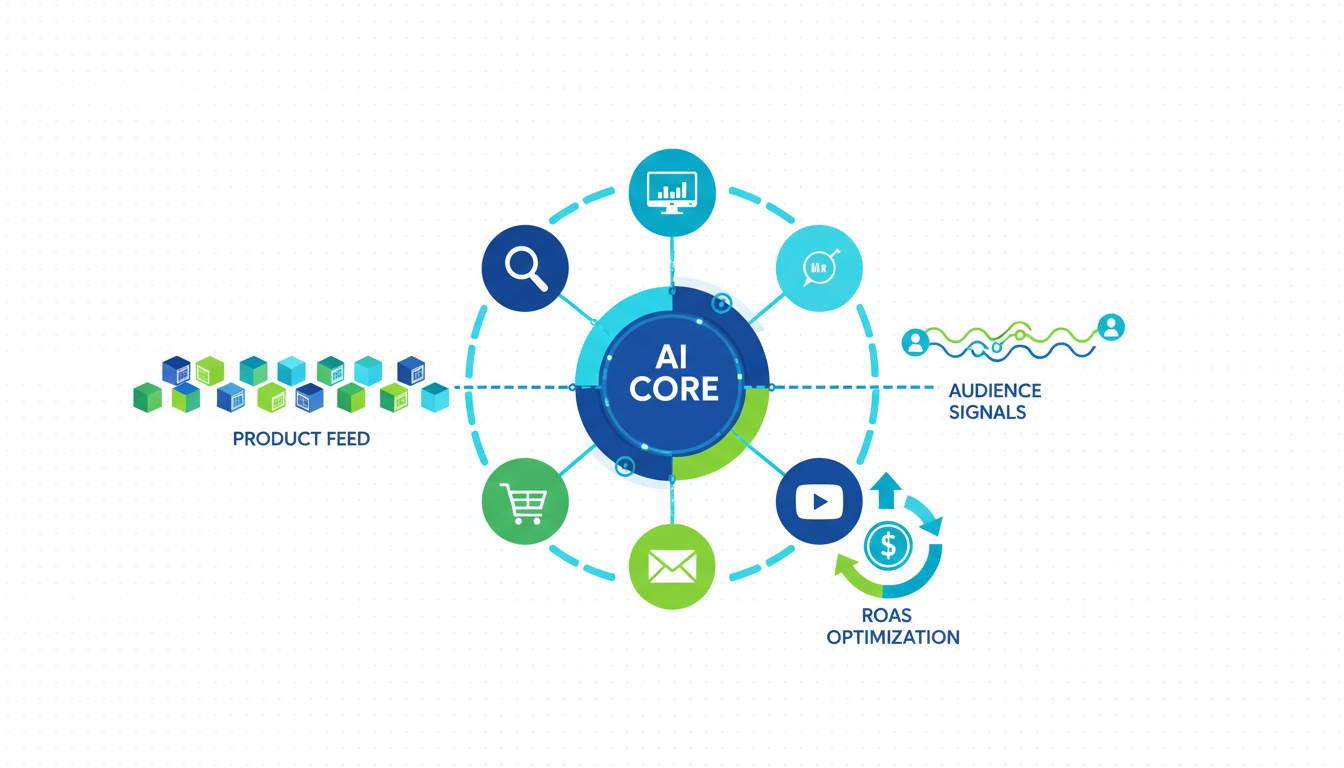
Shopify Google Ads PMax is the fastest way to scale a Shopify store past $30k a month in Google spend, and it is also the fastest way to burn budget if the feed is messy or the asset groups are lazy. Google's official walkthrough gets you a running campaign in an afternoon. It does not tell you that 70% of PMax performance is decided before you ever touch the campaign, inside the Merchant Center feed and the asset group structure. Most Shopify stores we audit score between 45 and 60 on the feed quality scorecard we use. The stores running 4x ROAS on PMax are scoring 85 and above, and the 40-point gap shows up in wasted spend every single day. Fix the feed first, structure the asset groups by margin, pair it with Search as a defense layer, and PMax stops wobbling. The setup takes a day. The feed fixes take a week. The ROAS compounds from there.
- Clean the feed before the campaign. 14 attributes decide 70% of PMax outcomes.
- Structure asset groups by product margin, not by category or collection.
- Run Search brand + Search non-brand alongside PMax. Not underneath it.
- Audit the Insights report weekly. Most of it is decorative. Three signals matter.
What Performance Max actually does to Shopify stores in 2026
Performance Max is Google's unified campaign type that pushes a Shopify store's products across Search, Shopping, YouTube, Display, Gmail, and Discover from one asset pool. It replaced Smart Shopping in late 2022 and now accounts for around 60% of new Shopify ad spend on Google in our audit data. The appeal is obvious: one campaign, one budget, Google decides where the dollars go. The pain is also obvious once you run it: you lose query-level visibility, you lose placement control, and the algorithm optimizes for conversions at whatever CPA gets the volume, not the ROAS you actually need.
What changed in 2026 is that Google finally exposed channel-level performance data inside PMax (as of the Q1 API release), so you can now see what share of spend is going to Shopping vs. YouTube vs. Display. Before that, PMax was a total black box. Now it is a partial black box, which is meaningfully better. The stores running PMax well on Shopify use that new data to rein in YouTube waste, which often eats 20 to 30% of the budget with almost no attributable revenue at small-to-mid spend levels.
The short version: a shopify google ads pmax guide that skips feed quality is useless. Below $10k a month in Google spend, PMax is probably fine on defaults. Above $15k, feed quality and asset group segmentation become the whole game. We audit around 40 Shopify stores a month since 2023, and 9 out of 10 have PMax campaigns live with feed scores below 60. Those same accounts usually sit at 1.8 to 2.4 ROAS and never figure out why scale keeps breaking. Google's official Performance Max documentation is the starting point. This guide is about what actually moves the number.
The feed quality scorecard: 14 attributes that predict PMax performance
A clean feed is the single highest-leverage lever in Performance Max Shopify campaigns. Not creative, not audience signals, not bid strategy. Feed. Because PMax is fundamentally a shopping-first campaign that leans 50 to 70% of its spend into Shopping and Display placements sourced from Merchant Center. If the feed is weak, every other lever is fighting uphill.
These are the 14 attributes that move PMax performance the most, ranked by impact in our audit sample:
- Title: Front-loaded with brand + product type + key attribute (color, size, material). 150 char max, but most of the signal is in the first 70.
- Product type: Custom hierarchy from Shopify collections. Must be 3-5 levels deep, not 1. Example: "Apparel > Women > Outerwear > Rain Jackets > Insulated".
- Google product category: Mapped to Google's taxonomy (not Shopify's). Most stores auto-assign this and land on level 1 or 2. Go to level 4-5.
- Image quality: 1200x1200 minimum, white background, product isolated, no text overlay. Lifestyle shots go in
additional_image_linknot the primary. - GTIN: Present and valid on 100% of SKUs. Missing GTIN caps Shopping impressions on branded products and triggers approval warnings.
- Brand: Set explicitly. Shopify's default pulls from vendor field which is often empty or wrong.
- Description: 500-1000 words, benefit-led, keyword-matched to high-intent search queries. Not the same text as the product page, often shorter and sharper.
- Price + sale_price: Sale price only when discount is >5% and >48 hours. Short flash sales hurt more than they help.
- Availability: Accurate and real-time. Shopify to Merchant Center sync lag over 2 hours causes disapprovals.
- Condition: Set even for new products. Leaving blank = disapproval warning on some categories.
- Color / size / material: Structured data attributes, not jammed into the title. Enables filtering in Shopping and better AI-generated ad copy.
- Custom labels (0 through 4): Margin tier, new vs. best-seller, seasonal flag, stock-level bucket, price band. This is where asset group segmentation lives.
- Shipping: Accurate shipping cost by region. Free shipping threshold flagged with
free_shipping_threshold. - Product highlights: 3-5 bullets of benefit copy. Underused by 80% of Shopify stores. Shows up in Shopping + AI Overviews.
Score each attribute on a 0-10 scale. Weight titles, product type, and custom labels 2x (they move the most). Total possible: 170. Stores scoring above 140 run PMax at 3.5x ROAS and up. Stores below 85 should not be running PMax at all, they will burn the budget before the algorithm finds anything. The Merchant Center product data specification is the reference on what's required vs. optional, but "optional" in Google's docs means "required for competitive performance" in practice.
Best to run the scorecard before you build a single asset group. Fixing a broken feed after the campaign is live costs 2-3 weeks of learning phase wasted, every time.
Asset group structure: segment by product margin or by intent
The biggest structural mistake we see in Shopify PMax setups is asset groups organized by Shopify collection. "Men's apparel" asset group, "Women's apparel" asset group, "Accessories" asset group. This feels logical but it's wrong. Google doesn't care about your collection structure. Google cares about which products convert profitably at which CPA, and your collections usually mix high-margin bestsellers with low-margin filler SKUs inside the same group. The algorithm then optimizes for the average, and the bestsellers subsidize the losers.
The right segmentation is by product margin, using custom_label_0. Three tiers:
- Custom label 0 = "high_margin": Products with >50% gross margin. Get 60-70% of the PMax budget. Asset group can tolerate a higher CPA because margin covers it.
- Custom label 0 = "mid_margin": 30-50% gross margin. 20-30% of budget. Tighter CPA targets.
- Custom label 0 = "low_margin": Under 30% gross margin. 10-15% of budget or excluded entirely. These products should almost never be in a PMax feed unless they're loss leaders with measurable LTV.
Second segmentation layer: by intent or funnel stage, using custom_label_1. "Hero" (the 20% of SKUs driving 80% of revenue), "Best Seller" (next 30%), "Long Tail" (the rest). Hero products get their own asset group with dedicated creative and audience signals. Long tail products go into a catch-all with minimal asset variety and whatever budget is left.
A clean performance max shopify structure looks like this:
- Asset group 1: High margin + Hero products. 50% of budget. Premium creative, specific audience signal (past purchasers, high-LTV lookalike).
- Asset group 2: High margin + Best seller. 20% of budget. Standard creative, broad audience signal.
- Asset group 3: Mid margin + Best seller. 15% of budget. Efficient creative, category-level interest signals.
- Asset group 4: Mid margin + Long tail. 10% of budget. Minimal creative, no audience signal.
- Asset group 5: Seasonal / new launches. 5% of budget. Swapped in and out as needed.
The reason this works: Google runs its auction per product, not per asset group. By segmenting by margin you're telling the algorithm which products can support a higher CPA, so budget flows to the SKUs that can actually carry it. Segmenting by Shopify collection gives Google no useful signal at all beyond theming.
What PMax steals budget from (Search and Shopping cannibalization)
The most under-discussed problem with Performance Max is that it cannibalizes your existing Search and Shopping campaigns, silently, and the platform reporting does not flag it. When you launch PMax next to an existing Search brand campaign, the branded queries often get absorbed into PMax because PMax doesn't respect the brand keyword boundary the way Standard Shopping does. Your branded clicks, which used to come in at $0.80 CPC with 8x ROAS, now report as PMax clicks at higher CPCs and ghost-inflated ROAS that includes the branded halo.
Three things PMax quietly eats budget from:
- Brand Search campaigns: Without brand exclusions at the account level, PMax will bid on your own brand queries and report that volume as PMax success. Add brand exclusions at the account level before you launch PMax. This is a one-time toggle most guides skip.
- Standard Shopping campaigns: When PMax and Standard Shopping both serve Shopping inventory, PMax wins the auction by default. If you want to keep Standard Shopping running for specific product groups (often a good idea for testing), you need to use the "Performance Max campaigns will be prioritized" toggle strategically or exclude those products from PMax via feed filters.
- Non-brand Search on category terms: If you're running Search campaigns on broad category keywords ("women's rain jackets") and PMax is also finding those queries, PMax usually wins because it has more bidding flexibility. Your Search campaign starves. Solution: keep the Search campaign tightly themed with exact match keywords and narrow ad groups, so it's competing on different inventory than PMax.
The math on cannibalization is brutal if you ignore it. A Shopify store we audited last quarter moved $8k/mo from brand Search into PMax after "PMax ROAS looked better." Six weeks later total branded revenue was flat but blended ROAS had dropped 22% because PMax was paying $1.80 for branded clicks that used to cost $0.65. They added brand exclusions, split the budget back out, and blended ROAS recovered in two weeks. Nothing about this shows up in Google's own dashboards unless you know to look.
Best to run the ngram analysis on your Search Terms report (still available for Search, blocked for PMax) monthly to see if branded queries are getting pulled. If branded impression share in your Search campaigns drops 15%+ after a PMax launch, you know exactly what's happening.
PMax vs Standard Shopping: the decision framework
The shopify pmax setup decision is not "PMax or Standard Shopping." It's "which campaign type owns which inventory." Running both is usually correct below $50k/mo in Google spend. Running PMax only is usually correct above $100k/mo. The middle is a judgment call.
The decision framework:
- Use PMax when: Budget is above $10k/mo, feed score is above 140, you want automated placement across Shopping + YouTube + Display, you don't need query-level visibility, and you have strong creative assets (at least 15 images, 5 videos, 10 headlines per asset group).
- Use Standard Shopping when: Budget is below $5k/mo, feed score is below 100, you need query-level control for brand protection or category expansion, or you're testing new product categories and need to see what queries convert before committing spend.
- Use both when: You want PMax to scale volume on proven SKUs while Standard Shopping handles long-tail discovery and gives you the query data PMax hides. The Standard Shopping campaign runs on the SKUs NOT in PMax (use feed-level exclusions or Inventory Filter) so they don't compete in the same auction.
What most shopify pmax guide content gets wrong is framing this as binary. PMax is not a replacement for Standard Shopping at small scale. It's a scale amplifier for stores that have already proven unit economics at smaller scale. Launching PMax on a store doing $2k/mo in Google spend is usually a mistake. The learning phase alone will eat the budget before the algorithm finds anything signal-worthy.
CPA comparison from our audit sample (median across 28 Shopify stores, 2025 Q4):
- Standard Shopping: $28 CPA, 3.1x ROAS, full query visibility, narrow reach.
- Performance Max (feed score 140+): $22 CPA, 3.8x ROAS, zero query visibility, broad reach.
- Performance Max (feed score <100): $41 CPA, 1.9x ROAS, zero query visibility, burns budget fast.
The takeaway: PMax outperforms Shopping by 20% on ROAS when the feed is clean. It underperforms Shopping by 38% when the feed is messy. Feed quality is the hinge the whole decision swings on.
Negative keywords and placements for PMax
PMax negative keywords are possible but limited. You can submit up to 100 negative keywords per account via the Google Ads UI request form or via API (account-level only, not campaign-level, which is another reason PMax scoping is harder than Search). Most operators don't know this exists because Google buried it. Submit the negative list as early as possible in the campaign lifecycle, ideally before the first $1k of spend.
Three negative keyword categories every Shopify store should submit on day one:
- Competitor brands: Explicitly exclude your top 10 direct competitors. PMax will happily show your products to people searching "competitor brand name" and report the click as a success even when conversion is half the account average.
- Irrelevant modifiers: "Free", "cheap", "discount code", "coupon", "reddit", "review" (if you don't want to appear on review-intent queries).
- Off-brand adjacent: Wholesale, bulk, B2B, supplier, manufacturer. Kills B2B query pollution for DTC stores.
Placement exclusions are different from negative keywords and work at the campaign level. This is where you prune the YouTube and Display waste. Check the Insights report for the "Placements" breakdown weekly. Common exclusions:
- Apps (most kids' and utility apps). Add
adsenseformobileapps.comto negative placements at the account level. - MFA (made-for-advertising) sites. Google has gotten better at filtering these but junk still leaks through.
- Specific YouTube channels that keep eating impressions with zero conversion. Add to channel-level exclusions.
Best to review placements weekly for the first 6 weeks of a new PMax campaign. After that, monthly is fine. The incremental gains on placement pruning drop off after the initial cleanup, but leaving garbage placements running costs 10-15% of budget every month it's ignored.
Reading the PMax insights report without fooling yourself
The PMax Insights report is Google's replacement for the Search Terms and Placements reports you used to get on Standard Shopping. It is useful but designed to flatter the campaign's performance. Most of what's in it is decorative. Three signals matter, the rest is noise.
Signals that matter:
- Consumer interest categories trending up: Tells you which audience segments are converting. Useful for building audience signals on future asset groups. If "Home fitness equipment" is trending up on a Shopify apparel store, that's a useful cross-sell signal.
- Search themes driving conversions: The closest thing to a search terms report PMax gives you. Shows the high-level categories of queries converting. Still no actual query strings, but the themes are specific enough to act on.
- Asset performance ratings: Google rates each headline, description, image, and video as Low, Good, or Best. Replace anything rated Low within 2 weeks. Best-rated assets should be cloned across asset groups.
Signals that are decorative:
- Audience segment breakdowns: Useful context but not actionable, because you can't bid by segment in PMax. Skip unless you're mining for creative insight.
- Channel performance charts: Now exposed as of 2026 Q1, but the data is aggregated weekly and lags by 2-3 days. Check it monthly, not daily.
- Diagnostic insights: Google's auto-generated recommendations. Follow the ones about creative and asset variety. Ignore the ones about loosening CPA targets or enabling URL expansion, both of which usually hurt ROAS more than they help.
The worst trap in the Insights report is the "account recommendations" pop-up that auto-applies optimizations if you don't explicitly disable it. Go to Recommendations > Auto-apply settings and turn off everything. Google applies these to hit platform-level spend targets, not your ROAS targets. Auto-apply has cost more Shopify stores more money than almost any other default setting.
Most of what looks impressive in the Insights report is backward-looking. The report tells you what already happened. The feed scorecard and asset group structure tell you what will happen. That's why feed quality is the lever that keeps coming up in every section of this playbook, and why the "audit" section of a Google Ads audit for Shopify almost always finds conversion tracking gaps first, then feed quality second, then everything else.
Frequently asked questions
Should I use Performance Max or Standard Shopping for my Shopify store?
How do I stop PMax from cannibalizing my brand Search campaign?
What's a good feed score for Performance Max on Shopify?
How long does PMax take to exit learning phase?
Do asset groups or audience signals matter more in PMax?
Can I run PMax without a Merchant Center feed?
The shopify google ads pmax guide most operators get online stops at "connect Merchant Center and hit go." That gets you a running campaign. It does not get you a profitable one. Feed quality decides 70% of the outcome, asset group segmentation by margin decides another 20%, and the remaining 10% is creative + negative keywords + placement hygiene. In that order. Best to run the 14-attribute feed scorecard before you build a single asset group, segment asset groups by product margin instead of collection, add brand exclusions on day one to protect your Search campaigns, and check the Insights report weekly for the three signals that matter. If the feed score is below 100, fix the feed before touching anything else. The fix takes a week. The compound ROAS lift runs for months. Most of the "why isn't PMax working" questions we get in audits trace back to one of these four levers. The campaign was fine. The setup around it was lying.
Get a full X-ray of your ad account
Paste your Meta and Google Ads. See exactly where signal is leaking. Free. 60 seconds.