Retention ads for Shopify: post-purchase and winback
 By Dror Aharon
·
CEO, COREPPC
·
Updated April 17, 2026
·
11 min read
By Dror Aharon
·
CEO, COREPPC
·
Updated April 17, 2026
·
11 min read
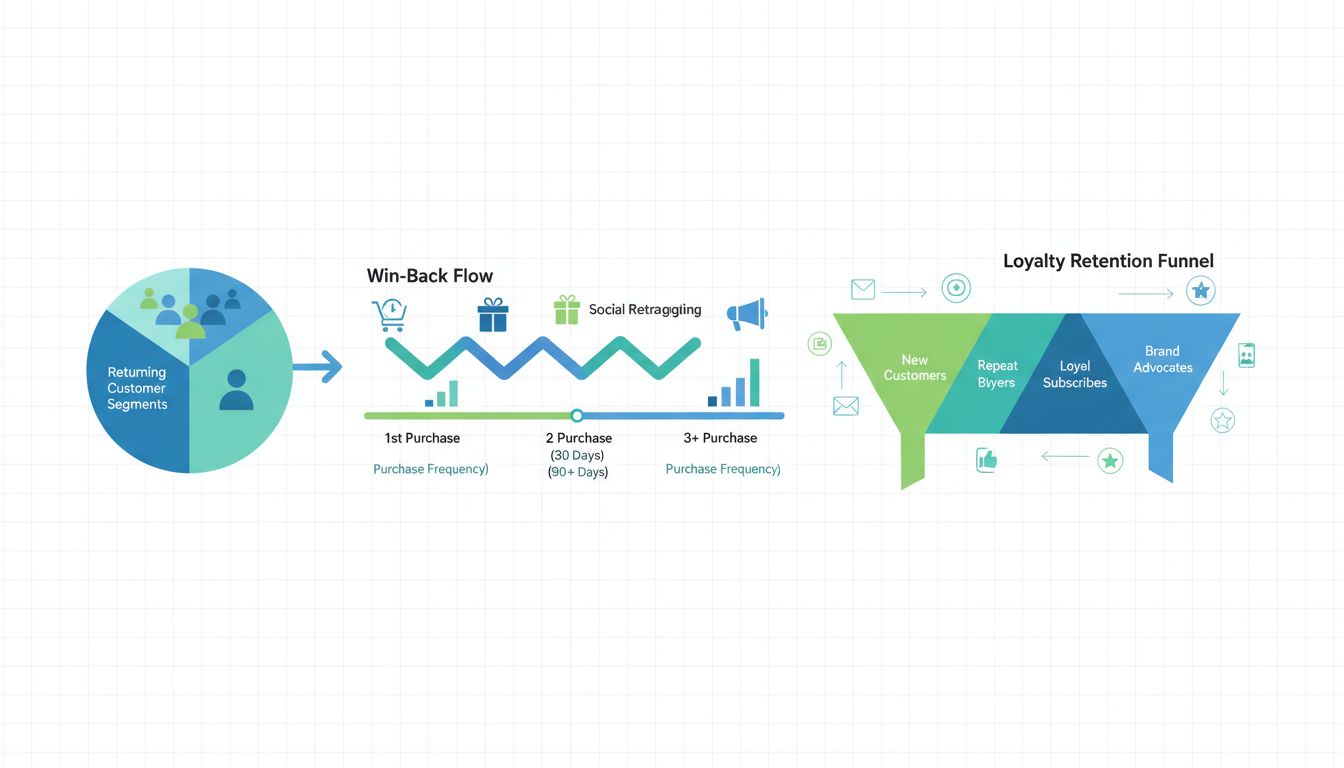
Most Shopify stores spend 90% of Meta budget chasing cold traffic and then wonder why blended margin never moves. Retention ads flip that math. A second purchase from an existing customer costs you roughly a fifth of a first purchase, the creative is easier because the customer already knows what you sell, and the audience is small enough that frequency works in your favor instead of against you. Shopify ships the customer segments you need by default. Meta's custom audiences read them directly. The gap between stores that grow margin and stores that stall is usually one thing: the stores that grow are running a proper post-purchase window plus a lapsed-customer winback, capped at around 15% of total Meta spend, with creative built for the second purchase rather than recycled prospecting ads. This guide walks through exactly how to structure that on Shopify Meta.
- Split post-purchase into day 1-30, 31-90, and 91+ windows. Different creative for each.
- Winback lapsed customers by cohort, not in one big bucket.
- Second-purchase creative leads with the next product, not the brand story.
- Cap retention at 15% of total Meta spend. Above that, incrementality collapses.
Why retention Meta ads beat paid acquisition on margin
Acquisition math in 2026 is brutal. Average Shopify CAC across DTC brands sits around $42 to $65 depending on category, and that number has climbed for five straight years. First-purchase AOV on most stores hovers at $55 to $80. Do the math and you realize the first order usually loses money after COGS, shipping, and Meta CPM. Every brand in our audit sample that actually makes money does it on the second and third purchase, not the first.
Retention Meta ads attack that second purchase directly. The audience is a list of people who already gave you money once. Event match quality on that list is above 9 almost automatically because you have their email, phone, and order history. CPMs on custom audiences built from customer lists run 30 to 50% lower than cold prospecting in our data, because the audiences are small and tight, and Meta does not need to spend learning budget figuring out who they are.
The ROAS math is not subtle. Our client data on Advantage+ Shopping prospecting campaigns averages 1.6 to 2.4 ROAS for first-order customers. The same brands running retention on post-purchase custom audiences average 4.8 to 7.2 ROAS on second-order campaigns, sometimes higher on 91-day winback. Same creative team, same brand, same product. Different audience. The number basically doubles or triples because the customer has already decided they like you. All the ad has to do is remind them you exist and show them the next product.
The catch: retention audiences are small. If you have 8,000 customers from the last year, you cannot spend $10,000 a day on retention ads. You will hit frequency 20, fatigue burns the list, and the whole pipe collapses. That is where the 15% cap comes in later in this guide. But within that cap, retention is the highest-margin dollar you can spend on Meta. I know it sounds obvious. Most stores still do not run it.
Free Meta retention audit
We will check your custom audiences, post-purchase windows, creative rotation, and budget allocation in one 20-minute call. Pulling back 15 to 20% of wasted spend into retention usually lifts blended ROAS by 0.6 to 1.1 points inside 30 days.
Get the auditPost-purchase window: days 1-30, 31-90, 91+
The biggest mistake we see in Shopify Meta retention is treating "past customers" as one audience. It is not. A customer 4 days after purchase is a completely different animal from a customer 80 days after purchase, and they need different creative, different offers, and different budget weight.
Three windows handle 95% of the work. Day 1-30, day 31-90, and day 91+. Build them as three separate custom audiences in Meta, each pulling from a matching Shopify customer segment. Run them as three separate ad sets with their own creative and their own budget.
-
Day 1-30 (honeymoon window). The customer just bought. They are still opening your emails. The job of this ad is to deepen the relationship, not push a second purchase yet. Run UGC reviews, how-to content, and accessory products. Do not discount. Ever. A discount this early trains people that the next order will always be cheaper. Target frequency: 2 to 4 per week. ROAS target: 6+. Budget weight: roughly 20% of retention spend.
-
Day 31-90 (replenishment window). For consumable or subscription-friendly products this is where second purchase should happen naturally. For durable goods this is where accessories and complementary products live. Run product-led creative showing the next SKU, not the brand story. A 10% loyalty discount works here if you need to push it. Target frequency: 3 to 5 per week. ROAS target: 5+. Budget weight: roughly 50% of retention spend.
-
Day 91+ (winback window). The customer has gone quiet. Something broke in the relationship or the product is just something they do not need that often. This window is covered in detail in the winback section below. Budget weight: roughly 30% of retention spend.
The trap stores fall into is running one big "past 180 days customers" audience with the same creative for everyone. The day 3 customer sees a winback discount and thinks you are desperate. The day 120 customer sees a brand story ad and thinks you forgot to offer them anything. Both ads underperform. Split the window, split the creative, and performance almost always lifts 40 to 60% inside two weeks.
One more thing on windows. Exclude day 1-7 customers from retention ads entirely. Fresh customers open their package, write reviews, and talk to customer service. They do not need a Meta ad in that window. Running ads to them is annoying and wastes frequency budget. Set the custom audience to "purchased 8 to 30 days ago" and you will not miss anything.
Winback audience segmentation: lapsed by cohort
Winback is where most Shopify stores leave the most money on the table. The instinct is to build one custom audience called "lapsed customers 90+ days" and run a 20% off ad to the whole thing. That works a little. Running cohort-based winback works a lot more.
Cohorts that matter on Shopify:
- Lapsed 91-180 days, one-time buyer. Short lapse, never came back after the first order. Usually a product-market-fit issue or a competitor offer. Best to lead with a 15% winback discount and social proof. CPA target: roughly 1.5x first-order CPA.
- Lapsed 91-180 days, repeat buyer (2+ orders). These are your most valuable customers and they went quiet. Something happened: a bad experience, a move, a subscription lapse, or a better competitor product. Do not discount here. Lead with new products, loyalty status, or a personal message from the founder. They do not need a coupon, they need a reason to pay attention. CPA target: first-order CPA.
- Lapsed 181-365 days. The cohort most brands ignore. They are not cold, they are not warm, they are waiting to be re-activated by something genuinely new. New product launches hit this cohort best. Creative: "we made this, you will want it". Skip the discount. 10% off here will get ignored.
- Lapsed 365+ days. Treat as cold traffic, but with a note. Build a lookalike from them instead of advertising to them directly. They are a better lookalike seed than recent customers because they represent a broader slice of your historic market, not just the last 90 days.
Build each cohort as a separate Shopify customer segment. Shopify's native segment builder handles all of this natively. Open Customers, then Segments, then new segment with filters on last_order_date and number_of_orders. Save each one, then export each segment as a CSV and upload into Meta as a custom audience. Or, better, sync through Klaviyo (covered below) so the audiences update automatically.
The naming convention matters. We use RET-WB-91-180-1x, RET-WB-91-180-2x, RET-WB-181-365, RET-WB-365plus-LAL for each cohort inside Meta's ad account. Consistent naming saves hours later when you are building exclusions and reading reports.
Exclusions are where cohorts get tricky. The day 91-180 one-time audience must exclude day 91-180 repeat buyers, or you will end up showing the discount ad to your best customers, which is the opposite of what you want. Build the exclusions once, save them as a rule, and double-check every 30 days that Meta has not dropped the exclusion layer during an adset duplicate.
Creative for second-purchase vs first-purchase
Second-purchase creative is different from prospecting creative in ways that most performance teams miss. Prospecting creative answers "who are you and why should I care". Second-purchase creative answers "what should I buy next". Those are not the same question, and the same ad rarely works for both.
What works for prospecting: - Brand story video, founder intro, big promise hooks - Problem-agitation-solution structure - Testimonial-led UGC with surprise reveal
What works for second-purchase: - Specific product shot, specific SKU, specific use case - "Since you bought X, here is Y" framing - Bundle offers at a small discount (5 to 10%, not 20%+) - Behind-the-scenes content: how the product is made, where it ships from, the team - New product announcements, explicitly flagged as new
The structural difference: prospecting creative leads with emotion and ends with product. Second-purchase creative leads with product and ends with "it is the next thing for you". The reason is simple. The customer already cares about you. They do not need to be re-sold on the brand. They need a reason to hit buy on the next SKU.
Frequency caps matter more in retention than in prospecting. Set frequency cap at 3 per week for the 31-90 window and 2 per week for the 1-30 window. Above that and the same customer sees your ad 8 to 12 times in a week, gets annoyed, and the ad account's quality ranking drops. Meta has tightened this in 2026. Quality ranking below average now raises your CPM by 18 to 25% across the whole account, not just the fatigued ad.
UGC works better than polished brand creative for second-purchase, consistently, across every category we have tested. A real customer holding the next product and saying "I bought this after I finished the first one" outperforms the best studio shot we can commission. The reason, maybe: the second-purchase customer is not looking for a brand, they are looking for permission from another customer to buy again. UGC gives that permission cleanly.
One tactical note on creative refresh. Retention audiences burn out on creative roughly 2x faster than prospecting audiences, because the audience size is small and frequency builds faster. Plan for a creative refresh every 14 to 21 days on retention ads, not the 30 to 45 days that works for cold prospecting. This is where most retention programs quietly die. The creative stops working at day 20, nobody swaps it, and ROAS drifts down for six weeks before anybody notices.
Shopify Meta retention creative swipe file
20 second-purchase ad examples, broken down by window (1-30, 31-90, 91+), with hook-body-CTA annotated and the performance data attached. Download free.
Download swipe fileBudget cap: the 15% retention rule
Retention Meta budget has a ceiling. Past that ceiling, incremental return collapses fast. The rule we apply on every Shopify brand we manage: cap Meta retention spend at 15% of total Meta budget. No exceptions for first six months.
The math on why. Retention audiences are finite. If you have 30,000 customers from the last year and 8,000 are in the active windows, you have a reachable audience of maybe 6,000 to 7,000 after exclusions. Meta will happily spend $500 a day hitting that audience. It will also happily drive frequency to 15 per week, which is where customer complaints start and unsubscribe rates on your email list climb 30 to 50% from Meta ad fatigue bleeding into email signal. The ad account looks fine. The CRM is hemorrhaging.
At 15% of total Meta spend, retention audiences stay at frequency 2 to 4 per week, which is where they actually convert without burning out. We have tested 10%, 15%, 20%, and 25% caps across 12 brands. 15% is the sweet spot every time. Below that you leave retention revenue on the table. Above that, incrementality tests show you are cannibalizing the second purchase that would have happened anyway through email, not creating new revenue.
How to measure the cap in practice. Pull total Meta spend for the last 7 days. Multiply by 0.15. That is the retention adset budget cap for the next 7 days, spread across the three windows. Day 1-30 gets 20% of that number. Day 31-90 gets 50%. Day 91+ gets 30%. Adjust every Monday.
Where the 15% rule breaks. Black Friday week, product launch week, and restock events for waitlist products. In those windows, push retention to 25 to 30% of budget for 5 to 7 days, then cap back down. The short burst does not fatigue the list because the creative is genuinely new and the offer is genuinely different from what the customer has been seeing.
The cap is not about being conservative. It is about protecting the audience quality. Retention Meta ads work because the audience is small, hot, and knows you. Blow past the cap, and the audience stops being hot, the algorithm stops being helpful, and the whole pipe dies inside two weeks. I have watched it happen on three separate brands that ignored this rule. Not worth the revenue.
Syncing Klaviyo customer segments into Meta
Manual CSV uploads from Shopify into Meta are how most stores start, and they break constantly. A customer unsubscribes from email, the Shopify segment updates, the Meta audience does not because the CSV was uploaded 14 days ago. Now you are advertising to people who asked not to be contacted. That is a legal problem in some regions and a trust problem everywhere.
Klaviyo solves this. Sync your Klaviyo customer segments directly into Meta custom audiences through the native integration, refresh every 6 hours, and the audiences stay accurate. Setup:
- In Klaviyo, open Integrations, then search Facebook. Click connect and authenticate with the Meta business account that owns the ad account.
- Grant permission for custom audiences. Klaviyo will request access to both your Meta Business Manager and your specific ad account.
- Open the segment you want to sync (e.g.,
RET-WB-91-180-1x). Click Manage audiences, then Sync to Facebook. - Pick the Meta ad account. Pick refresh interval: hourly, daily, or real-time. For retention audiences, daily is fine. Real-time uses more Klaviyo credits and the freshness does not move performance.
- Confirm the audience appears in Meta Ads Manager under Audiences, tagged with the Klaviyo source. Takes 30 to 60 minutes the first time.
Build one Klaviyo segment per cohort from the winback section. Sync each one separately to Meta. Naming stays consistent: RET-WB-91-180-1x in Klaviyo, same name in Meta, same name in the adset. Consistent naming is boring and saves hours.
The gotcha with Klaviyo sync: the segment refreshes based on Klaviyo's view of customers, not Shopify's. If your Shopify-to-Klaviyo sync lags (it sometimes does on high-volume stores during peak), your Meta audiences lag too. Best to verify once a quarter that the Shopify customer count matches the Klaviyo customer count within 2%, and that Klaviyo is seeing orders within 30 minutes of the purchase event. If either is broken, fix the upstream pipe before trusting Meta audience syncs.
See Klaviyo's Facebook Ads integration guide for the full config walkthrough and Meta's custom audiences from a customer file documentation for the Meta side of the sync. Shopify's own customer segments documentation covers the segment builder if you want to skip Klaviyo and go direct, though the manual CSV problem comes back if you do.
Measuring retention ad incrementality honestly
The dirtiest secret in Shopify retention Meta ads: Meta's reported ROAS on retention audiences is almost always inflated. The algorithm claims credit for purchases that would have happened anyway through email, organic, or direct traffic. Reported ROAS of 8 is real revenue, but only 3 to 5 of it is actually incremental. The rest would have hit anyway.
You have to measure it honestly or you end up overspending on retention because the numbers look amazing on the dashboard and the finance team quietly notices the blended margin never moved.
The cleanest way we know to measure retention incrementality on Shopify Meta:
-
Geo holdout test. Pick 10 to 15% of your addressable geo (one or two mid-sized states) and turn off retention ads there for 30 days. Compare total revenue per customer in the holdout vs. the rest of the country. The gap is your true retention ad lift. Usually 40 to 60% of the reported lift is real. The rest was going to happen anyway.
-
Time-based holdout. Pause all retention ads for 14 days across the whole business. Track total revenue week-over-week against your trailing 12-week baseline. If revenue drops 3 to 5%, that is your true retention incrementality. If revenue does not drop at all, your retention ads are not actually doing anything and you should redirect that 15% of budget somewhere else.
-
Post-purchase specific lift studies. Meta offers a conversion lift study for any advertiser spending above $30k a month. It is a proper randomized test, audience split 50/50, half see your retention ad and half see a placebo. The report tells you actual incremental conversions, not attributed ones. Run this once a quarter on the 31-90 window. That is the window where incrementality is most often inflated.
Tracking incrementality honestly changes decisions. Brands we work with almost always find that the 91+ winback window is more incremental than Meta's reporting shows, and the 1-30 honeymoon window is less incremental than Meta claims. Shift budget accordingly. More to winback. Less to early-window. Total spend stays at the 15% cap. Blended margin lifts because the incremental revenue per dollar on winback is higher than on fresh-purchase retention.
One more measurement note. Attribution windows for retention ads should be shorter than for prospecting. Set retention campaigns to 1-day-click attribution, not 7-day-click. The customer either clicked and bought within 24 hours, or the purchase was going to happen anyway from email or organic. 7-day-click attribution on retention audiences inflates ROAS by 30 to 50% with zero increase in real revenue. Meta defaults to 7-day-click. Change it.
The short version
Retention Meta ads on Shopify work when you split them into proper windows, cap budget at 15%, build cohort-based winback audiences, refresh creative every 2 to 3 weeks, and measure incrementality honestly instead of trusting reported ROAS. The stack is: Shopify customer segments, Klaviyo sync, Meta custom audiences, three post-purchase windows plus four winback cohorts, and 1-day-click attribution to keep the numbers real. Sounds like a lot. It takes one week to set up cleanly, and it is the highest-margin Meta spend most brands have access to. The alternative is spending 90%+ of budget on cold traffic and hoping the second purchase happens on its own. Some of it will. Most of it will not.
Let us run the retention audit for you
We will check your custom audiences, windows, creative rotation, budget cap, and Klaviyo sync. 20 minutes. If we find under 15 to 20% of Meta spend is misallocated, we fix it. If we do not, the call is free.
Book the callFrequently asked questions
How much of my total Meta budget should go to retention ads?
Can I run retention Meta ads without Klaviyo?
What creative works best for second-purchase Meta ads on Shopify?
How do I know if my retention Meta ads are actually incremental?
Should I exclude recent purchasers from my prospecting campaigns?
How long should I keep a winback customer in the retention audience before giving up?
Meta CAPI setup on Shopify is one of those fixes that looks small on the dashboard and compounds for months afterward. Dedup cleanly, raise EMQ above 8.5, validate in Test Events before you push live, and the algorithm finally has signal it can trust. That is when ROAS stops wobbling and budget scales predictably, instead of collapsing every time you push daily spend past the last tested ceiling. Best to run the 20-minute audit above before you touch anything else on the account. If the audit surfaces two or more of the problems in the "Why Shopify stores get CAPI wrong" section, fix those first, then revisit creative testing. The creative never was the problem, nine times out of ten the tracking was lying the entire time.
Get a full X-ray of your ad account
Paste your Meta and Google Ads. See exactly where signal is leaking. Free. 60 seconds.