Which Meta conversion event to optimize for on Shopify
 By Dror Aharon
·
CEO, COREPPC
·
Updated April 17, 2026
·
11 min read
By Dror Aharon
·
CEO, COREPPC
·
Updated April 17, 2026
·
11 min read
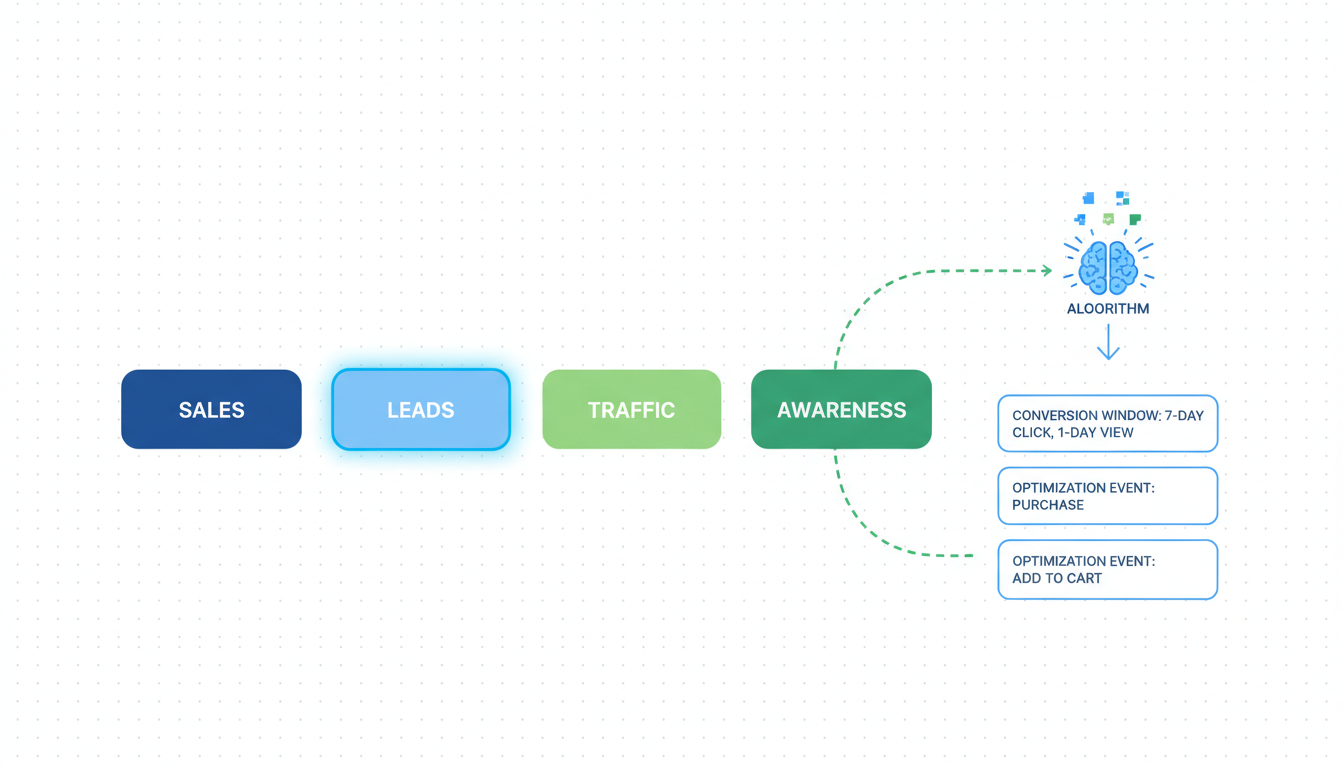
The Shopify Meta conversion event you optimize for is the single biggest decision in the campaign, and most stores pick it by accident. Meta's algorithm only learns from the event you select, so a store doing 30 Purchases a week that optimizes for Purchase will scale. The same store that picks AddToCart because "it gets more data" will burn 40% of budget learning on the wrong signal and never recover. The rule: Purchase is the default, stay there if you clear 50 Purchases a week per ad set. Drop to AddToCart only when weekly Purchase volume sits below 50 and you need volume to exit learning. ViewContent is a desperation move, almost never the right call. Value optimization beats conversion count above $50 AOV. Switch events rarely, and never without a plan, because every switch resets learning.
- Purchase is the default above 50 weekly conversions per ad set.
- AddToCart is a down-funnel fallback when Purchase volume is below 50.
- ViewContent is a last resort, rarely justified on a healthy store.
- Value optimization beats count optimization above $50 AOV.
What the conversion objective actually controls
The Shopify Meta conversion event you pick inside an Advantage+ Shopping or Sales campaign does exactly one thing: it tells Meta's algorithm which single event to optimize delivery for. Every other event your pixel fires still flows into Events Manager, still shows in reporting, still feeds attribution. But the algorithm is only steering traffic toward people likely to trigger the one event you selected. Everything else is decoration.
This is the part most operators miss. The "conversion event" dropdown is not about what gets tracked. Tracking is already happening on all nine standard events (PageView, ViewContent, AddToCart, InitiateCheckout, AddPaymentInfo, Purchase, Lead, CompleteRegistration, Search) through Shopify's Facebook and Instagram app. The dropdown is about which of those nine the algorithm will chase. Pick Purchase and Meta will hunt for purchasers. Pick AddToCart and Meta will hunt for cart-adders, most of whom never check out. The delivery system does not care about what you actually sell. It cares about the event you told it to maximize.
The second thing the objective controls is the attribution window. Purchase events run on a 7-day click, 1-day view default. AddToCart runs on the same window but fires earlier in the funnel, so data volume is 5 to 10 times higher. In practice that means Meta optimizes for people who add to cart and leave. You get volume, you lose revenue.
Meta's own documentation on optimization events is clear that the algorithm treats the selected event as the sole optimization target. Best to treat the conversion event decision as the first strategic call of the campaign, not a dropdown you tick at the end of setup.
Purchase: the default, and when it is wrong
Purchase is the correct Shopify Meta conversion event in 85% of cases. If the store is doing more than 50 Purchase events per ad set per week, Purchase is the answer, full stop. Meta's learning phase needs 50 conversions inside a 7-day window to exit, and after that the algorithm stabilizes inside 10 to 14 days. Stores above that threshold on Purchase run ROAS between 2.8 and 4.2 on Advantage+ Shopping without touching the dial for months.
The threshold is per ad set, not per campaign, and that trips up operators running four ad sets inside a CBO with $30 a day total. Each ad set needs 50 Purchases a week on its own share of spend. Most never get there. The algorithm stalls, Meta reports "learning limited", and the operator panics into swapping events. That is how a campaign 80% of the way to stable gets reset to zero in an afternoon.
Purchase is the wrong call in three specific situations:
- Weekly Purchase volume below 50 per ad set and the store has been live less than 90 days. Not enough data for Meta to learn. Drop to AddToCart until volume builds.
- Subscription-first store where the Purchase event fires on the trial signup, not a paid conversion. Meta will optimize for trials, most of which never pay. Switch to a custom StartTrial event or a purchase-with-subscription-activation custom conversion.
- Very high AOV (above $300) with under 20 Purchases a week. The sample size is too thin for the algorithm to pattern-match. Use value optimization on AddToCart instead, which feeds volume and value together.
The failure mode on "Purchase is wrong" is usually the second case. Stores selling subscriptions through Recharge or Bold fire the Purchase event on the first-charge signup, which Meta reads as a conversion. The algorithm finds people who sign up and never pay. Reported ROAS looks great. Real revenue misses by 40%. Check your Shopify Facebook and Instagram app event settings before trusting the Purchase signal on a subscription store.
AddToCart: when volume forces you down-funnel
AddToCart is the right Shopify Meta conversion event when Purchase volume is below 50 per ad set per week, and the store has been live long enough that Meta has a pixel history to work with (usually 45 days minimum). The logic is simple. The algorithm needs signal to learn. If Purchase is starving, step one stage up the funnel where the event fires more often, and let Meta train on a noisier but larger dataset.
The math: if your store converts 2% of traffic into purchasers, AddToCart typically fires on 6 to 10% of traffic. Swapping from Purchase to AddToCart gives Meta 3 to 5 times more training data inside the same spend envelope. That is usually enough to pull the ad set out of learning limited inside 10 days.
The catch is that AddToCart optimization does not optimize for buyers. It optimizes for cart-adders, and those two audiences overlap less than most operators assume. Our audit sample shows AddToCart campaigns deliver about 60% of the Purchase rate that a properly tuned Purchase campaign hits on the same budget once both are out of learning. So AddToCart is a bridge, not a destination. You run it for 3 to 6 weeks while Purchase volume builds, then you switch back.
Switch timing matters. Stores that stay on AddToCart for 6+ months after Purchase volume crosses 50 a week leave roughly 25% of revenue on the table, because Meta never gets to optimize for the actual buyer profile. Check Purchase volume in Events Manager every two weeks. When Purchase clears 50 per week per ad set for two consecutive weeks, switch back. Ride through 7 to 10 days of wobble. The post-switch baseline runs 20 to 30% higher than the AddToCart baseline.
ViewContent: the desperation setting
ViewContent is almost never the right Shopify Meta conversion event, and when operators pick it they usually regret it inside two weeks. The event fires on product page views, which means Meta optimizes for people who will look at a product. That audience is enormous, cheap, and almost entirely not buyers. Running ViewContent optimization for more than a short window is how a store ends up with 8,000 clicks, 1.2% conversion rate, and ROAS under 1.0.
There are two situations where ViewContent is defensible, both narrow:
- Brand-new store, under 30 days live, fewer than 20 AddToCart events per week. You need Meta to start learning something. ViewContent is the noisiest, fastest-filling signal you have. Run it for 2 to 4 weeks while real conversion data builds, then switch up the funnel as soon as AddToCart clears 100 a week.
- Top-of-funnel prospecting campaign running in parallel with a Purchase-optimized main campaign. You are willing to burn a small budget (under 10% of total) finding cold audiences who will at least engage with product pages, to feed retargeting pools downstream. In this case ViewContent is not a mistake, it is a deliberate audience-building spend.
Outside those two cases, ViewContent is a red flag. The most common pattern we see in audits: a store panics out of Purchase because learning stalled, skips AddToCart because "the data was too thin there too", and lands on ViewContent because at least it was firing. Six weeks later the account has spent $12,000, reported 400 "conversions" (all ViewContents), and generated $4,800 in actual revenue. ROAS 0.4, and the operator still does not realize the objective is wrong.
Best to treat ViewContent as a temporary measure or a deliberate top-of-funnel play. Never as a permanent optimization target on a store doing real volume.
Value optimization vs conversion count
Meta offers two flavors of Purchase optimization: "Maximize number of conversions" (count) and "Maximize value of conversions" (value). The Shopify Meta conversion event stays the same. What changes is whether the algorithm treats every Purchase equally or weights high-AOV purchases more heavily.
The rule: value optimization wins above $50 AOV, count optimization wins below $40 AOV, and the $40 to $50 band is a coin flip that depends on the spread. If most of your orders cluster tightly around a single price point (say $45 to $55), count optimization is fine because there is not much room to prefer high-value orders over low-value ones. If your catalog spans $20 to $200, value optimization will outperform count by 15 to 25% on blended ROAS because Meta will bias delivery toward the $200 buyer.
Value optimization needs two things to work cleanly:
- A value parameter on the Purchase event. Shopify's F&I app sends this automatically. Check the Test Events tool to confirm the value field is populated and matches the order total, not the subtotal.
- At least 50 weekly value events per ad set, same threshold as count optimization. Value needs more signal than count because it is learning two things at once (who buys and how much they spend).
The common mistake is switching to value optimization on a store with $25 AOV and a 60 to 80% repeat-customer base. At that AOV and that repeat rate, the variance between orders is too small for value optimization to find a pattern. It ends up performing slightly worse than count because it is spending learning cycles on signal that does not help. Stick with count until AOV crosses $50 and the order spread is wide enough to matter.
Custom events: Lead, Subscribe, StartTrial
The four core events (Purchase, AddToCart, ViewContent, InitiateCheckout) are what Shopify's Facebook and Instagram app sends by default. Custom events (Lead, Subscribe, StartTrial, CompleteRegistration) are what you set up yourself, usually for lead-gen flows, subscription signups, or post-purchase upsells. The Shopify Meta conversion event dropdown lets you pick a custom event as the optimization target, but only if Meta sees enough volume to trust it.
The Lead event is the most common custom optimization on Shopify stores that run quizzes, downloadable guides, or email-capture lead magnets. When Lead volume crosses 50 a week per ad set, optimizing for Lead inside a top-of-funnel campaign produces cheap, qualified traffic that flows into your email sequence and converts downstream. The gotcha: Meta has no idea which Leads become buyers. So you are optimizing for signup volume, not revenue. Pair Lead campaigns with a separate Purchase-optimized retargeting campaign that runs against the lead pool, or the math never closes.
StartTrial is the correct event on subscription-first stores (SaaS-style memberships, subscription boxes, trial-based subscription products). If the Shopify Purchase event fires on the trial signup (which it usually does), Meta will read that as a buyer, and you end up optimizing for trial-starters who never pay. Set up a custom StartTrial event on the actual trial signup and a separate custom FirstPayment event on the first successful charge. Optimize campaigns for FirstPayment, not StartTrial, once FirstPayment clears 30 a week. Until then, StartTrial is the bridge event.
Subscribe (newsletter signup, SMS opt-in) is rarely worth optimizing for directly. The event fires so often on top-of-funnel traffic that Meta drowns in signal and the audience quality plummets. Best to let Subscribe remain a tracked event for reporting and use Lead or AddToCart as the actual optimization target.
Migration between objectives without tanking learning
Every time you switch the Shopify Meta conversion event on a campaign, Meta resets learning. The ad set goes back to learning phase, needs 50 conversions on the new event inside 7 days, and ROAS will wobble for 10 to 14 days while the algorithm rebuilds. Operators who switch events every time ROAS dips end up stuck in permanent learning, which is the worst possible state to run in.
The migration sequence we run on client accounts:
- Confirm the switch is justified. Has weekly volume on the current event been sustained for 2 weeks? If no, the current event might still be climbing and you are jumping off too early.
- Duplicate the ad set before switching. Leave the original running on the old event as a control, on identical creative and audience.
- Switch the duplicate to the new optimization event. Budget it at 50% of the original.
- Wait 10 days. Do not touch either ad set. Day 1 to 5 will look bad because the new ad set is in learning. Day 6 to 10 is where real performance shows.
- On day 11, compare. If the new event's ROAS is within 15% of the original and volume is higher, scale the new one and kill the original. If performance is worse than 15% off, the switch was wrong.
The control-group version of the migration adds one week of elapsed time but removes almost all the risk. Stores that switch straight across with no control routinely end up with both variants running worse than the original and no way to tell which variable caused it. Slow is fast here. The migration is a two-week project, not a Monday afternoon decision.
One more rule: never migrate conversion events and creative at the same time. Change one variable. If the new event underperforms, you need to know whether the event or the creative caused it. Sequence changes two weeks apart. The diagnostic clarity is worth the extra cycle time.
Frequently asked questions
Is Purchase always the best Shopify Meta conversion event?
When should I switch from Purchase to AddToCart optimization?
Why is ViewContent usually the wrong objective on Shopify?
Should I use value optimization instead of conversion count?
What breaks when I switch optimization events mid-campaign?
How do I know if my Purchase event is firing on the right action?
The Shopify Meta conversion event decision is the most consequential call on the campaign and the one most operators make by default instead of by design. Purchase is the right answer for 85% of stores, but only if weekly volume clears 50 per ad set. AddToCart is the bridge for stores still building Purchase volume. ViewContent is almost always wrong. Value optimization beats count above $50 AOV with a wide order spread. Switch events rarely, always with a control ad set running in parallel, and never at the same time as a creative change. Best to audit your current optimization event against weekly volume before you touch anything else on the account. If the event is miscalibrated for your volume tier, no amount of creative testing, budget scaling, or audience refinement will fix it. The objective is the load-bearing decision. Everything else rests on it.
Get a full X-ray of your ad account
Paste your Meta and Google Ads. See exactly where signal is leaking. Free. 60 seconds.