How to raise Meta Event Match Quality on Shopify
 By Dror Aharon
·
CEO, COREPPC
·
Updated April 17, 2026
·
11 min read
By Dror Aharon
·
CEO, COREPPC
·
Updated April 17, 2026
·
11 min read
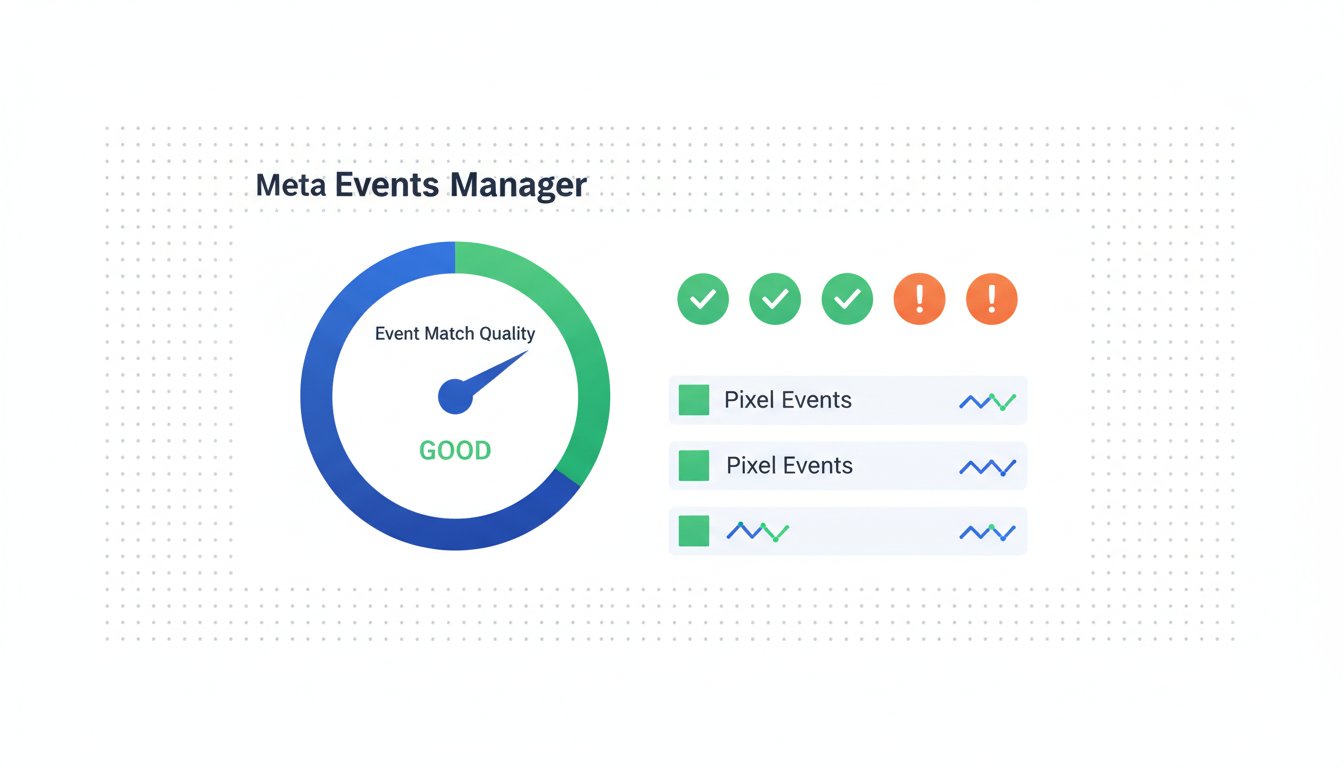
Meta Event Match Quality on Shopify is the score that quietly decides whether your Meta ads scale or stall, and most operators never look at it until ROAS has already collapsed. EMQ is Meta's 0 to 10 confidence score for matching each event to a real user, and every point on that scale is worth roughly 10 to 15% of reported conversions. Below 7 the algorithm basically guesses. Above 9 Advantage+ Shopping scales predictably. The gap between a stuck 5 and a healthy 9 is almost always four or five match keys, one toggle inside the Facebook and Instagram app, and a missing external ID. Not a new pixel, not a new stack, not more creative. The playbook below takes 5 to 14 days to move a store from EMQ 5 to EMQ 9, assuming CAPI is already wired correctly. If CAPI is not wired, fix that first and come back.
- Switch data sharing to Maximum. Single biggest lever, adds 1.5 to 2.0 points.
- Pass external ID on every event. Adds 0.6 points, free lift.
- Enable checkout phone collection. Hashed phone adds 0.8 when present.
- Validate in Events Manager diagnostics, not the top-level EMQ number.
Why EMQ matters more than any other Meta metric
Meta Event Match Quality on Shopify is the only Meta dashboard number that reliably predicts whether Advantage+ Shopping will scale cleanly or stall out. ROAS lies for weeks. CPA lies until the end of the attribution window. EMQ updates every 24 hours on a trailing 7-day average, and the signal is honest. If EMQ is 5, your algorithm is training on half-broken data and the budget you push today will waste for the next 10 to 14 days before Meta figures out who actually converted. If EMQ is 9, the algorithm knows who bought within a few hours and reallocates spend the next morning.
The maths under the hood is boring but worth knowing. Every event you send Meta carries a bundle of hashed identifiers (email, phone, first name, last name, external ID, IP, user agent, click ID). Meta runs those against its own graph, and for each match it finds, it scores the event higher. More matches, higher score. Higher score, tighter optimization. Below EMQ 7 the attribution window basically stops working because Meta cannot tie enough events back to real users to train. Above EMQ 9 the window does what it is supposed to do, and reported ROAS lines up with what Shopify actually shows. That is why operators who obsess over creative testing while ignoring EMQ plateau at 1.8 ROAS. The creative was rarely the ceiling. The match quality was.
So why the EMQ score on Shopify specifically matters more in 2026 than it did in 2023: browser-only signal lost another 14% of match quality after Safari and Firefox tightened third-party cookies in Q4 2025, and Apple's Private Relay keeps chewing into IP matching. The losses get absorbed on the server side, through CAPI, but only if the payload carries enough hashed identifiers to actually match. An EMQ score Shopify dashboards below 7 in 2026 is almost never a CAPI problem. It is a payload problem. The pipe is fine, the letters inside the envelope are missing.
The 7 match keys ranked by EMQ impact
Not every match key moves the needle the same amount. The ranking below is from audits of about 40 Shopify stores a month since 2023, cross-referenced against Meta's own Event Match Quality parameter reference. Some of this contradicts what Meta's docs suggest in priority order, and honestly we trust the audit data more because it reflects what actually lifts EMQ in the wild, not what lifts it in a clean test environment.
- Hashed email (
em): +1.5 to +2.0 points. The single biggest lever. Missing more often than you would think because Standard data sharing inside the F&I app strips it before the payload leaves Shopify. - Hashed phone (
ph): +0.8 when present. Shopify only sends it if checkout phone collection is enabled, which it is not by default on most themes. - External ID (
external_id): +0.6 points. The underrated one. Shopify customer ID works fine, but most setups never pass it. Stacks cleanly with email, so it's almost a free lift. - First and last name (
fn,ln): +0.4 each. Shopify passes both at checkout, usually captured automatically. Pre-purchase events (ViewContent, AddToCart) lose them. - Click ID (
fbc/fbclid): +0.5 when captured. Requires the click ID to persist in a first-party cookie for 90 days, which Shopify's F&I app handles but theme-level custom pixel code sometimes breaks. - Client IP (
client_ip_address): +0.2. Shopify sends this automatically on CAPI. You almost never have to think about it unless you run through a proxy that strips IPs. - User agent (
client_user_agent): +0.1. Same as above, Shopify handles it, nothing to do.
The top three (email, phone, external ID) account for about 75% of the total EMQ lift available. If you stack all three cleanly, you land at EMQ 8.7 to 9.1 on most stores. The bottom four are worth having but will not save a broken top three. So the playbook below is deliberately ranked: fix the top levers first, worry about the rest only if EMQ plateaus under 8.
The 5 to 9 in 14 days playbook
This is the sequence we run on every Shopify store stuck at EMQ 5 or 6. It assumes CAPI is already installed through the Facebook and Instagram app and firing (if it is not, that is a different article). The goal is to move EMQ from 5 to 9 in 14 days. Some stores do it in 5 days. A messy theme with three apps touching the pixel takes the full 14. Very rarely it takes longer, and when it does, the cause is almost always a CAPI gateway like Stape running in parallel without a shared event ID.
Day 1. Audit current state. Open Events Manager, pick your pixel, click Overview. Note the current EMQ per event (Purchase, AddToCart, ViewContent, InitiateCheckout). Open the Diagnostics tab. Screenshot everything. This is your baseline.
Day 1 (same afternoon). Switch data sharing to Maximum inside the F&I app. Apps > Facebook and Instagram > Settings > Customer data sharing. Flip it from Standard to Maximum. Save. This single toggle usually adds 1.5 to 2.0 points by itself over the next 48 hours.
Day 2. Enable checkout phone collection. Settings > Checkout > Customer contact method > Phone number and email. Set to "Required" if your fulfilment flow allows it, otherwise "Optional but captured." Phone number collection adds 0.8 EMQ points once a few hundred orders carry it.
Day 3. Verify external ID is being passed. This is the one most stores skip. Open a test purchase. Inspect the CAPI payload in Events Manager > Test Events. Look for external_id in the user_data object. If it's missing, the F&I app is not sending it, which means you need to either add it through a Shopify Function or enable the "Enhanced match" toggle that some versions of the F&I app expose (menu varies by region). On most stores this is the missing 0.6 points.
Days 4 to 7. Let the trailing 7-day EMQ stabilize. Do not touch anything. Check the dashboard on day 5 and day 7. You should see EMQ climbing from roughly 5.2 to somewhere between 7.5 and 8.2, depending on how much of the gap was data sharing versus missing identifiers.
Days 8 to 14. Fill the last gap. If EMQ is stuck below 8.5 at day 7, check name capture on ViewContent and AddToCart. Pre-purchase events lose first and last name because the customer hasn't entered them yet, which is fine, but if logged-in customers are missing too, the pixel is not reading the customer object from Shopify. Fix that (usually a theme-level issue with a custom pixel wrapper) and you claw back another 0.4 to 0.8 points.
By day 14, a typical store running this playbook lands at EMQ 8.8 to 9.2. That is the zone where Advantage+ Shopping campaigns stop wobbling and scale predictably.
Diagnosing which key is missing on your pixel
The top-level EMQ number in Events Manager is a summary across events. It tells you something is off, not what. The diagnostic view is where the actual story lives. Open Events Manager > your pixel > the event you care about (Purchase first, always), then click the Match Quality tab. You get a per-parameter breakdown: email coverage, phone coverage, external_id coverage, name coverage, each expressed as a percentage of events that carried that field. Meta's Events Manager diagnostics reference walks through the exact UI if you have not seen it before.
What you are looking for is coverage below 90% on any of the top three identifiers. Email coverage below 95% on Purchase is almost always the Standard data sharing toggle. External ID coverage below 60% is almost always a missing pass-through. Phone coverage below 40% is almost always a checkout setting, not a pixel setting. Name coverage is the noisy one, because pre-purchase events legitimately lose name fields, so you only panic if Purchase name coverage drops below 85%.
A quick read for the common patterns we see in audits:
- Purchase EMQ 5.5, email coverage 100%, external_id coverage 0%. External ID is never passed. Fix: enable the customer ID pass-through, usually a one-line config inside the F&I app or a Shopify Function.
- Purchase EMQ 6.2, email coverage 50%, phone coverage 50%. Two pixels firing, one has identifiers, one doesn't. Fix: find and kill the second pixel. Usually a leftover GTM tag or a theme-level
fbqsnippet. - Purchase EMQ 4.8, every field below 50%. Server-side events routed through GA4 instead of CAPI. Fix: pause the GA4-routed Meta events, rely on the F&I app as the sole CAPI pipe.
- ViewContent EMQ 7.8, Purchase EMQ 5.1. Order of magnitude more data on ViewContent, which masks missing Purchase fields. Fix: ignore ViewContent while debugging, Purchase is the event that matters for optimization.
If the diagnostic view shows above 90% coverage on everything and EMQ is still below 8, that is the edge case where the payload is complete but the matches are not landing because the identifiers are formatted wrong (an unhashed email, a phone without country code, an external_id that changes between sessions). Rare, but worth knowing it exists.
The "Maximum data sharing" hack most operators miss
This is the one setting that moves EMQ the most, costs nothing, takes 30 seconds, and is missed in maybe 60% of Shopify stores we audit. Apps > Facebook and Instagram > Settings > scroll to "Customer data sharing." Three options: Standard, Enhanced, Maximum. Most stores are on Standard, which is Shopify's default, and Standard strips hashed email and phone from the CAPI payload before it leaves the server. Enhanced keeps email. Maximum keeps everything.
The naming is misleading, which is probably why it gets missed. "Standard" sounds like the safe, privacy-conscious default. In practice, Standard in this context means "send Meta almost nothing useful," which caps EMQ around 5.5 no matter what else you fix downstream. Maximum means "send Meta the hashed identifiers the customer already consented to when they completed checkout," which is what CAPI was designed for in the first place.
The consent question comes up every time we recommend Maximum, so worth addressing directly. Hashed identifiers sent through CAPI are covered under the same consent framework as the browser pixel. If your checkout captures email for order confirmation (which every Shopify store does), that data is already being collected for a legitimate business purpose. Passing a SHA-256 hash of that email to Meta for attribution is covered under the same legitimate-interest basis, plus the store's existing marketing consent opt-ins. Meta's own customer information parameters documentation clarifies that identifiers must be hashed before transmission, which Shopify's F&I app handles server-side without exposing raw data.
The tradeoff, in plain English: Standard protects you from nothing extra that Maximum doesn't also protect you from, because both paths are server-side and both send hashes, not raw data. Standard just sends fewer hashes, which means less matching, which means lower EMQ, which means worse ads. If a compliance team pushes back, the answer is to confirm the checkout consent language covers advertising optimization (it almost always does in 2026) and flip Maximum on.
External ID: the underrated lever
External ID is the EMQ lever most Shopify operators never touch, and the one that reliably adds 0.6 points with zero creative or campaign work. External ID is any stable, unique identifier for a customer that Meta can match against its own graph. Shopify's customer ID works. A hashed email works too, but if you're already sending hashed email in the em field, passing it again as external_id does not stack (Meta dedups identical hashes across fields). So external_id wants to be something different from email, usually the numeric Shopify customer ID.
Why it matters: Meta's graph knows about users across thousands of retailers and data sources. When you pass an external_id, Meta has a second anchor point beyond email. If the customer's email in your system doesn't match the email Meta has on file (different personal email versus work email, for example), external_id can still rescue the match through other signals Meta has attached to that customer. It is a belt-and-suspenders layer, and because it's free to add, there's no reason not to.
How to add it on Shopify, ranked by effort:
- F&I app native support. Some F&I app versions expose an "Advanced matching" toggle that includes customer ID automatically. Check Apps > Facebook and Instagram > Settings > Advanced matching. If it's there, enable it and you're done.
- Shopify Function with a CAPI call. If the native toggle is missing, a senior Shopify developer can write a small function that pulls
customer.idon checkout completion and injects it into the CAPI payload. Half a day of work, usually. - Server-side GTM. If you already run Stape or a self-hosted sGTM, add a variable that pulls customer ID from the dataLayer and passes it into the Meta CAPI tag. Thirty minutes for someone who knows the tool.
The catch is that external_id must be stable. If the same customer gets a different external_id across sessions (because you're passing a session ID instead of a customer ID, for example), Meta treats each event as a different user and the whole match quality signal breaks. Rule of thumb: if a returning customer logs in tomorrow, their external_id should be identical to what it was today. If not, don't pass it.
When EMQ plateaus and what you can do
Some stores run the playbook cleanly and still plateau at EMQ 8.2 or 8.4, which is frustrating because everything looks correct on paper. The short answer: EMQ above 8.5 depends on factors partly outside your control, and the diminishing returns curve gets steep. If you're at 8.4 and spending is scaling fine, the honest call is to stop optimizing EMQ and move on. If you're at 8.4 and campaigns still wobble, there's probably one more thing to check.
The usual culprits when EMQ plateaus between 7.5 and 8.5:
- Mobile app purchases outside the Shopify web checkout. If a significant share of revenue comes through a custom mobile app (React Native, native iOS, whatever), the F&I app doesn't cover it. Those events either never reach CAPI or reach it without identifiers. Fix: a separate CAPI pipeline for the app, usually direct server-to-server.
- Post-purchase upsell events through a third-party app (Zipify, ReConvert). These apps fire their own Meta events, often with incomplete match data, and dilute the overall EMQ score. Fix: disable Meta tracking inside the upsell app and let the F&I app's Purchase event cover the whole transaction.
- Guest checkouts at high volume. Guest orders can't carry a stable external_id because there's no customer record. Fix: nothing, really. Guest volume sets a natural EMQ ceiling. Stores with above 70% guest checkout usually plateau around 8.5.
- Subscription renewals through ReCharge or Shopify Subscriptions. Renewal events sometimes skip CAPI because they're processed async on the server, outside the checkout flow. Fix: verify renewals fire CAPI events, and if they don't, add a webhook-triggered CAPI call.
If none of the above apply and EMQ is still stuck, it's worth going back to the Match Quality tab per event and screenshotting the coverage numbers for Purchase specifically. Nine times out of ten, something that looked fine in a quick audit turns out to be 85% coverage instead of 95% on email, and that 10% gap is where the missing 0.5 EMQ points live.
One more caveat worth mentioning: EMQ fluctuates. Normal variance is 0.2 to 0.4 points day over day. Do not panic if yesterday was 8.9 and today is 8.6. Look at the 7-day trailing number, not the daily spot. A real regression is 0.5+ points sustained over three days, and that almost always has a cause (a recent app install, a theme update that broke the pixel, or a checkout setting somebody toggled off).
Frequently asked questions
What is a good EMQ score on Shopify in 2026?
How is EMQ Meta Ads different from the old EMQ score Shopify used to show?
Does a higher EMQ score always mean better ROAS?
Why is my EMQ score Shopify dashboard showing different numbers than Events Manager?
How long does it take for EMQ to improve after I fix match keys?
fbq snippet, or a CAPI gateway running in parallel without a shared event ID.Does event match quality Meta CAPI improve more than browser-only pixels?
Meta Event Match Quality on Shopify is the one tracking metric that tells you whether your ads have a chance of scaling. Everything else (ROAS, CPA, frequency, creative performance) is downstream of it. Raise EMQ from 5 to 9 and every other metric improves automatically because the algorithm finally has signal it can trust. The playbook is boring: flip Maximum data sharing, pass external ID, capture phone at checkout, check diagnostics weekly. The lift is not. Most stores running this sequence cleanly see blended ROAS move from 1.8 to 2.6 inside 14 days, no new creative, no new audience work. Best to run the 20-minute audit in the diagnostic section before you touch anything else. If Purchase EMQ is below 7 and you haven't checked the Maximum data sharing toggle, that's the first place to look, and nine times out of ten that's where the whole problem lives.
Get a full X-ray of your ad account
Paste your Meta and Google Ads. See exactly where signal is leaking. Free. 60 seconds.