Pinterest Tag on Shopify: conversions API + events
 By Dror Aharon
·
CEO, COREPPC
·
Updated April 17, 2026
·
11 min read
By Dror Aharon
·
CEO, COREPPC
·
Updated April 17, 2026
·
11 min read
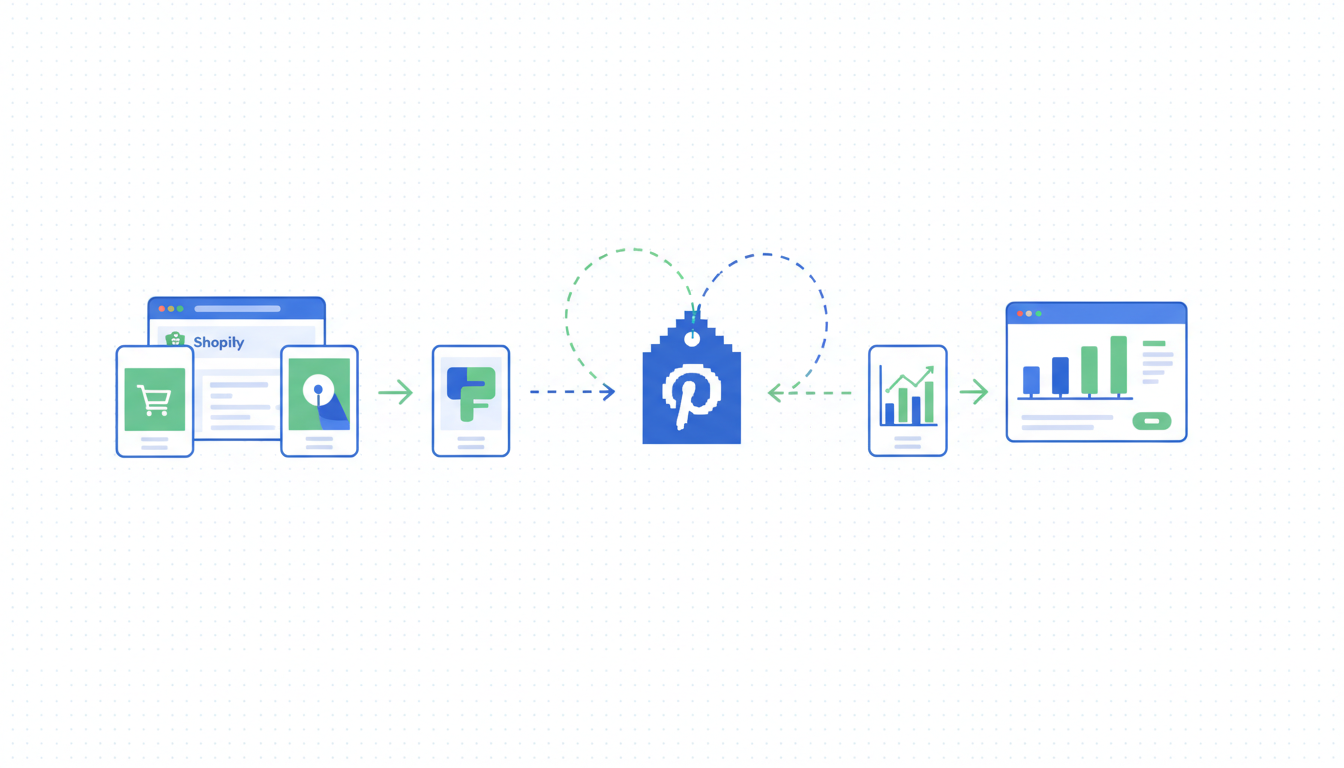
Pinterest Tag on Shopify is worth the 30-minute install only if your catalog fits Pinterest's saver audience, which is a smaller slice than most operators assume. Home, food, beauty, fashion, and wedding categories get real incremental revenue from Pinterest in 2026. B2B, electronics, and most services do not, and running the tag on those stores mostly adds weight without upside. For the categories that fit, Shopify's Pinterest sales channel handles browser pixel install cleanly, but the Conversions API piece is where stores leak signal the same way they leak it on Meta: missing event IDs, duplicate pixels from a legacy theme snippet, and no validation in the Pinterest Events Debugger before budget goes live. Fix those four things in the right order and match rate climbs above 8 inside a week. The audit takes 20 minutes. The fix takes an afternoon.
- Install the Pinterest sales channel as the single browser pixel source.
- Enable Conversions API inside the channel for server-side events.
- Match browser and server events with a shared `event_id` for dedup.
- Validate in Pinterest Events Debugger before you scale spend. Match rate target: 8+.
What the Pinterest Tag actually does in 2026
Pinterest Tag on Shopify, or the Pinterest pixel in older docs, is the tracking pipe between your store and Pinterest Ads. The browser pixel fires client-side when a shopper hits a product page, adds to cart, or checks out. The Conversions API (Pinterest's name for the server-side pipe) sends the same events from your backend, and Pinterest dedups them using a shared event_id. The Shopify Pinterest pixel and the Conversions API together are what Pinterest's algorithm uses to attribute sales, build lookalike audiences, and optimize Shopping campaigns.
What changed in 2026 is that Pinterest pushed CAPI from "recommended" to effectively required for any account spending above $5k a month. Below that you can survive on browser-only, same way you can on Meta. Above $5k the match rate ceiling on browser-only sits around 5.5, which is where the algorithm stops being able to optimize cleanly. Stores running both paths hit 8 to 9 on the same spend and see 20 to 35% lower CPA on Shopping campaigns. Pinterest's official Conversions API documentation explains the protocol. This guide is about running it on Shopify without the usual failure modes.
When Pinterest is worth the tracking setup and when it is not
Not every Shopify store should install the Pinterest Tag. The platform is a visual search engine with a saver-driven audience, and that audience converts well on some categories and poorly on others. Best to run a quick fit check before you spend an afternoon on setup.
Pinterest works well for:
- Home and decor: furniture, wall art, bedding, rugs, lighting. Saver intent matches buying intent cleanly.
- Food and recipe: cookware, specialty ingredients, meal kits, kitchen tools.
- Beauty and wellness: skincare, haircare, supplements that photograph well.
- Fashion: apparel, jewelry, accessories, especially DTC brands with a clear aesthetic.
- Wedding and events: anything a planner would pin 18 months before the event.
- DIY and craft: materials, kits, patterns.
Pinterest does not work well for:
- B2B SaaS. Audience is not there in meaningful volume.
- Electronics and gadgets. Conversion rate is 60 to 70% lower than Meta on the same creative.
- Local services. Pinterest's geo targeting is looser than Meta or Google and wastes budget outside your service area.
- High-ticket considered purchases with long cycles. Pinterest attribution windows do not cover the 90-day research loop.
If your store sits in the "works well" list, the Pinterest Tag on Shopify is worth installing and probably worth the Conversions API work too. If you are in the "does not work well" list, install the browser pixel only for retargeting, skip the CAPI setup for now, and revisit in six months if Pinterest spend crosses $3k a month. Running full server-side infrastructure on an account that spends $800 a month is overkill and the signal volume is too low for the algorithm to use it anyway.
Installing via the Shopify Pinterest sales channel
A clean Shopify Pinterest pixel install starts with removing any old pixel code before you touch the sales channel. This is the same pattern as the Meta setup. Rushing past this step is how stores end up with two pixels firing, duplicate events in Pinterest Ads Manager, and reported conversions that look 70% higher than reality.
- Pause any Pinterest-related tag in GTM. Browser and server. Save a new container version so you can roll back in 30 seconds if anything breaks.
- Open
layout/theme.liquid,templates/product.liquid, andtemplates/cart.liquid. Search forpintrk(and remove any manual Pinterest pixel snippets. Commit the change on a theme copy first, then swap live. - In Shopify admin, open Apps, then the Pinterest sales channel. Disconnect any old connection. Reconnect with the correct Pinterest business account.
- In the channel settings, enable Enhanced Match. This is the Pinterest equivalent of Meta's "Maximum" data sharing toggle. It sends hashed email and phone along with each event, which is the biggest single lever on match rate.
- Claim your domain inside Pinterest. Without a claimed domain, Conversions API events get flagged and partially dropped. The channel walks you through the meta tag verification, takes 2 minutes.
- Turn the Pinterest Tag on explicitly. Browser pixel first, then the Conversions API toggle. Both should be green in the channel dashboard.
Step 4 is the one stores skip. Enhanced Match strips if not enabled, which means Pinterest gets an IP and user agent but no hashed user identifier, and match rate caps around 4.5. Enabling Enhanced Match adds roughly 2 points to match rate on the same event volume. Nothing else comes close to that lift.
Conversions API setup for Pinterest
The Pinterest Conversions API on Shopify is handled by the sales channel for the core events: PageVisit, ViewCategory, AddToCart, Checkout, and Signup. If you are running an ecommerce store selling physical products, those five events cover roughly 90% of the signal Pinterest's algorithm needs. The channel sends them server-side automatically once you flip the toggle in step 6 above.
The piece the channel does not cover: custom events. If your store sends a Lead event from a quiz, a StartTrial on subscription signups, or a post-purchase upsell event from a thank-you page app, you need a second pipeline. Options, ranked by reliability:
- Direct Conversions API call from a Shopify Function or custom app. Most reliable, needs dev work, usually half a day for a senior Shopify dev. This is the path we run for clients with custom funnels.
- Server-side GTM with a Pinterest CAPI tag. Good option if you already run sGTM for Meta or TikTok. Adds one more tag template, no new vendor dependency if Stape or self-hosted sGTM is already in place.
- Zapier or Make with a Pinterest CAPI webhook. Okay for volumes under 150 events a day. Unreliable above that because webhook queues lag and Pinterest's attribution windows do not forgive late-arriving events.
Whichever path you pick, the dedup rule still applies to every custom event. Each custom event needs its own unique event_id that fires on both browser and server. Same ID, same string, same case. The most common failure mode is a Lead event fired server-side with no matching browser pixel call, which leaves Pinterest no pixel anchor to match against and match rate for that event sits at 3.
Deduplication between browser and server
The single mistake that kills match rate is forgetting the shared event_id. Browser event and server event must carry the same ID for Pinterest to recognize they describe the same purchase. Without it, you double-count, reported conversions inflate by 40 to 60%, and Pinterest's algorithm learns from ghost events. Most operators do not notice for weeks because the reported numbers look great. Real revenue tells a different story when the monthly P&L lands.
The rule in one line: if your order ID is 1001, the browser Pinterest pixel and the Conversions API call both need event_id: "order_1001". Same string, same case, same event name. Pinterest dedups automatically after that.
The Shopify Pinterest sales channel handles dedup for the core events out of the box. For custom events you own the dedup. Pass the order ID or a purchase-intent ID into both the browser pixel fire and your server call. This is where most custom setups fall apart, because a developer writes the server event first, ships it, and the browser side never gets the matching ID. Same pattern we see on Meta custom events, and the fix is the same: write both sides in the same ticket, test both before merging.
One Pinterest-specific wrinkle: Pinterest dedups on event_id plus event name plus timestamp within a 60-minute window. If your browser event fires at checkout and your server event fires from the order webhook 2 hours later (because your webhook queue was backed up), Pinterest treats them as two events and counts both. Meta dedups on a 7-day window, so this is a gap operators moving from Meta to Pinterest usually miss. Keep server event latency under 30 minutes, ideally under 5.
Event match rate: Pinterest's version of EMQ
Pinterest calls their match score "event match rate" instead of EMQ, but the concept is the same. 0 to 10 scale, measures how confident Pinterest is that your event belongs to a real Pinterest user. Below 6 the algorithm basically guesses. Above 8 Shopping campaigns stop wobbling. The levers that move match rate most, in order of impact:
- Hashed email (
em): +2.0 to match rate on average. The single biggest lever, stripped when Enhanced Match is off, which is why step 4 of the install matters so much. - Hashed phone (
ph): +1.0 when present. Shopify sends it when checkout phone collection is on. - Click ID (
click_id, from the_epikcookie Pinterest sets when a user clicks a pin): +0.8. This is Pinterest-specific, the channel passes it automatically when present. - External ID (your Shopify customer ID): +0.5, stacks cleanly with email.
- First and last name (
fn,ln): +0.3 each. - Client IP and user agent: +0.3 combined. Shopify passes both automatically.
Stack email + phone + click_id + external_id and most Shopify stores land at match rate 8.5 to 9.2. That is the zone where Pinterest Shopping and Collections campaigns stop burning budget on learning and start converting. Below 6 is where you see CPA double every time you raise daily budget, which operators usually blame on creative. It is almost always the match rate, not the creative.
Validating with Pinterest Events Debugger
Never push Pinterest Tag changes live without validating. Stores that skip this step find out two weeks later that Purchase has been duplicating the whole time, by which point Pinterest's algorithm has wasted two weeks of learning on ghost conversions. The sequence we run on every client:
- In Pinterest Ads Manager, open Conversions, then Events Debugger. Grab the test event code if your CAPI pipeline supports it (the Shopify channel does not pass a test code, so you validate against live events with low-value test orders instead).
- Install the Pinterest Tag Helper Chrome extension. Open your live store, add a product to cart, start checkout. The extension shows each pixel fire with parameters and IDs.
- Run a test purchase on the live store using a coupon that drops the total to $0.50.
- Watch Events Debugger. You want to see two rows for Checkout (Pinterest's Purchase equivalent): one labeled browser, one labeled server. Same value, same
event_id, deduped status visible on the row. - If the deduped status is missing, you forgot the
event_idon one side. Fix it and rerun. Do not skip this. - Check Enhanced Match status in the same view. If
emis missing or unhashed, the Enhanced Match toggle in the Shopify channel never actually saved. Go back and flip it again, then save.
Run the same test three times from three different devices. Match rate on a single test event is unreliable because it has no history to compare against. The rolling 7-day match rate in Events Manager is what you track. If you search for Pinterest events Shopify troubleshooting threads, the most common answer is "Enhanced Match was off" or "the test coupon order never actually fired server-side because the webhook was paused." Both are easy to miss and both are visible in Events Debugger within 60 seconds if you know where to look.
Frequently asked questions
Do I still need the Pinterest browser pixel if Conversions API is running?
event_id, same way Meta's setup works. The combined signal from both paths is what raises match rate above 8. Server-only setups hit a ceiling around match rate 6.5 because they lose the browser fingerprint (cookie, user agent, client-side IP, Pinterest click ID from the _epik cookie) that the pixel captures. Running both is not redundant, it is how the dedup system is designed to work. Turning off the browser pixel to "simplify" is the single most common self-inflicted wound we see on Pinterest audits, same pattern as Meta.Why are my Pinterest conversions doubling in Ads Manager?
event_id, or two browser pixels firing at once. First check GTM for orphan Pinterest pixel tags nobody paused when the sales channel was installed. Then check your theme files for leftover pintrk snippets from a 2022 setup. Then confirm the Shopify channel is the only browser source. If all three are clean and you still see duplicates, the event_id field is either missing on one side or formatted differently (one side sends order_1001, the other sends 1001, Pinterest treats them as separate events and counts both).What match rate is good enough for Pinterest Shopping campaigns?
Does Shopify's Pinterest channel cover Conversions API fully?
How long until my match rate improves after I fix dedup?
Can I run Pinterest Tag and Meta Pixel through the same sGTM instance?
event_id namespaces. Keeps maintenance in one place, avoids two vendor dependencies, and makes custom events easier to manage across both platforms. The catch is you need to disable the Conversions API toggle inside both the Shopify Facebook and Instagram app and the Pinterest sales channel to avoid duplicate server events. Browser pixels stay on in both channels, sGTM handles server side only.Pinterest Tag on Shopify is one of those fixes that only matters if Pinterest is actually a channel for your category, which is why the fit check in section two belongs before the install, not after. For home, food, beauty, fashion, and wedding stores, running the Shopify Pinterest pixel plus Conversions API cleanly is worth an afternoon of work and compounds for months afterward. Dedup cleanly, enable Enhanced Match, raise match rate above 8, validate in Events Debugger before you push live, and the algorithm finally has signal it can trust. That is when Pinterest Shopping campaign ROAS stops wobbling and budget scales predictably, instead of collapsing every time you raise daily spend. Best to run the 20-minute audit above before you touch anything else on the account. If the audit surfaces two or more of the problems in the install or dedup sections, fix those first, then revisit creative. Creative is almost never the problem on Pinterest. The tracking is lying nine times out of ten.
Get a full X-ray of your ad account
Paste your Meta and Google Ads. See exactly where signal is leaking. Free. 60 seconds.