Shopify B2B setup: the operator guide
 By Dror Aharon
·
CEO, COREPPC
·
Updated April 17, 2026
·
11 min read
By Dror Aharon
·
CEO, COREPPC
·
Updated April 17, 2026
·
11 min read
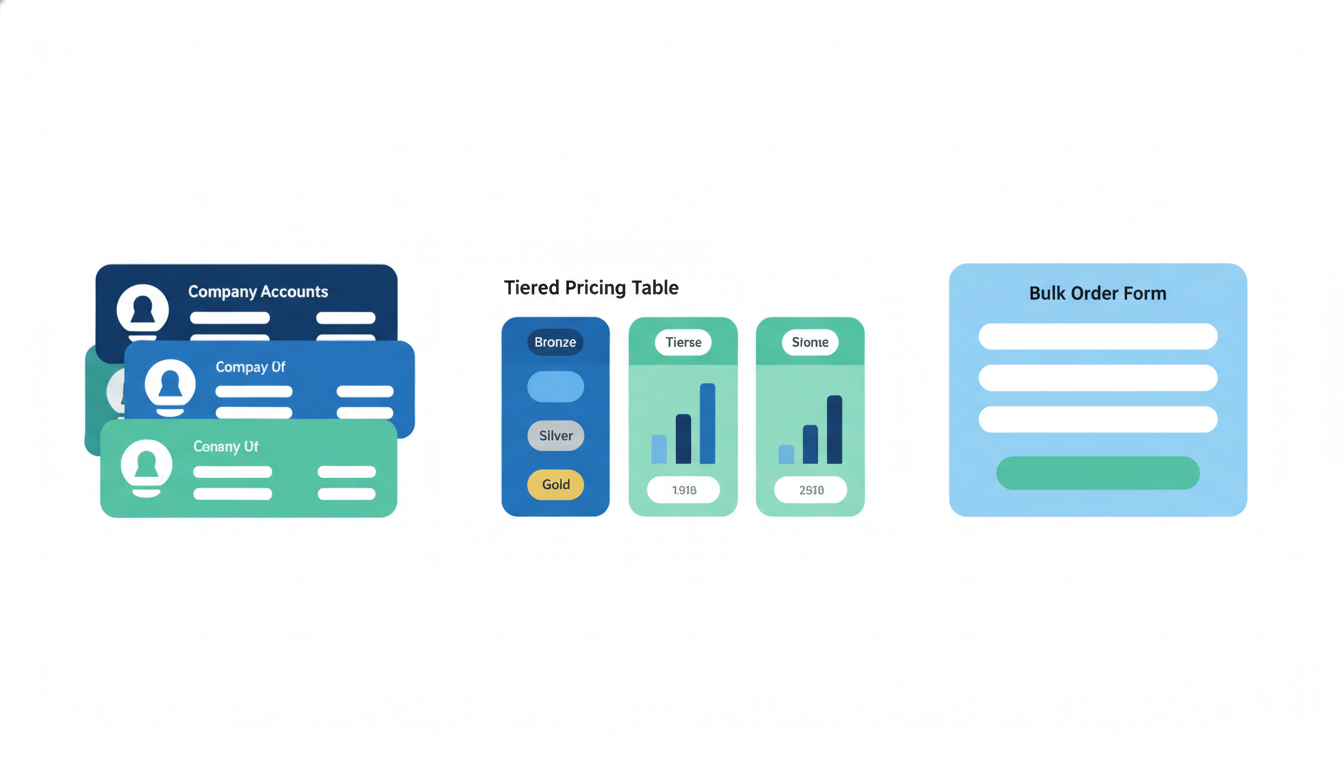
Shopify B2B setup is one of those projects where the platform does 70% of the job well, and the other 30% is where most stores quietly lose 6 to 9 months of wholesale revenue because nobody told them the order to build it in. B2B on Shopify Plus is native, integrated into the same admin as your DTC store, and it works. But the company account model, the catalog-to-price-list relationship, and the tax and resale certificate flow are different enough from a normal Shopify setup that every team we audit is solving the same puzzle from scratch. So they ship it wrong, rebuild, and ship it again four months later. Best to build it once, in the right sequence. Companies first, then catalogs, then price lists, then payment terms, then checkout rules, then tax and resale, then sales rep assignment. Skip the order and you redo every step.
- Company accounts are the container for everything. Get the structure right first.
- One catalog per customer segment. Price lists attach to catalogs, not to companies directly.
- Payment terms (Net 30, Net 60) are a separate layer from catalog pricing.
- B2B checkout is distinct from DTC. Do not try to unify them with apps.
What Shopify's native B2B actually does in 2026
Shopify B2B setup in 2026 means building on the native B2B feature set that ships with Shopify Plus, not the old Wholesale Channel (that one's been deprecated since 2024) and not a third-party app stack bolted onto the standard DTC storefront. Native B2B lives inside the same admin as your DTC store. Same orders view, same products, same inventory. The difference is that B2B buyers log in as a "company location" rather than a plain customer, and that login triggers a different set of catalogs, price lists, payment terms, and checkout rules. Everything else looks and works like Shopify.
What actually ships in the box: company accounts with multiple locations and multiple buyers per company, catalogs that scope which products each customer sees, price lists that apply percentage or fixed-price discounts per catalog, Net 30 and Net 60 payment terms, draft order workflows for sales reps, tax-exempt status per company, bulk order forms, and quantity rules (minimums, increments, maximums). The B2B checkout itself is a modified version of the DTC checkout, with PO number fields, payment-terms display, and no forced collection of payment method when terms are net terms.
What doesn't ship in the box, and what most teams discover three weeks in: multi-level approval workflows (buyer submits, manager approves, admin approves), customer-specific shipping negotiated rates, complex tiered pricing beyond what price lists express, and a real sales rep CRM. Those gaps get filled with apps (Sparklayer, BSS, Pandectes for tiered pricing) or with custom Shopify Functions. Plan for that from day one. The Shopify Plus B2B overview is the honest starting point, and the official B2B help center is where you'll live once you start building.
One pattern worth flagging: teams coming from a legacy B2B platform (Handshake, TradeGecko, Joor) usually over-spec the build because they're porting workflows that existed on those platforms but aren't needed on Shopify. The honest cut is to build the minimum viable B2B setup first, ship it to five real customers, then add complexity based on what actually breaks. Most of the "we need tiered pricing with 6 levels" requirements die quietly after the first real orders come in.
B2B on Plus vs third-party B2B apps: the decision
B2B on Shopify Plus is the right answer for most growth-stage wholesale operations, but it's not automatically the right answer for every store. The decision hinges on where your B2B complexity actually lives. If complexity is in pricing (catalogs, volume discounts, customer-specific prices), native B2B handles it. If complexity is in order workflow (multi-step approvals, quote-to-cart flows, rep-mediated ordering), you probably need an app layer on top. If complexity is in the buyer experience (bulk order forms, reorder from history, saved lists), the third-party apps (Sparklayer especially) still do a better job than native.
The quick test we run with clients before committing to pure-native:
- How many distinct pricing groups do you need? Under 20, native handles it cleanly. Over 50, you're fighting the catalog UI and an app becomes worth the monthly cost.
- Do buyers need a "reorder" interface that pulls from their last 90 days of orders? Native has basic reorder. Sparklayer and BSS do it better with a dedicated UI.
- Do you need multi-step approval workflows inside the buying company (buyer proposes, manager approves)? Native does not support this in 2026. Apps do.
- Do your sales reps write orders on behalf of customers? Native draft orders handle it but the UX is clunky. A rep-facing portal from Sparklayer or a custom Shopify app is faster.
- Are your B2B customers technical enough to use a clean but standard checkout, or do they expect a "punchout" flow connected to their ERP? Punchout is still app-territory.
Three or more answers that lean app-side, and a hybrid build (native B2B for the spine, one app for the missing piece) is the honest answer. Pure native is cheaper and cleaner, but it leaves real gaps at the top end of B2B complexity. Pure app-based setups were the standard pre-2024 and are now an anti-pattern: you pay twice, once for Plus and once for the app to work around Plus, and the app often fights the native B2B model. The middle path is almost always right.
A second consideration: sales rep cost per month. Apps like Sparklayer run $299 to $899 a month depending on tier. At $5M wholesale GMV that cost is noise. At $500k wholesale GMV it's 2% of revenue before you pay for anything else. Run the math before you commit.
Company account structure: the foundation
Shopify wholesale setup starts with the company account model, and if you get this wrong you redo everything else three times. A company in Shopify B2B is a container. Inside the container sit locations (a company can have multiple shipping addresses, each one its own "location"), and inside each location sit one or more customers (the humans who log in and place orders on behalf of that location). The price list, payment terms, catalog assignment, and tax status all attach to the company or the location, not to the individual customer.
The hierarchy in plain English:
- Company: "Acme Coffee Roasters Inc." (the buying entity)
- Location: "Acme NY Warehouse" and "Acme LA Warehouse" (separate ship-to, separate payment terms allowed)
- Customer: Jane Buyer, Tom Operations, Sarah Finance (the humans who log in)
The common mistake is modeling each location as a separate company. Teams do this because it feels simpler. Then three months later they discover they can't run a unified report on "all Acme orders" because the data is split across three companies that Shopify thinks are unrelated. Fix: always use the Company > Location > Customer hierarchy, even if you only have one location today. You'll thank yourself when you add a second warehouse.
Permissions layer: each customer inside a location gets a role. "Location admin" can manage other customers at that location. "Ordering only" can place orders but not manage users. In 2026 the role granularity is still limited (no per-product permissions, no spend caps per buyer). If you need those, that's app territory. For most wholesale operations, "location admin" + "ordering only" is enough.
One operational tip: build a company account for your own internal test team first, populate it end-to-end (catalog, price list, payment terms, test buyer account), place three test orders, and only then start onboarding real companies. The teams that skip the internal test company spend the first two weeks of B2B launch fielding support tickets they could have caught in 20 minutes of internal testing.
Catalogs, price lists, and payment terms
Catalogs and price lists are where B2B on Shopify Plus gets genuinely different from DTC, and where the biggest "wait, what?" moments happen. A catalog is a set of products scoped to specific customer segments. A price list attaches to a catalog and defines the prices buyers on that catalog pay. Payment terms (Net 30, Net 60, Due on Receipt) are a third layer that attaches to companies or locations independently. You can have the same catalog with different payment terms for different companies, which is the flexibility you want, but it's also the thing that trips up teams used to a one-to-one pricing model.
The order to build these in, always:
- Create your catalogs first. Start with 2 or 3: "Standard Wholesale", "Distributor", "Strategic Partners". Resist the urge to start with 12 catalogs. You can always add more later.
- Populate each catalog with products. A product can live in multiple catalogs. Price is set at the catalog level (via price list) or inherits DTC price if no price list is attached.
- Create a price list per catalog. Price lists can be percentage-off the DTC price or fixed prices per product. Percentage-off is easier to maintain as DTC prices change. Fixed prices give you more control but require updates every time DTC pricing shifts.
- Set up payment terms as a separate entity in admin. Net 30 is the default wholesale standard, Net 60 for strategic accounts, Due on Receipt for smaller or newer buyers.
- Assign catalog + payment terms to each company or location. This is the final step and the one that's easy to forget for the first batch of company imports. Bulk import via CSV works but always spot-check the first 5 assignments before running the full list.
Volume discounts sit inside price lists. You can define quantity breaks per product, so "order 50 units, get 10% more off the listed price." The UI is clean but limited to 3 quantity tiers per product in native. Need 5 tiers? Either use a Shopify Function or an app.
A common trap: editing a price list while buyers are placing orders can cause cart-level price updates mid-session. If you're doing a big price update, either push it overnight or communicate to buyers that prices are refreshing. Unexpected price changes in an active cart is one of the most common B2B support tickets we see in the first month post-launch.
Checkout flow for B2B buyers (distinct from DTC)
B2B on Shopify Plus uses a separate checkout flow from DTC, and trying to unify them through apps or theme hacks is the wrong move. The B2B checkout strips out what DTC buyers need (guest checkout, forced payment capture, marketing checkboxes) and adds what B2B buyers expect (PO number field, payment terms display, ship-to location selector, approval-before-send workflow if you build it).
What the B2B checkout does natively:
- Logged-in buyer sees their company's assigned payment terms (Net 30, Net 60) at checkout. If terms are "Due on Receipt" or no terms are set, the checkout captures payment method the same way DTC does.
- PO number is a required or optional field per company setting. Enterprise buyers need it. Smaller buyers skip it.
- Shipping address pre-fills from the company location. If the company has multiple locations, buyer picks which one at checkout.
- Order notes field is prominent. B2B buyers use it heavily for delivery windows, loading dock instructions, and purchase order references.
- Tax applies per the company's tax-exempt status (covered in the next section). Exempt companies see $0 tax line and a reference to the resale certificate on file.
What it doesn't do natively: multi-step approval workflows ("buyer submits, manager reviews, then order processes"), custom checkout validation beyond Shopify Functions, and integration with buyer-side ERP for punchout. For those, you're either building with checkout UI extensions (Shopify Plus feature, covered in our Shopify Plus vs Advanced breakdown) or using an app.
One operational pattern that saves pain: enable "draft orders" for your sales reps early. A sales rep can start a draft order on behalf of a customer, populate it with products and quantities from a phone call or a spec sheet, and email the customer a link to complete checkout. The customer logs in, sees the draft, and submits with their approval. This single workflow covers about 60% of what teams ask for when they say "we need quote-to-cart." It's not a full quote system, but for most B2B operations under $10M wholesale revenue, it's plenty.
Tax, resale certificates, and documentation
Tax on B2B orders is where teams hit the wall if they didn't plan for it upfront. Most wholesale buyers are tax-exempt because they're reselling the goods, and the resale certificate is the documentation that proves it. Shopify's native B2B handles tax exemption per company, but the certificate collection, storage, and expiration tracking are on you.
The native tax setup for B2B:
- Each company has a tax status: taxable, tax-exempt, or tax-override per region. Exempt companies see $0 tax at checkout globally. Override companies pay a custom tax rate you define.
- Resale certificate number can be stored as a metafield on the company record. There's no built-in certificate file upload in 2026, so you either store the PDF somewhere external (Google Drive, S3) and link to it, or use an app that adds file-upload support to company records.
- Tax-exempt status is binary per company at the platform level. If you need region-specific exemption (exempt in Texas, taxable in California), use tax-overrides per region on the company record.
The operational side, which the help docs gloss over:
- Before you set a company to tax-exempt, you need the resale certificate on file. State rules vary but most require you to hold a valid certificate for every exempt sale. Missing certificates show up during audits, and "I lost track" is not a defense.
- Certificates expire. Most states reissue every 1 to 3 years. Build a quarterly audit into your ops calendar: pull a list of tax-exempt companies, check certificate expiration dates, email buyers whose certificates are within 60 days of expiring.
- Multi-state sellers have an additional layer of complexity because each state where you have nexus has its own resale certificate format. Some accept a multijurisdictional certificate (MTC), others require state-specific. If you're shipping to more than 5 states and running wholesale, talking to a sales tax accountant before launch saves real money later.
Apps that help: TaxJar and Avalara both integrate with Shopify B2B and handle the exemption-tracking plus certificate management. They're overkill under $1M wholesale revenue, worth the cost above $3M. Native + a Google Drive folder is fine in between, as long as someone owns the quarterly audit.
Sales rep assignment and order management
Sales rep workflow on Shopify B2B is where native feels thinnest, and where the decision to add an app often lives. Native supports draft orders (rep creates an order on behalf of a customer, customer finalizes or rep submits with authorization). It does not natively support rep assignment to companies, rep-only dashboards, commission tracking, or rep-specific reports. Those gaps are real, and at scale they matter.
What you can do natively in 2026:
- Tag companies with a rep identifier (metafield like
sales_rep: jane_smith). This lets you filter companies by rep in admin, though the filtering UI is clunky. - Give reps customer-account access to the Shopify admin with a limited role (no payment edit rights, read-only on financial data). They can create draft orders, view customer history, and manage catalog assignments.
- Build reports via the Shopify ShopifyQL editor on "orders by company tag" to get a rough rep-by-rep performance view. Not pretty, but workable under 20 reps.
- Set up draft-order approval emails so the customer gets a link when the rep creates an order. Customer clicks, logs in, reviews, submits.
What you can't do natively:
- Auto-assign new companies to a rep based on territory rules.
- Track rep commissions (you'll export orders to a spreadsheet or an ERP and calculate commissions there).
- Give reps a dedicated mobile app or portal separate from the Shopify admin. The admin on mobile web works, but it's not optimized for a rep walking around a trade show taking orders.
- Enforce rep-specific pricing (every rep sells the same customer the same price based on catalog assignment).
When teams hit real rep-management needs (5+ reps, commission structures, territory management), the options are:
- Sparklayer or BSS Commerce B2B apps. Add rep dashboards, customer assignment, basic commission tracking. $299 to $899 a month. Covered under our Shopify B2B apps comparison if you want the feature-by-feature breakdown.
- A Shopify + CRM integration (HubSpot, Salesforce). The CRM owns the rep and territory model, Shopify owns the order and pricing. Works well once wired up, but the wiring is 80 to 120 hours of integration work.
- Custom build on Shopify Functions and Admin UI extensions. Most expensive upfront, most flexible long-term. Only worth it above $10M wholesale revenue.
The honest pattern we see: teams ship native-only for the first 3 to 6 months of B2B launch, learn what actually breaks, then add the app layer that addresses their specific pain. The teams that try to spec the full rep-management stack upfront overshoot on almost every decision because they haven't run real orders yet.
Frequently asked questions
Do I need Shopify Plus to run B2B, or can I use Advanced?
How long does a Shopify B2B setup actually take?
Can I run B2B and DTC from the same Shopify store?
What's the minimum size where Shopify B2B setup makes sense?
Can customers have different prices on the same product based on who they are?
Does the B2B checkout support Net 30 and Net 60 terms?
Shopify B2B setup rewards teams who build it in the right order and punishes teams who freestyle it. Companies first, then catalogs, then price lists, then payment terms, then checkout rules, then tax and resale, then sales rep assignment. Every step depends on the one before it, and skipping or scrambling the order is how teams end up rebuilding catalog assignments in month three and losing a week of wholesale revenue to support tickets that should never have existed. Best to treat the first 2 weeks as pure architecture work: make the catalog and customer-segmentation decisions with the people who actually know the buyers, then build. The stores that get B2B right in our audit sample all share two traits: they ran an internal test company end-to-end before onboarding a real buyer, and they soft-launched with 5 to 10 accounts before opening the floodgates. The ones that skipped either step were still fixing the first-month mess in month four.
Get a full X-ray of your ad account
Paste your Meta and Google Ads. See exactly where signal is leaking. Free. 60 seconds.