Consent Mode v2 on Shopify: the practical setup
 By Dror Aharon
·
CEO, COREPPC
·
Updated April 17, 2026
·
11 min read
By Dror Aharon
·
CEO, COREPPC
·
Updated April 17, 2026
·
11 min read
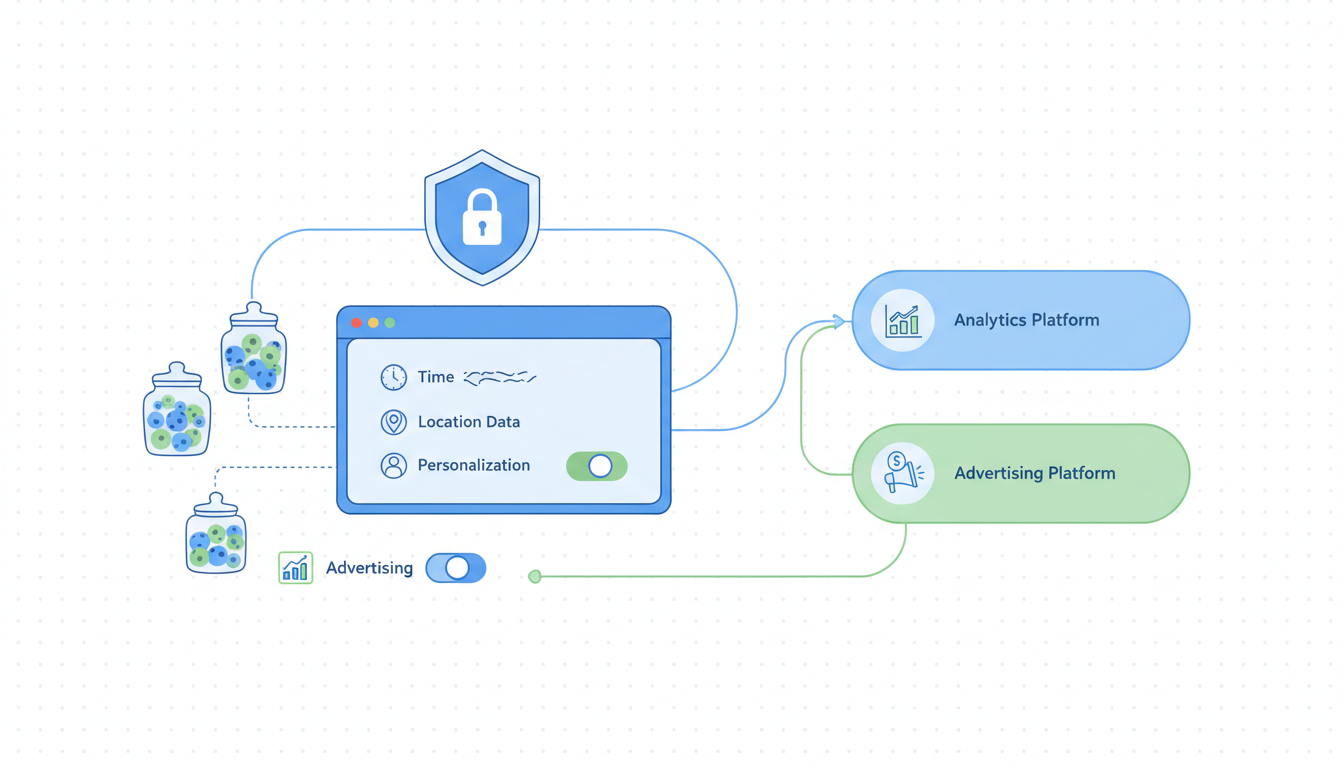
Shopify Consent Mode v2 is the part of your tracking stack most operators ship wrong on the first try, and it stays wrong for months because nothing in Shopify or Google's UI tells you it broke. The most common failure: you install a cookie banner, paste the GTM snippet, watch tags fire in Preview mode, and assume the EEA traffic is safe. Then six weeks later your reported conversions from Germany, France, and Italy drop 40 to 60% with no obvious cause, and your match rate on Google Ads quietly collapses from 80% to under 30% because you ran "basic" consent without knowing the cost. The fix is not complicated. It just has to happen in the right order, with the right banner, and the right consent state choice. Do it once, do it right, and the EU side of the funnel stops being a slow leak. Skip the wiring and you pay for it in lost match rate every week.
- Pick a banner that loads BEFORE GTM, supports Plus checkout, and writes Google's consent state correctly.
- Run advanced consent, not basic. Basic consent costs you 30 to 50 points of match rate.
- Wire Consent Mode v2 through GTM with the Consent Initialization trigger on every tag.
- Validate on EEA traffic with a real VPN test before you trust the install.
What Consent Mode v2 actually is in 2026
Shopify Consent Mode v2 is Google's signaling protocol for telling its tags (Google Ads, GA4, Floodlight) whether a user has consented to ad personalization, analytics storage, and a few other categories. It runs on top of your cookie banner, not instead of it. The banner asks the user. Consent Mode v2 translates that answer into four gtag('consent', ...) parameters that Google's tags read before deciding what to send. Without it, in 2026, your Google Ads tags either do not fire at all on EEA traffic or they fire with stripped data, depending on which mode you picked at install.
The "v2" part matters. Google rolled out v2 in November 2023 and made it mandatory for any advertiser sending EEA traffic to Google Ads in March 2024. The enforcement tightened again in 2025 when Google started disabling remarketing audiences and conversion modeling for accounts that had not implemented v2 correctly. By 2026 the picture is simple: no Consent Mode v2 means no remarketing audiences from EEA traffic, no conversion modeling on consent-denied users, and a 30 to 50% drop in reported conversions from EEA campaigns. Google's Consent Mode documentation walks through the four parameters in detail.
The two new v2 parameters everyone keeps missing: ad_user_data (whether you can send user data to Google for ads) and ad_personalization (whether Google can use that data for personalized ads and remarketing). The original v1 parameters (ad_storage and analytics_storage) still exist. All four need to be set correctly or the modeling falls apart silently. Most banner scripts written before mid-2024 only set the v1 pair, which is why you might have a "compliant" banner today that is actually missing half the v2 wiring.
Who needs it and who can skip it
The honest version of "who needs Shopify Consent Mode v2" splits cleanly into three groups, and the answer changes the cost-benefit math.
If you ship to or advertise into the EEA, UK, or Switzerland, you need it. Not optional. Google enforces it through the API for any advertiser running ads to those regions, and missing it kills your remarketing audience eligibility within weeks. You also need it for ePrivacy compliance under most national regulators, which is a separate problem from the Google enforcement. The two are independent. You can fail one and pass the other, which is what trips most operators up.
If you ship US-only, do not advertise to EEA, and have no EU-resident customers, you can technically skip it. Google does not enforce v2 on US-only ad accounts. But two things to think about before you skip. First, US privacy laws are tightening fast. California's CPRA, Colorado, Connecticut, Virginia, Texas, and Florida all now have consumer privacy laws with consent-state implications. Most of them do not require Consent Mode v2 specifically, but they do require some form of opt-out signaling that the same plumbing handles. If you wire Consent Mode v2 once, you are mostly covered for US state laws too, with a small bit of additional work. Second, EEA traffic shows up in your funnel even if you do not target it. Organic search, referrals, direct traffic from EU IPs all still hit your store. Without v2 wired, Google does not know what to do with those events and either drops them or attributes them wrong.
If you run B2B SaaS or services with no consumer EEA traffic at all, you can skip it cleanly. The enforcement only fires on consumer-facing ad accounts. But this is rare in Shopify. Almost every Shopify store has some EEA exposure, even if the brand is US-focused.
The short version: assume you need it unless you have hard data showing zero EEA traffic and zero EEA spend for the last 90 days. The cost of installing it wrong is real but recoverable. The cost of not having it on EEA traffic compounds week over week and is much harder to recover from after the fact.
The 3 consent banner options ranked for Shopify
We have installed Consent Mode v2 on about 30 Shopify stores in the last 18 months across Cookiebot, Iubenda, Klaro, Termly, OneTrust, the Shopify native banner, and a few custom builds. The three options that consistently work without breaking something on Shopify, ranked by total cost of ownership including dev time and ongoing pain:
1. Cookiebot. Around $9 to $79 per month depending on traffic. The most boring choice, which is exactly why we recommend it for most stores. It supports Shopify Plus Checkout Extensibility natively (one of two banners that does, the other is OneTrust at 10x the price). It loads before GTM cleanly when you paste the snippet in theme.liquid head. It writes the v2 consent state correctly out of the box, including ad_user_data and ad_personalization. The auto-blocking feature actually works on Shopify, which means tags inside GTM that read consent state get the right answer the first time. The downside: the UI for the banner is bland by default and customizing it past the basics costs design time.
2. Iubenda. Around $35 to $99 per month for the full consent solution. Slightly fancier banner UI, good legal coverage, generates privacy policies for you. Works fine on standard Shopify themes. The Plus checkout side is the gotcha. Iubenda does not have a native Customer Events integration, so on Plus stores running Checkout Extensibility you need a custom JavaScript pixel that copies consent state from the storefront cookie into the checkout sandbox. That is a half day of dev work the first time and a yearly maintenance check after. Acceptable, just not free.
3. Shopify's native cookie banner. Free, included in admin under Settings, Customer Privacy, Cookie banner. Released in late 2023, improved through 2025, now actually decent. Handles v2 consent state correctly. Loads in the right order automatically because Shopify owns the script injection. Works inside Customer Events on Plus without configuration. The reason it ranks third instead of first: the customization is limited. You can change colors and copy but you cannot deeply integrate with consent categories the way Cookiebot or Iubenda allow, and the granular per-category opt-in flow is weaker. For stores that just need basic compliance and do not want to manage another vendor, this is a fine first pick. For stores running 5+ marketing pixels with category-level consent controls, you will outgrow it within a year.
What we do not recommend on Shopify in 2026: Klaro (free, technically capable, but requires custom dev work for Plus checkout that breaks on every Shopify checkout update), Termly (consent state writing is unreliable, we have seen v2 parameters silently drop on three different audits), and OneTrust (overkill for any store under enterprise scale, $500+ per month minimum, configuration takes a week of dev time). Most "cookie banner Shopify" comparison posts will rank these higher because they pay affiliate fees. The audit data does not back the rankings.
The decision tree we run on every client: if you have any EEA exposure at all and run Shopify Plus, install Cookiebot. If you are on standard Shopify and want to start free, install the native banner. If you grow past 5 marketing pixels or need granular consent categories, switch to Cookiebot. Iubenda is a fine middle option if you also need help with the privacy policy and terms generation.
Wiring Consent Mode v2 through GTM on Shopify
The "consent mode gtm shopify" wiring is where most installs fail, even with the right banner picked. The order of operations matters more than any single setting. Get the order right and the install holds for years. Get it wrong and you spend three weeks debugging why your Google Ads conversions look fine in GA4 but missing in Google Ads.
The clean sequence:
- Install your banner script in
theme.liquidhead, BEFORE the GTM snippet. The banner script needs to registergtag('consent', 'default', {...})with all four v2 parameters set to "denied" before GTM loads. If the banner loads after GTM, every tag inside GTM evaluates consent state at firing time before the banner has set defaults, which means tags either fire ungated (a compliance breach) or fire as denied with no consent update path. - Inside GTM, open Admin, Container Settings, Additional Consent Settings. Enable "Enable consent overview." This turns on per-tag consent configuration in the tag editor.
- For every Google tag in the container (GA4 Configuration, GA4 Event, Google Ads Conversion, Google Ads Remarketing, Floodlight), open the tag, scroll to Consent Settings, set "Require additional consent for tag to fire" with the v2 parameters that tag needs. GA4 needs
analytics_storage. Google Ads Conversion needsad_storage,ad_user_data,ad_personalization. Set all of them. Saving with one missing is the most common configuration error we see. - For non-Google tags (Meta Pixel, TikTok, Pinterest, Reddit), GTM does not enforce consent automatically. You need a Consent Initialization trigger as a blocking trigger on each tag, and a custom JavaScript variable that reads the consent state from your banner's API. This is where Cookiebot pays for itself, the API is documented and stable. Other banners require digging into their cookie names directly.
- Add a Consent Update trigger that fires when the user clicks accept or reject in the banner. This is what tells Google to upgrade
ad_storagefrom "denied" to "granted." Without this, even users who consent get treated as denied for the entire session.
That is the storefront side. On Shopify Plus with Checkout Extensibility, you also need to propagate consent state into the checkout sandbox. The Customer Events context cannot read your storefront cookie directly because of iframe isolation. Cookiebot handles this through Shopify's analytics.publish API. Iubenda needs a custom snippet. The native Shopify banner handles it automatically because Shopify owns both contexts.
The single most common mistake we see at this stage: somebody enables Consent Mode v2 in GTM but forgets to set wait_for_update to a value (typically 500ms) inside the consent default call. Without wait_for_update, Google's tags fire immediately with whatever default state was set before the user has had a chance to interact with the banner. The user clicks accept, the consent state updates, but the events that already fired are gone. You see this in GA4 as a sudden drop in events from the first 500ms of every session. Add wait_for_update: 500 to your consent default and the drop disappears.
Basic vs advanced consent: the EMQ match rate impact
Google offers two implementation modes for Consent Mode v2: "basic" and "advanced." The names are misleading. Basic is more restrictive and costs you a lot of match rate. Advanced is less restrictive and is what most stores want. Most "google consent mode shopify" setup guides do not explain the difference clearly, so people pick basic by default thinking it sounds safer.
In basic consent mode, when a user denies consent, Google's tags do not fire at all. No event is sent, no cookieless ping, nothing. Google has no signal for that user. In advanced consent mode, when a user denies consent, Google's tags still fire but send a stripped-down "cookieless" ping with no identifiers, no client ID, no IP retained. Google uses these pings to model conversions for the denied users using machine learning on the broader pattern of consented users.
The match rate impact is huge. On a typical EEA-heavy Shopify store with 60% consent rates (which is around average for 2026 EU traffic), basic consent gives Google data on 60% of users and silence on the other 40%. Advanced consent gives Google data on 60% with full identifiers and modeled pings on the other 40%, which Google's conversion modeling uses to estimate the missing conversions. The reported conversion count under advanced typically lands within 5 to 10% of the true total. Under basic, you lose the entire 40% with no recovery, which is why basic-mode accounts show a 30 to 50% drop in reported EEA conversions immediately after install.
The catch with advanced mode is that it requires explicit configuration in your banner to allow the cookieless pings under denied state. Cookiebot does this automatically. The Shopify native banner does it correctly. Iubenda needs a setting toggled in the dashboard. Klaro requires custom code. If your banner blocks all Google tags on denial without firing the cookieless ping, you have basic consent regardless of what you intended to install.
The way to verify: open DevTools on a fresh incognito window in EEA traffic (use a VPN), click "reject all" on the banner, navigate to a product page, and watch the Network tab for outbound requests to google.com/pagead or googletagmanager.com/gtag. If you see requests with gcs=G100 or gcs=G101 in the URL, you are in advanced mode (the G1xx codes encode consent state). If you see no requests at all to Google domains after a denial, you are in basic mode and you are leaving 30 to 50 points of match rate on the table.
For US-focused stores asking why this matters: the same modeling applies to your US Google Ads conversions when users deny analytics or ads cookies under your privacy policy. Even if you skip Consent Mode v2 enforcement for EEA, advanced mode is worth implementing for the 15 to 25% of US users who deny consent through your own privacy controls. The conversion lift in modeling alone usually pays for the implementation time.
Debugging: what breaks and how to see it in Events Manager
Consent Mode v2 fails silently in 8 out of 10 broken installs. Nothing in Shopify, GTM, or Google Ads tells you the install is wrong. You only see the symptoms three to six weeks later when the EEA conversion line drops or remarketing audiences shrink. The fastest way to catch a broken install before that happens is a structured debug pass with five specific checks. We run this on every client install and once a quarter on existing accounts.
Check 1: open Google Tag Assistant on a fresh incognito browser, navigate to your store from an EEA IP (VPN). Trigger the cookie banner. Before clicking anything, look at the Tag Assistant overlay for the Consent State section. You should see all four v2 parameters listed (ad_storage, ad_user_data, ad_personalization, analytics_storage) with default state "denied." If you see fewer than four parameters or a status of "not set," the banner is missing v2 wiring.
Check 2: in the same session, click "accept all" on the banner. Refresh Tag Assistant. All four parameters should now show "granted." If only two flip ("ad_storage" and "analytics_storage" granted but the two new v2 parameters still denied), your banner is using v1 wiring. Update the banner script.
Check 3: in Google Ads, open Tools, Conversions, find your Purchase conversion. Look at the "Diagnostics" tab. You should see "Consent Mode v2 detected" and a tag firing health score above 80%. If you see "No Consent Mode signal detected" or a score below 60%, the tags are firing without consent state attached. Usually this means GTM has consent settings disabled or the tag template is outdated.
Check 4: in Google Ads, open Audiences, look at any remarketing audience tied to EEA traffic. The audience size for the last 30 days should be growing or stable. If it has dropped 50% or more since you installed Consent Mode v2, you are in basic mode and your denied users are not being modeled. Switch to advanced.
Check 5: in GA4, open Reports, Acquisition, User acquisition, filter to EEA countries. Compare the user count to the same period 60 days ago. A drop of 20 to 40% is normal after Consent Mode rollout (because denied users get modeled, not raw-counted). A drop of 60%+ means modeling is not working, which means basic mode or a misconfigured banner.
The single most useful tool for ongoing monitoring: Cookiebot's compliance scanner if you use Cookiebot, otherwise Google's Tag Assistant Companion extension. Both will flag a broken Consent Mode setup within 30 seconds of loading the page. Run them weekly for the first month after install, then monthly.
US operators: why this still matters for you
The honest answer is that 70% of Shopify stores asking "do I need Consent Mode v2 if I am US-only" probably have enough EEA exposure to justify installing it, and the remaining 30% should still implement it for US privacy law coverage and for the modeling lift on US users who deny consent.
The EEA exposure question. Open Google Analytics, filter to last 90 days, group by country. Add up Germany, France, Italy, Spain, Netherlands, Sweden, Denmark, Poland, Belgium, Austria, Ireland, Finland, Portugal, Greece, Czech Republic, plus the UK and Switzerland. If that group is more than 2% of your sessions, you should install Consent Mode v2. Below 2% you can defer for a year, but track it.
The US privacy law angle. CPRA in California, CDPA in Virginia, CTDPA in Connecticut, the Colorado Privacy Act, the Texas Data Privacy and Security Act, plus newer laws in Florida, Oregon, Montana, Tennessee, and others all require some form of opt-out signaling for the sale or sharing of personal information. None of them require Consent Mode v2 specifically, but the same plumbing handles them. If you wire a consent banner that supports both EU consent and US opt-out signals (Cookiebot does, the Shopify native banner does), you are mostly covered for US state law compliance without additional work. The IAB GPP framework that handles US opt-out is a sibling to Consent Mode v2, and the major banners support both at the same time.
The modeling lift on US traffic. Even on US-only stores, somewhere between 15 and 25% of users will deny consent if you give them a clear opt-out option (which most state laws require). Without Consent Mode v2 in advanced mode, those users disappear from your conversion data entirely. With it, Google models the missing conversions and your reported numbers stay close to true. Stores that install Consent Mode v2 for "EU compliance reasons" usually report a 10 to 15% lift in US conversion attribution as a side effect of the modeling kicking in. That alone is worth the half-day install.
The case for skipping Consent Mode v2 on a US-only Shopify store is real but narrow. If you ship US-only, get less than 1% EEA traffic, do not enforce a consent banner under US state laws (because your customer base does not trigger the thresholds), and your privacy policy does not promise category-level opt-outs, you can skip it without immediate downside. That is a small slice of stores. For everyone else, install it.
Frequently asked questions
Do I need Consent Mode v2 on Shopify if I do not run Google Ads?
Can I just turn on Consent Mode v2 in GTM without a cookie banner?
What happens if I implement Consent Mode v2 wrong on Shopify?
ad_user_data and ad_personalization), your remarketing audiences shrink to near zero over 60 days because Google cannot use the data for personalization. Each is independent. You can fail one and pass the others. The five-check debug pass in section 6 catches all three.How long after fixing Consent Mode v2 do I see results?
Does Shopify's native cookie banner support Consent Mode v2 properly?
Should I use Consent Mode v2 if my store is on a free Shopify trial or starter plan?
checkout.liquid (which has been deprecated anyway) and you have less control over the script load order in some theme variants. The Shopify native banner works on all plans and handles Consent Mode v2 correctly. Cookiebot also works on all plans because it loads through theme.liquid head which every plan supports. The only Shopify-tier-related issue we have seen is on the very oldest themes (pre-2021 Vintage themes) where the head injection order is unreliable. Updating to a current Online Store 2.0 theme fixes it.Shopify Consent Mode v2 done well is a compounding fix. Install it once in advanced mode with the right banner and the right load order, and you keep your EEA conversion data, your remarketing audiences stay healthy, your modeled US conversions add 10 to 15% to reported numbers, and your privacy compliance holds across both EU and US state laws. Install it once in basic mode or with a banner that loads after GTM, and you spend the next year wondering why EEA performance keeps dropping while everyone tells you "the algorithm is just slow this quarter." Best to run the five-check debug pass above before you trust any new install, and to rerun the same check every quarter on existing accounts. The cost of the install is half a day. The cost of skipping it is a slow drain on match rate, audience size, and reported conversions that compounds week over week and gets harder to claw back the longer it runs.
Get a full X-ray of your ad account
Paste your Meta and Google Ads. See exactly where signal is leaking. Free. 60 seconds.