Shopify Customer Events API explained
 By Dror Aharon
·
CEO, COREPPC
·
Updated April 17, 2026
·
11 min read
By Dror Aharon
·
CEO, COREPPC
·
Updated April 17, 2026
·
11 min read
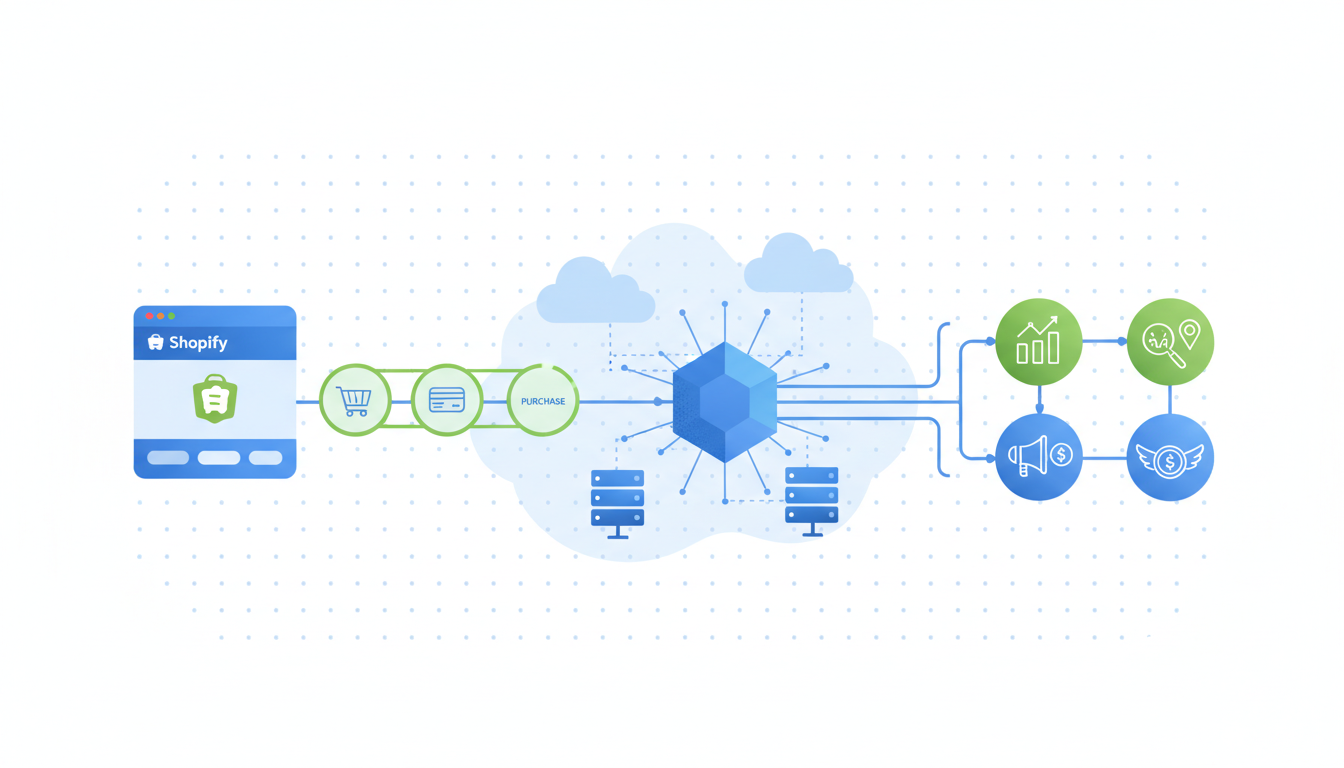
The Shopify Customer Events API is the sandboxed Web Pixel layer that replaced the old Additional Scripts box in checkout, and it is the only supported way to fire tracking code on Shopify stores running the new checkout. Every event (page_viewed, product_viewed, checkout_started, payment_info_submitted, checkout_completed) is emitted into a pub/sub bus, and your code subscribes to the events it needs and forwards them to wherever they go (GA4, Meta, Klaviyo, a custom endpoint). Shopify runs the code in an isolated iframe sandbox, which blocks cookies, blocks direct DOM access, and blocks most of the things operators used to do with raw JavaScript at checkout. You get cleaner privacy, cleaner performance, cleaner consent handling. You also get a harder migration, because scripts that used to "just work" do not port one to one. This guide walks through what the API is, why Shopify built it, and how to ship a custom Web Pixel without breaking anything downstream.
- The Customer Events API is the pub/sub bus. The Web Pixel API is how your code subscribes to it.
- Additional Scripts is deprecated on the new checkout. Custom pixels are the only supported replacement.
- The sandbox blocks direct cookie access and DOM reads, so plan server-side fallbacks for anything that needs those.
- Test every custom pixel with the `analytics.subscribe` preview tool before publishing. It catches 80% of mistakes.
What the Customer Events API actually is
The Shopify Customer Events API is a pub/sub event bus that fires standardized tracking events from every page of a Shopify store, including checkout. The event names are fixed. Shopify emits them. Your code (a Web Pixel) subscribes through analytics.subscribe('event_name', callback) and does whatever you want with the payload, usually forwarding it to an analytics or ad platform.
There are two pieces that people confuse all the time. The Customer Events API is the event stream itself, the catalog of events Shopify fires and the schema each one carries. The Web Pixel API is the runtime where your subscriber code actually runs, inside a sandboxed iframe that Shopify owns. You need both to ship anything. The Customer Events API without the Web Pixel API is just a spec. The Web Pixel API without the Customer Events API is an empty sandbox. Shopify's standard events reference is where you look up event names and payload shapes.
The core events most stores care about: page_viewed, product_viewed, product_added_to_cart, checkout_started, checkout_shipping_info_submitted, payment_info_submitted, checkout_completed. There are around 20 events total in the standard catalog, plus whatever custom events the theme or app developers emit through analytics.publish. For most ad-platform use cases (GA4, Meta, Pinterest, TikTok) you end up subscribing to maybe 6 of them and ignoring the rest.
Why Shopify built it and what it replaces
Before this, stores on the classic checkout pasted raw JavaScript into a textarea called "Additional Scripts" in Settings > Checkout. It worked, mostly. It also let any developer drop a 300kb tracking snippet onto the confirmation page, read the customer's email out of the DOM, block the checkout flow with a slow third-party request, and generally turn the most revenue-critical page in the funnel into a dumpster fire. Shopify got tired of fixing customer complaints about broken checkouts caused by bad tracking scripts.
Three things pushed Shopify to deprecate Additional Scripts and ship Customer Events:
- Checkout Extensibility. The new checkout (rolled out to all stores in 2024, mandatory for Plus on Aug 28, 2024, mandatory for everyone on Aug 28, 2025) does not support Additional Scripts at all. The whole checkout surface got rebuilt on a new extension model, and Shopify chose to move tracking out of the theme layer and into a governed API. See the Checkout Extensibility overview for context.
- Privacy and consent. With iOS ATT, GDPR, and consent mode v2, Shopify needed a single chokepoint where it could enforce consent state across every pixel. Additional Scripts was a free-for-all. The Customer Events API emits events with a
consentfield on the payload, and the Web Pixel can choose to fire or skip based on that field. Consent becomes enforceable instead of hopeful. - Performance. Raw scripts in the theme block rendering. Sandboxed Web Pixels run in an iframe, off the main thread, with no way to block the page. The checkout got measurably faster once stores migrated off Additional Scripts.
The tradeoff is real. You lose direct DOM access, direct cookie access, and the ability to run arbitrary code on the storefront. In exchange you get predictable event shapes, enforceable consent, and a checkout that does not fall over when a tracking pixel has a bad day. Most operators end up agreeing this is the right tradeoff, around week three of the migration, after the initial "why did Shopify do this to me" phase wears off.
The sandboxed Web Pixel context: limits and what you gain
The Web Pixel sandbox is the part that trips up developers who are used to dropping scripts into a theme. Your code runs in an isolated iframe with no access to the parent document. That means no document.querySelector on the storefront, no direct reads from document.cookie, no localStorage access on the main origin, no way to inject a script tag into the storefront itself.
What you can do inside the sandbox:
- Subscribe to any standard event through
analytics.subscribe. - Call
fetchto any endpoint (your server, a vendor's collection API, a Cloudflare Worker). - Use the
browserglobal Shopify injects, which gives scoped, permissioned access to cookies and localStorage through methods likebrowser.cookie.get('_fbp')andbrowser.localStorage.setItem(...). - Access the event payload, which already includes hashed customer data, cart contents, and consent state.
What the sandbox blocks, and what you do instead:
| Blocked action | Sandbox workaround |
|---|---|
Direct document.cookie reads |
browser.cookie.get('cookie_name') (permissioned, allowlisted) |
| DOM selector reads on the storefront | Subscribe to events instead. The payload carries the data. |
Injecting a <script> tag onto the page |
fetch to the vendor's server-side endpoint, or use sGTM |
| Reading arbitrary window globals | Not possible. The sandbox is fully isolated. |
The browser.cookie API is the part most developers miss on the first read of the docs. You can still read _fbp, _fbc, _ga, and any other tracking cookie, but only through the scoped API. Meta's fbp/fbc reference explains why those cookies matter for attribution. If you forget to read them, your browser-to-server dedup breaks silently, and you find out two weeks later when EMQ tanks.
Shipping a custom Web Pixel for Shopify
There are three ways to add a custom pixel, and the one you pick depends on who owns the code long term.
- Custom Pixel in the admin UI. Settings > Customer Events > Add custom pixel. You paste JavaScript into a textarea, pick permissions, save, connect. Fastest path. No deploy pipeline. Best for a single-store setup where a growth operator owns tracking.
- App Pixel from a Shopify app. If you are building an app that needs to emit or subscribe to events across many stores, you ship the pixel as part of the app. It gets installed automatically when a merchant installs the app.
- App Extension pixel for Plus or advanced setups. Versioned, code-reviewed, deployed through the Shopify CLI. Best for agencies managing tracking across a portfolio of stores.
For most COREPPC clients we default to option 1. Here is the minimum working pixel that forwards checkout_completed to a server endpoint, which is the single most common reason anyone writes a custom pixel in the first place:
analytics.subscribe('checkout_completed', async (event) => {
  const { checkout } = event.data;
  const fbp = await browser.cookie.get('_fbp');
  const fbc = await browser.cookie.get('_fbc');

  await fetch('https://your-endpoint.example.com/capi', {
    method: 'POST',
    headers: { 'Content-Type': 'application/json' },
    body: JSON.stringify({
      event_name: 'Purchase',
      event_id: `order_${checkout.order.id}`,
      event_time: Math.floor(Date.now() / 1000),
      value: checkout.totalPrice.amount,
      currency: checkout.currencyCode,
      fbp,
      fbc,
      email: checkout.email,
    }),
  });
});
That is roughly 20 lines and covers 80% of what stores actually need. The event_id is the dedup key against the browser pixel. The fbp and fbc come from the scoped cookie API. The email gets hashed server-side before it hits Meta, because the sandbox does not give you a hash function and you do not want to ship one in the bundle anyway.
Three gotchas worth flagging. One, the event object has different shapes for different events, so always console.log the full payload the first time you subscribe to a new event name. Two, the sandbox runs async, so if you want to guarantee the fetch lands before the page unloads on checkout_completed, use keepalive: true on the fetch options or switch to navigator.sendBeacon. Three, the sandbox has no global state between events, so if you need to remember something between page_viewed and checkout_completed, write it to browser.localStorage or (better) re-read it from the event payload each time.
Customer Events vs GTM: when each wins
This is the question that keeps coming up in client calls, and the honest answer is that they solve different problems and most serious setups use both.
The Customer Events API is the source of truth for what happens on the Shopify store. It fires events the moment Shopify's own code fires them, with the canonical payload, inside the sandbox. You cannot get more reliable than that on a Shopify storefront.
GTM (web container or server-side) is a general-purpose tag manager. It is great at orchestrating dozens of vendor tags, handling consent logic, transforming event shapes, and routing events to destinations. It is not especially good at being a Shopify-aware event source, which is why pairing GTM with raw theme snippets on Shopify has always been fragile.
The pattern that works well for most stores: Customer Events API is the source, GTM server-side is the destination. Your custom Web Pixel subscribes to the Shopify events and forwards them to your sGTM endpoint. sGTM then fans them out to Meta CAPI, GA4 MP, Klaviyo, TikTok, Pinterest, whatever you are running. This gives you the clean event source Shopify wants you to use, and the flexible destination orchestration GTM is good at.
| Decision | Customer Events only | Customer Events + sGTM |
|---|---|---|
| Single destination (e.g., only GA4) | Yes. Keep it simple. | Overkill. |
| Three or more destinations | Technically possible. Messy. | Best. One source, one fan-out. |
| Need dedup with browser pixel | Yes, with event_id. | Easier. sGTM handles it. |
| Consent routing across vendors | Manual in the pixel. | Centralized in sGTM. |
If you are running a single-vendor setup with just GA4 or just Meta, the customer events shopify gtm question barely matters. If you are running four ad platforms plus email, you want sGTM in the middle.
The 4 failure modes we see in audits
We audit around 40 Shopify stores a month and a custom pixel shows up in maybe half of them. Of those, almost every one has at least one of these four problems. Usually two.
- Stale Additional Scripts on the legacy checkout. The store migrated to the new checkout but the old Additional Scripts box still has code in it, which fires on any customer still on the legacy flow (there are always a few edge cases). The legacy script and the custom pixel both fire, Meta double-counts, EMQ tanks. Fix: clear Additional Scripts completely.
- Custom pixel reads cookies through
document.cookie, which returns undefined in the sandbox. Developer tests locally (outside the sandbox, cookie works), ships to production (sandbox, cookie is undefined), fbp and fbc silently vanish from every event. Fix: usebrowser.cookie.getinstead. - Custom pixel uses
fetchwithoutkeepalive: trueon checkout_completed. Most purchases succeed. A small percentage (usually 3 to 7%) fail because the page unloads before the fetch resolves. Reported purchases are lower than actual, Meta optimizes on partial data. Fix: addkeepalive: trueor switch tonavigator.sendBeacon. - Multiple custom pixels installed by different apps, all firing the same event. This is the web pixel api shopify equivalent of the classic duplicate pixel problem. Klaviyo installs one, Meta installs one, a custom one ships from the agency, all three fire
checkout_completedand all three send it to Meta. Fix: consolidate into one pixel that handles all destinations, or make sure each pixel targets exactly one vendor.
Best to open Settings > Customer Events once a quarter and audit what is actually installed. Stores accumulate pixels the way closets accumulate coats. Nobody remembers why the third one is there. Six months later it is still firing.
Plus-only extras worth knowing about
Shopify Plus stores get a few extras on top of the standard API, and they matter if you run a Plus store or manage one.
First, Checkout UI Extensions. Plus merchants can add custom UI blocks to the checkout (upsells, survey fields, delivery instructions). Any data those extensions collect is available to custom pixels through custom events that Shopify auto-emits, or through explicit analytics.publish calls from the extension code. This is how you track upsell acceptance rates or post-purchase survey conversions.
Second, B2B checkout events. Plus stores running B2B get additional events around draft order creation and approval workflows that standard stores do not see. Subscribe to those if you need revenue attribution for B2B flows.
Third, higher rate limits on the Customer Events stream. Standard stores are fine for normal traffic. Plus stores hitting 10k+ orders a day benefit from the higher throughput ceiling, which matters mostly for high-volume flash sales where the event stream can otherwise queue up.
None of this changes the core shopify pixel api model. The sandbox still applies, the scoped cookie API still applies, the consent field still applies. Plus just gives you more events and more headroom inside the same model.
Frequently asked questions
Is the Customer Events API the same as the Web Pixel API?
analytics.subscribe method and the scoped browser global. You subscribe to Customer Events from inside a Web Pixel. In practice you need both to ship anything useful, so most developers just call the whole thing "Shopify Customer Events" and move on.Does this replace Google Tag Manager on Shopify?
Can I still use the Meta pixel without a custom pixel?
Why is my cookie undefined inside the custom pixel?
document.cookie does not work in the Web Pixel sandbox. The sandbox runs in an isolated iframe with no access to the parent document's cookies. Use browser.cookie.get('cookie_name') instead, which returns a Promise that resolves to the cookie value. This is the single most common mistake we see when developers first migrate to custom pixels. They copy a script that worked in the theme, ship it to Customer Events, and the fbp cookie silently becomes undefined. Always use the scoped browser API for cookie reads inside a pixel, even if your old code used document.cookie.Does the Customer Events API fire on the thank you page?
checkout_completed fires on the order status page (the thank you page) and carries the full checkout and order payload, including email, line items, total, and currency. This is the event you subscribe to for purchase tracking, and it is the most reliable Purchase signal on Shopify because it fires after Shopify has confirmed the order server-side. Legacy setups that fired Purchase on a /checkouts/.../thank_you URL pattern worked but were fragile. The new event fires on both classic and new checkouts, which is part of why Shopify pushed this API as the replacement for Additional Scripts.Can I read the customer's email or phone from the event payload?
checkout_started, checkout_shipping_info_submitted, payment_info_submitted, and checkout_completed events include the email and phone in the checkout object on the payload. You get them in plaintext inside the sandbox, which is why the sandbox is isolated in the first place (to keep plaintext PII from leaking to other scripts on the page). You still need to hash them server-side before forwarding to Meta CAPI, because Meta requires SHA-256 on PII fields. Do the hash on your own server, not in the pixel, so you never ship a hashing function or a salt in the client bundle.The Shopify Customer Events API is not a new way to do tracking, it is the only supported way on the new checkout, and the migration pain most stores feel is mostly a one-time cost. Once the custom pixel is in place, the event stream is cleaner than Additional Scripts ever was, consent is actually enforceable, and the checkout stops breaking when a vendor pixel has a bad deploy. Best to audit Settings > Customer Events once a quarter, keep one pixel per destination (or one pixel per vendor, not three), use the scoped browser API for cookies, and validate every new subscriber against the preview tool before publishing. If the audit surfaces duplicate pixels or stale Additional Scripts, fix those first. The rest of the work gets a lot easier after that.
Get a full X-ray of your ad account
Paste your Meta and Google Ads. See exactly where signal is leaking. Free. 60 seconds.