DSA campaigns for Shopify (dynamic search ads)
 By Dror Aharon
·
CEO, COREPPC
·
Updated April 17, 2026
·
11 min read
By Dror Aharon
·
CEO, COREPPC
·
Updated April 17, 2026
·
11 min read
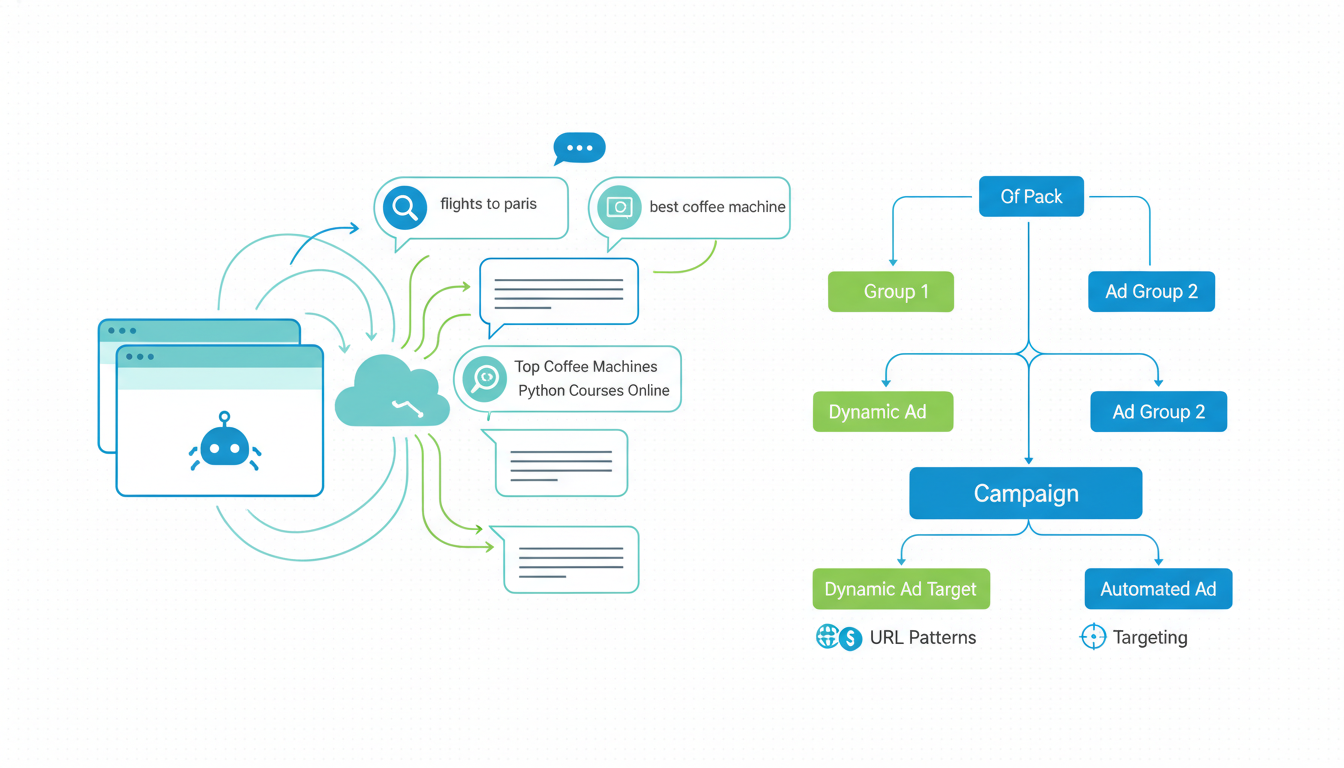
A Shopify DSA campaign is the cheapest insurance policy a Google Ads account can carry in 2026, and almost nobody runs it right. Dynamic Search Ads scrape your own site, match on user queries Google's regular keyword list would never catch, and fill the gaps PMax and Search campaigns leave behind. The setup takes 45 minutes. The cost to run it is usually 5 to 10% of the account, and the incremental conversions are the ones your other campaigns missed because the product name does not match how people actually search. Most Shopify stores either skip DSA entirely or set it up once, point it at "all web pages", and let it waste 30% of the budget on the blog and policy pages. Neither extreme works. Point DSA at a curated URL list, pair it with tight negatives, measure it as the safety net it is, and you recover the revenue leaking through the cracks in your keyword coverage.
- Target a URL list or custom page feed, not "all pages". Never.
- Write 2 static headlines. Google generates the third headline from the landing page.
- Feed DSA negatives from your Search terms report weekly. It learns fast.
- Measure DSA separately from PMax and Search to avoid double-counting conversions.
What DSA actually does that Search cannot
A shopify dsa campaign is a Dynamic Search Ads campaign, Google's long-running campaign type that indexes the URLs on your store and matches them to search queries using the page content itself instead of a keyword list. Google reads your product pages, your collection pages, your titles, and it decides when a user's query matches well enough to show your ad. You write the descriptions and two of the three headlines. Google writes the third headline and picks the landing page in real time.
The obvious objection: "Isn't that what PMax does?" Not really. PMax bids on shopping queries, leans 50 to 70% of spend into Shopping and Display, and is a broad-reach scaling tool. DSA lives on Search only. It fills the long-tail text queries your keyword campaigns are not covering and PMax is not prioritizing because the query did not trigger a Shopping match. On Shopify stores running $10k to $50k a month in Google spend, DSA typically catches 8 to 15% of conversions the other campaigns miss, at a CPA usually 20% below account average. Sounds small. Compounds.
The reason DSA works so well for ecommerce long tail: your catalog has thousands of SKU-level words (color, material, size, use-case descriptors) that nobody would ever build a keyword list around. Queries like "waterproof cycling jacket with reflective trim size medium" are the kind of thing DSA catches because the query matches the product page text verbatim. PMax might catch some of this. Pure Search rarely does.
Google's official Dynamic Search Ads documentation covers the mechanics. This guide is about running it on Shopify without shooting yourself in the foot, which is where most guides stop.
Why DSA earns a slot as your safety-net campaign
We audit around 40 Shopify stores a month since 2023. Nine out of ten do not run DSA at all. Of the one in ten that does, most have it pointed at "all web pages" with no URL targeting, which is the setting that sends the budget to the blog, the press page, and the privacy policy. Both extremes waste money.
DSA works as a safety net, not a primary campaign. The structure we use on every account:
- Brand Search catches branded queries (highest intent, lowest CPA).
- Non-brand Search catches the 50 to 100 priority keywords you know convert.
- PMax scales the shopping-first queries across Search, Shopping, YouTube, Display.
- DSA catches the long-tail text queries nobody thought to bid on, at 5 to 10% of account budget.
Four campaigns, four jobs, minimal overlap. Brand Search is fenced with brand exclusions on PMax. Non-brand Search uses tight exact-match so it does not spill into DSA territory. PMax eats the shopping queries. DSA cleans up the rest. Boring architectures scale. Clever ones break when somebody takes a week off.
The data from our audit sample in 2025 Q4: stores running the four-campaign structure sit at a median 3.6x blended ROAS. Stores running just PMax plus brand Search sit at 2.9x. The delta is not magic. DSA caught the 12% of long-tail conversions that would otherwise never have surfaced, at a CPA 18% below account average. Incremental 12% revenue at better unit economics, for 45 minutes of setup and about an hour a week of negative keyword hygiene.
The other reason DSA earns a slot: it learns faster than almost any other campaign type. Google is matching on page content it already crawled, so there is no learning phase in the Smart Bidding sense. Launch Monday, have useful data by Friday. Compare that to PMax, which needs 7 to 14 days and 30 conversions to stabilize. DSA is the fastest feedback loop in Google Ads.
Setup: targeting by URL list vs categories vs all pages
The setup decision that matters most on a shopify dsa campaign is the targeting source. Google gives you three options inside the campaign. Two of them are fine. One of them is a trap. Here's the short version.
URL list (recommended, 90% of cases). You upload a CSV of specific URLs or paste them in the UI. Google only indexes those pages. You control exactly which products and collections DSA can show ads for. A sensible Shopify URL list:
- All collection pages of active products (not archived collections).
- Your top 50 to 100 best-selling product pages.
- Any category landing page that already ranks organically.
Exclude: the blog, the homepage (too generic), about, careers, privacy policy, shipping, and any "coming soon" pages. Exclude cart, checkout, and account pages with a path exclusion.
Categories (fine, but lazier). Google auto-categorizes your site and lets you target buckets like "Accessories". Works if the site structure is clean. Usually not clean on Shopify because collections overlap. URL list beats Categories 9 times out of 10.
All web pages (never). The trap. Includes every URL including blog, legal pages, and whatever 404 redirects you have not cleaned up. On a Shopify store with 15k URLs, "all pages" blows 30 to 40% of the budget on pages that cannot convert. If the DSA campaign is set to "all web pages", that is the first thing we fix in an audit, same day.
Next decision: page feeds vs site-indexed URL list. Page feeds are CSVs with custom labels on each URL, letting you build ad groups by product margin the way you would in PMax. Worth the setup time above $20k a month. Below that, a plain URL list is fine.
For dynamic search ads shopify setups, the Shopify quirk worth knowing: URL structure changes when you rename a collection or product handle, which silently breaks the DSA URL list. Audit the list monthly for broken entries. Google does not flag them, it just stops serving ads for those URLs.
Ad copy templates that work with DSA dynamic headlines
This is where most DSA setups go sideways. You write two headlines, Google writes the third dynamically from the landing page title or the matched query, and you write two descriptions. If your static headlines contradict Google's dynamic one, the ad reads like it was written by a bot. If they complement the dynamic headline, DSA ads look almost indistinguishable from regular Search ads and convert nearly as well.
The rule: your static headlines should be benefit-focused and generic, never product-specific. Let Google's dynamic headline carry the product specificity, because it is pulled from the page title verbatim. Two templates that work on most Shopify stores:
Template 1 (DTC apparel, accessories, home goods):
- Headline 1 (dynamic, Google generates): usually the product or collection name.
- Headline 2 (static): "Free Shipping Over $75 | 30-Day Returns"
- Headline 3 (static): "Shop the Full Collection at [Brand]"
- Description 1: "Premium materials, fast shipping, honest pricing. Real customer reviews on every product."
- Description 2: "Join 40k+ customers who shop with us. Browse the full collection today."
Template 2 (health, supplements, personal care):
- Headline 1 (dynamic).
- Headline 2 (static): "Clinically Tested | Third-Party Verified"
- Headline 3 (static): "Free Shipping + Subscribe and Save"
- Description 1: "Third-party tested for purity. No artificial fillers. Subscribe and save 15% on every order."
- Description 2: "60-day money-back guarantee. Start with a 30-day trial pack."
Avoid in static headlines: specific product names (the dynamic headline handles that), specific discount percentages (can mismatch the landing page), and any date reference. Evergreen copy only.
One more thing about DSA descriptions: Google may pull the page meta description into the ad if your static description is weak. Best to write descriptions sharper than the page meta, or DSA will substitute it and the ad reads like stock copy. Most shopify dsa setup guides skip this and stores lose conversion rate to generic descriptions scraped from pages that were never written for ad copy.
Negative keywords DSA specifically needs
DSA negative keyword hygiene is the most important ongoing task on the campaign, and the one most operators skip. Because DSA matches on page content, not keywords, it picks up queries your standard negative list would never anticipate. Without a weekly scrub, DSA happily bids on "how to return a [your product]" (post-purchase, zero value), "[your product] reviews" (review-intent, poor conversion), "jobs at [your brand]" (careers, zero revenue), and "[your product] vs [competitor]" comparisons where you rarely win.
The negative keyword categories every dsa google ads ecommerce setup needs on day one:
- Informational modifiers: "how to", "what is", "why", "where", "when", "review", "reviews", "guide", "tutorial", "how does".
- Post-purchase queries: "return", "refund", "exchange", "warranty", "track order", "cancel order".
- Career/investor queries: "jobs", "careers", "hiring", "salary", "investors", "ipo", "funding".
- Non-commercial modifiers: "free" (unless you genuinely want free-shipping matches), "download", "wallpaper", "image", "pdf".
- Competitor names: your top 10 direct competitors, exact match. DSA will match queries containing competitor names to your product pages if the page text mentions the competitor anywhere.
Beyond the day-one list, the weekly ritual: open the Search Terms report for the DSA campaign every Monday. Filter to queries with zero conversions and CPC above average. Anything with 3+ clicks and zero conversions, negative it. 15 minutes a week once you have the routine. Stores that skip see DSA CPA double within 6 weeks because the algorithm keeps finding cheap clicks on informational queries that never convert.
The thing nobody says about DSA negatives: they need to be phrase or broad match, not exact. DSA queries are long-tail by nature, so exact-match negatives almost never trigger. A phrase match negative like "how to" catches hundreds of variants. Broad can over-block, so phrase is usually the right balance.
Measuring DSA vs Search and PMax to avoid double-counting
The measurement problem with running DSA alongside PMax and Search is attribution. Default attribution (data-driven or last-click) can credit the same conversion to multiple campaigns, which makes DSA look better or worse than it is depending on where it sits in the path. Without a framework, you cannot tell if DSA is truly incremental or just stealing credit.
Three things to do on launch day:
- Check attribution model. Account settings, Attribution. Data-driven is fine. Last-click works too. Avoid first-click on ecommerce. Whichever you pick, stick with it for at least 30 days.
- Enable auction insights for DSA. Shows which campaigns (brand Search, non-brand Search, PMax) are overlapping with DSA on the same auctions. High overlap means cannibalization risk.
- Tag DSA clicks with a custom UTM. Add
utm_campaign=dsa_safetynetvia the campaign URL template. Lets you segment DSA traffic in GA4 and see raw conversion rate and AOV separately.
After the first month, the math we run: compare DSA's reported conversions to its incremental conversions. Incremental means DSA was the only touchpoint in the path, not just the last touchpoint in a multi-campaign path. If DSA reports 200 conversions but only 40 are DSA-only, the other 160 were going to convert anyway and DSA just caught last-click credit. Does not mean pause DSA, means adjust the ROAS expectation and remember the real job is those 40 incremental ones.
For most Shopify stores, DSA shows 60 to 75% incrementality, which is good. Below 50% for three months running, DSA is cannibalizing more than it is adding, and the URL list needs tightening. The Google Ads attribution reporting documentation covers the model mechanics.
When to retire a DSA campaign
DSA is not a permanent fixture. On healthy accounts running clean four-campaign architectures, DSA sometimes earns itself out of relevance. When that happens, retire it instead of keeping it around out of habit.
Four signs DSA should be paused or scoped down:
- Incremental conversions below 50% for three months running. Mostly stealing credit. Tighten the URL list to the pages your other campaigns do not cover, or pause.
- CPA above account average for two consecutive months. DSA should run cheaper than average. If it is expensive, the negative list has holes.
- Search terms look identical to your Non-brand Search campaign. The two are fighting for the same queries. Pause DSA or move those URLs out of the list.
- You just launched a well-structured PMax with feed score above 140. A clean PMax absorbs a lot of what DSA used to catch. Run both for 30 days, check the incrementality number, decide on data.
The flip side: if you run DSA for 90 days and it is quietly pulling 10% of conversions at 15% below account CPA, leave it alone. The temptation to "optimize" a DSA campaign that is already performing is how most operators break the one campaign that was working for them. Best to ignore a healthy DSA campaign for weeks at a time and only touch it for the weekly scrub.
One last note on retiring: if you pause DSA and long-tail conversion volume drops in the following 30 days, turn it back on. The safety net was doing more than the reports showed. We have seen this on 3 of the last 12 audits where the store paused DSA "because PMax should handle it", lost 8 to 11% of monthly revenue on long-tail, and reactivated inside 60 days.
Frequently asked questions
Is a DSA campaign still worth running in 2026 with PMax?
How much budget should I give a Shopify DSA campaign?
What's the difference between DSA and Search keyword campaigns?
Can DSA find product pages that aren't in my Merchant Center feed?
Do I need different ad copy for DSA vs regular Search ads?
How long does it take for DSA to start producing data I can act on?
A shopify dsa campaign is the boring campaign in the account, and boring is exactly what you want from it. Brand Search carries the cheap branded intent, non-brand Search carries the 50 to 100 priority keywords, PMax scales the shopping queries, DSA catches the long-tail text queries the other three never touch. Set the URL list to 50 to 100 curated pages, never "all pages". Keep the static headlines generic and let Google's dynamic headline do the product-specific work. Feed the negative keyword list from the Search Terms report every Monday, 15 minutes, non-negotiable. Measure DSA on incrementality, not on last-click credit, so you know what it is actually adding to the account. Most of the DSA campaigns we see in audits are either missing entirely or pointed at "all web pages" and wasting 30% of the budget on blog and legal traffic. Neither is right. The middle path (tight URL list, tight negatives, weekly hygiene, 5 to 10% of budget) catches revenue your other campaigns leak and runs itself for months without drama. That is the whole playbook. Best to launch it this week, give it 30 days, and check incrementality before touching a thing.
Get a full X-ray of your ad account
Paste your Meta and Google Ads. See exactly where signal is leaking. Free. 60 seconds.