Shopify Flow automations every Plus store should run
 By Dror Aharon
·
CEO, COREPPC
·
Updated April 17, 2026
·
11 min read
By Dror Aharon
·
CEO, COREPPC
·
Updated April 17, 2026
·
11 min read
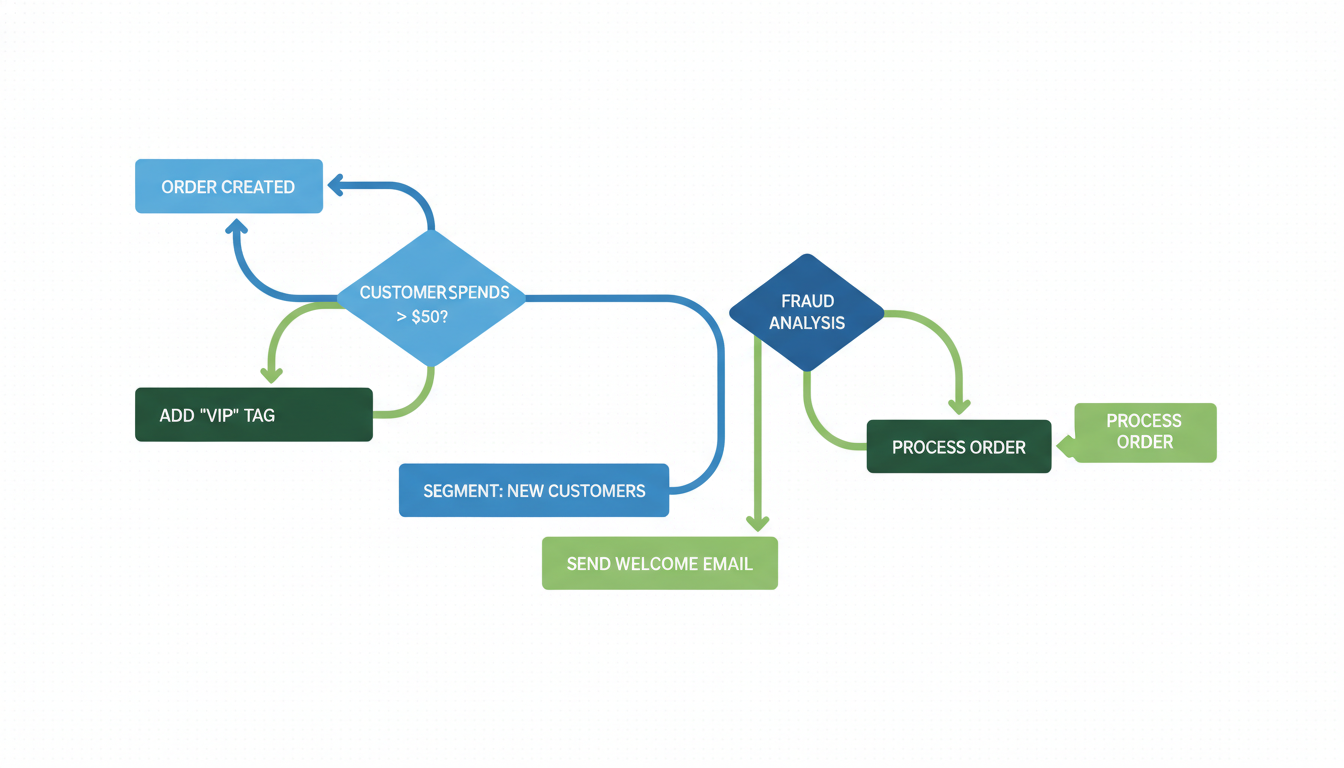
Shopify Flow is the most underused piece of the Plus contract. Most stores paying $2,500 a month run two workflows when the platform supports forty. The five that matter for any DTC Plus store are fraud auto-cancel, VIP tagging synced to Klaviyo, low-stock restock pings, customer segmentation by AOV, and margin-protection discount caps. Run those five and you save 15 to 25 hours a week, catch 80% of high-risk orders before shipping, and push 3 to 5% more email revenue. Flow feels intimidating if you've never built a trigger-condition-action workflow. It isn't. One takes 20 minutes to build and pays back inside the first week. The cost of not running them is quiet, which is why stores keep not running them.
- Fraud auto-cancel saves $4,000 to $12,000 a month in chargebacks.
- VIP tagging into Klaviyo lifts retention email revenue 8 to 12%.
- Low-stock restock Flows save 4 to 6 hours a week.
- Functions plus Flow stop stacked discounts nuking BFCM margin.
Why Shopify Flow is underused on Plus
Shopify Flow is the Plus feature nobody talks about on the sales call, which is a big part of why nobody uses it. The rep leads with checkout extensibility, B2B catalogs, launch manager. Flow gets a one-line mention. Merchants sign, build one abandoned-checkout Flow, and forget it exists.
We audit around 40 Plus stores a year at COREPPC. The average runs 2 to 3 Flows. The stores actually using the platform run 15 to 20. The gap isn't small, not because Flow moves revenue directly, but because the ops time it frees gets redeployed into things that do move revenue.
Flow stays underused because it looks like developer tooling, even though it isn't. The UI is trigger-condition-action, no code. The first 15 minutes are steep enough that most operators close the tab. Shopify's Flow docs read like reference material, not a starter kit.
Most public Shopify Flow examples are toy demos. "Tag customers who order twice." Nobody cares. The value is in workflows that stop bad things (chargebacks, stockouts, margin leaks) and sync clean data into Klaviyo and Gorgias.
The 5 automations every DTC Plus store should run today
Five we rebuild for basically every Plus client in the first 30 days. ROI shows up in week one and build cost is under an hour each.
- Fraud auto-cancel. Condition: risk high AND total above $300. Action: cancel + refund + support email. Catches 80% of card-testing. Saves $4,000 to $12,000 a month on $500k+ stores.
- VIP tagging into Klaviyo. Condition: lifetime spend above $500 OR order count above 3. Action: add
viptag. Retention email revenue lifts 8 to 12% once Klaviyo knows who the good customers are. - Low-stock restock ping. Condition: stock below 10 AND SKU has
coretag. Action: Slack to #ops. Replaces the daily spreadsheet. Saves 4 to 6 hours a week. - Back-in-stock notification. Condition: restocked product has waitlist subscribers. Action: fire Klaviyo
product_restocked. Recovers revenue that silently dies on bestseller restocks. - Hold high-value B2B. Condition: customer tagged
wholesaleAND total above $5,000. Action: hold + Slack ping. Stops oversize wholesale shipping before payment terms confirm.
These cover the edges where Plus stores lose the most money. None take over an hour.
Customer tagging automations that save hours
Customer tagging is the most boring Shopify Flow example in any list, and also where most of the real operational value hides. Tags aren't just labels. They're the join key between Shopify, Klaviyo, Gorgias, and your 3PL. Get tagging right and downstream tools get smarter for free.
The tagging Flows worth building:
high-aov: AOV above 1.5x store average. Klaviyo serves different subject lines. Post-purchase conversion lifts about 20%.refund-risk: 2+ returns in 90 days. Gorgias routes their tickets to senior support. Loop flags them on the third return.subscription-lapsed: Recharge subscription ended in last 30 days. Klaviyo winback fires immediately instead of waiting for the next batch.first-time-buyer-30d: first order in last 30 days. Different cadence, offer, Meta lookalike source. About 3% higher re-purchase rate than Klaviyo's native first-purchase trigger.
The rule: every tag needs a downstream consumer before you build it. If Klaviyo isn't listening for high-aov, don't tag for it yet. We've audited Plus stores with 60+ tags where nobody remembers what half do.
Flow's tag action runs inside 30 seconds. Klaviyo picks up the tag on the next profile update, a few minutes later. For flash sales or restocks, skip Flow tagging and trigger Klaviyo directly from Shopify metrics.
Fraud and high-risk order handling
Fraud is the Shopify Flow category with the fastest payback. Shopify's risk score is good. The default auto-action on high-risk orders is nothing. You cancel them yourself, or pay 1 to 1.5% of revenue to NoFraud or Signifyd. Flow auto-acts on Shopify's own score, no extra app.
The three fraud Flows worth running:
- Auto-cancel high-risk above $300. Condition: risk high + total above $300. Action: cancel + refund + polite email for ID verification. Handles 80% of card-testing. The $300 floor exists because canceling every $40 order generates more tickets than it saves.
- Hold medium-risk fulfillment. Condition: risk medium. Action: hold + Slack for 24-hour review. Catches edge cases below high-risk.
- Flag chargeback-repeat customers. Condition: 1+ chargeback in 90 days. Action: auto-cancel + Slack. Two chargebacks almost always becomes three.
On a $500k/month store, fraud Flow saves $4,000 to $12,000 a month in chargebacks. At $5M/month the savings climb above $50,000, and the Flow pays for Plus by itself. Shopify's fraud analysis docs explain the underlying score.
Don't auto-cancel on medium risk by default. Over-canceling kills legitimate customers and the tickets are worse than the fraud you were trying to stop.
Inventory and restock automations
Inventory Flows are where merch and ops teams get their afternoons back. Most DTC stores run inventory through a Google Sheet one person updates every morning. Flow takes 20 minutes to build and replaces the sheet forever.
Four inventory workflows worth running:
- Low-stock alert on core SKUs. Condition: below reorder threshold +
coretag. Action: Slack with SKU, stock, last 30d sell-through. Stops the "we're out of the hero product?" conversation. - Waitlist restock. Condition: product has Klaviyo back-in-stock subscribers. Action: fire Klaviyo restock event. Recovers revenue that silently dies on bestseller restocks.
- Overstock discount ping. Condition: quantity above 300% of normal + last-sold older than 45 days. Action: Slack to merch. Catches dead inventory before end-of-quarter write-off.
- Incoming PO arrival. Condition: adjustment reason is
received_from_supplier, quantity above 100. Action: Slack + email to CX so they know which waitlists are about to be served.
These save 4 to 6 hours a week. The time gets redeployed into merchandising, which works out to 1 to 2% topline lift over a year on merch-heavy stores.
One gotcha: inventory triggers fire a lot. A 500-SKU delivery runs the Flow 500 times. Fine for Slack, overwhelming for email. Filter on the condition step.
VIP customer flows and Klaviyo sync
VIP tagging is the highest-ROI Shopify Flow idea in retention. Klaviyo can't segment if it doesn't know which segment each customer belongs to. Shopify knows. That data doesn't reach Klaviyo's segment engine unless you tag it in Flow.
The VIP ladder most stores build:
vip-bronze: lifetime spend above $500 OR order count above 3vip-silver: lifetime spend above $1,500 OR order count above 7vip-gold: lifetime spend above $3,500 OR order count above 15vip-at-risk: has a vip tag AND no order in 90 days
Each tier gets a different Klaviyo flow, subject lines, offer. Retention email revenue lifts 8 to 12% within 60 days, because Klaviyo finally has the data it needed.
One setup step matters: make sure Klaviyo's Shopify integration syncs tags as a profile property, not just as a metric. Properties power segmentation, metrics only power flow triggers. Klaviyo's integration docs walk through both.
The vip-at-risk tag makes the most money. A dedicated winback with a real offer (20% or a free add-on, not 10%) recovers about 15% of at-risk VIPs, and those customers are 3 to 5x more valuable than a cold lead.
Advanced: Functions plus Flow for margin protection
This is where Flow gets genuinely interesting, and where Plus earns its keep in a way Advanced can't match. Flow plus Functions enforce business rules no App Store app can replicate.
The pattern: Flow detects orders that shouldn't have happened (stacked discounts, free shipping on oversize, wholesale price used by retail) and cancels, flags, or triggers a Function that prevents the order entirely. Flow is detection. Functions is prevention.
Three margin-protection Flows every scaling Plus store should run:
- Stacked-discount cap. Condition: total discount above 35% of subtotal. Action: cancel + refund + apology. Catches BFCM disasters where a 20% code stacks with a 15% auto-discount. We've seen stores lose $30,000 in a day before this was in place.
- Wholesale price on retail. Condition:
wholesale-onlyproduct bought withoutwholesalecustomer tag. Action: hold + Slack ping. Catches the rare case of a B2B URL shared publicly. - Free shipping on oversize. Condition: free shipping AND weight above threshold. Action: hold + Slack + optional charge-shipping email. Saves $45 per order.
Functions goes deeper: instead of reacting, it prevents checkout if the rule is violated. That's the BFCM version, once you've seen Flow fire enough to trust the rule. Functions is Plus-exclusive and one of the five features genuinely worth the upgrade, covered in the Shopify Plus vs Advanced breakdown.
Build Flow first, observe for 30 to 60 days, then graduate to Functions. Skipping straight to Functions is how teams ship bugs that block legitimate orders.
Frequently asked questions
Do I need Shopify Plus to use Flow?
How long does it take to build a Shopify Flow?
What's the difference between Flow and Shopify Functions?
Can Shopify Flow sync data to Klaviyo in real time?
How many Shopify Flow automations should a typical DTC store run?
What happens if a Shopify Flow fails mid-run?
That's the honest list. 12 Shopify Flow ideas across fraud, retention, inventory, VIP, and margin protection. If your Plus store runs fewer than 10, the upgrade is costing more than it needs to. Start with fraud auto-cancel and VIP tagging this week. Feel free to let me know if you have questions.
Meta CAPI setup on Shopify is one of those fixes that looks small on the dashboard and compounds for months afterward. Dedup cleanly, raise EMQ above 8.5, validate in Test Events before you push live, and the algorithm finally has signal it can trust. That is when ROAS stops wobbling and budget scales predictably, instead of collapsing every time you push daily spend past the last tested ceiling. Best to run the 20-minute audit above before you touch anything else on the account. If the audit surfaces two or more of the problems in the "Why Shopify stores get CAPI wrong" section, fix those first, then revisit creative testing. The creative never was the problem, nine times out of ten the tracking was lying the entire time.
Get a full X-ray of your ad account
Paste your Meta and Google Ads. See exactly where signal is leaking. Free. 60 seconds.