How to audit your Google Ads for a Shopify store
 By Dror Aharon
·
CEO, COREPPC
·
Updated April 17, 2026
·
11 min read
By Dror Aharon
·
CEO, COREPPC
·
Updated April 17, 2026
·
11 min read
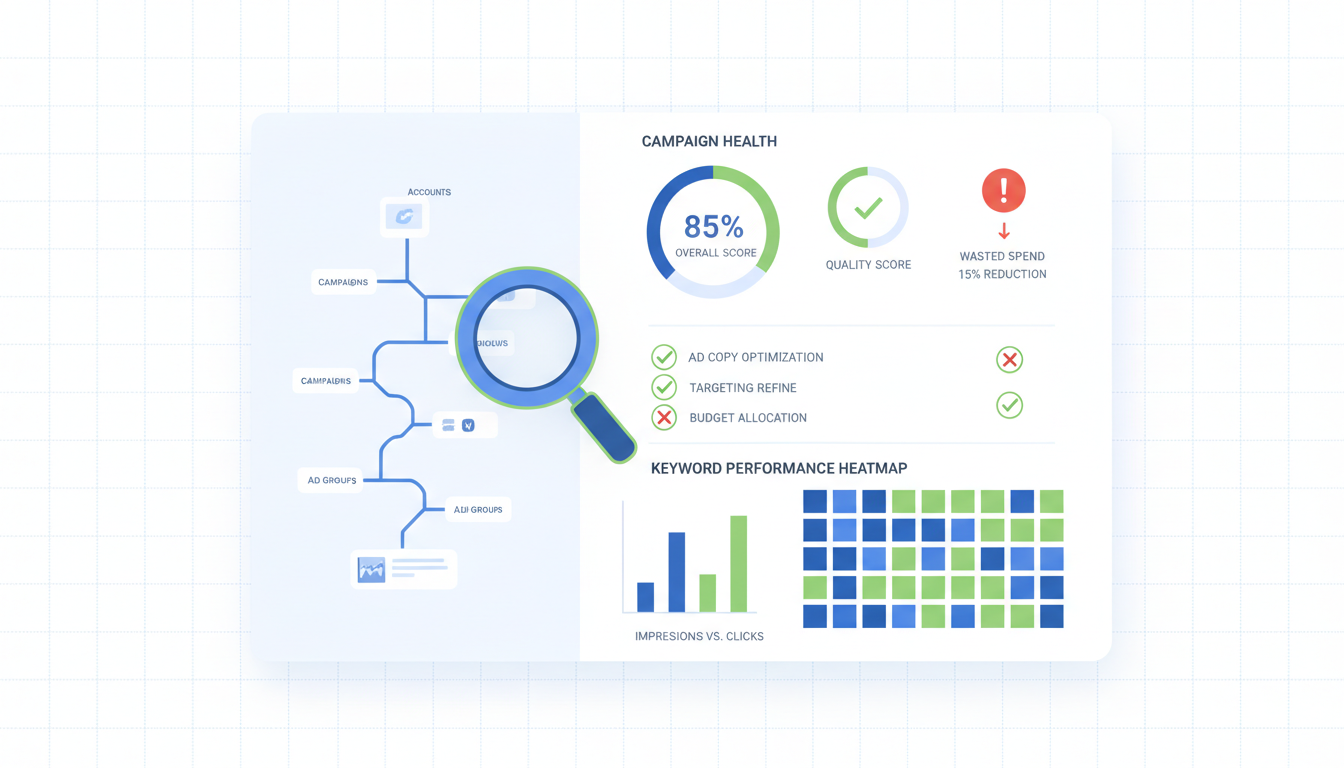
A Shopify Google Ads audit is the one check most operators skip because the account looks fine on the surface, and it is almost always the reason blended ROAS refuses to climb no matter how much creative you test. We audit around 40 Shopify accounts a month, and nine out of ten fail at least four of the twelve checks below. The damage is never one huge fire. It is a tracking leak, an account structure that mixes branded and non-branded in the same campaign, a PMAX burning half the budget on the same branded search terms Google was already giving you for free, and a feed with 40% of titles truncated mid-word. Walk through the 12 points in order. Fix tracking first. Touch bidding last. Do not raise budget until the audit is clean. The creative almost never was the problem.
- Prove Google Ads revenue matches Shopify within 20%, or stop everything.
- One campaign, one purpose. Branded, non-branded, and PMAX do not share campaigns.
- Negatives and search terms reviewed weekly. Not monthly. Not "when we remember."
- Product titles, feed attributes, and landing pages tell the same story.
What a Google Ads audit actually uncovers
A Shopify Google Ads audit is not a screenshot tour with "looks good" under each tab. It is the process of proving, account by account, that every dollar of spend is traceable to a real sale in Shopify, and that the gap between Google-reported and Shopify-reported revenue is small enough to explain. If you cannot explain the gap, the audit is not done.
The audit surfaces three kinds of problems. Tracking and attribution issues, which make data unreliable and turn every decision into a guess. Structural issues, which are choices somebody made two setups ago about how campaigns and keywords fit together, and nobody revisited when the account doubled. Optimization issues, which are the weekly habits (or lack of them) around negatives, bidding, feed health, and landing pages.
Most Shopify PPC audit checklist guides online stop at the first layer. That is why stores patch the duplicate pixel, watch ROAS stay flat, and conclude Google Ads does not work. Usually it does. The structure was broken and the feed was leaking. Nobody looked past the pixel.
The 12-point manual audit checklist
The whole thing in one view. Twelve points, four layers. Run them in order. Do not jump to bidding before confirming the conversion pixel fires once per purchase, because bidding changes against broken data just speed up the bleed.
- Conversion tracking setup: one Purchase action, correct value, correct currency.
- Attribution model and conversion window, matching how the store actually sells.
- GTM and theme-level tags: no duplicates, no orphans, no rogue snippets.
- Account structure: branded, non-branded, shopping, and PMAX in separate campaigns.
- Campaign types in use (Search, Shopping, PMAX, Demand Gen) and whether each has a job.
- Negative keyword coverage at the account, campaign, and ad group level.
- Bidding strategies actually matching the goal (ROAS, CPA, volume).
- Budget allocation across campaigns, and how much is going to branded traffic.
- Account-level scripts: n-gram analysis, search term mining, budget pacing.
- Shopping feed quality: titles, attributes, GTINs, image backgrounds, availability.
- Ad copy: headlines, descriptions, and RSAs actually optimized per ad group.
- Landing page match: does the ad copy match what the shopper sees on the page.
Points 1-3 conversion. 4-6 structure. 7-9 bidding and automation. 10-12 optimization. Skip a layer and the ones below stop being trustworthy. This is always the order.
Before you start, pull two reports. A 90-day account-level view (spend, conversions, conversion value, search impression share by campaign). And a Shopify orders export for the same window with UTM source broken out. You reconcile these in point 1 and again in point 11. If you do not have both numbers in front of you, the audit is not really happening.
For attribution, Google's official attribution model documentation is worth a skim first, because the data-driven model behaves differently on Shopify than on a lead-gen account and most audits fail point 2 for reasons the operator does not fully understand.
Points 1-3: conversion tracking + attribution + GTM
The conversion layer is where most Shopify Google Ads accounts bleed quietly, because the damage is invisible from the main dashboard. You only see it when you pull Google Ads revenue and Shopify revenue side by side and realize the gap is 60%, not the 15% Google's modeled attribution explains.
Point 1. Conversion tracking setup. In Google Ads, open Tools, Conversions. You want exactly one active Purchase action per Shopify store, set as primary for bidding. Not two. Not "Purchase" plus an imported GA4 "Transaction" side by side. If you see two, one is from the Google and YouTube channel and one is a GTM tag somebody built in 2022 and forgot. Pick one. The native channel is usually right to keep because it handles Enhanced Conversions out of the box. Pause the duplicate, run a $0.50 test order, confirm one conversion logs within 3 hours. If the value is wrong, the tag is reading line-item totals instead of order total. Fix the trigger.
Point 2. Attribution model and conversion window. Click into your Purchase action. Conversion window: 30 days click, 1 day engaged view. Attribution model: data-driven if you have the volume (15+ conversions per month per model), otherwise last-click. Do not run "Position-based" on Shopify. It overweights brand interactions and hides how much reported ROAS is just branded search. For subscription products with long consideration cycles, extend to 60 or 90 days only after confirming most returning-customer conversions already land inside 30.
Point 3. GTM and theme-level tags. Open GTM, sort tags by "Last edited," pause anything labeled Google Ads nobody touched in 6 months. Then open Shopify, Themes, Edit code. Search layout/theme.liquid, templates/product.liquid, templates/cart.liquid for gtag(, google_conversion_id, and dataLayer.push(. Any hard-coded conversion snippet is fighting the native channel and creating duplicate events. Remove it. Commit on a duplicate theme first. Rerun the test order with Tag Assistant. Exactly one conversion hit. No exceptions.
Points 4-6: account structure + campaign types + negatives
The structure layer is where stores get it 70% right and break the last 30% in ways that make the data unreadable. The pattern we see most: branded, non-branded, and PMAX all in the same "E-commerce" campaign with a shared budget, which makes it impossible to see what each layer is doing.
Point 4. Account structure. Open Campaigns view. You want at least four separate campaigns, each with its own budget and goal. Branded Search (brand terms only), Non-Branded Search (category and product terms without the brand), Shopping or PMAX for catalog coverage, and if live 6+ months, at least one Remarketing or Demand Gen campaign. A single "Search - All" campaign mixing branded and non-branded is how a 12x branded ROAS quietly masks a 0.8x non-branded ROAS. Split them. Separate tROAS targets. Expect your blended number to "drop" on paper. It was never that high, you just could not see it before.
Point 5. Campaign types in use. Each campaign type should have a job. Branded Search is capture. Non-Branded Search is discovery on intent queries. Shopping or PMAX is catalog breadth. Demand Gen is top-of-funnel. A PMAX set up "to test" 8 months ago, still running at $80 a day with nobody checking asset group performance, is the most common waste pattern we see. Pause it and rebuild with explicit asset groups tied to your top 3 categories. "Broad PMAX" without asset group segmentation burns 40% of budget on branded search terms Google was going to give you for free.
Point 6. Negative keyword coverage. The boring point that catches the most waste. Pull the 90-day search terms report, sort by spend, walk the top 50. For each: would I have bid on this term if writing the account from scratch today? If no, add it as a negative. Ad group level if category-specific, campaign level if brand-wide, account level if universal garbage ("free", "cheap", "torrent", competitors you never want to bid on). You will find 8 to 15 negative-worthy terms on the first pass. After that, weekly 15-minute habit. Most accounts skip this and leak 10 to 20% of spend on the same 40 junk terms every week.
Points 7-9: bidding + budgets + scripts
The bidding layer is where operators want to start. It is not where to start. Setting a tROAS target against duplicated conversion data is not optimizing, it is burning budget on phantom revenue faster.
Point 7. Bidding strategies matching the goal. Check the bidding column on each campaign. Branded Search on Maximize Clicks with a manual CPC cap, or Target Impression Share. Do not run tROAS on branded, because Google over-delivers to people searching your brand already and reports fake ROAS. Non-Branded Search on Target ROAS at 70% of blended account ROAS (if blended is 3.0, non-branded target is 2.1). Shopping and PMAX on tROAS at product margin break-even, not aspirational. Any campaign still on "Enhanced CPC" in 2026, switch it.
Point 8. Budget allocation. Pull 90-day spend by campaign. Calculate the percentage going to branded search. Over 25% on a mature account is over-spending on traffic that would have converted anyway. Under 5% means competitors are probably bidding on your brand without defense. Healthy: 10 to 20%. Non-branded and Shopping/PMAX carry 60 to 75% combined. Remarketing 5 to 10%. Everything else (Demand Gen, Discovery, YouTube) fills the remaining 5 to 15% depending on funnel maturity.
Point 9. Account-level scripts. A mature Shopify Google Ads account needs at least three scripts running. An n-gram script that flags recurring waste in search terms (Brainlabs' free version works). A budget pacing script that alerts if a campaign is on track to over- or under-spend by 15%+ of daily target. A disapproved products script that flags Merchant Center rejections within 1 hour of feed refresh. Google's Scripts getting started documentation walks through setup. An account running $10k+ a month with zero scripts is a P0 fix, because automation is the difference between catching waste in day 1 versus day 14.
Points 10-12: feed quality + ad copy + landing pages
The last layer compounds hardest once everything above it is clean. Feed quality drives impressions on Shopping and PMAX. Ad copy drives CTR on Search. Landing page match drives conversion rate on everything. Fix all three and the same budget delivers 30 to 50% more revenue without touching bids.
Point 10. Shopping feed quality. Open Merchant Center, Diagnostics. Fix every item-level issue. Spot-check 20 products in your feed. Title format: "Brand + Product + Variant + Key Attribute," under 150 characters so nothing truncates. GTIN or MPN populated where relevant. Primary image on a clean white background, not a lifestyle shot. Availability and price within 1 hour of Shopify state. Product category assigned to the deepest relevant Google taxonomy node, not a top-level like "Apparel." Miss any of these and Shopping CPCs run 30% higher than they should, because Google serves your products for worse queries and buries them under competitors with cleaner feeds.
Point 11. Ad copy. Open each Search ad group and look at the RSA assets. You want 13 to 15 headlines and 4 descriptions per RSA, with at least 3 pinned (brand to position 1, two proof-point or offer headlines to position 2). Fewer than 10 headlines or unpinned everywhere, and the algorithm picks combinations that feel like spam. Half-empty RSAs cap Ad Strength at "Average," which reduces auction eligibility. Rewriting copy across every ad group usually lifts CTR 15 to 25% inside two weeks. Pair with sitelinks, callouts, and structured snippets that say something specific. "Fast shipping" does nothing. "Ships in 24 hours from NY" does.
Point 12. Landing page match. The point that feels obvious and almost nobody audits. Click your top 10 highest-spend ads one by one and read the landing page as a first-time visitor. Does the H1 match the ad headline? Does the product shown match the query? Is there a clear path to add to cart in the first scroll? If the ad promises "Waterproof Trail Runners" and the page opens on a generic running-shoe collection of 200 products with no filter applied, you are paying for the click and losing the sale on the first screen. Build a dedicated collection URL per ad group with filters pre-applied, and Quality Score climbs 2 to 3 points inside a month. Which drops CPC, drops CPA, and does more for ROAS than any bid adjustment you will ever make.
Reading the audit data without fooling yourself
The hardest part of a Shopify Google Ads review is not finding problems. It is believing the ones that embarrass you. Most accounts have at least one finding the operator knew about and had been avoiding, and the audit forces it open. Best to notice when that is happening and sit with it for a minute.
A few specific traps. Branded search always reads like a superstar campaign. 8x, 10x, 15x ROAS. It is not. It is capture of demand you created through other channels. Judge it separately, and track the share of spend going to it. PMAX reports aggregate ROAS across Shopping, Display, YouTube, and Search combined, hiding that 40% of spend is on branded search terms that should not be in PMAX at all. Pull search categories and asset group breakdown before concluding PMAX is working. "Conversions" in Google Ads is not the same number as Shopify orders, and the gap is often 20% on healthy accounts. A 60% gap means something is broken and points 1 through 3 missed it.
The honest question: if I started fresh today, would I build the account the way it currently looks? If the answer is no anywhere, that is the fix list, in priority order. The audit is not done until you have that list written down with owners and dates. Most operators skip writing it down, run the audit mentally, remember half a week later, and fix two findings out of nine. Writing it down is free and catches the other seven.
Frequently asked questions
How long does a Shopify Google Ads audit take?
What is the single biggest finding in a typical audit?
How often should I run a Google Ads audit for ecommerce?
Do I need to audit Google Ads differently if I only run PMAX?
What tools do I need to run this audit?
What does "passing" the audit look like in numbers?
A Shopify Google Ads audit is not glamorous work. It is the part nobody on the team wants to own, because the findings are embarrassing and the fixes take longer than the dashboards suggest. But it is the single highest-impact afternoon you can spend on the account, and skipping it is what keeps stores running at 1.8 ROAS when the underlying demand would support 3.0. Best to run the 12 points above in order, write the findings down with owners and dates, and fix the tracking layer before you touch anything else. The structure fixes pay for themselves within a month. The optimization layer compounds from there. If you want the automated version (the same 12 checks run against your Google Ads and Merchant Center accounts, emailed back as a scored report with specific fixes per finding) grab the free audit from the sidebar. Either way, do not touch budget until the audit is clean.
Get a full X-ray of your ad account
Paste your Meta and Google Ads. See exactly where signal is leaking. Free. 60 seconds.