Negative keywords every Shopify store should add
 By Dror Aharon
·
CEO, COREPPC
·
Updated April 17, 2026
·
11 min read
By Dror Aharon
·
CEO, COREPPC
·
Updated April 17, 2026
·
11 min read
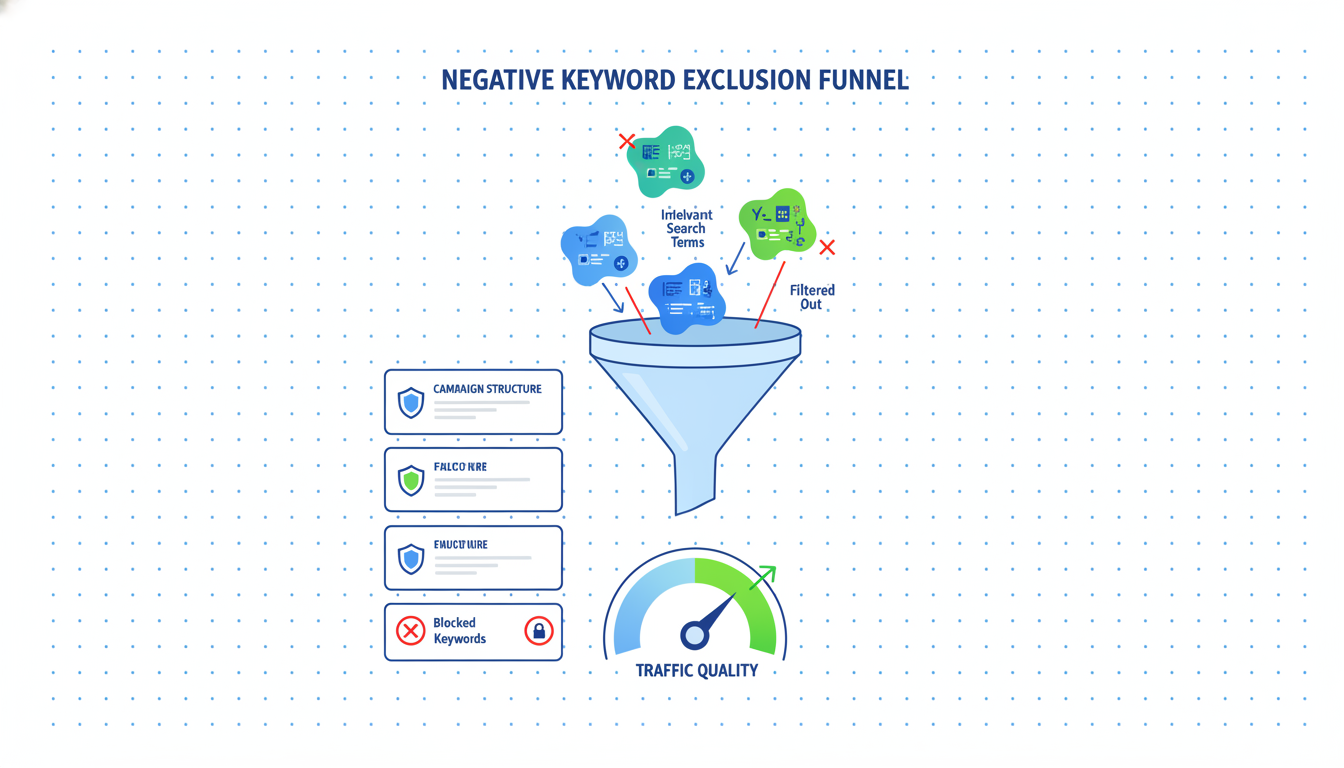
Shopify Google Ads negative keywords are the single cheapest lever a store has for protecting budget, and the one that most operators never actually build past the defaults. Google's default negative list is almost empty on launch. The platform cheerfully spends your money on "free", "jobs", "wholesale", and the entire catalog of competitor brand searches until you explicitly tell it to stop. We audit around 40 Shopify stores a month since 2023, and the median account is wasting 18 to 24% of spend on queries that had no business matching in the first place. The fix is a weekend of list-building, then a ten-minute weekly audit after that. Done right, negatives recover the budget that funds your actual growth experiments, and they protect you from the slow drift that kills accounts six months after launch, quietly.
- Add the 15 universal negatives on day one. Non-negotiable for every Shopify account.
- Build a competitor brand exclusion list before your first dollar of non-brand spend.
- Kill job-search and career queries early. They are the most expensive blind spot.
- Audit search terms weekly for 10 minutes. That's where the real list gets built.
Why negatives matter more in 2026 than in prior years
Shopify Google Ads negative keywords used to be a mid-priority cleanup you did in month three. In 2026 they are a day-one setup item, because Google keeps loosening match type boundaries. Broad match is the default recommendation on most new Search campaigns. Phrase match behaves closer to broad than it did two years ago. Exact match quietly started matching "close variants" that include synonyms and intent-matched queries. A keyword added as [women's rain jacket] can now serve on "best waterproof coats for women" or "rain coat jobs near me" without you noticing.
Performance Max made it worse. PMax has its own account-level negative list (max 100 keywords, submitted via UI or API) and ignores your campaign-level Search negatives entirely. So if you built a clean list over three years on Search, none of it transferred when you launched PMax. The campaign starts over, burning the same dollars on the same junk queries.
The short version: a shopify ppc negatives list that covers jobs, wholesale, competitors, and the 15 universal blockers recovers 15 to 25% of wasted spend in the first month, in our audit sample. That's not optimization. That's the budget that funds creative testing, PMax scaling, and everything else that grows the account. Google's official negative keywords documentation covers the mechanics. This guide is about what to add, in what order, and how to keep it alive.
The 15 universal negatives every Shopify store should add
These 15 negatives apply to almost every Shopify store, regardless of category. Add them at the account level on day one, before a single dollar goes through a Search or PMax campaign. Exceptions are rare and specific (a free-shipping-focused store might keep "free"). When in doubt, default to adding.
- free: Kills "free stuff" query pollution. Exception: obvious free-shipping stores.
- cheap: Price-shopper intent, converts at half the account average on most stores.
- jobs: See the job-search section. Single most expensive miss.
- career / careers: Paired with jobs. Both variants.
- hiring: People looking for openings at your brand. Burns budget, zero conversion.
- salary: Same intent as jobs, different query.
- employee / employees: Same bucket, different lexicon.
- reddit: People reading reviews or asking for recommendations. Almost never buyers.
- review / reviews: Mid-funnel research. Default-block, re-open case by case.
- complaint / complaints: People angry at your brand or a competitor. Zero intent.
- scam: Protects the account from brand-damage queries.
- lawsuit: Usually signals someone researching brand issues, not buying.
- wholesale: B2B intent on a DTC store. See the wholesale section.
- bulk: Same bucket as wholesale. Both in the list.
- DIY / how to make: Research intent for people planning to build it themselves.
Two variants matter: singular and plural ("review" and "reviews"), plus common misspellings for brand queries. Google's close-variant matching handles most misspellings now, but not all. Broad-match negatives are usually safer than exact, because you want to catch phrase combinations.
Best to add these at the account level (Google Ads admin, Account-level negative keyword list, apply to all Search and Shopping campaigns) rather than campaign level. Campaign-level is fine for edge cases. This is why negative keyword list shopify setups tend to fail over time: the team adds negatives to one campaign, launches a new one six months later, and the new campaign starts clean.
Competitor brand negatives: the list by vertical
Competitor brand exclusions are the second-most-valuable negative category and the one most operators build last. Google, by default, will happily show your broad-match or PMax ads on queries for your direct competitors' brand names. CTR on those impressions is usually decent, so the campaign looks fine. Then conversion rate drops, because people searching for a competitor brand have high purchase intent but for that competitor, not for you. CTR looks fine, CVR craters, and the algorithm learns slowly that these audiences are low-quality. Much faster to just exclude them.
The list depends on vertical. A representative cut from our Shopify audits:
- Apparel: Nike, Adidas, Lululemon, Zara, H&M, Shein, Uniqlo, Everlane, Gymshark, Alo Yoga, Fabletics.
- Beauty / skincare: Glossier, Drunk Elephant, The Ordinary, Rare Beauty, Fenty, Charlotte Tilbury, Kiehl's, Cerave, Sephora, Ulta.
- Home goods: Wayfair, West Elm, CB2, Crate & Barrel, Article, Parachute, Brooklinen, Casper, Purple.
- Pet supplies: Chewy, Petco, PetSmart, BarkBox, Farmer's Dog, Ollie.
- Supplements: Ritual, Athletic Greens, AG1, Seed, Care/of, Hum Nutrition, Momentous, Thorne.
- Food & beverage: Liquid Death, Olipop, Poppi, Magic Spoon, Factor, HelloFresh, Blue Apron.
Each competitor gets both singular and plural forms, plus common abbreviations ("ag1" in addition to "athletic greens"). Exclude at the account level. The exception is a deliberate conquesting campaign, where you allow competitor names in one campaign and exclude them everywhere else. That's a strategy decision, not a default.
One nuance most guides skip: add your own brand name to the negative list on every non-brand Search campaign. Sounds backwards, but broad and phrase match on non-brand terms will pull in branded queries, and those branded clicks then inflate the non-brand campaign's reported ROAS with halo effect. You want brand traffic on a dedicated Brand Search campaign where you can measure it cleanly. Without this negative, your non-brand campaign looks better than it is and you over-invest in it.
Job-search and career negatives (an expensive miss)
Job-search queries are the single most expensive blind spot in the negative keyword list shopify operators build. "Your brand name + jobs" or "your brand name + careers" is a surprisingly high-volume query for any store with meaningful brand recognition, and Google will match those queries against your brand Search campaign at full CPC, because the keyword triggered and Google doesn't care about the modifier.
An audit we ran last quarter: an apparel brand spending $45k/mo on Google Ads was losing around $3,200/mo to job-search queries on their brand name alone. "[brand] jobs", "[brand] careers near me", "[brand] hiring", "[brand] warehouse associate salary". Every click was a brand-query click at $1.80 CPC, every single one converting at zero. Blended CPA on the brand campaign inflated 14%, which looked small in isolation but over 12 months equals about $38,000 wasted. The fix took 15 minutes.
The full job-negative list:
- jobs, job, career, careers, hiring, hire, hired
- salary, salaries, pay, wage, wages, compensation
- employee, employees, staff, worker, workers
- resume, cv, application, apply, applying
- internship, intern, interview, interviewing
- glassdoor, indeed, linkedin jobs
- work from home, remote work, part time, full time
- warehouse, warehouse associate, shift, shift lead
Add all at the account level, broad match negative. Broad match on negatives catches any phrase that contains the term, not just exact matches. "Brand name warehouse jobs" should block even though neither "warehouse" nor "jobs" alone was the trigger. Broad negatives are more aggressive than broad positives, which is what you want.
Honestly I'm not sure the last three (work from home, warehouse, shift) are always worth adding. On some stores they block legitimate product queries (a work-from-home desk retailer, for example). Check your search terms report first. The first 20 are safe for every Shopify store.
Reseller, wholesale, DIY negatives
Wholesale and B2B intent is the third expensive category on DTC Shopify stores, and one of the most under-discussed gaps in any negative keywords ecommerce playbook. Queries like "wholesale bath bombs", "bulk order skincare", "reseller pricing women's apparel" look superficially relevant and will match against your broad or phrase match campaigns, especially on PMax. Conversion rate is near zero because these are people looking for a different business model than you offer, but CPC is often higher than retail queries because B2B advertisers bid it up. Double penalty: you pay more, you convert less.
The DTC wholesale-negative list:
- wholesale, bulk, B2B, supplier, suppliers, distributor, distributors
- reseller, resellers, resale, dropship, dropshipping, dropshipper
- manufacturer, manufacturers, factory, factories
- minimum order, MOQ, bulk discount
- private label, white label
- alibaba, aliexpress, dhgate
That last cluster catches "alibaba women's swimsuits wholesale" type searches where the person is sourcing to resell, not buy retail. Add all at the account level, broad negative.
DIY is similar but smaller. A candle store picks up a lot of traffic on "how to make candles at home" or "DIY candle making kit" if they don't block it. Not buyers. Block:
- DIY, "do it yourself", "do-it-yourself"
- how to make, how to build, tutorial, tutorials
- recipe, recipes (category-dependent)
- craft, crafting, hobby (category-dependent)
Recipe is category-sensitive. A cookbook store wants recipe queries. A food-delivery store mostly doesn't, because "pasta recipe easy 30 minutes" is a searcher looking to cook, not order. Check the search terms report first. The three universally safe ones: DIY, "do it yourself", "how to make".
Auditing search terms: the weekly 10-minute flow
The biggest mistake we see on accounts with "good" negative keyword lists is that the list was built once and never updated. New queries show up every week. New competitor brands launch. New research patterns emerge. A negative list from January 2024 is missing every new competitor and every new trending query that surfaced since.
The ten-minute weekly flow:
- Open Google Ads, go to Keywords > Search terms on your Search and Shopping campaigns (blocked for PMax, see next section).
- Filter to the last 7 days. Sort by cost descending.
- Scroll through the top 50 rows. For every query that's clearly not a buyer ("free shipping hack", "brand name jobs reddit", "best wholesale suppliers for candles"), click it, add as negative to the account-level list.
- For the gray-area ones ("best rain jacket reddit"), check CVR. If it converted, leave it. If it didn't, block.
- Save. Done.
Most stores take 8 to 12 minutes once the habit is built. The first time takes an hour because the backlog is big. After six weeks of doing it weekly, the volume of new bad queries drops because the account is properly fenced in.
What you're looking for, in priority order:
- High-cost, zero-conversion queries (obvious waste).
- Competitor brand queries you missed on the initial list.
- Emerging job-search patterns (new job titles, new platforms like Otta or Wellfound).
- Research intent queries ("vs", "alternative", "reddit") that aren't converting.
- Accidentally-matched product queries from adjacent categories you don't sell.
The rolling pattern matters more than any individual block. One blocked query is worth cents. The habit of running this weekly for a year is worth 15 to 20% of annual spend recovered, in our audit sample. Shopify's write-up on negative keywords is a good second reference.
Negatives inside PMax: the exclusion list trick
PMax negative keywords are a separate system from Search negatives, and most operators don't know it exists. You cannot apply Search campaign negatives to PMax through the normal UI. PMax uses an account-level negative keyword list submitted two ways: (1) manually by your Google rep via a support ticket, or (2) via the Google Ads API, either with developer access or a tool like Optmyzr that wraps the API call. The list maxes out at 100 keywords and applies across all PMax campaigns in the account.
The limit is real. 100 keywords is not a lot when you're trying to block 40 competitor brands, 20 job-related terms, 15 wholesale terms, the 15 universal ones, and everything else you've built on the Search side. You have to triage:
- Top 10 competitor brands: Same as the Search list, 10 biggest only. Skip long-tail.
- Jobs + careers + hiring + salary: 4-5 entries from the job list. Don't waste slots on rare variants.
- Wholesale + bulk + B2B + supplier + dropship: The big five. Skip the alibaba cluster unless your category attracts it.
- The 10 most-wasted queries from the last 90 days of PMax search themes: Use the Insights report's search themes breakdown. Translate each into 2-3 negatives.
- Whatever's left in the 100-slot budget: Fill with the next-most-wasted queries.
The account-level brand exclusion toggle is separate from the 100-keyword PMax negative list, and it's free. Google Ads > Admin > Account-level exclusions > Add brand list. This stops PMax from cannibalizing your brand Search campaign. One-time setup, zero keyword slots. We see this missing on about 70% of accounts we audit.
One more trick: PMax placement exclusions work at the campaign level and cost nothing in keyword slots. Use them to block adsenseformobileapps.com (junk mobile app inventory), specific YouTube channels, and MFA sites Google hasn't filtered yet. Placement exclusions are where the last 5-10% of PMax waste lives, and most operators never touch them because the Insights report buries the placement breakdown three clicks deep.
Best to combine both layers: keyword negatives for intent-based blocking, placement exclusions for inventory-based blocking. Without either, PMax will quietly burn 15 to 25% of its budget on queries and placements that would never convert, and the dashboard will not flag it.
Frequently asked questions
How many negative keywords should a Shopify store have?
Should I use account-level or campaign-level negative lists?
Do negative keywords hurt my Quality Score?
Can I apply my Search negative keywords to Performance Max?
What's the difference between negative keywords and excluded audiences?
How often should I audit and update the negative keyword list?
Negative keywords are the quietest lever in a Shopify Google Ads account and the one that compounds longest. The 15 universal terms are a one-time setup. The competitor brand list is a half-hour build. The job-search list saves brands thousands a year. The weekly 10-minute audit keeps it alive. Best to run the full setup before your next PMax launch, because the negatives you add on day one protect every campaign that comes after. If you're not sure where to start, open your search terms report, filter to the last 90 days, sort by cost, and scroll. The list mostly builds itself once you're paying attention. Most of the "why is my ROAS slipping" audits we run end up finding a negative keyword gap inside the first five minutes.
Get a full X-ray of your ad account
Paste your Meta and Google Ads. See exactly where signal is leaking. Free. 60 seconds.