Klaviyo tracking on Shopify: events you should be firing
 By Dror Aharon
·
CEO, COREPPC
·
Updated April 17, 2026
·
11 min read
By Dror Aharon
·
CEO, COREPPC
·
Updated April 17, 2026
·
11 min read
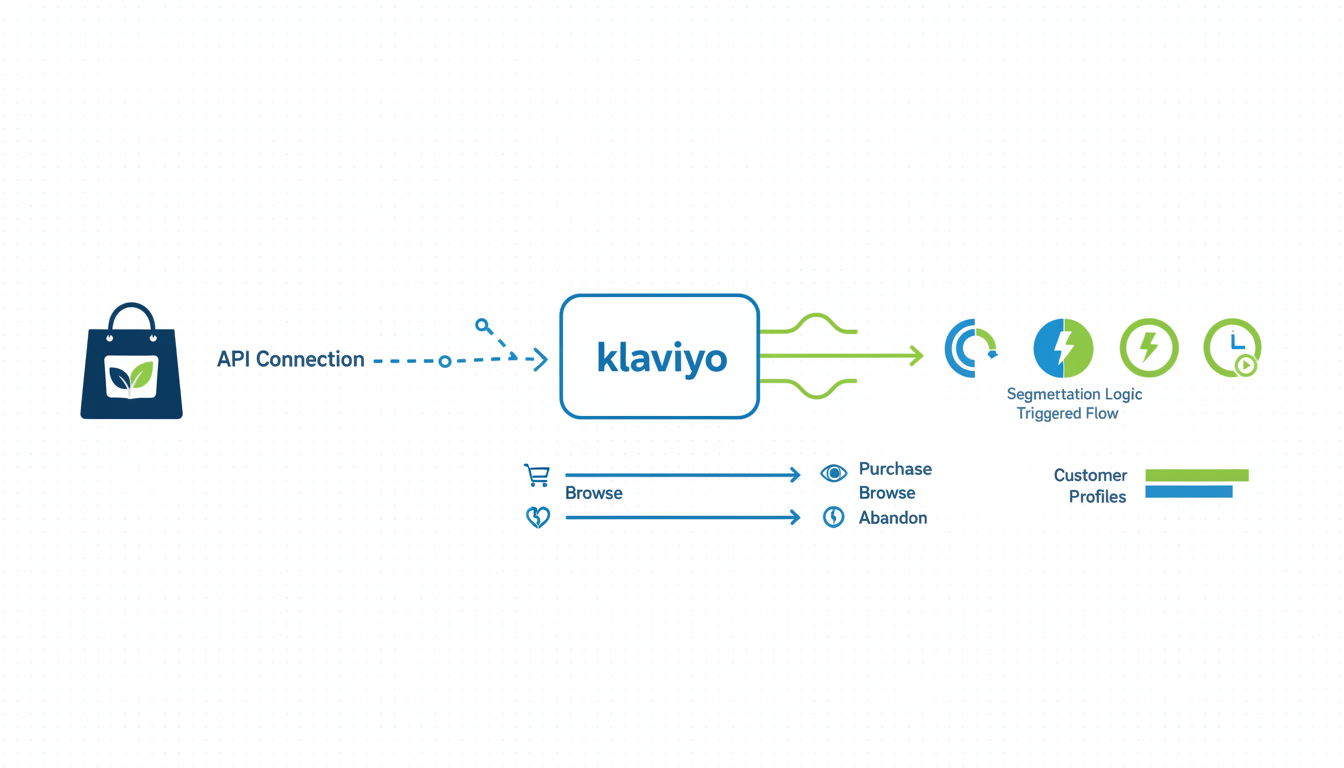
Klaviyo tracking on Shopify fails in a very specific way. The integration connects, customers sync, the welcome flow sends. Revenue per recipient looks fine for a month, then plateaus. What is actually happening: Klaviyo has four of the twelve events it needs, three of them partial, and the rest of your segmentation is running on guesses. Shopify fires Placed Order, Ordered Product, Refunded Order, and Fulfilled Order automatically through the native app. Everything else (Viewed Product, Added to Cart, Started Checkout, viewed category, back in stock, replenishment, post-purchase review triggers, winback re-engagement) you have to install separately or lose. Fix the event stack and flows stop guessing. Segments tighten. Revenue per recipient climbs 20 to 35% inside six weeks because the algorithm is finally matching real behavior to real messages. The audit below takes 10 minutes.
- Shopify's native Klaviyo integration covers four events. The other eight you install yourself.
- Active on Site tracking (web pixel) powers Viewed Product, browse abandonment, and most behavioral segments.
- Placed Order enrichment through tags opens up VIP tiers, product affinity, and category-level flows.
- Validate events in Klaviyo's Analytics tab before scaling flows. Gaps here break every downstream segment.
What Klaviyo actually needs from Shopify to work well
Klaviyo runs on events. Every flow, segment, and predictive metric reads from the event stream Shopify pushes in. If the stream is thin, the whole system is thin. Most stores underestimate how much of Klaviyo's power depends on tracking depth, not copy. Best welcome series ever still underperforms if Klaviyo does not know which category the subscriber browsed before opting in.
The Klaviyo app handles commerce events through a direct API. Easy part. What most miss: web tracking (Active on Site, Viewed Product, browse behavior) runs through a separate mechanism, the Klaviyo web pixel, which does not install automatically in most setups. See Klaviyo's data sync documentation for what the native integration passes.
Klaviyo also needs clean identifiers. It keys customers by email but also needs $exchange_id and customer_id to tie browse behavior to profile data. If your subscribe form, checkout, and pixel pass different identifiers, Klaviyo creates three profiles for the same person. A lot of "deliverability problems" turn out to be identity fragmentation.
The 12 events that matter and which Shopify fires by default
The stack, in order:
- Placed Order (native). Line items, total, discount, shipping. Backbone of every post-purchase flow.
- Ordered Product (native). One event per line item. Product-affinity segments.
- Refunded Order (native). Suppresses refund customers from winback.
- Fulfilled Order (native). Shipping notifications, review request timing.
- Started Checkout (native, fragile). Klaviyo app handles it, but Checkout Extensibility changes in late 2025 broke it for themes using the old additional scripts field. Validate manually.
- Added to Cart (web pixel). Requires Active on Site. Cart abandonment before checkout. Roughly half of abandonment revenue lives here.
- Viewed Product (web pixel). Browse abandonment, product recs, back-in-stock logic.
- Viewed Category (custom). Needs a pixel snippet. Category-level segmentation.
- Subscribed to Back in Stock (Klaviyo form or app). Restock emails. Most stores skip this and lose 10 to 15% of recoverable revenue on popular variants.
- Subscribed to List (Klaviyo form). Trigger for welcome flows.
- Clicked / Opened Email (native). Engagement segments and suppression.
- Custom events (Submitted Review, Redeemed Reward, Joined VIP). From apps like Loox or Yotpo, or custom API calls. These drive flows that separate a good Klaviyo account from a great one.
Four of twelve show up for free with the app. The other eight need the web pixel (6, 7, 8), a form or app (9, 10), or a separate integration (12). Install the app and move on, you have roughly 30% of what Klaviyo needs.
Custom events Klaviyo cannot track for you
Stores running 40 to 50% of revenue through Klaviyo track things most people never think to. These move the needle in year two:
- Subscription Renewed / Paused / Cancelled. Recharge and Bold do not flow into Klaviyo by default. Recharge has a native integration but you still have to turn it on. Without this, no winback flows for cancelled subscribers.
- Submitted Review. Loox, Judge.me, and Okendo push this. Trigger thank-you flows, referral asks, or upsells by star rating. A five-star and two-star reviewer need very different next emails.
- Joined Loyalty / Redeemed Points / Hit VIP Tier. Smile, LoyaltyLion, Yotpo push tier changes. VIP flows run 3 to 5x revenue per recipient of standard segments.
- Quiz Completed. If you run a product quiz (Octane AI or similar), push the answers as Klaviyo properties. Segment welcome flows by skin type or pet breed without asking again.
Rule of thumb: if a data point tells you what kind of customer this is or what they are about to do, get it into Klaviyo. One more signal usually pays for itself inside a few weeks.
Active on Site tracking and what it enables
Active on Site is Klaviyo's name for their web pixel. It tracks Viewed Product, Added to Cart, and any custom event fired from the browser. Without it, cart abandonment flows cannot see anything the customer did before checkout. Meaning your cart abandonment flow is really a checkout abandonment flow with a misleading name.
The pixel installs three ways: the Klaviyo app (usually automatic, sometimes not), manual GTM, or direct injection into theme.liquid. The app is cleanest when it works. When it fails, the culprit is usually checkout extensibility rules blocking the legacy injection point. Klaviyo's web tracking setup guide covers manual install.
Once Active on Site is firing:
- Browse abandonment flow. Fires 2 to 4 hours after a product view without add-to-cart. Recovery 2 to 4% vs 8 to 12% for cart abandonment, but the audience is 3 to 5x larger.
- Product affinity segments. "Viewed the hoodie 3+ times in 14 days but never bought" only exists if Active on Site is running.
- Predictive analytics (CLV, churn risk, expected next order). Sharpens with browse on top of order data.
- Dynamic product recommendations. Without the pixel, "Recommended for you" falls back to bestsellers.
Validate under Account > Settings > Data Feeds > Web Tracking. "Active on Site" should show events within the last hour. Zero means the pixel is not firing and everything downstream is silently broken. 30 second audit, fastest check on a Klaviyo account.
Placed Order event enrichment (the tags trick)
Placed Order carries line items, total, discount, and shipping by default. But Klaviyo can read Shopify customer and order tags as event properties, and almost nobody uses this. The tags trick separates a generic post-purchase flow from one that knows what to say.
Tag a Shopify order first_purchase, category_skincare, or vip_tier_gold, and the integration passes the tag into Placed Order as a property. Filter flows by tag and run different sequences based on what was in the order.
- Category-based thank you flows. Skincare buyers get a routine guide. Supplement buyers get a usage schedule. Same event, different content, driven by tags.
- VIP identification at checkout. Tag orders above $200
high_value_order. Trigger a sequence with an SMS handoff to a human concierge. Revenue per recipient runs 4 to 6x the standard post-purchase flow. - Gift vs self-purchase. If checkout has a "this is a gift" field, push it into a tag. A gift buyer should not get a "how are you liking the product?" email three weeks later.
Use Shopify Flow to apply tags automatically based on order properties, then let Klaviyo read them. Adds 10 to 20% to post-purchase revenue.
Shopify Flow + Klaviyo: advanced tracking handoffs
Shopify Flow (free, Shopify plan and above) triggers on Shopify events and pushes custom events into Klaviyo via an HTTP action. This is how you track things the native integration will never see.
- High-risk fraud flag. Order flagged medium or high risk, fire
Flagged Fraud Order. Suppress from marketing until it clears. - Second purchase within 30 days. Tag
repeat_buyer_fast, pushFast Repeat Buyer. Trigger a loyalty invitation. Your best customers, identified before they know it. - Inventory thresholds on favorite products. A product a customer bought before drops below 20 units, fire
Restock Alert Opportunity. "Your favorite is almost sold out" email. Weirdly effective. - Subscription cycle milestones. Third renewal, sixth, first year. Each fires a Flow, a Klaviyo event, a different milestone.
Takes an afternoon. See Shopify's Klaviyo action documentation.
Validating your Klaviyo tracking in 10 minutes
The fast audit. Run it on any Klaviyo account you suspect is under-tracking. First thing I do when someone asks why their Klaviyo revenue went flat.
- Klaviyo > Analytics > Metrics. Sort by "received in the last 24 hours."
- Confirm these five show recent activity: Placed Order, Ordered Product, Started Checkout, Viewed Product, Added to Cart.
- If any of the first three are missing, the Shopify app connection is broken. Reconnect.
- If Viewed Product or Added to Cart is missing, Active on Site is not firing. Fix the pixel under Account > Settings > Data Feeds > Web Tracking.
- Open any recent Placed Order event. Check line items, customer properties, and tags. Missing tags means the Flow-to-Klaviyo handoff is not running.
- Flows > "last triggered" column. Anything that has not triggered in 7+ days on a store with traffic is broken or pointed at a dead segment.
- Bonus: run a test purchase with a fresh email. Wait 15 minutes. Confirm the welcome flow sends and the order appears in Placed Order.
If it all passes, your tracking is in shape. If any fails, you have found your bottleneck. Fix tracking first. Copy tweaks on top of broken tracking are wasted.
Frequently asked questions
Does Shopify's native Klaviyo integration include the web pixel?
Why is my Started Checkout event missing or delayed in Klaviyo?
Can I track Klaviyo events without the Shopify app, using GTM instead?
$exchange_id, email hashing, and profile merging yourself. Every custom GTM install I have audited ended up with identity fragmentation inside six months. Use GTM only for custom events the app cannot send (like Viewed Category), pushed through the Klaviyo public API with the app's profile identifier.What is the Klaviyo Shopify customer sync and why does it lag?
Do I need a separate Klaviyo pixel for subscriptions (Recharge)?
How do I track revenue back to Klaviyo flows accurately?
$attributed_message when the purchase followed a Klaviyo click. Check this under Account > Settings > Tracking. If your window is shorter than the consideration cycle (3 days on a $400 product), you will under-count. Stores with AOV above $100 should run 7 days minimum. Compare Klaviyo attribution to Shopify's email channel attribution quarterly.
Klaviyo tracking on Shopify is not complicated, but it is unforgiving. Miss one event and the downstream stack gets less accurate. Run the audit monthly. Fix what breaks. Then spend time on copy and creative, which is where the next lift comes from once tracking is solid.
Need a second set of eyes? We run free 30-minute audits for Shopify stores doing at least $50k a month. We tell you which of the 12 events are firing, which are broken, and what to fix first. No pitch, no pressure.
Meta CAPI setup on Shopify is one of those fixes that looks small on the dashboard and compounds for months afterward. Dedup cleanly, raise EMQ above 8.5, validate in Test Events before you push live, and the algorithm finally has signal it can trust. That is when ROAS stops wobbling and budget scales predictably, instead of collapsing every time you push daily spend past the last tested ceiling. Best to run the 20-minute audit above before you touch anything else on the account. If the audit surfaces two or more of the problems in the "Why Shopify stores get CAPI wrong" section, fix those first, then revisit creative testing. The creative never was the problem, nine times out of ten the tracking was lying the entire time.
Get a full X-ray of your ad account
Paste your Meta and Google Ads. See exactly where signal is leaking. Free. 60 seconds.