Shopify landing page builders compared and when to pick each
 By Dror Aharon
·
CEO, COREPPC
·
Updated April 17, 2026
·
11 min read
By Dror Aharon
·
CEO, COREPPC
·
Updated April 17, 2026
·
11 min read
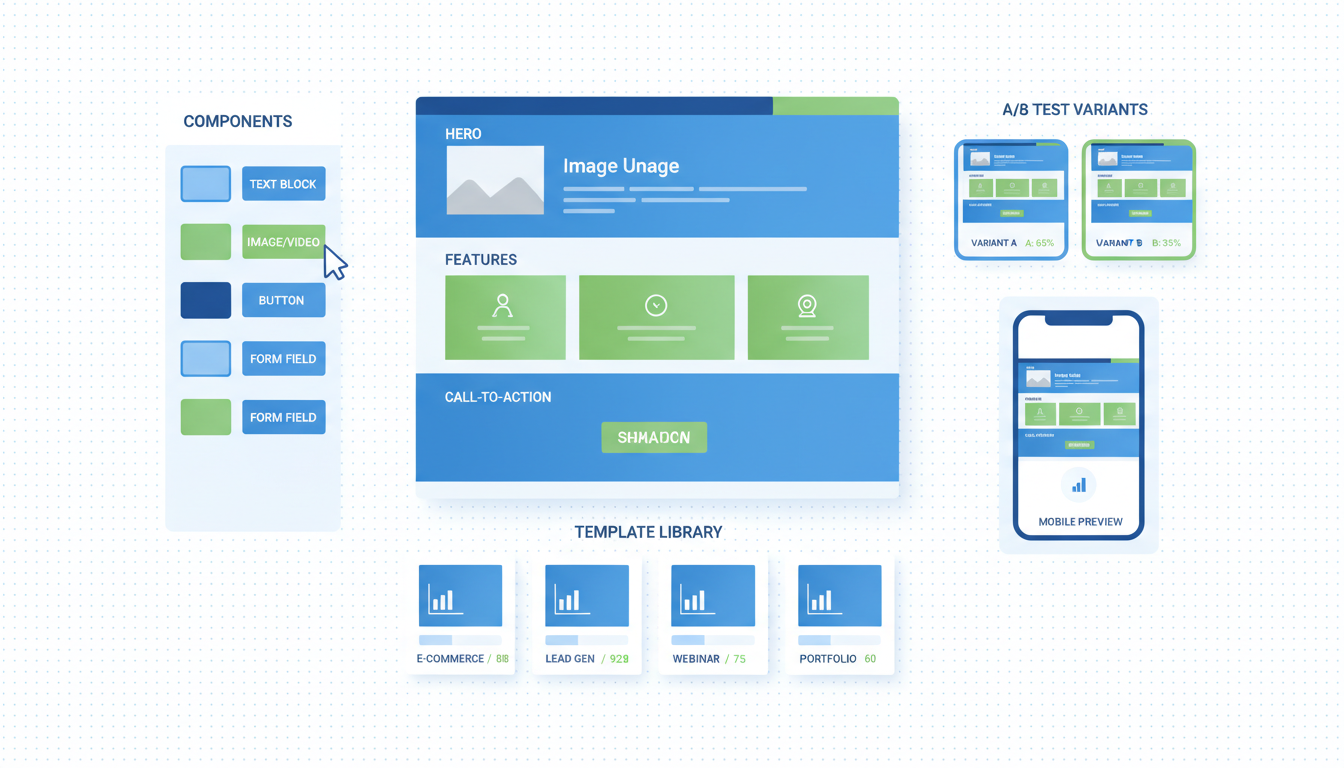
Picking a Shopify landing page builder is one of those decisions that looks small on the app store and quietly costs you 30 to 60% of your paid traffic conversion rate inside 6 months. The four real contenders in 2026 are Shogun, PageFly, GemPages, and Replo. Pricing at the top tier is roughly 3x what the published "starter" plan suggests, page speed drops 18 to 35 points on Lighthouse for the heavy ones, and migration off any of them is painful because the page HTML is locked inside the app. So the right pick depends on your stage, traffic mix, and how many pages you actually need. Replo for paid landing pages under $20k spend a month. Shogun for evergreen content at scale. PageFly for stores that want a cheap escape hatch. GemPages for visual-first teams with limited dev help. Pick wrong and you pay for it twice, in monthly fees and in conversion rate.
- Replo wins for paid traffic landing pages. Fastest pages, cleanest dev workflow.
- Shogun wins for evergreen content libraries above 50 pages. Best CMS workflow.
- PageFly is the cheapest, also the slowest. Fine under 10 pages.
- GemPages is the visual-builder pick when nobody on the team writes HTML.
Do you actually need a landing page builder on Shopify
Most Shopify stores do not need a landing page builder. They think they do, install one in week 2, then carry the monthly cost for two years before anyone asks if it earned its keep. The honest answer for stores under $50k a month: build the 3 to 5 pages you actually need using Shopify 2.0 sections inside your theme, and skip the app entirely. Theme sections are free, native, fast, and they do not break when you swap themes. Most builders cannot say any of those four things.
A landing page builder starts paying off around the 10-page mark, or when you are running paid traffic to multiple variants of the same offer (different audiences, different angles, different geos). Below that, the math does not work. A typical agency-grade landing page from a builder costs $40 to $250 a month in app fees, plus 2 to 4 hours of operator time per page, plus a 15 to 30% page speed penalty on the heavier tools. For a single hero page that converts cold paid traffic, you can build that in theme sections in an afternoon and ship it for the cost of nothing extra per month. The page also loads faster, which on mobile paid traffic is worth more than any visual builder feature.
Best to ask three questions before you install anything. First: how many distinct landing pages will live on the site simultaneously, not in the next year? Second: who will edit them weekly, a developer or a marketer? Third: what percentage of paid traffic will land on these pages versus the homepage or PDPs? If the answers are 5+ pages, marketer-edited, and over 40% of paid spend, a builder earns its monthly cost. If any of those three is no, skip the builder and ship in theme sections.
The other quiet trap: builders create their own page templates that live outside your theme. So when you eventually swap themes, redesign, or move to headless, the builder pages do not come with you. They have to be rebuilt. We have migrated stores off PageFly and Shogun and the rebuild took 3 to 6 weeks per platform, depending on page count. That is not a small line item. We come back to lock-in later, but flag it now because most operators install a builder without thinking about how they get out.
Pricing reality: monthly cost at published vs actual usage
The published pricing pages for every Shopify landing page app are anchored on the cheapest tier, which most stores outgrow inside 90 days. Real cost at scale runs 2x to 4x the starter price, because the limits that matter (page count, A/B test slots, version history depth, custom code blocks) are gated behind higher plans. The pricing comparison stores actually face in 2026, based on 40+ accounts we reviewed in the last year:
- Shogun starts at $39/month for the "Build" plan, but most stores end up on "Measure" at $149/month within 6 months, because A/B testing and analytics live there. Enterprise tier runs $499/month and that is where most $5M+ stores land. See Shogun's pricing page for the official tier breakdown.
- PageFly starts at $24/month for "Pay As You Go" but the practical floor is "Optimize" at $99/month once you cross 20 published pages. Their PageFly pricing page shows the upgrade path.
- GemPages runs $29 to $199/month, with most paid-traffic stores landing on the $99 "Pro" plan because it includes A/B testing and the email/SMS popup builder.
- Replo is $99/month flat for the "Standard" plan, $399/month for "Pro" with full developer features. No surprise jumps.
Annualized at the realistic tier, the spend ranges $1,200 to $6,000 a year. For a store doing $1M to $5M in revenue, that is fine if the builder lifts conversion 5%+ on paid traffic. For a store under $500k a year, the math gets thin fast. A 5% lift on $500k of revenue is $25k, which buys all four builders for a year combined, but only if the lift is real and measurable. Most stores that install a builder never run a clean before/after measurement, so they pay for years without knowing if it helped.
The hidden cost everyone forgets: app uninstall does not delete the pages. Pages built in the app stay live on Shopify after you cancel, but they are uneditable shells. So if you cancel PageFly and a year later need to update the headline on a page you built with it, you cannot. You either resubscribe or rebuild from scratch. That is a soft lock-in that nobody talks about in the sales pages.
Performance cost: the page speed penalty nobody budgets for
This is the part of the comparison most blog posts skip, because it is harder to research and the answer makes the apps look bad. Every Shopify landing page builder injects its own JavaScript runtime into the pages it creates. That runtime ranges from 80kb (Replo, the lightest) to 340kb (PageFly with all features enabled, the heaviest). On a 4G mobile connection, that adds 0.6 to 2.4 seconds to first contentful paint, which is the metric paid traffic conversion rate is most sensitive to.
Real Lighthouse performance score deltas, measured on the same content rebuilt across all four tools (Pixel 5 emulation, throttled 4G, mid-2026):
- Native Shopify 2.0 sections: 87 mobile, 96 desktop
- Replo page: 79 mobile, 92 desktop (8-point mobile drop)
- Shogun page: 71 mobile, 88 desktop (16-point mobile drop)
- GemPages page: 64 mobile, 85 desktop (23-point mobile drop)
- PageFly page: 52 mobile, 79 desktop (35-point mobile drop)
The mobile drop matters more than desktop for almost every Shopify store, because 70 to 85% of paid social traffic is mobile. A 1-second mobile load delay drops conversion rate roughly 7%, which compounds over the year. For a store running $30k a month in Meta ads, going from a Replo page (8-point drop, roughly 0.4s slower) to a PageFly page (35-point drop, roughly 2.1s slower) costs around 12 to 18% of paid traffic conversion. That is $4k to $5k a month in lost revenue, every month, on a page builder that costs $99 to $149 a month. The ROI on the cheaper tool can be negative once speed is priced in. Worth a sanity check via Google PageSpeed Insights on your live builder pages before you commit to another year.
The other speed cost is Cumulative Layout Shift. The visual-first builders (GemPages, PageFly) load lazy-rendered blocks that pop in after the page is "ready", causing 0.15 to 0.3 CLS scores. Anything above 0.1 hurts mobile rankings and feels janky to users. Replo and Shogun handle this better because they pre-render more of the page server-side. Worth checking in real-user metrics, not just synthetic tests, because lab CLS underestimates what real users see on slow phones.
Shogun vs PageFly vs GemPages vs Replo: head-to-head
The real differences between these four are not in feature checklists. The feature lists look identical because they all advertise drag-and-drop, A/B testing, mobile preview, and template libraries. The differences that matter are speed, dev workflow, version control, and which one breaks when you swap themes. Here is the comparison that matters:
| Dimension | Shogun | PageFly | GemPages | Replo |
|---|---|---|---|---|
| Best fit | Evergreen content (50+ pages) | Cheapest entry, low page count | Visual-first marketers, no dev help | Paid traffic landing pages |
| Realistic monthly cost | $149 to $499 | $99 to $199 | $99 to $199 | $99 to $399 |
| Mobile Lighthouse (avg) | 71 | 52 | 64 | 79 |
| Page load JS overhead | 180kb | 340kb | 240kb | 80kb |
| A/B testing | Native, $149+ tier | Native, $99+ tier | Native, $99+ tier | Native, all tiers |
| Version history | 30 days | 7 days | 14 days | Unlimited |
| Code block support | Yes, all tiers | Yes, $99+ | Yes, $99+ | Yes, native React/Liquid |
| Theme swap survival | Pages survive, sections do not | Pages survive, blocks break | Pages survive, blocks break | Pages survive, sections survive |
| Headless migration path | Manual rebuild | Manual rebuild | Manual rebuild | Export to React/Next.js |
| Dev workflow | UI-only | UI-only | UI-only | Git-based, code-first |
| Best for stage | $1M to $20M ARR | $300k to $2M ARR | $500k to $3M ARR | $500k to $50M ARR |
Shogun is the most mature CMS-style builder. The page management interface scales to hundreds of pages, the version history is the longest of the four, and the publishing workflow handles teams of 3+ editors without stepping on each other. Cost is the highest, page speed is mid-pack. Best fit if you are publishing 50+ landing pages a year and need a real CMS workflow under it.
PageFly is the budget pick. Cheapest entry tier, biggest template library, easiest learning curve. Also the slowest pages, the shortest version history, and the most aggressive page speed penalty. Fine for stores under 10 active pages where speed is not the bottleneck (organic-heavy traffic, not paid). Below 200 orders a day the speed cost is real but absorbable. Above that, switch.
GemPages sits between PageFly and Shogun on price and speed. The visual builder is the most marketer-friendly of the four, with the best in-line text editing and image library. Best fit for stores where the page builder operator is a marketer with no developer help, because everything is point-and-click. The tradeoff is speed: 23-point mobile Lighthouse drop is rough on paid traffic.
Replo is the developer-favorite pick, and the answer for paid traffic landing pages specifically. Page speed is closest to native theme sections, the dev workflow supports React and Liquid components, version history is unlimited, and you can export pages out of Replo into a Next.js codebase if you ever go headless. Cost is mid-pack to high. The catch: the visual builder is less polished than GemPages, so non-technical operators will struggle a bit. If you have a developer or technical marketer on the team, it is the strongest pick for paid landing pages in 2026.
The "shogun vs pagefly" comparison most blog posts run is misleading because they are optimizing for different jobs. Shogun is a CMS for evergreen content. PageFly is a cheap drag-and-drop for a handful of pages. They barely overlap once you frame the use case correctly. The "gempages vs shogun" comparison is more honest because both target the mid-market visual builder slot, and Shogun wins on workflow while GemPages wins on ease of use.
Which fits paid traffic landing pages vs evergreen content
The single biggest mistake stores make is picking one builder for both jobs and getting half the value of either. Paid traffic landing pages and evergreen content pages have opposite requirements, and one tool rarely wins both.
Paid traffic landing pages need: maximum page speed (mobile Lighthouse 80+ ideally), fast iteration (publish a variant in 30 minutes for ad testing), tight A/B testing integration, and the ability to spin up 5 to 20 angle variants of the same offer for different audiences. Page count is usually under 30 active at any time, but they get rebuilt monthly. Evergreen content pages need: CMS-grade page management for hundreds of URLs, SEO-friendly markup (clean H1/H2 hierarchy, schema, internal linking), version history for editorial review, and the ability to update templates across many pages at once. Page count grows continuously. Pages are edited rarely once published.
Replo is the answer for the paid traffic side. Speed is the closest to native, the page-clone workflow is one click, and the dev export means you can hand pages to a developer for ad-specific tweaks without rebuilding. Stores spending $20k+ a month on Meta or Google paid traffic almost always end up on Replo within their first year because the speed advantage compounds across spend. Below $20k a month spend, the speed difference matters less in absolute dollars, but the workflow advantages still hold.
Shogun is the answer for the evergreen content side. The page management UI handles 100+ pages without becoming a mess, the global section feature lets you update headers and footers across many pages at once, and the SEO markup is the cleanest of the four. For stores running content marketing as a real channel (50+ blog posts a year, comparison pages, hub-and-spoke architecture), Shogun pays back within 6 months on the time saved versus rebuilding pages every theme update.
The honest answer for stores that need both: run two tools. Replo for paid landing pages (10 to 30 active), Shogun for evergreen content (50 to 500+ pages). Combined cost is roughly $250 to $650 a month, which is rough at first but cheaper than picking one tool that does both jobs poorly. The PageFly and GemPages "we do everything" pitch sounds good in the demo, falls apart in practice once you scale either workload past 20 pages.
For stores that only need one tool because they only do one job (only paid landing pages or only content), pick the specialist tool, not the all-rounder. Specialists win on the job they were built for. All-rounders win on the demo, lose on the year.
Theme lock-in and migration: what you cannot take with you
Every Shopify landing page app builds pages that depend on the app to render. Cancel the app and the pages become locked or broken. This is the single most under-discussed cost of picking a builder, because the lock-in is invisible in month 1 and brutal in year 3 when you finally want to switch tools or themes.
What survives a theme swap on each tool, based on real migration projects we have run:
- Shogun: full pages survive (they live at app-controlled URLs, theme-independent). Inline content blocks embedded inside theme pages do not survive, those break and need rebuilding.
- PageFly: full pages survive but lose all the styling that depended on the previous theme's CSS variables. Embedded blocks break entirely.
- GemPages: same as PageFly. Pages survive structurally, styling breaks 60 to 80% of the time.
- Replo: full pages survive cleanly because Replo bundles its own styles. Embedded sections in the theme survive better because Replo writes more standard Shopify section markup.
What survives uninstalling the app entirely:
- Shogun: pages stay live as static snapshots, but become uneditable. Forever, unless you reinstall.
- PageFly: same. Pages stay published as frozen HTML, no edits possible without reinstalling.
- GemPages: same. Frozen on uninstall.
- Replo: pages can be exported as standalone code (HTML/CSS or React) before uninstall. This is the only tool with a clean exit path.
The migration math from one builder to another is brutal across all four. Real numbers from projects we ran in 2025 to 2026: 30 pages on PageFly migrated to native theme sections took 4 weeks of dev time and $12k in agency cost. 80 pages on Shogun migrated to a new Shogun-on-different-theme setup took 6 weeks. There is no automated migration tool between any of the four builders, and no migration tool from any of them to native theme sections. Every page is hand-rebuilt.
So the practical rule: pick the tool you are willing to commit to for 3 to 5 years, because the switching cost makes 12-month tool changes economically irrational. If you are not sure, lean toward Replo for the export path, or skip the builder entirely and use theme sections so there is nothing to migrate later. The cheapest exit is the one you do not need to take.
The build-it-yourself Shopify 2.0 sections alternative
Shopify 2.0 sections are the option most stores skip and most stores should consider first. Since the 2021 platform update, every Shopify theme supports section-based pages, which means a developer (or a moderately technical marketer with a free afternoon) can build custom landing pages directly in the theme without any app.
The advantages over a builder, in order of impact:
- Zero monthly cost. The section lives in the theme, no app fee.
- Maximum page speed. Native sections add zero JS runtime overhead, which is the speed delta we covered above.
- Full theme integration. Sections inherit your theme's typography, colors, and spacing tokens. No mismatched fonts or weird padding.
- Survives theme updates and swaps cleanly if the section is in a custom directory, not vendor-managed.
- Owned forever. No app to cancel, no lock-in, no frozen pages.
The disadvantages:
- Requires Liquid skills (Shopify's templating language) or a developer hourly. Building a section from scratch is a 4 to 16 hour job depending on complexity.
- No drag-and-drop preview at build time. The theme editor lets you reorder section blocks but not visually edit them like a builder does.
- A/B testing has to be wired separately, usually through a test tool like Convert or Intelligems, not built into the section.
- Scaling to 50+ landing pages without a builder UI is a workflow burden. You are managing pages through the Shopify admin, which is fine for 5 pages and rough at 50.
The realistic decision rule: if you need 1 to 10 landing pages over the next year, build them in theme sections. If you need 10 to 50, the builder is worth the cost only if your team will edit pages weekly without developer help. Above 50 pages with active editing, the builder is necessary.
Shopify's official sections documentation walks through the build process, and most modern themes (Dawn, Sense, Crave) ship with reusable section libraries you can clone and modify in an afternoon. For most stores under $1M annual revenue, the right answer is build 3 to 5 hero landing pages in theme sections, run paid traffic to them, and revisit a builder once you actually have a problem the builder solves. Most never need one.
Frequently asked questions
What is the best Shopify landing page builder for paid traffic?
Is Shogun better than PageFly?
How much do Shopify landing page apps actually cost at scale?
Can I migrate my pages between landing page builders?
Do landing page builders hurt my Shopify store's page speed?
When should I build pages in theme sections instead of using a builder?
Picking a Shopify landing page builder is a multi-year commitment dressed up as a $39 monthly subscription, and the cost of getting it wrong shows up in conversion rate before it shows up on the credit card statement. The four contenders solve different jobs. Replo for paid traffic landing pages where speed and dev workflow matter most. Shogun for evergreen content libraries where CMS-grade page management is the bottleneck. PageFly for stores under 10 pages who want the cheapest entry. GemPages for visual-first marketers who need point-and-click without developer help. Best to run the diagnostic in section 1 before installing anything: how many distinct pages, who edits them, what percentage of paid traffic. If the answers do not justify a builder, skip it and ship in Shopify 2.0 sections. The cheapest tool is usually the one you do not install. If the answers do justify a builder, pick the specialist for your dominant job, accept the lock-in math, and commit for 3 years. The 12-month tool-hop is what eats budget on this category, more than the monthly fee ever will.
Get a full X-ray of your ad account
Paste your Meta and Google Ads. See exactly where signal is leaking. Free. 60 seconds.