Low EMQ score on Shopify: how to diagnose and fix
 By Dror Aharon
·
CEO, COREPPC
·
Updated April 17, 2026
·
11 min read
By Dror Aharon
·
CEO, COREPPC
·
Updated April 17, 2026
·
11 min read
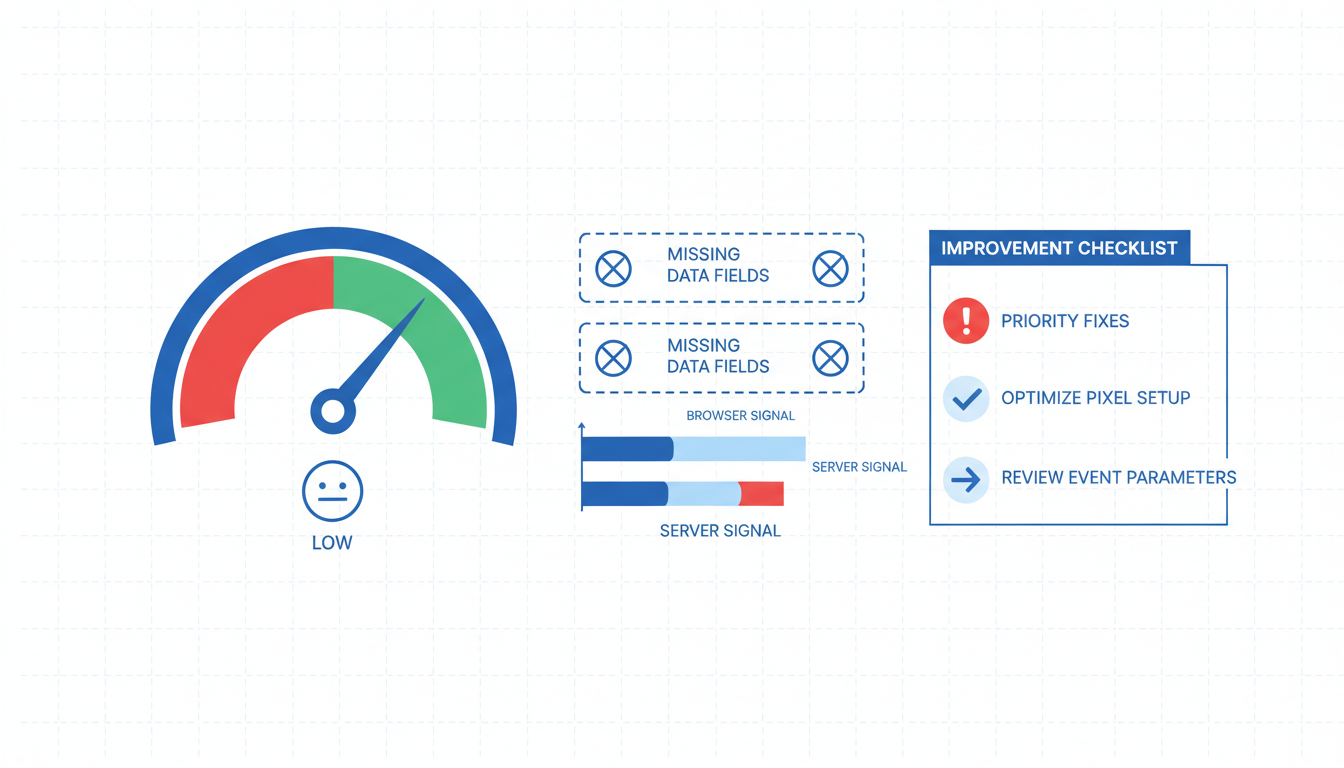
A Shopify low EMQ score under 7 is quietly costing you 30 to 40% of reported conversions and caps Advantage+ Shopping at around 1.8 ROAS no matter how much you spend on creative. EMQ is Meta's 0 to 10 confidence score for matching each event to a real user, and below 7 the algorithm trains on half-broken data. The frustrating part is that the fix almost never lives where operators look first. It is rarely a CAPI install problem, rarely a "need a new tracking stack" problem. Nine times out of ten it is one of five specific causes: Standard data sharing, missing checkout email, CAPI silently not firing, mismatched event IDs, or EU consent mode stripping parameters. This guide walks the Events Manager diagnostic flow that finds the exact missing parameter in 20 minutes, then fixes the five causes in order of how often they hit.
- Read Events Manager diagnostics per event, not the top-level EMQ summary number.
- Check Standard vs Maximum data sharing first. Fixes 60% of stuck scores.
- Validate CAPI is actually firing in Test Events, not just showing as "enabled."
- Match browser and server `event_id` for every Purchase event, exact string.
What a "low" EMQ actually means and what it costs
A Shopify low EMQ score is anything below 7 on the 0 to 10 scale Meta shows inside Events Manager. Below 7 the algorithm basically guesses. Between 7 and 8 it optimizes but wobbles. Above 8.5 Advantage+ Shopping campaigns stop wobbling and scale cleanly. So when you see EMQ 5.2 in the dashboard, the translation in plain terms is that Meta has confidently matched about half your purchase events to a real user, and the other half it is guessing on. The budget you push today trains on that guesswork for the next 10 to 14 days before Meta figures out who actually converted, which is why you see CPA spike every time you raise daily spend past the last tested ceiling.
The cost in revenue terms is steeper than most operators realize. Every point of EMQ below 8 is worth roughly 10 to 15% of reported conversions on Advantage+ Shopping. A store sitting at EMQ 5.5 is under-reporting conversions by somewhere between 25 and 40%, which means your Meta dashboard shows a ROAS of 1.6 when the true blended number is closer to 2.2. The algorithm optimizes against the low number, so it quietly starves the audiences that are actually converting and funnels budget into whatever cohort had the cleanest browser signal. That cohort is rarely your best buyer. It is usually desktop users in their 40s who still accept third-party cookies, which is not where your growth lives.
Event match quality low Shopify dashboards also lie in a specific, annoying way. Shopify's native reporting sometimes shows a blended browser-plus-server number that is 0.5 to 1.0 points higher than the real Events Manager score. So an operator glances at Shopify, sees EMQ 7.1, assumes the setup is fine, and never opens Events Manager. Meanwhile the true score is 6.0 and Advantage+ is bleeding money. Trust Events Manager. Always. Shopify's dashboard is built for order and revenue reporting, not for payload diagnostics.
Reading Events Manager diagnostics to find the missing parameter
The top-level EMQ number is a summary. It tells you something is off, not what. The actual diagnosis lives in the per-event breakdown, which most operators have never opened. The sequence, start to finish:
Open Events Manager. Pick the pixel connected to your Shopify store. Click into the Purchase event specifically (not the rollup, not ViewContent, not AddToCart). Then click the Match Quality tab. You get a per-parameter coverage percentage: email coverage, phone coverage, external_id coverage, name coverage, each expressed as the percentage of events in the last 7 days that carried that field. That page is the entire diagnostic. Meta's own Events Manager diagnostics reference walks through the UI if you have not seen it before.
What you are reading for, in order of how often each one is the root cause:
- Email coverage below 95% on Purchase. Almost always the Standard data sharing toggle inside the Facebook and Instagram app. Fix in Cause 1 below.
- External_id coverage below 60%. Almost always a missing pass-through. Fix in Cause 1 below (usually same toggle).
- Phone coverage below 40%. Almost always a checkout setting, not a pixel setting. Fix in Cause 2 below.
- Email coverage at 0% and other identifiers missing together. CAPI is not actually firing despite being enabled. Fix in Cause 3 below.
- Any coverage number that shows healthy percentages but reported EMQ is still below 7. Browser and server events are not deduping because the
event_idis mismatched. Fix in Cause 4 below. - Coverage numbers below 50% only for EU traffic. Consent mode stripping. Fix in Cause 5 below.
One common misread worth calling out. ViewContent and AddToCart legitimately lose identifier coverage because the customer has not entered email or name yet. So do not panic if pre-purchase events show 40% email coverage. Only Purchase matters for the diagnostic flow, because Purchase is the event Advantage+ Shopping optimizes against. Operators who start debugging ViewContent coverage first waste an afternoon and still have a broken Purchase event at the end of it.
If Purchase shows above 90% coverage on email, external_id, and phone, and EMQ is still below 7, that is the edge case where the payload is complete but the matches are not landing because identifiers are formatted wrong (unhashed email, phone without country code, external_id that changes between sessions). Rare, worth knowing it exists, covered in Cause 4.
Cause 1: Standard data sharing instead of Maximum
This one is responsible for around 60% of low EMQ scores we see in audits, and it takes 30 seconds to fix. Apps > Facebook and Instagram > Settings > scroll to "Customer data sharing." Three options: Standard, Enhanced, Maximum. Most stores are on Standard, which is Shopify's default, and Standard strips hashed email and phone from the CAPI payload before it leaves the server.
The naming is what trips everyone up. "Standard" sounds like the safe, privacy-conscious default, which is probably why it was named that way. In practice, Standard in this context means "send Meta almost nothing useful," which caps EMQ around 5.5 no matter what else you fix downstream. Enhanced keeps email. Maximum keeps email, phone, external_id, first name, last name, and client IP. Maximum is what CAPI was designed for in the first place.
The consent question comes up every time we recommend Maximum, so worth addressing directly. Hashed identifiers sent through CAPI are covered under the same consent framework as the browser pixel. If your checkout captures email for order confirmation (which every Shopify store does), that data is already being collected for a legitimate business purpose. Passing a SHA-256 hash of that email to Meta for attribution is covered under the same legitimate-interest basis, plus the store's existing marketing consent opt-ins. Meta's customer information parameters documentation clarifies that identifiers must be hashed before transmission, which Shopify's F&I app handles server-side without exposing raw data. So Standard does not protect you from anything extra that Maximum does not also protect you from, it just sends fewer hashes.
To raise EMQ Shopify scores past the 7 floor, flip Maximum on, save, and wait 48 hours. You should see EMQ climb by 1.5 to 2.0 points. If it does not, the next four causes are what to check.
Cause 2: email missing from checkout flow
If Maximum data sharing is already on and email coverage is still under 90% on Purchase, the problem is upstream of the pixel. Shopify only passes email to CAPI if email was actually captured at checkout, which sounds obvious but breaks more often than operators think.
The usual culprits:
- Checkout configured to collect only a phone number. Settings > Checkout > Customer contact method > Phone number. Switch it to "Phone number and email" (both collected). Phone-only checkouts lose about 40% of EMQ lift because email is the single biggest match key.
- Guest checkout with optional email. On some themes the email field can be skipped if the customer chose Shop Pay or Apple Pay, and the email does not flow back to Shopify until later. Check the checkout flow end-to-end on a mobile device, which is where this bug usually shows.
- Multi-step checkout with email validation that silently fails. Some stores customized checkout with a third-party app that validates email format, and when validation fails it accepts the order but strips the email field. Test with a real purchase using a real email address.
Phone coverage is the other half of this fix. Settings > Checkout > Customer contact method. If phone is set to "Optional" most customers skip it, which means phone coverage sits at 20% and you lose the 0.8 EMQ points hashed phone provides. Flip phone to "Required" if your fulfilment flow allows (most DTC brands can), otherwise set it to "Required at checkout but optional on account creation" which keeps the delta between checkout and account flows clean.
One more thing worth checking. If you run any post-purchase upsell apps (Zipify, ReConvert, AfterSell), those apps sometimes bypass the main checkout email capture and use their own flow, which means the Purchase event fires cleanly but the upsell Purchase event fires with 0% email coverage. That drags the average EMQ down even when the main Purchase is fine. Fix: disable Meta tracking inside the upsell app and let the F&I app's Purchase event cover the whole transaction including upsells.
Cause 3: CAPI not firing despite being enabled
This one is rarer (maybe 10% of cases) but it is the most frustrating because the F&I app shows CAPI as "enabled" in the UI while no server events are actually leaving Shopify. The giveaway in diagnostics is email coverage at 0% across all events, or a flat zero reading on every identifier, not just a coverage gap.
How to confirm CAPI is actually running, not just showing green:
- Open Events Manager, go to Test Events, grab the test code.
- Inside the F&I app settings, look for a test mode or dev mode toggle. Some versions expose it, some do not.
- Run a test purchase on the live store with a coupon that drops the cart to $0.50.
- In Test Events, you want to see two rows for the Purchase event: one labeled "Browser" and one labeled "Server." If you only see "Browser," CAPI is not actually running regardless of what the F&I app dashboard says.
- If you only see "Server" and no "Browser," the opposite problem, which is a pixel loading issue in the theme.
When CAPI is enabled in the UI but not firing in Test Events, the fix sequence:
- Disconnect the F&I app completely. Admin > Apps > Facebook and Instagram > Remove. Yes, fully remove.
- Reinstall fresh. Reconnect to the correct Meta Business account.
- Re-enable Maximum data sharing during setup, not after.
- Re-run Test Events. Server row should appear.
The reason disconnect-and-reinstall works is that Shopify Facebook CAPI configurations drift when the F&I app is updated but the underlying Meta connection token is stale. The app shows green because the token was valid a month ago, but Meta rejects the actual events because the token has since expired. Reinstalling forces a fresh token handshake. Half a day of work if you have never done it, 15 minutes if you have.
Cause 4: event_id mismatch between browser and server
This one produces a specific signature in diagnostics: healthy coverage percentages on every parameter (email 98%, external_id 85%, phone 70%), but EMQ still sitting below 7 and every Purchase showing as two separate events in the real-time log. That is the dedup signal failing, which means browser and server events are double-counting instead of matching, and Meta is treating each transaction as two half-match events instead of one strong match.
The rule is one line: browser event and server event must carry the same event_id string for the same transaction. If the browser pixel fires event_id: "order_1001" and CAPI fires event_id: "1001", Meta treats them as separate events. Same with case differences (Order_1001 vs order_1001) and trailing whitespace from a badly formatted template variable.
Shopify's F&I app handles dedup for the four core events out of the box (Purchase, AddToCart, ViewContent, InitiateCheckout), assuming it is the only source of browser events. The mismatch problem shows up when:
- A second browser pixel fires from GTM with a different event ID format than F&I uses.
- A CAPI gateway like Stape runs in parallel with the F&I app, and both send server events with different IDs.
- A leftover theme
fbqsnippet fires a browser Purchase without any event_id at all, which means Meta cannot dedup it against the server event. - Custom events (Lead, StartTrial) were built by a developer who wrote the server call first and never added the matching browser call.
Fix sequence. Open layout/theme.liquid and search for fbq(. If anything turns up, remove it. Open GTM and pause every Meta-related tag that is not explicitly needed for a custom event. Confirm F&I is the only browser pixel source. If you use Stape or server-side GTM, disable CAPI inside F&I (one server source, not two) or configure both to use the same event_id scheme. Then re-run Test Events. The Purchase row should show a "deduplicated" note. If it does not, the event_id is still mismatched somewhere.
Cause 5: consent mode stripping parameters in EU
If your store serves significant EU traffic and EMQ dropped after a GDPR compliance update or a Consent Mode v2 rollout, this is the likely cause. Consent Mode strips hashed identifiers from both browser and server events when the user has not explicitly granted marketing consent, which on a default cookie banner is something like 40 to 60% of EU visitors.
The diagnostic signature: coverage numbers look fine on US traffic (95%+ email coverage) but drop to 50% or below when you filter Events Manager to EU-only traffic. The top-level EMQ score is a blend, so if 40% of your revenue comes from the EU, a 50% coverage gap on that slice pulls the overall score down by 1.0 to 1.5 points even though everything outside the EU is healthy.
The fix is messier than the other four because it involves legal and UX tradeoffs, not just a toggle. Options, ranked by effort:
- Tune the consent banner. A well-designed banner with clear "accept all" and "customize" buttons (instead of burying "accept" behind a click or defaulting to "reject all") raises consent rates from around 40% to 65 to 75% without any dark patterns. Cookiebot, OneTrust, and Shopify's native Customer Privacy banner all support this. Worth an audit.
- Enable Consent Mode v2 Advanced mode. This sends cookieless pings to Meta even when consent is denied, which does not carry identifiers but does tell Meta the event happened so the algorithm can model conversions. Not as good as consented data, better than nothing. Shopify's native integration handles this if you toggle it on inside the F&I app under "Consent Mode settings."
- Server-side consent tracking for first-party data only. If the customer explicitly opted in to marketing emails, that opt-in covers CAPI sending hashed email to Meta under legitimate interest. Operators often forget this and strip email from CAPI for all EU traffic, even consented. Check with your legal team that the checkout opt-in language covers advertising optimization (it usually does in 2026 template language).
Consent mode tuning is where most stores give up and accept a 1.0 point EMQ hit on their EU traffic. Worth pushing through, because a store with 40% EU revenue at EMQ 7.5 performs meaningfully worse than the same store at EMQ 8.5, and the gap is almost always in the consent rate, not the technical setup.
Frequently asked questions
What counts as a Shopify low EMQ score in 2026?
How do I tell if my event match quality low Shopify issue is a payload problem or a CAPI problem?
Why is my EMQ score 5 but my reported ROAS looks fine?
How long does it take to raise EMQ Shopify scores after I fix the cause?
fbq snippet, or a CAPI gateway running in parallel without a shared event ID.Can I diagnose a Shopify CAPI EMQ problem without opening Events Manager?
Does fixing a low EMQ score require new tracking infrastructure?
A Shopify low EMQ score is almost never what it looks like at first glance. It looks like a tracking infrastructure problem, but it is usually a toggle, a checkout setting, or a leftover snippet nobody remembered to remove. The five causes above account for roughly 90% of the stuck scores we see in audits, and they are ranked in the order of how often they hit. Start with Maximum data sharing because it takes 30 seconds and fixes 60% of cases by itself. Then work through the checkout email, the CAPI-actually-firing check, the event_id dedup, and the consent mode EU gap. Best to pull Events Manager diagnostics before you touch anything, so you know which cause you are actually fixing. If Purchase EMQ is below 7 and you have not opened the Match Quality tab per parameter, that is the first place to look, and nine times out of ten the missing parameter is visible within 20 minutes of opening the right view.
Get a full X-ray of your ad account
Paste your Meta and Google Ads. See exactly where signal is leaking. Free. 60 seconds.