Checkout extensibility on Shopify Plus: what actually changed
 By Dror Aharon
·
CEO, COREPPC
·
Updated April 17, 2026
·
11 min read
By Dror Aharon
·
CEO, COREPPC
·
Updated April 17, 2026
·
11 min read
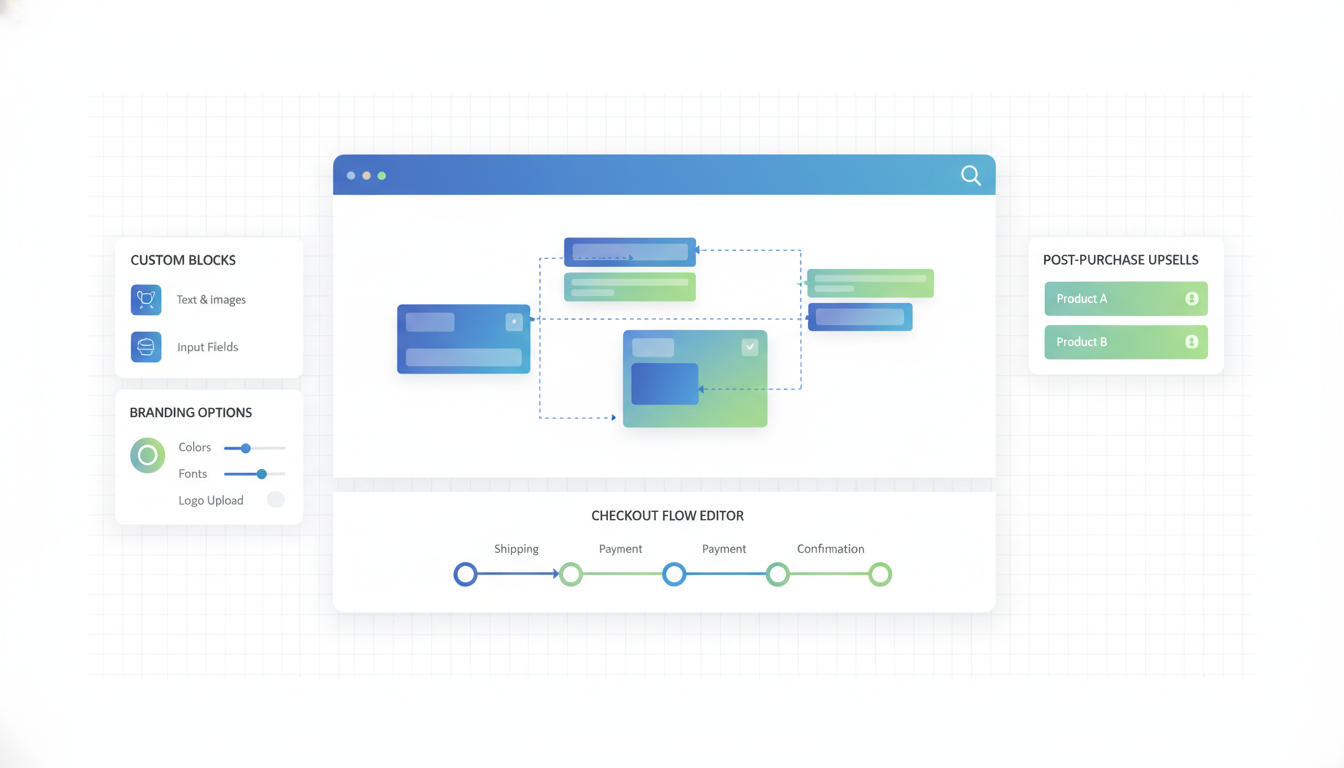
Shopify Plus checkout extensibility is not a new toy, it is a forced migration with a hard deadline, and most Plus stores are running behind schedule without knowing it. August 2026 is when checkout.liquid goes dark for good, and every Plus store still on the old checkout loses their customizations, their one-page checkout apps, and their Script Editor logic in one weekend. The replacement stack is three parts: React-based UI extensions that plug into defined extension points, Shopify Functions for server-side logic (discounts, shipping, payment rules), and the post-purchase page. The rebuild is real work. Budget 6 weeks of senior dev time, $18,000 to $45,000 in professional services, and plan to lose about 15% of your custom checkout features on day one because not everything ports over cleanly. Stores that waited until Q1 2026 to start are already short on runway.
- August 2026 sunset kills `checkout.liquid`, Script Editor, and most one-page checkout apps.
- 3 extension points replace the old system: pre-purchase, order summary, post-purchase.
- Real migration timeline is 6 weeks, not the "2 to 3 weeks" Shopify docs suggest.
- Custom JavaScript in checkout is dead. Functions plus UI extensions are the only path.
What Checkout Extensibility replaces and what it adds
Shopify Plus checkout extensibility is the replacement for everything stores used to customize the checkout with: checkout.liquid edits, Ruby scripts in the Script Editor, Shopify Scripts, custom JavaScript snippets, and a long tail of one-page checkout apps that depended on theme access to the checkout flow. Shopify built the new system to do two things. First, let merchants customize checkout without breaking it every time the platform ships an update. Second, take back control of the checkout surface so Shopify can ship faster and stop writing backward-compatibility code for 500 variations of customized checkouts.
What you lose in the move: direct HTML and CSS control over the checkout template, the ability to inject arbitrary JavaScript, Ruby scripts that ran in checkout (discount logic, shipping logic, payment method rules), and most one-page checkout apps. What you gain: React-based UI extensions that plug into predefined extension points, Shopify Functions for server-side logic that used to live in Scripts, post-purchase pages that run after the confirmation step, and a platform commitment that future Shopify updates will not break your customizations. That last part is the real trade. The old system was more flexible, the new system is more stable, and Shopify is done maintaining both.
The mental shift that trips up most teams: the old checkout was a theme you could edit. The new checkout is a platform with plug-in points. You cannot rewrite the checkout, you can only extend it at the points Shopify defined. Best to read Shopify's Checkout Extensibility documentation with that framing in mind, not with "where is the HTML" expectations, because you will not find it.
The August 2026 sunset and what happens to stores that miss it
Shopify announced the checkout.liquid deprecation in 2023 and extended the sunset twice. The current deadline is August 2026, and based on the way Shopify has handled previous platform deprecations, this one is not moving. On the sunset date, stores still running checkout.liquid do not get a soft fallback. The checkout switches to the default Shopify checkout, all theme-level customizations stop rendering, and any logic that depended on Ruby scripts stops executing. If you had a custom "order notes required for B2B" rule baked into Scripts, it is gone that morning. If you had a custom thank-you page with a referral widget, it is replaced with the stock page.
The operational damage, ranked by what we see break first:
- Custom validation rules (required fields, cart minimums per product type, zip code blocking) disappear immediately. Orders that should have been blocked start going through.
- Conditional payment method logic (hide Klarna for orders under $50, hide PO payment for non-approved customers) resets to showing everything. Fraud exposure goes up for stores that had geography-based or segment-based payment filters.
- Custom upsells, bundles, and cart-tier discounts that used Scripts stop applying. AOV takes an immediate hit the next day.
- One-page checkout apps that depended on
checkout.liquidgo dark. Most of these were already flagged by Shopify as "will stop working," but stores that skipped the email warnings get surprised. - Post-purchase upsell apps lose their rendering layer if they did not migrate to the new post-purchase page. You might keep the app and lose the revenue.
Stores that miss the deadline do not lose their store, they lose their customizations. The checkout still works, it just works like a stock Shopify Plus checkout with no custom rules. For most merchants that is a 2 to 6% revenue hit on the first weekend, climbing to 8 to 12% across the first month because the customizations were usually there for reasons (AOV, fraud, approval flows) that start leaking money the moment they stop running. The stores we have seen miss similar Shopify deadlines in the past recover, but usually not before a 4 to 8 week scramble with emergency dev hours at 2x rates.
The 3 extension points: pre-purchase, order summary, post-purchase
Shopify checkout extensions Plus merchants can use break into three families, based on where in the flow they render. The mental model is simpler than the docs make it look if you think about it as "before checkout, during checkout, after checkout."
Pre-purchase extension points:
- Cart line items: inject custom fields, show custom messaging per line (eligibility warnings, shipping estimates per product).
- Delivery step: add delivery date pickers, custom shipping instructions, gift messaging fields, signature requirements.
- Payment step: add fields related to payment (PO numbers, cost center selection for B2B), show conditional messaging based on cart content.
- Contact step: add email subscription opt-ins, capture additional customer fields (company name, tax ID for B2B).
Order summary extension points:
- Cart summary block: show savings badges, loyalty points earned, shipping progress bars ("spend $X more for free shipping").
- Discount block: custom discount input UI, loyalty point redemption at checkout, gift card stacking.
- Line item decorations: badges, trust signals, stock urgency indicators per line.
Post-purchase extension points:
- Post-purchase page (between "place order" and the thank-you page): one-click upsells, survey capture, subscription enrollment, referral program enrollment.
- Thank-you page: permanent modules that render on the confirmation screen (loyalty signup, referral links, app download prompts).
- Order status page: modules on the page customers see when checking order status later.
The post-purchase page is where most of the revenue lift lives. Stores that ship a well-targeted post-purchase upsell flow (single product, high-margin, personalized to what they just bought) see 8 to 14% AOV lift in our audit sample. The "easy money" in checkout extensibility is not in the pre-purchase fields, it is in the one-click post-purchase upsell that most stores have not built yet because it needs a real UX and a real merchandising decision, not just a dev build. The checkout UI extensions Shopify provides are the tooling. What you do with the surface is the part that moves revenue.
App migration: the real 6-week timeline
The checkout extensibility migration is not a one-afternoon project, and the 2 to 3 week timeline you see in some Shopify content is only realistic for stores that had almost nothing custom in their old checkout. The honest timeline for a mid-size Plus merchant with 4 to 8 custom checkout behaviors is 6 weeks from kickoff to production. The stores that try to compress this into 2 weeks usually ship, roll back, and spend another 4 weeks cleaning up.
Week 1: audit and scope. List every customization currently running in checkout. Every Ruby script. Every checkout.liquid edit. Every checkout app. Every custom field. This list is always longer than the team thinks it is, because checkout customizations accumulate quietly across years and nobody has an inventory. The audit itself takes 8 to 15 hours of senior dev time plus ops time to confirm what each customization does and whether it is still needed. About 20% of what you find you can just delete because nobody remembers why it was added and nothing breaks when it is gone.
Week 2: map old to new. For each customization on the list, decide if it maps to a UI extension, a Shopify Function, a post-purchase page, a third-party app that already ships the migration, or a deletion. This is the highest-leverage week in the project because good decisions here save weeks of dev work later. Shopify Functions handle most server-side logic (discounts, shipping, payment rules). UI extensions handle all presentation and user-facing fields. Post-purchase extensions handle anything that happens after the confirmation step.
Weeks 3 to 5: build. The actual dev work. Budget 15 to 30 hours per custom behavior for UI extensions, 10 to 20 hours for Shopify Functions, plus 10 to 20 hours of integration work with any third-party apps (loyalty, reviews, subscription) that need to be swapped to their extensibility-compatible versions. Most stores run two dev tracks in parallel: one dev on UI extensions, one dev on Functions, because the two skill sets overlap but are not identical.
Week 6: QA, staging, cutover. Test every path in a development store. Run test orders through each customized scenario. Schedule the cutover for a low-traffic window. Plan a 48-hour war room around the switch. Keep the old checkout.liquid on standby until you are certain the new version is stable, because rolling back under fire is easier if you did not delete the previous state yet. The stores that try to ship during peak season almost always regret it. Best to finish the migration before Q4 so you have a clean, tested, production-stable new checkout going into holiday traffic.
Custom JavaScript is dead: Functions + UI extensions replace it
The single biggest shift for dev teams moving to checkout extensibility is that custom JavaScript inside checkout is over. The old pattern, where you could drop a <script> tag into checkout.liquid and do whatever you wanted on the client side, does not exist in the new system. Shopify gave you two replacements, and the split between them matters.
Shopify Functions run on Shopify's servers, in a Rust-based WebAssembly runtime, and they own the decision-making logic: which discounts apply, which shipping methods show, which payment methods are available, what validation rules reject an order. Functions are deterministic and tamper-proof. A customer cannot bypass a Function by opening dev tools, because it runs server-side. This is how B2B stores enforce approval flows, how DTC stores hide payment methods for specific segments, and how brand-portfolio stores apply catalog-specific pricing rules. If the logic used to live in Ruby inside Script Editor, it now lives in a Function.
UI extensions run in a sandboxed JavaScript environment on the client, but they are limited to the rendering surface Shopify exposes. You can add custom fields, show messages, render conditional UI, and call Shopify's extension APIs. You cannot arbitrarily manipulate the checkout DOM, you cannot intercept the order submission, you cannot inject code outside the extension sandbox. This is the change that trips up teams coming from a jQuery-era customization pattern. The React-based UI extensions are more stable and more testable, but they are also more constrained. "I just need to add this one script" does not work anymore.
The upside that dev teams feel after 3 to 6 months of working in the new system is that upgrades stop breaking things. The old checkout customizations broke roughly every 4 to 8 weeks when Shopify shipped a platform update. The new extensions are versioned and maintained against a stable API, so a Shopify update does not silently regress your custom checkout logic. The tradeoff is real. Less flexibility in exchange for stability. Stores with a dedicated Shopify dev feel the upside quickly. Stores that relied on a "one script that did everything" pattern feel the downside.
Cost: the dev budget for a proper migration
Plus checkout apps and migrations cost more than the Shopify sales rep implies, and the cost spread is wide enough that the honest budget depends on which customizations you are porting. Our audit sample of 35 Plus stores that migrated from checkout.liquid to extensibility between 2024 and 2026 spread across the following ranges.
The cheap migration ($8,000 to $15,000): single-store DTC merchant, 2 or 3 light customizations, no B2B, no multi-region. Standard post-purchase upsell app swap, one or two custom fields, maybe a loyalty integration that the loyalty vendor handled automatically. Typically 60 to 100 hours of senior Shopify dev time. About 25% of stores in our sample fell here, and they were the stores that had kept their custom checkout surface small.
The middle-tier migration ($18,000 to $45,000): this is where most merchants land. 5 to 8 customizations, one or two Shopify Functions to port Scripts logic, a real post-purchase page build, integration work with 2 or 3 third-party apps that needed their extensibility-compatible versions wired in. Typically 180 to 400 hours of senior dev time. About 55% of stores in our sample fell here. The variance inside this tier is mostly driven by how much logic lived in Scripts and how many third-party apps were in play.
The expensive migration ($50,000 to $120,000): B2B catalog plus DTC, multi-region storefronts, heavy custom payment logic, approval flows, complex discount stacking, and usually a loyalty or subscription layer that also needed to migrate. 500+ hours of senior dev time, often split across Shopify dev, backend dev (for API integrations), and QA. About 20% of stores in our sample fell here, and these migrations often ran 9 to 12 weeks instead of 6.
What drives cost up faster than anything else: a proliferation of one-off customizations accumulated across years, each handled by a different developer, none of them documented. Auditing that surface alone can eat 20 to 40 hours before you write a line of new code. Stores that kept a tidy inventory of what their checkout does and why come in under budget. Stores that discover "we have 14 scripts and nobody knows what 5 of them do" consistently blow the budget by 40 to 60%.
Conversion lift: what the new checkout actually moves
Shopify has claimed the extensibility checkout converts better than the old one, and the honest version of that claim is "it depends, but mostly yes for stores that build with it instead of around it." The default Shopify extensibility checkout converts roughly in line with the old default checkout, maybe 1 to 2% better on mobile because the new checkout is lighter-weight and faster to render. The real conversion lift comes from what you build on top of it.
The post-purchase page is the biggest single mover. Stores that ship a well-targeted post-purchase upsell flow see 8 to 14% AOV lift and a 3 to 5% lift in blended revenue per session. The mechanics matter: the upsell has to be a single product, priced lower than the primary purchase, high-margin, and genuinely complementary to what they just bought. Generic "here's another product" upsells convert at 1 to 3%. Targeted, one-click, contextually relevant upsells convert at 8 to 15% with no drag on the primary purchase conversion rate. That is the win. Most Plus stores have not shipped this yet because the UX and merchandising decisions take real thought, not just a dev build.
The second mover is conditional payment and shipping logic. Shopify Functions let you hide payment methods that do not apply (Afterpay on a $600 cart, PO payment for non-B2B customers, Klarna for subscription orders) and show only the relevant options. In our audit sample this cut abandonment at the payment step by 4 to 7% on average because customers were no longer presented with options that confused or disqualified their cart. Cleaner choice architecture, higher conversion.
The honest counterweight: stores that migrated and kept the customer-facing checkout UI essentially identical to the old one (same fields, same flow, same trust elements) saw no conversion change either way. The extensibility checkout is not magically better, it is a platform that lets you build things that were hard or impossible before. If you build nothing new and just port the old features over, you do not see the revenue lift. If you use the 6-week migration as a chance to actually ship the post-purchase upsell you never got around to, the migration pays back inside 4 to 8 months from the upsell alone. Shopify's Checkout UI Extensions reference is the technical baseline for what you can actually build on each surface.
Frequently asked questions
What exactly is Shopify Plus checkout extensibility?
checkout.liquid, Script Editor, and most one-page checkout apps on Shopify Plus. Instead of editing the checkout template directly, you build React-based UI extensions that plug into Shopify-defined extension points (pre-purchase, order summary, post-purchase) and Shopify Functions that run server-side logic for discounts, shipping, payment methods, and validation. The platform is Plus-exclusive, and the old checkout.liquid editing path is being sunset in August 2026. You trade flexibility for stability: the old system could do more, but broke every 4 to 8 weeks on platform updates. The new one does less, but stays working.When is the `checkout.liquid` sunset deadline?
checkout.liquid past the deadline do not lose the store, they lose their customizations. The checkout switches to the default Plus checkout with no custom fields, no custom validation, no Scripts logic, no custom thank-you pages. Most stores that miss the deadline see a 2 to 6% revenue hit on the first weekend and 8 to 12% across the first month. Best to budget the migration with 2 months of buffer before August, not 2 weeks.How much does the migration actually cost?
Can I keep my custom JavaScript in the new checkout?
<script> tags inside checkout do not exist anymore. Custom client-side logic lives inside React-based UI extensions that run in a sandboxed JavaScript environment with access to Shopify's extension APIs. Server-side logic (discounts, shipping, payment rules, validation) lives in Shopify Functions, which run in a Rust-based WebAssembly runtime on Shopify's servers. If your old customization pattern was "one script that did everything," that does not port over. You have to split the logic into the right runtime. The upside is that upgrades stop breaking your customizations, which they used to do roughly every 4 to 8 weeks.What happens to my one-page checkout app?
checkout.liquid are being deprecated along with the template itself. Some vendors (Rebuy, Zipify, a handful of others) have shipped extensibility-compatible versions that work on the new checkout. Others have not, and their apps will simply stop functioning in August 2026. Best to check with your specific vendor now, not later, because the ones that have not shipped an extensibility version by Q2 2026 are probably not going to. Plan on either switching to a vendor that has migrated, rebuilding the functionality as native extensions, or accepting you lose that capability on the sunset date.Do I still need a development team after migrating?
Shopify Plus checkout extensibility is not optional and the August 2026 deadline is not moving. The migration is real work, the cost is real money, and the teams that started in Q1 2026 are already on a tight runway. The honest advice is to finish the migration before Q4, not during it, because shipping checkout changes in peak season is how stores turn a 6-week project into a 6-month mess. Best to run the audit in week 1, make the old-to-new decisions in week 2, build across weeks 3 to 5, and cut over in week 6. The revenue lift comes from what you ship on top of the new platform, not from the migration itself. The post-purchase page is the clearest win and most stores have not built theirs yet. If the migration forces the decision, the upgrade cost quietly becomes the upsell payback, which is how these things tend to work when the deadline is the one doing the strategy.
Get a full X-ray of your ad account
Paste your Meta and Google Ads. See exactly where signal is leaking. Free. 60 seconds.