PMax feed optimization for Shopify
 By Dror Aharon
·
CEO, COREPPC
·
Updated April 17, 2026
·
11 min read
By Dror Aharon
·
CEO, COREPPC
·
Updated April 17, 2026
·
11 min read
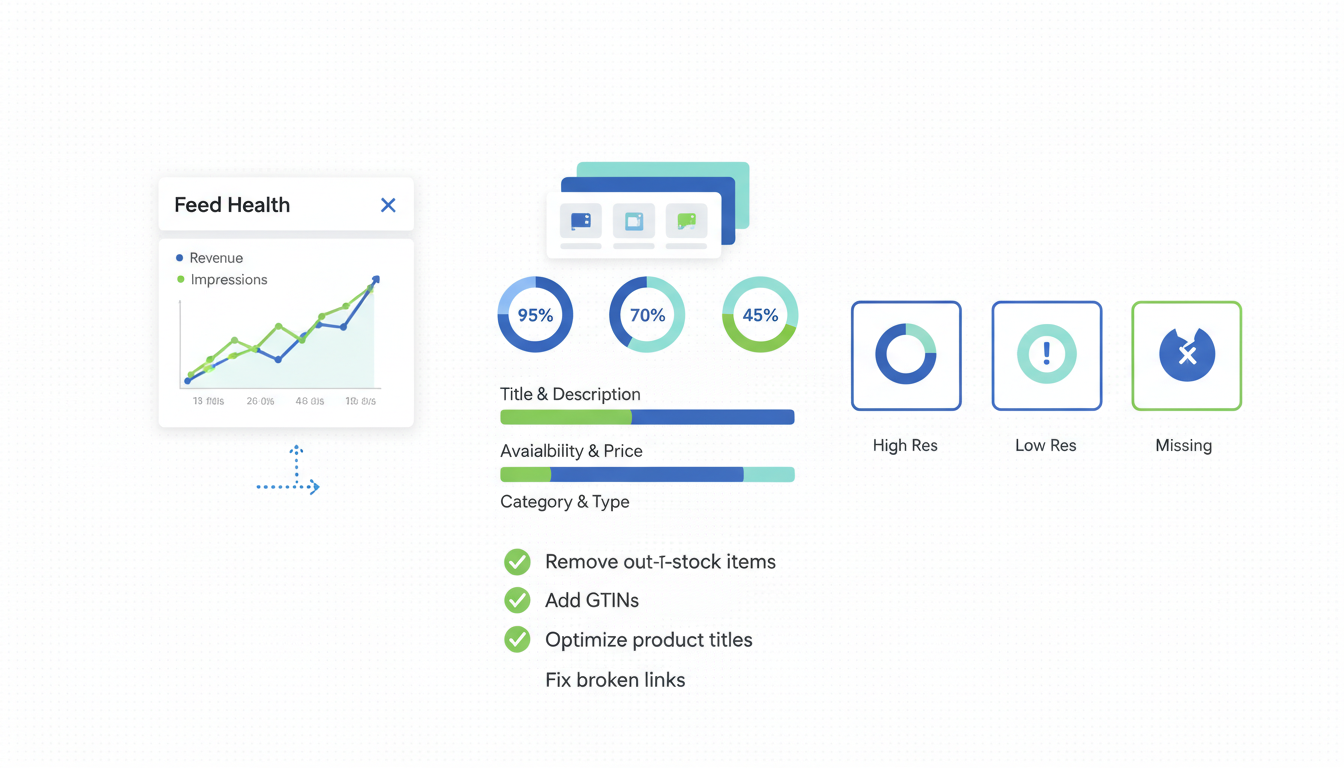
Shopify PMax feed optimization is the single biggest lift a Shopify store can pull on Google Ads in 2026, and most operators tune the wrong attributes. Performance Max reads about a dozen feed fields with real bidding weight and another 20 that are basically cosmetic, but most "optimization" guides treat them all the same. So stores rewrite bullet points Google ignores, skip the title and product type rewrites that actually move spend, and then wonder why PMax keeps wobbling. The fields that matter are title (front-loaded for query intent), product type (3-5 levels deep, not 1), GTIN strategy that matches your catalog, and two custom labels segmenting margin and stock age. Fix those four, respect the 7-day re-indexing window, run the monthly quality audit. ROAS climbs 30 to 50% inside three weeks. The work takes a day. The lift compounds for months.
- Title and product type carry 60% of the bidding weight. Most other fields are cosmetic.
- GTIN strategy splits by branded vs private label. Setting `identifier_exists: false` wrong is a $5k-a-month mistake.
- Two custom labels (margin, stock age) beat five every time. Three or more fragment learning.
- Push feed changes once a week, not daily. The 7-day re-indexing window punishes constant edits.
What PMax actually reads from your feed
Shopify PMax feed optimization starts with triage: which feed attributes does Google use for bidding, which are decorative. Most guides list 30 fields and tell you to fill them all. Useless. PMax weights fields by bidding impact, not completeness, and the gap is enormous.
About 12 fields drive 80% of outcomes. We audit around 40 Shopify stores a month since 2023. Heaviest signal:
- Title. First 70 chars carry the matching weight. Brand-name-first kills attribute-query reach.
- Product type. 3-5 levels deep. PMax uses this to bucket inventory for asset group routing.
- Google product category. Auto-assigned at level 1 or 2 by default, leaves PMax guessing.
- Image quality. 1200x1200 minimum, white background, lifestyle in
additional_image_link. Watermarks tank approval. - GTIN. Required for branded products. Missing GTINs cap branded-query impressions 40 to 60%.
- Description. First 160 chars feed PMax's AI ad copy. Rest is intent-keyword filler.
- Custom labels 0 and 1. Margin tier and stock age. Asset group segmentation rides on these.
- Price + sale_price. Sale price triggers the "price drop" badge, +8-12% CTR, only when discount lasts 48h+.
- Availability. Sync lag over 2 hours causes disapproval cycles.
- Brand. Shopify's default pulls from vendor field, empty or wrong on 30% of catalogs.
- Product highlights. 3-5 bullets of benefit copy. Underused on 80% of stores.
- Item_group_id. Groups variants. Without it, sizes and colors compete as duplicates.
What PMax mostly ignores: description past 160 chars, mpn when gtin is present, material and pattern if not in the title, age_group for non-apparel, secondary images beyond the third.
The trap most stores fall into: treating Merchant Center diagnostics as the optimization roadmap. Diagnostics catches errors. It does not catch weak titles, level-1 categories, or empty custom labels, which hurt performance without throwing a code. A clean diagnostics screen with a feed score of 60 is exactly what makes PMax wobble. See our Google Merchant Center for Shopify guide for the diagnostics checklist. This guide is about everything diagnostics does not catch.
Title rewrite framework specifically for PMax
Titles are the highest-impact lever in PMax feed optimization. Google uses title text as the primary matching signal for Shopping queries, and PMax amplifies that because it bids across more surfaces. A weak title costs reach on Shopping, Display, YouTube cards, and AI Overviews.
The pattern: [Brand] [Product Type] [Primary Attribute] [Size/Color/Gender] [Use Case]
The PMax-specific addition vs a generic Shopping title is the use case at the end. PMax surfaces in YouTube and Display benefit from intent words like "for travel" or "for sensitive skin". The first 70 characters need structured attributes for the Shopping match. Characters 70 to 130 are real estate Standard Shopping titles often waste.
- Generic Shopping: "Acme Running Shoes Waterproof Mens Size 10 Black"
- PMax-tuned: "Acme Running Shoes Waterproof Trail Mens Size 10 Black for Wet Weather Hiking"
Category-specific patterns:
- Apparel: Brand + Gender + Product Type + Material + Color + Size + Use Case
- Beauty: Brand + Product Type + Active Ingredient + Size + Skin Type
- Home: Brand + Product Type + Material + Dimensions + Color + Room
- Electronics: Brand + Product Type + Key Spec + Storage + Color + Compatibility
Implementation: do not rewrite Shopify product titles directly. That hurts on-site search and breaks theme logic. Use a feed rule. The Sales Channel has a basic title template that appends vendor + variant options + product type to the base title. For more complex logic, use Matrixify, Feed for Google Shopping, or Profit Calc.
The test that tells you titles are working: open Insights for your PMax campaign, find "Search themes driving conversions", check whether themes mix brand + attribute + use case queries. If they are dominated by branded-only queries, titles are not ranking for the attribute and intent layers.
Description and product type: the sleeper levers
Description and product type are the two fields most stores skip during google pmax feed shopify optimization, and they have the biggest gap between effort and impact. Both take an afternoon. Both move PMax 15 to 25% on previously-default accounts.
Description. The first 160 chars are the high-value slice. PMax uses them for AI ad copy on Display and Discovery, and they show in Shopping listings under the title. Most descriptions open with marketing fluff, wasted here. Open with product type, primary benefit, specific differentiator.
Pattern: [Product Type] + [Primary Benefit] + [Specific Differentiator] in the first 160, then use cases, materials, sizing.
Example: "Waterproof trail running shoes built for wet-weather hikes and muddy terrain. GORE-TEX upper, lugged outsole, 10mm drop, recommended by ultramarathon runners." Every matching signal in the first 160. The rest is intent-rich filler.
Product type. A custom hierarchy from Shopify collections, separate from Google product category. Most stores set it to one level. The right depth is 3 to 5:
- Bad: "Apparel"
- Better: "Apparel > Womens > Outerwear"
- Best: "Apparel > Womens > Outerwear > Rain Jackets > Insulated > Long-Length"
PMax uses product_type as a primary signal for asset group bucketing. A 5-level hierarchy lets Google route a long-length insulated rain jacket to a different asset group than a hip-length uninsulated one. A 1-level collapses everything into one bucket.
Implementation: structure Shopify collections as nested smart collections. The Sales Channel pulls the deepest collection a product belongs to. If collections are flat, build a parallel nested set for the feed. They do not need to show in storefront nav.
Combined effect: rewriting the first 160 chars and pushing product_type to 4-5 levels moves PMax ROAS 15 to 20% inside two weeks. Not magic, just giving PMax the segmentation signal it has been guessing at.
GTIN strategy for branded vs generic product catalogs
GTIN handling is where pmax shopping feed optimization most often goes wrong. Three scenarios, three correct answers, and most stores apply the wrong one because Shopify's default is "trust me, no identifiers" by accident.
Scenario 1: Major branded products (Nike, Apple, Nestle). Every product has a GTIN on the packaging. Required: fill variants.barcode with the GTIN, leave identifier_exists at TRUE. What goes wrong: stores leave it blank. GMC then suppresses or under-bids every branded product, a 40 to 60% impression cap. Fix: bulk-update via Shopify CSV. One afternoon, lifts impressions inside a week.
Scenario 2: Private-label brands. Two sub-cases:
- If you sell on Amazon, you already paid for UPC codes. Pull them into Shopify's barcode field. Zero extra cost.
- If not, choose: GS1 GTIN registration (~$250 one-time + $50/year, up to 10 GTINs), or set
identifier_exists: falseand accept the 10 to 20% visibility hit. For a private-label store doing $30k+/month on Google, GS1 pays for itself in a month.
Scenario 3: True generic or one-of-a-kind. Required: identifier_exists: false AND brand blank or matching store name AND mpn blank. Setting it true on a true generic causes constant disapproval cycles.
The most common GTIN mistake: Shopify's Google Sales Channel sets identifier_exists: true by default for every product. Correct for branded and private-label, wrong for true generics. Mixed catalogs end up with the field set wrong on half the SKUs. Fix with a feed rule: if brand is blank, set identifier_exists: false; otherwise leave it true.
MPN: required when GTIN is absent but the product is from an identifiable brand. Default: use your internal SKU code, or generate one from product type + variant ("ACME-RJKT-WMN-BLK-M"). Google does not validate format, just presence and consistency.
GS1's official GTIN documentation covers the registration process. Cheaper than the visibility hit for any store doing meaningful Google spend.
Custom labels that segment margin, velocity, and seasonality
Custom labels are where shopify product feed optimization either compounds or fragments. PMax gives you five slots. Most guides say fill all five. Wrong. Every label adds a dimension PMax has to learn across, and beyond two it fragments inventory into segments too small for reliable optimization.
Two labels carry 80% of the segmentation lift. The other three are noise.
Label 0: Margin tier. Tag SKUs as high_margin (>50%), mid_margin (30-50%), or low_margin (<30%). Lets you set different ROAS targets per asset group. High-margin tolerates 2.5x. Low-margin needs 4x. Without it, PMax averages everything and you bid aggressively on SKUs that lose money at the achieved CPA. Pull cost-of-goods from variant.cost, compute margin, assign via feed rule, refresh monthly.
Label 1: Stock age. Tag as new_under_30d, core, or clearance. New products have no conversion history, and the algorithm burns budget trying to learn them at the same bid as products with months of data. Tagging new lets you put them in their own asset group with looser ROAS targets. Clearance gets aggressive bids. Set from "Created at" for new, inventory age for clearance (>180 days with falling sell-through).
Labels 2, 3, 4: usually noise.
- Seasonality: use campaign start/end dates instead.
- Top-seller rank: PMax figures this out faster than you can update a label.
- Brand for multi-brand retailers: use the
brandattribute, already structured in the Google Ads UI.
Why fewer works: PMax optimization is a function of conversions per segment per unit time. Margin (3) plus stock age (3) gives you 9 segments. Most catalogs feed 9 fine. Add a third dimension (4 buckets) and you hit 36 segments, most under 20 conversions per month, below the threshold for reliable optimization.
Note: labels are case-sensitive. "High" and "high" are separate segments. Pick a convention (lowercase with underscores) and enforce it.
The 7-day re-indexing gotcha and how to avoid it
The most painful operational mistake we see in shopify pmax feed optimization is pushing feed changes daily, which triggers Google's re-indexing window over and over and traps the campaign in permanent learning. Every meaningful change to title, product type, GTIN, or category triggers a 7-day re-indexing period during which PMax under-bids those products.
Push changes once. Wait 7 days. Measure. Push again.
The pattern: push a title rewrite Monday, PMax dips Wednesday, panic and push another change Thursday, PMax dips again, three weeks later still in learning. Blended ROAS down 30% because every iteration restarted the clock.
The re-indexing rules in 2026:
- Title: 5 to 7 days for full re-evaluation.
- Product type: 3 to 5 days. PMax re-buckets affected SKUs across asset groups.
- GTIN: 2 to 4 days.
- Description: 2 to 3 days.
- Custom labels: 1 to 2 days. Fastest, pure metadata.
- Image: 7 to 10 days, Google re-runs visual analysis.
- Price and availability: Same-day, real-time signals.
Batch your changes. Push titles, product types, and custom labels on the same day. The 7-day window covers all of them in parallel and PMax restabilizes after one cycle instead of three.
The cadence we use:
- Week 1: Audit feed, identify heavy-weight fixes. Build changes in a staging spreadsheet.
- Week 2: Push all changes Monday. Let PMax re-index Tuesday-Friday. Do not touch the account.
- Week 3: Measure. Compare ROAS week-over-week against pre-change baseline.
- Week 4: Push the next batch (images, descriptions). Repeat.
The behavioral change that fixes this: stop pushing daily. Set a calendar reminder for "feed push day" once a week, batch every change into that push, do not touch the feed for the next 6 days.
Feed quality scoring: running the monthly audit
The feed score is the single dashboard that tells you whether your shopify pmax feed optimization is working. Without a score, every "we improved the feed" claim is unverifiable.
Scoring rubric, weighted by PMax bidding impact:
| Attribute | Weight |
|---|---|
| Title quality (front-loaded, attribute-rich) | 2x |
| Product type depth (1-5 levels) | 2x |
| Custom labels 0 + 1 (margin + stock age) | 2x |
| Google product category (depth 1-5) | 1.5x |
| Image quality (1200x1200, white bg, no overlay) | 1.5x |
| GTIN coverage (% of SKUs with valid GTIN) | 1.5x |
| Description (first 160 char benefit-led) | 1x |
| Brand attribute (set explicitly) | 1x |
| Availability sync cadence (hourly) | 1x |
| Product highlights (3-5 bullets) | 1x |
| Item_group_id (variants grouped) | 1x |
| Sale price discipline (real, lasts 48h+) | 0.5x |
Score each attribute 0 to 10. Total possible: 170. Buckets:
- 140 and up: PMax firing on full feed signal. 3.5x ROAS or higher with reasonable creative.
- 100 to 140: Functional but leaving 20 to 30% on the table.
- 60 to 100: Feed hurting more than helping. PMax bidding on partial signal.
- Below 60: Do not run PMax. Loses money faster than the algorithm can learn.
Cadence: monthly. Block 90 minutes the first Monday, score every attribute, log it in a tracking sheet. The number going up is proof the work is compounding.
Fix order when score is below 100:
- Title
- Product type depth
- Custom labels 0 and 1
- GTIN coverage
- Image quality (only if currently failing)
- Description first 160 chars
Skip the bottom if the top is broken. Stores that fix product highlights before titles never see meaningful movement.
Google product category note. Most Sales Channel installs auto-assign at level 1 or 2, which leaves PMax routing products to the wrong subcategories. Manually map every product to the deepest correct category from the Google product taxonomy. For a 1,000-SKU catalog this is two afternoons. The Sales Channel has a bulk-mapper under Channels > Google.
Order of operations: feed first, asset groups second, creative and negatives third. You cannot fix asset group structure if the feed is too weak to signal what to bid on.
Frequently asked questions
How long does it take for feed changes to show up in PMax performance?
Should I rewrite my Shopify product titles or use a feed rule to override them?
What is the right number of custom labels to use in PMax?
custom_label_0 and stock age on custom_label_1. Three or more labels fragment the optimization, because PMax has to learn across each combined segment, and beyond two dimensions most segments end up with too few conversions for reliable bidding. Stores that fill all five slots usually see worse PMax performance than stores that fill two, because the algorithm spends learning budget trying to find signal in segments that are too small. The exception is large catalogs (10,000+ SKUs across multiple distinct verticals) where a third label segmenting by vertical can help. For most Shopify stores under 5,000 SKUs, two labels is the right answer.Do I need GTINs for private-label products on PMax?
identifier_exists: false, accept a 10 to 20% visibility hit, and make sure brand and MPN are set correctly to recover what you can.Why is my PMax campaign performing worse after I optimized the feed?
Does Shopify's Google Sales Channel handle PMax feed optimization automatically?
Shopify PMax feed optimization is one of those projects that looks dry on the surface and changes the entire economics of your Google account underneath. Fix the four heavy-weight fields (title, product type, GTIN, custom labels), respect the 7-day re-indexing window, run the monthly quality audit, and the feed score climbs from 60 or 70 to 140+ inside a quarter. That is when PMax stops wobbling and starts compounding. Best to score the feed against the rubric before you touch a single field, so you know which heavy-weight attributes are dragging the most weight. If the score is below 100, fix the feed before touching asset groups, creative, or negatives. The other levers cannot save a feed that is not pulling its weight, and the feed is the only one that compounds for months after the work is done.
Get a full X-ray of your ad account
Paste your Meta and Google Ads. See exactly where signal is leaking. Free. 60 seconds.