Google Merchant feed errors on Shopify: 14 common causes
 By Dror Aharon
·
CEO, COREPPC
·
Updated April 17, 2026
·
11 min read
By Dror Aharon
·
CEO, COREPPC
·
Updated April 17, 2026
·
11 min read
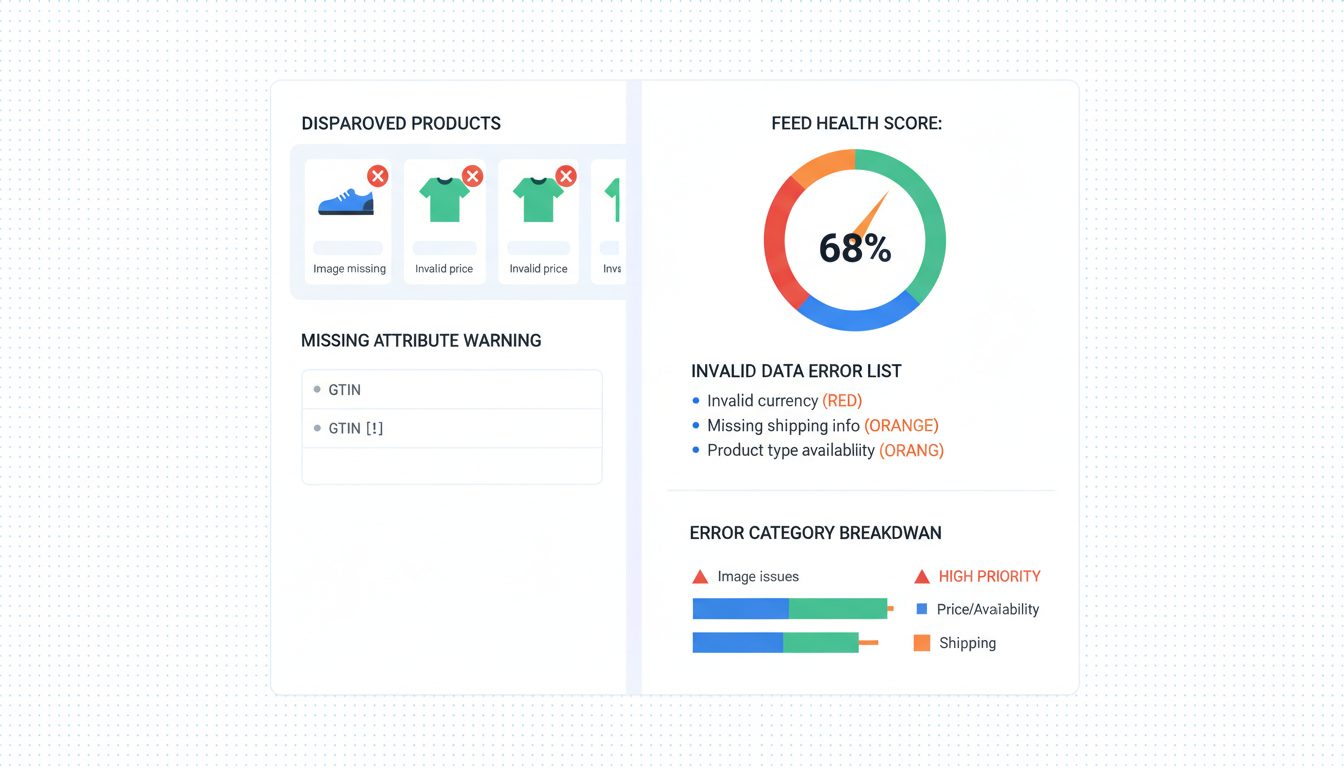
Shopify product feed errors are the silent ROAS killer for most Google Ads stores, because Merchant Center disapproves 20 to 40% of SKUs without ever telling you in Shopify, Google Ads, or the Sales Channel dashboard. So Performance Max runs, Shopping runs, the dashboards look green, and between a fifth and nearly half of the catalog is suppressed every week. The money leak compounds. A store spending $30k a month on Google with 38% suppression is basically paying full price for 62% of its inventory to compete, while the rest is invisible. Fourteen error types drive 80% of all disapprovals we see. Fix them in the right order (GTIN, title, identifier_exists, brand first) and approved SKU count climbs from 60% to 95% inside a week. The 15-minute weekly audit prevents the next wave. Most fixes are two-click toggles.
- The hidden cost of feed errors is almost always 3 to 5x what operators guess.
- Fourteen error types account for 80% of Shopify GMC disapprovals. Work them in order.
- Diagnostics queue top-down beats the "fix what bothers me" approach every time.
- The 15-minute weekly audit catches new errors before they compound into real spend loss.
What a feed error actually costs you (the hidden spend loss)
Shopify product feed errors are not a Merchant Center problem. They are a revenue problem that happens to surface in Merchant Center diagnostics. Most operators treat them like a compliance chore, fix one or two red flags a quarter, and move on. That is why feed errors quietly cost more than any other tracking or campaign issue we see on audits.
Here is the math, which is almost always worse than operators guess. Say you have 4,000 SKUs, 38% are suppressed (the median we see on Shopify audits in 2026), and spend is $30k a month at 3.1 blended ROAS. The 1,520 suppressed SKUs never compete. The suppressed inventory was usually carrying your long-tail queries, the highest-margin traffic. Remaining products absorb more spend per click, CPCs creep up 15 to 25%, and ROAS drifts to around 2.3 without anybody noticing. The "fix" most operators try is new creative or a budget bump. Neither addresses the leak.
I am not sure anyone has a perfectly clean audit on this. Every store we look at has at least one suppression stacked on another. But the delta between a 60% approved catalog and 95% is consistent: 1.6 to 1.9x ROAS on the same spend, inside three weeks. Not because the new SKUs are magical, because Google finally has the whole inventory to optimize across. Google's Merchant Center product data specification is the canonical source for what approves and what does not.
One more thing nobody mentions. Disapproved SKUs count against your feed health score, which Google uses as a quality input on Performance Max. A feed score below 70 drags the whole account. So stubborn SKU errors you have been ignoring poison the approved inventory's reach too. Fix the feed, the whole account lifts.
The 14 feed errors ranked by frequency
Across roughly 40 Shopify stores a month we audit since 2023, 14 error codes account for about 80% of all disapprovals. The ranking below is by frequency, not severity, because frequency and severity line up tightly in practice. Work this list top-down and you clear the bulk of suppression inside 72 hours after Google re-crawls.
- Missing or invalid GTIN
- MPN missing when GTIN is absent
- Brand field missing or pulling from the wrong Shopify field
identifier_existsset wrong for private label- Title too short, too keyword-stuffed, or brand-first for search intent
- Description shorter than 120 chars or stuffed with promo copy
- Price mismatch between feed and landing page
- Shipping not configured or misaligned with Shopify rates
- Image too small, watermarked, or containing promo overlay
- Landing page does not match product
- Availability mismatch between feed and PDP
- Tax not configured for the US
- Shipping policy or returns policy missing in GMC settings
- Data quality warnings (low feed score, unstructured attributes, weak categories)
The order matters because early fixes lift later ones. Fixing brand (#3) often clears half of the data quality warnings at #14 without direct work, because feed score rewards structured brand data. Same for GTIN and identifier_exists. Do not cherry-pick the errors that bother you most. Work the queue in order, let the compounding do the work.
Best to open GMC diagnostics before any fix. Merchant Center, Products, Diagnostics, Item issues. The affected SKU count per code is the queue. If yours looks different from this list, trust yours.
Errors 1-4: missing GTIN, MPN, brand, identifier_exists
These four account for around 45% of all Shopify feed disapprovals. They stack because they all live in the product identification layer. Fix first, clear 40 to 50% of suppressed SKUs in 24 hours after the next crawl.
1. Missing or invalid GTIN. Google wants a real 8, 12, 13, or 14-digit barcode for any product sold under a known brand. Shopify stores GTIN in the variants.barcode field. Empty field + known brand = suppressed under "Missing GTIN." For resellers and branded goods, fill variants.barcode with the real UPC or EAN on every variant, bulk edit through Matrixify or Shopify's CSV export. For private label with no official GTIN, do not leave the field empty, go to error 4.
2. MPN missing when GTIN is absent. If neither GTIN nor MPN is present, Google treats the product as unidentified and caps impressions or suppresses outright. MPN is the manufacturer part number, and for private label it is your internal SKU. Shopify has no native MPN field, so map Shopify's SKU field to mpn through the Sales Channel's attribute mapping or a Merchant Center feed rule. Clears 15 to 20% of suppressed private label SKUs on most stores.
3. Brand field missing or pulling from the wrong Shopify field. The Sales Channel defaults to Shopify's "Vendor" field for brand. "Vendor" is often the supplier, the dropshipping vendor, or empty on 30% of catalogs we audit. See the Google Sales Channel docs for the mapping. Fix: check Vendor on a 20-product sample. If wrong or missing, populate in Shopify or remap the brand attribute in the Sales Channel to a custom metafield with the real brand name.
4. identifier_exists set wrong for private label. This is the single most-missed fix on Shopify. Private label products without real GTINs need identifier_exists: false passed explicitly, or GMC flags them for "Missing unique product identifiers." The Sales Channel has a toggle under each product's Google section. But setting it globally to false kills your branded resellers, so you cannot just flip one switch. Apply it only to private label collections, through a feed rule or metafield flag. This is where stores lose a few grand a month and never trace it back.
Errors 5-8: title, description, price, shipping
These four are the content and commerce layer. Another 25% of suppression, plus they throttle reach even when they do not throw hard disapprovals.
5. Title too short, keyword-stuffed, or brand-first for search intent. "Acme" alone gets rejected for insufficient information. "Acme Best Premium Top Quality Shoe Running Men Waterproof Trail Shoe 2026" gets throttled for keyword stuffing. The pattern that works: [Brand] [Product Type] [Key Attribute] [Size/Color]. Shopify's raw titles are written for the PDP, not the feed. Fix: rewrite through a Merchant Center feed rule or a feed app like Feed for Google Shopping. Do not rewrite the Shopify product title directly, it breaks on-site search. See our PMax feed optimization guide for the title framework by category.
6. Description shorter than 120 chars or stuffed with promo copy. Google wants structured descriptions with real attributes. "The best shoes for every adventure!" is either disapproved or massively underweighted. The first 160 chars feed PMax's AI ad copy, so open with product type, primary benefit, specific differentiator. If your descriptions come from a theme's default template, they need rewriting.
7. Price mismatch between feed and landing page. GMC crawls the PDP and compares against feed price. Feed says $40.00, landing page shows $39.99 from a currency rounding setting or live discount, SKU gets disapproved. Happens with apps that inject dynamic pricing (subscriptions, tiered pricing, limited-time promos). Fix: turn off price rounding in Shopify, align promo app timing with feed sync cadence, confirm both show identical strings.
8. Shipping not configured or misaligned with Shopify rates. 30% of stores we audit have shipping at the Shopify level but missing from GMC. Or GMC has a flat rate that does not match checkout. Fix: GMC Tools > Shipping and returns. Set a flat rate matching your cheapest Shopify option, or import Shopify's shipping table if you use flat or weight-based rules. Real-time carrier rates need a carrier service integration.
Errors 9-11: image, landing page, availability
These three are the rendering layer, what Google sees when it crawls or the shopper sees when they click. Hard disapprovals, so prioritize after identification and content.
9. Image too small, watermarked, or containing promo overlay. Google wants 250x250 minimum, 800x800+ recommended, zero overlay text or promotional banners. The most common cause we see is a "Sale" or "Free shipping" badge burned into the hero image by a theme app. Fix: remove promo overlays from product images, use clean studio shots, confirm the Shopify image URL resolves to at least 800x800. Lifestyle shots go in additional_image_link, not the hero.
10. Landing page does not match product. Two causes. A redirect sending traffic to a collection page instead of the PDP, or a PDP showing multiple products so Google cannot isolate the right one. Shopify handles this by default but breaks when you install certain landing-page builders (Zipify, Replo, some theme customizers) that replace the native PDP. Fix: confirm every feed link points to a real PDP, not a collection or builder template.
11. Availability mismatch between feed and PDP. Feed says "in stock," crawler hits a PDP showing "Sold out." Happens when inventory syncs lag or a variant is out of stock but the parent is still marked in stock. The Sales Channel syncs daily by default, too slow for active inventory. Fix: set sync cadence to hourly in the Sales Channel settings. For most stores under 10k SKUs, hourly is plenty.
Errors 12-14: tax, shipping policy, data quality issues
These three are the compliance and signal-quality layer. They get ignored longest because they do not always throw red errors, just warnings. But they drag feed score silently, which throttles performance across the approved inventory.
12. Tax not configured for the US. US-shipping accounts require tax in GMC or every product gets suppressed. Stores often have tax-inclusive pricing at the Shopify level but no entry in GMC. Fix: Tools > Tax in Merchant Center. Pick "Don't tax" if prices include tax, otherwise enter US state rates. Non-US accounts skip this unless they ship to the US as a secondary market.
13. Shipping policy or returns policy missing in GMC settings. GMC now requires a returns policy URL and often a shipping policy URL, especially for Shop tab and free listings. Without them, SKUs get soft-suppressed on certain surfaces, which you will never catch in the main diagnostics view. Fix: Settings > Business information > Shipping and returns. Link to your /pages/returns-policy page. Takes two minutes.
14. Data quality warnings (low feed score, unstructured attributes, weak categories). The catch-all that shows up as warnings, not hard disapprovals. Symptoms: feed score below 70, "Item could be better" warnings, missing color, size, age group, gender, material. Google uses these attributes for faceted search, filter queries, and AI Overviews. Without them, SKUs compete only on generic queries and lose the long-tail. Fix: audit your top 100 SKUs by revenue, fill color, size, material, age_group, gender where relevant. Skip long-tail SKUs unless you have feed automation. See the feed quality documentation.
The 15-minute weekly feed audit
Feed errors regenerate. Fix them once, they come back. New SKU launches trigger new suppressions. A theme app update kills the image rule. Someone edits a title in Shopify and breaks the feed mapping. So a one-time cleanup gets you to 95%, then drifts back to 78% over six weeks without a weekly check.
The audit. Literally 15 minutes, once a week, ideally Monday morning.
- Minute 0 to 3. Merchant Center, Products, Diagnostics, Item issues. Export error count by code. Compare against last week (keep a small sheet). New codes or count jumps over 10% are this week's priority.
- Minute 3 to 8. Check feed score under Products > All products. A 3+ point drop week over week is the alert, usually caused by new SKUs launching with incomplete attributes.
- Minute 8 to 12. Sales Channel app in Shopify, "Issues" section. Shopify surfaces sync-side problems that do not appear in GMC (permission errors, OAuth token expiry, app version mismatches).
- Minute 12 to 15. Fix the top one or two error codes from step 1. Do not try to fix everything every week. Two per week compounds.
That is it. The trick is not skipping the weeks where nothing looks urgent, because those are the weeks new errors quietly stack. Log in a Google Doc with date, feed score, top three errors. Takes 20 seconds. Calendar the slot, protect it, the ROAS compounds.
Frequently asked questions
How long does it take Google to re-approve a fixed Shopify product feed error?
Why does my Shopify feed show approved in Merchant Center but PMax traffic is flat?
Is Shopify's Google Sales Channel good enough for feed management or do I need Feedonomics?
What is `identifier_exists: false` and when should I use it?
identifier_exists attribute tells Google whether your product has a real, unique manufacturer identifier (GTIN, MPN, brand). Set to false when you sell private label or custom products that genuinely have no GTIN because they are unique to your store. Set to true (or leave default) for resellers or branded goods where a real UPC exists. The common mistake is setting it globally false to suppress GTIN errors, which also breaks your resold branded items. Apply it surgically through a metafield flag or a feed rule that targets only private label collections. Gets wrong most often on stores that mix private label with branded inventory.How do I fix image disapprovals without re-shooting every product photo?
Can I automate the weekly feed audit or does it have to be manual?
That's all for now. Feel free to let me know if you have any questions.
Meta CAPI setup on Shopify is one of those fixes that looks small on the dashboard and compounds for months afterward. Dedup cleanly, raise EMQ above 8.5, validate in Test Events before you push live, and the algorithm finally has signal it can trust. That is when ROAS stops wobbling and budget scales predictably, instead of collapsing every time you push daily spend past the last tested ceiling. Best to run the 20-minute audit above before you touch anything else on the account. If the audit surfaces two or more of the problems in the "Why Shopify stores get CAPI wrong" section, fix those first, then revisit creative testing. The creative never was the problem, nine times out of ten the tracking was lying the entire time.
Get a full X-ray of your ad account
Paste your Meta and Google Ads. See exactly where signal is leaking. Free. 60 seconds.