How to speed up a Shopify store without breaking design
 By Dror Aharon
·
CEO, COREPPC
·
Updated April 17, 2026
·
11 min read
By Dror Aharon
·
CEO, COREPPC
·
Updated April 17, 2026
·
11 min read
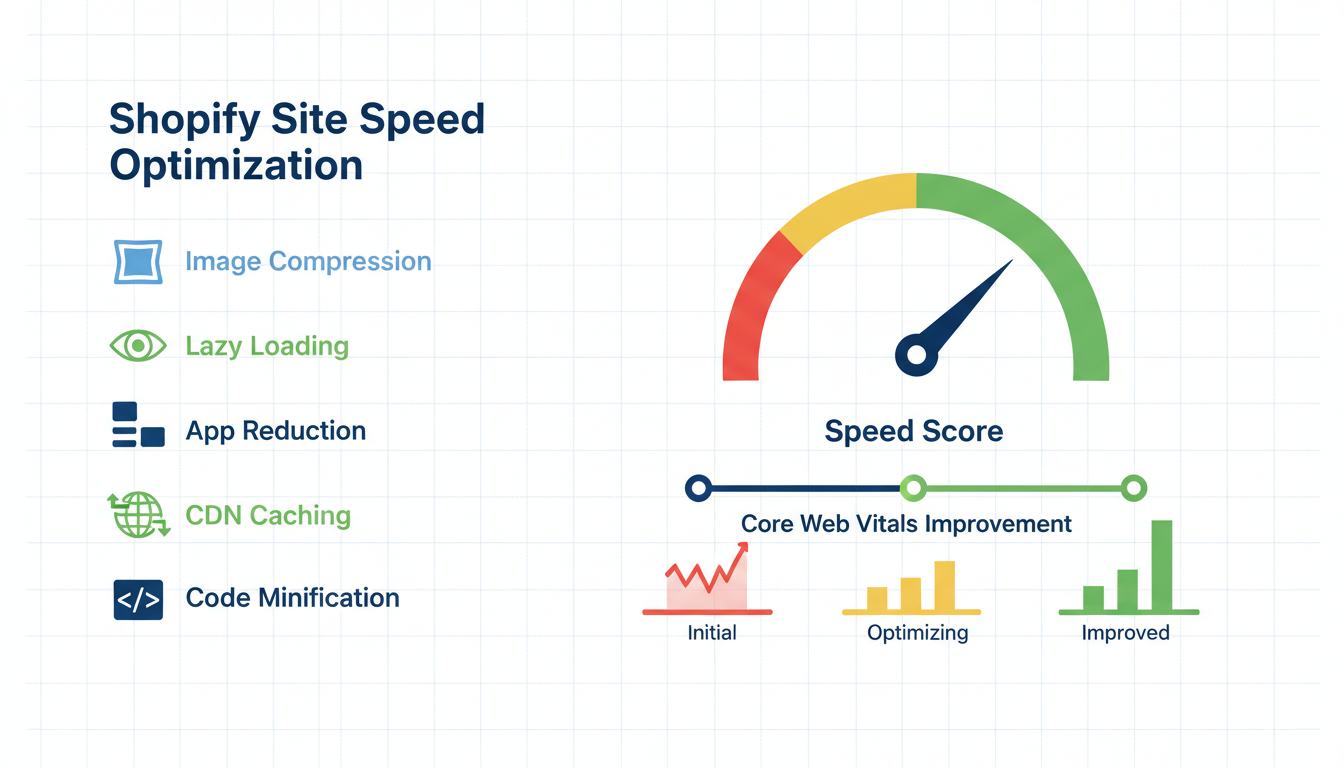
Shopify site speed is where most growth-stage stores quietly lose 15 to 25% of paid traffic before a single product ever loads, and almost nobody connects the lost revenue to LCP. Default Dawn theme on a clean install scores 90+ on PageSpeed. Same store six months later, after 14 apps and three theme tweaks, scores 38. Mobile LCP jumps from 1.8s to 4.7s. CR drops from 2.2% to 1.6% and the team blames creative. The actual fix is a 3-app bloat audit, a theme code cleanup that does not touch the design, and an image and font strategy that survives a designer review. Get LCP under 2.5s on mobile and CR usually rebounds 0.4 to 0.7 points inside 4 weeks. The audit takes 90 minutes. The fixes ship in 2 to 5 days. The compounding lift on Meta and Google ROAS pays for the work many times over.
- LCP under 2.5s on mobile is the single highest-leverage Shopify speed target.
- 3 apps account for 60% of render-blocking JS on most stores. Find them, kill or replace.
- Image format swap to WebP plus responsive sources cuts LCP 0.6 to 1.2s on average.
- Font preload plus font-display swap fixes the invisible text flash without breaking type.
Why Shopify stores tank Core Web Vitals by default
Shopify site speed degrades the same way on every store we audit. A new install on Dawn scores 90+ on mobile PageSpeed Insights. The store launches. Marketing installs a review app, an upsell app, a chat widget, a popup tool, a wishlist, a currency converter, a back-in-stock notifier, a quiz, a loyalty program, a free-shipping bar, an exit-intent modal, a recently-viewed module, and an analytics layer on top of GA4. Each one looks lightweight. None of them disclose the render-blocking JS they inject. Six months in, the same store scores 38 on mobile. Mobile LCP sits at 4.7s. Nobody noticed because desktop still looks fine.
The structural problem is that Shopify themes load apps through Shopify.theme.appBlocks and script tags injected into theme.liquid. Every app sneaks at least one external JS file into the head. Most apps do not lazy-load. Most apps do not defer. The cumulative effect is brutal: a typical mid-size Shopify store ships 1.8 to 3.2MB of JavaScript on first paint, of which 60 to 70% is third-party app code that is not actually used above the fold. Google's Core Web Vitals budget for LCP is 2.5s on mobile. You blow through that with 1.4MB of blocking JS, no matter how fast the host server is.
The other failure mode is theme drift. Every "small" customization (a custom announcement bar, a hero video, a new product card layout) adds a CSS file or a script. Themes do not have a built-in way to clean these up. So the codebase grows for two years, nobody removes anything, and the cumulative weight slowly strangles LCP. Best to treat theme code the same way you treat app code: every addition gets a removal somewhere else, or LCP keeps climbing.
The compounding pain is that Google now penalizes slow Shopify pages on two fronts. Organic ranking drops because Core Web Vitals are a ranking signal since 2021. Paid CPCs climb because Quality Score factors landing page experience, and Meta's algorithm reads bounce signal as a negative outcome. So a slow store gets less organic traffic, pays more per click, and converts a lower percentage of the clicks it does buy. The math compounds in the wrong direction, fast.
Measuring the right metrics (LCP, INP, CLS) on Shopify
Shopify page speed measurement is broken by default. The native Shopify "online store speed" report shows a single composite score that bundles Lighthouse runs from a desktop test environment, which does not reflect what real mobile users experience. Stores see "82" on the Shopify dashboard and assume they are fine, while real-user LCP on mobile sits at 4.2s. The gap between lab data and field data on Shopify is the single biggest reason teams ignore speed problems for too long.
The three Core Web Vitals that matter, ranked by Shopify-specific impact:
- LCP (Largest Contentful Paint): Time to render the largest above-the-fold element, usually the hero image or product image. Target: under 2.5s on mobile. Most Shopify stores sit between 3.2s and 5.1s.
- INP (Interaction to Next Paint): Time from a user tap to the next visible response. Replaced FID in March 2024. Target: under 200ms. Apps that hijack the main thread (chat widgets, A/B test scripts, heavy review carousels) blow this up first.
- CLS (Cumulative Layout Shift): Visual stability. How much content jumps around as the page loads. Target: under 0.1. Shopify problem areas are unsized hero images, web fonts swapping in late, and announcement bars that push content down after the fold loads.
Best to measure with two tools, not one. Google PageSpeed Insights gives you the lab data plus the field data from the Chrome User Experience Report (CrUX). Lab data tells you the ceiling under perfect conditions. Field data tells you what real users actually experience over the trailing 28 days. If the field LCP is 1.5s slower than the lab LCP, you have a real-world rendering problem that synthetic tests are missing. The other tool worth running is web.dev/measure with the breakdown view, which shows you exactly which JS file or image is the bottleneck. That is the only way to know what to fix first.
Run the test on the homepage, a product page, and a collection page. Mobile only. Use the slow 4G throttling preset, not fast 3G or no throttling. The results on a fast desktop connection are useless for the 65% of Shopify traffic that lands on mobile.
App bloat: the 3-app audit that recovers 40% of render time
App bloat is the single largest contributor to slow Shopify Core Web Vitals on stores between $500k and $20M annual revenue. We audit every store the same way. Open the homepage in Chrome DevTools, open the Coverage tab, hard-reload, and sort by unused bytes. The result is almost always the same: 3 apps account for 50 to 70% of all render-blocking JS that goes unused above the fold. Kill those three or replace them with lighter alternatives and LCP usually drops 0.8 to 1.6s in a single afternoon.
The 3-app audit, run in order:
- Open Coverage tab in DevTools, hard-reload the homepage on mobile emulation. Sort by "unused bytes" descending. The top three rows are almost always third-party app scripts. Note the source URL for each.
- Match the URL to the app in your Shopify admin. Most look like
cdn.app-name.com/widget.jsorapp-name.shopifycdn.com/loader.js. If you cannot match the URL, search the script source for a vendor name string. - For each top-three app, ask the same question: is it loading on every page or only where it matters? A wishlist that loads on the homepage but is only used on PDP is the single most common offender. Most apps offer a "load on selected pages" setting buried two menus deep. Enable it.
- For apps you cannot scope (chat widgets, popup tools), check if a lighter alternative exists. Tidio replaces Intercom at one-third the page weight. Privy replaces Klaviyo's onsite popup tool at half the JS load. Loox replaces Yotpo at a fraction of the script size for stores under $5M revenue.
- Uninstall any app that has not generated revenue or measurable engagement in the last 90 days. The "we might use it later" tax is brutal on LCP. Most stores have 4 to 7 of these.
The biggest wins on stores we have audited in 2025: a back-in-stock notifier that loaded on every page and was only used on out-of-stock PDPs (saved 340KB of JS, 0.6s LCP). A currency converter that loaded synchronously in the head and could be deferred (saved 220KB, 0.4s LCP). A loyalty program widget that loaded on the homepage but only mattered post-purchase (saved 480KB, 0.9s LCP). One store, all three fixes, total LCP improvement: 1.9s. The store's mobile CR moved from 1.7% to 2.3% over the next 6 weeks.
The exception worth flagging: do not uninstall the Shopify Facebook and Instagram app or your Google tag manager just because they show up in the Coverage report. Those are tracking infrastructure and removing them costs more than the LCP gain. Defer them instead. Most analytics scripts can move to defer or async without breaking the data layer.
Theme code cleanup: liquid, JS, CSS without breaking the design
Theme code cleanup is where most stores get scared and skip the work. The fear is that touching theme.liquid will break the site or undo a year of design tweaks. The reality is that 80% of theme bloat lives in three or four obvious places, and removing it does not touch the visible design at all. Best to clone the live theme into a draft copy, make the changes there, run a full visual QA on staging, and only then publish. Rollback is one click in Shopify admin if anything looks off.
The five theme cleanups that move LCP without touching design:
- Audit
layout/theme.liquidfor inline scripts that could be deferred. Most legacy theme tweaks add<script>tags inline in the head. Move them to the bottom oftheme.liquidand adddefer. Anything related to analytics, tracking pixels, or cart count badges can defer without breaking. Anything related to font loading or critical above-the-fold rendering should NOT defer. - Remove unused CSS from
assets/theme.cssorassets/global.css. Use Chrome DevTools Coverage tab to identify CSS rules never matched on the homepage, PDP, or collection page. On a typical Shopify store, 30 to 50% of the theme CSS is unused. Removing it cuts CSS payload roughly in half and improves both LCP and CLS. - Strip leftover snippets from old apps. When apps are uninstalled, their app blocks usually clean up but their theme injections often do not. Search the entire theme codebase for the old app name and remove any orphan code blocks. Common offenders: Yotpo, Klaviyo, Stamped, Bold Upsell.
- Replace
liquidloops that fetch products with native section blocks. Old themes often fetch related products or recently-viewed items via JSON endpoints called from JS. Modern Dawn-based themes do this server-side at render time, which is much faster. The visual output is identical. - Combine multiple small CSS files into one. Themes that have been edited over years often have 8 to 12 separate CSS files. Each is a separate HTTP request. Combining them into 1 or 2 files cuts request count by 80% and improves LCP on mobile networks.
Shopify's theme performance best practices documentation walks through the technical specifics for each of these. The key is to do them in a draft theme, screenshot the homepage, PDP, cart, and checkout before and after, and compare side by side. If anything visual changed, you broke something. Roll back, find the offending change, and try again. Most of these cleanups produce zero visible difference and ship 0.4 to 0.9s of LCP improvement.
The one cleanup worth handling separately: hero video on the homepage. Self-hosted hero videos add 1 to 4MB to the initial page payload and almost always blow LCP past 4s on mobile. Replace with a compressed poster image that loads first, then lazy-load the video on scroll or on user interaction. This single change has dropped LCP by 1.5s on multiple stores we have audited. The hero still looks like a hero. The video still plays. The user just does not pay for it before they have decided to scroll.
Image optimization: formats, lazy loading, responsive sources
Images are usually the LCP element on Shopify product pages and homepages. Shopify serves images through its CDN with automatic format conversion, but only if you ask correctly. Most themes still reference images with .jpg or .png URLs that ship the original format to every browser, even when WebP or AVIF would cut size by 30 to 50%. The fix is in the image URL parameters, not the upload format. Best to leave originals as PNG or JPG in your media library, and let the theme code request modern formats at render time.
The four image fixes that move Shopify speed optimization the most:
- Append
&format=webpto the Shopify image URL in your theme code. This forces the CDN to serve WebP to browsers that support it (which is roughly 96% of traffic in 2026). Cuts image weight 25 to 35% on average with zero quality loss to the human eye. - Use the
widthparameter to serve responsive sizes. A hero image displayed at 800px wide on mobile should not download a 3200px source. The Shopify CDN supportsimage_url: width: 800in Liquid. Combined withsrcsetin the theme, this serves the right size to every device class. Cuts mobile image weight 50 to 70%. - Lazy-load every image below the fold. Add
loading="lazy"to all<img>tags except the LCP element (the hero image or above-the-fold product image). The LCP element should beloading="eager"and ideallyfetchpriority="high". The mistake stores make is lazy-loading the hero image, which delays LCP by 0.5 to 1s. - Compress source files before upload. Shopify's CDN does not aggressively recompress source files. A 4MB hero PNG uploaded to your media library stays a 4MB hero. Run source files through TinyPNG, Squoosh, or ImageOptim before upload. Aim for under 200KB per hero image, under 80KB per product thumbnail.
The single biggest lift on most stores: the LCP image is a 1800px hero served as JPG at full size to mobile. Switching that one image to WebP at 800px wide with fetchpriority="high" drops mobile LCP by 0.8 to 1.4s on its own. That is the cheapest 1s of LCP improvement available on Shopify, and it ships in 30 minutes once you find the right line in the theme code.
One thing to avoid: third-party image optimization apps (Crush.pics, TinyIMG, Image Optimizer). They are mostly redundant with Shopify's native CDN parameters, they add an admin layer, and several of them inject their own JS that defeats the speed gain. The native Liquid filters do everything these apps claim to do, faster, with no extra script load.
Font loading strategy that survives design sign-off
Font loading is where Shopify speed work clashes hardest with design teams. The designer picked a custom typeface for a reason. Stripping it out to chase a PageSpeed score breaks brand consistency and usually starts a fight. Best not to remove the font. Instead, change how it loads so it stops blocking render and stops causing layout shifts. The brand stays intact. The metrics improve. Nobody fights.
The font fix that ships in 20 minutes and moves both LCP and CLS:
- Self-host the custom font in
assets/instead of loading it from Google Fonts or Adobe Fonts. Third-party font CDNs add a DNS lookup, an SSL handshake, and an external request that blocks paint. Self-hosting cuts 200 to 400ms of initial load on most stores. - Add
<link rel="preload">for the critical font weight intheme.liquidhead. Usually the body weight (400) and one heading weight (700). Two preloads, no more. Preloading every weight defeats the purpose. - Add
font-display: swapto the@font-facedeclaration. This tells the browser to render text immediately in the fallback system font, then swap to the custom font when it arrives. Zero invisible text. Zero perceived delay. The fallback flash lasts a fraction of a second on most connections. - Subset the font to Latin (or your needed character set). A typical full-Unicode font weight is 200 to 400KB. Subsetted to Latin only, the same font drops to 30 to 80KB. Tools like Glyphhanger do this in a single command.
The CLS fix that pairs with this: declare an explicit fallback font that visually matches the custom font. Tools like Fontaine and Capsize generate matching fallbacks automatically. Without this, when the custom font swaps in, the text reflows and content jumps, which spikes CLS. With a matched fallback, the swap is invisible and CLS stays under 0.1.
The combined effect of these four fixes on a typical Shopify store: LCP drops 0.3 to 0.7s, CLS drops 0.05 to 0.12, and the design team never sees a difference. The brand font still loads. The pages just stop blocking on it. Most designers, when shown the before-after side by side, do not notice the change in font behavior because the swap is so fast it looks like the font was always there.
When speed plateaus and what actually moves it next
Shopify site speed work hits a plateau on most stores around LCP 2.0 to 2.4s on mobile. You have killed the bloated apps, cleaned the theme, optimized images, fixed fonts. PageSpeed score sits at 75 to 85. LCP is good but not great. INP is fine. CLS is under 0.1. The question is whether to keep pushing.
The honest answer for most stores: stop here. The next 0.3 to 0.5s of LCP improvement requires either a Hydrogen migration (Shopify's React-based headless framework) or a full custom Shopify Plus build. Both are 6 to 12 month projects that cost $80k to $300k and produce LCP improvements that are real but not always worth the price. If your store is under $5M annual revenue and your CR is healthy at the current speed, the ROI on a headless migration is usually negative.
The exceptions worth the spend:
- Stores doing $10M+ in annual revenue where every 100ms of LCP is worth $30k+ a year. Hydrogen pays for itself in 18 to 24 months at that scale.
- Stores in highly competitive search verticals where a 0.3s LCP edge translates to ranking position changes. Travel, finance, supplements. The organic traffic lift covers the rebuild cost.
- Stores where the brand experience requires interactions that the standard Shopify checkout cannot deliver. Custom configurators, AR product viewers, multi-step bundle builders. Hydrogen is the right tool, and speed is a side benefit.
For everyone else, the plateau is the right place to stop. Best to spend the next quarter on conversion rate optimization, not speed. CRO at 2.0s LCP usually moves the needle 5 to 10x more than dropping LCP another 0.4s. The diminishing returns curve on Shopify speed gets steep fast once you are under 2.5s.
The one ongoing maintenance task to keep: a quarterly speed audit. Re-run the Coverage tab analysis every three months. New apps drift in. Theme tweaks accumulate. Without a scheduled audit, the gains erode within a year. The audit takes 90 minutes, surfaces the new bloat, and ships in a draft theme the same day. Most stores that maintain a quarterly cadence stay under 2.5s LCP indefinitely. Most stores that skip it slide back to 3.5s+ within 18 months.
The metric to watch is the field LCP from the CrUX report, not the lab LCP from a one-off PageSpeed run. Field LCP is the trailing 28-day average from real users on real devices. If field LCP creeps up by 0.3s month over month, something new broke and the audit is overdue. That is the early warning signal that catches problems before CR starts dropping.
Frequently asked questions
What LCP score should a Shopify store target on mobile?
Why does my Shopify store score 90 on desktop and 40 on mobile?
Can I use a Shopify speed app to fix Core Web Vitals automatically?
How long until Shopify speed fixes show up in CR and revenue?
Is Shopify Hydrogen worth it just for speed?
What is the single fastest Shopify speed fix to ship today?
fetchpriority="high". That one change ships in 30 minutes and drops mobile LCP by 0.8 to 1.4s on most stores, because the hero image is almost always the LCP element and almost always served as oversized JPG by default. The change is in the theme code, not the media library, so you do not have to re-upload anything. Open the section file that renders the hero (usually sections/hero.liquid or sections/image-banner.liquid), find the <img> tag, append &format=webp&width=1200 to the Shopify image URL, add fetchpriority="high", and remove loading="lazy" if it is set. Test in a draft theme, confirm the hero still renders correctly, publish. That is the cheapest 1s of LCP improvement available on Shopify.Shopify site speed is not a magic problem. It is an accumulation problem. Apps stack up, theme tweaks pile on, images and fonts load the way the previous developer set them up three years ago. The LCP creeps from 1.8s to 4.7s over 18 months and nobody catches it because the dashboard score still says 82. Best to run the 90-minute audit above before you spend another dollar on creative or paid acquisition. If the audit surfaces app bloat in the top three render-blocking scripts, fix those first. Then theme cleanup, then images, then fonts. In that order. The stores that follow the sequence usually see mobile LCP drop from 4s+ to under 2.5s inside 5 working days, and mobile CR rebound 0.4 to 0.7 points over the next 6 weeks. The speed work compounds on every paid click and every organic visit afterward. Most stores never run the audit because it sounds technical. The ones that do usually wonder why they waited.
Get a full X-ray of your ad account
Paste your Meta and Google Ads. See exactly where signal is leaking. Free. 60 seconds.