TikTok Pixel setup on Shopify: events + events API
 By Dror Aharon
·
CEO, COREPPC
·
Updated April 17, 2026
·
11 min read
By Dror Aharon
·
CEO, COREPPC
·
Updated April 17, 2026
·
11 min read
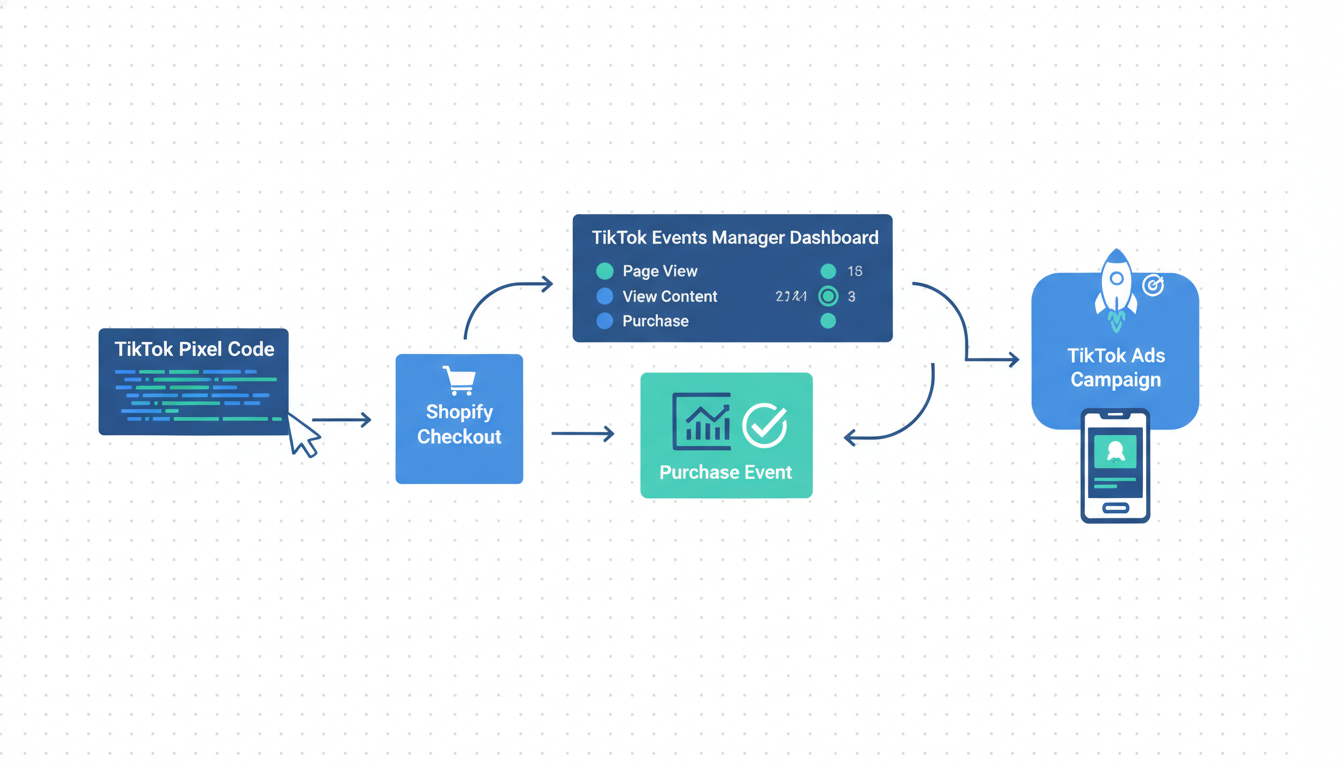
TikTok Pixel on Shopify looks fine in the channel app and quietly breaks in the same three places almost every store: duplicate browser pixels firing from GTM, an Events API feed with no shared event_id, and a theme file still carrying a ttq snippet from a 2023 setup nobody remembered to pull out. Shopify's TikTok channel handles browser and server events for the four core actions (CompletePayment, AddToCart, ViewContent, InitiateCheckout) if you wire it correctly, but most stores feed TikTok two signals that do not match, so the algorithm spends budget on audiences it cannot verify. Fix the pipe in the right order and event match quality climbs inside a week. The audit takes 20 minutes. The fix takes an afternoon if the theme is clean, two if it is not. ROAS on TikTok Shop and standalone campaigns both lift once the signal is deduped, usually inside 10 to 14 days.
- Install Shopify's TikTok channel as the single source of browser and server events.
- Remove every stray `ttq` snippet from GTM and the theme. One Pixel ID only.
- Match browser and server events with a shared `event_id` so TikTok dedups instead of double-counts.
- Validate in the TikTok Events Debugger before you push spend. Target match score above 80.
What TikTok Pixel actually does in 2026
TikTok Pixel on Shopify, or the Pixel for short, is the pair of signals your store sends to TikTok Ads Manager so the algorithm can optimize for actual conversions instead of guessing. The browser pixel (ttq) still fires from the shopper's device. The Events API runs in parallel, sends the same events from your backend, and TikTok dedups them using a shared event_id. What changed in 2026 is that iOS 18 and Safari 17 tightened their cookie and fingerprint windows again in late 2025, which cut browser-only match rates by another 12% on TikTok specifically. If you are running browser-only today, TikTok is optimizing on about half the signal it needs, and CPA drifts week to week with no pattern you can trace.
The short version: the Events API is not optional if you want TikTok to scale cleanly. Below $10k a month in TikTok spend you can survive on browser-only and limp along. Above that, blended ROAS falls 25 to 35% without server-side events deduped against the browser pixel. The accounts in our audit sample that run clean dedup land in the 2.8 to 3.6 ROAS band on TikTok Shopping Ads. Browser-only accounts flatten out around 1.6 and operators spend months blaming the creative. TikTok's official Events API documentation covers the protocol. This guide is about running it on Shopify without breaking it on day one.
One more thing worth naming upfront, because it trips people up on every audit: TikTok calls its server-side pipe "Events API," not CAPI. Meta uses Conversions API. TikTok uses Events API. Same idea, different acronym, and the Shopify docs sometimes slip between the two terms depending on who wrote that section of the help center. When you see "tiktok capi shopify" in search results or on a forum thread, the person is asking about Events API. The Shopify TikTok channel UI uses the correct TikTok term, which is "Events API," but plenty of agencies still use CAPI as a generic label across both platforms.
Browser pixel vs Events API vs both
Three questions come up on every TikTok Pixel Shopify setup call, and the answers matter because picking the wrong architecture locks in a signal ceiling you will not hit again until you rip it out and rebuild.
- Browser-only:
ttqfires client-side, TikTok reads it through third-party cookies where available, drops signal everywhere else. Match score caps around 55. Works at small spend, collapses at scale. - Events API only: server sends events directly, TikTok loses the browser fingerprint, match score caps around 68 because there is no client-side anchor to verify against. Useful only for backend-triggered events like refunds.
- Both, deduped: browser fires, server fires, shared
event_idon every event, TikTok combines both signals. Match score sits in the 82 to 91 range on most stores. This is the setup you want.
The mistake we see weekly is stores turning off the browser pixel to "simplify" once Events API is working, then watching match score drop 20 points inside 48 hours. Running both is not redundant. The dedup system is designed to read two signals and pick the stronger one per user. Turning off one side leaves TikTok reading a single dim signal, which is worse than the dim-plus-bright combo it was built around.
The other mistake, same family: leaving the browser Pixel running but not enabling Events API at all. Stores do this when the channel app says "Pixel connected" and the dashboard shows events flowing, so the operator assumes tracking is fine. It is not fine. Events Manager shows events because the browser side is firing, but match score never climbs past 60 and the algorithm cannot verify conversions against a second source. The fix is one toggle inside the channel settings. Worth checking before you assume the setup is clean.
Installing the TikTok Shopify channel the right way
A clean TikTok Pixel Shopify install starts with subtraction. Before you install anything new, you remove every competing source so the TikTok channel app is the only pipe sending events. Rushing past this step is how stores end up with three pixels fighting each other, a match score stuck at 45, and no idea which tag is telling the truth.
- Pause every TikTok-related tag in GTM. Browser and server. All of them. Save a new container version so you can roll back in 30 seconds if anything breaks.
- Open
layout/theme.liquid,templates/product.liquid, andtemplates/cart.liquid. Search forttq. Remove anyttq.load(orttq.track(snippets. Commit on a new theme copy first, then swap live. - In Shopify admin, open Apps, then TikTok. Disconnect any old connection. Reconnect with the correct TikTok For Business account.
- In the channel settings, enable Advanced Matching and set Data Sharing to Maximum. Confirm the Pixel ID matches the one you want to keep.
- Turn on Events API explicitly. It is a separate toggle from the browser pixel. Both should be green before you move on.
Step 4 is the one stores skip. Standard data sharing strips customer email and phone from the server payload before it reaches TikTok, which cuts match score by 15 to 20 points on average. Maximum sends hashed fields. That is the whole ballgame for match quality, and the toggle is one click away, so there is no reason to leave it on Standard except that most setup guides do not mention it.
Setting up Events API through GTM or direct
The TikTok Shopify channel covers the four core events out of the box. For anything beyond that (Lead, StartTrial, Subscribe, post-purchase upsell), you need a second pipeline. The native channel only handles CompletePayment, AddToCart, ViewContent, and InitiateCheckout. Everything else is on you.
Options, ranked by reliability:
- Direct Events API call from a Shopify Function or a custom app. Most reliable. Needs a senior Shopify dev for half a day, usually. Hashes the match keys server-side, fires the event, done.
- Server-side GTM with a TikTok Events API tag. Good. Adds a vendor dependency (Stape or self-hosted sGTM), adds a monthly line item, but gives the marketing team a UI instead of a git repo.
- Zapier or Make with an Events API webhook. Okay for low volumes under 200 events a day. Unreliable above that, because the webhook queue lags and TikTok's attribution windows do not forgive late events.
Whichever path you pick, the dedup rule still applies. Every custom event needs its own unique ID that fires on both browser and server. The failure mode we see most often is a Lead event fired server-side with no matching ttq.track('SubmitForm', {event_id: ...}) on the browser side, so TikTok has no client anchor and the match score for that event sits at 40 forever, pulling down the account average even if CompletePayment is clean.
Deduplication between browser and server for TikTok
The single mistake that kills match quality on TikTok Pixel Shopify setups is forgetting the shared event_id. The browser ttq.track() call and the Events API payload must carry the same ID for TikTok to know they describe the same purchase. Without it, the events double-count, reported conversions look inflated, and the algorithm learns from phantom data. Most operators do not notice for months because the dashboard looks great. Real revenue says otherwise.
The rule in one line: if Shopify order ID is 1001, the browser pixel and the Events API call both need event_id: "order_1001". Same string, same case, same event name. TikTok dedups automatically after that.
Shopify's TikTok channel handles dedup for the four core events out of the box when Events API is toggled on. For anything custom, you own the dedup. Pass the order ID or a unique purchase-intent ID into both the browser pixel fire and the server call. This is where most custom setups fall apart, because a developer writes the Events API call first, ships it, moves on, and the browser side never gets the matching ID back-ported into the pixel snippet. The event fires on both sides, counts twice, and TikTok reads two separate users instead of one.
TikTok Shop vs standalone TikTok Pixel
Stores running TikTok Shop through Shopify get a slightly different architecture and it catches people out. TikTok Shop events (product views and purchases that happen inside the in-app TikTok storefront) are tracked automatically by TikTok's own infrastructure. You do not need the Pixel to fire for those. The Pixel is for traffic that comes from TikTok ads and lands on your Shopify storefront, which is a separate funnel.
The trap: some stores assume TikTok Shop covers everything, turn off the Pixel, and watch their standalone TikTok ad campaigns stop optimizing. Others run both TikTok Shop and standalone ads, never enable the Pixel for the storefront funnel, and wonder why their Shopping Ads CPA is 3x the TikTok Shop CPA. Both funnels need their own tracking. TikTok Shop handles itself. The standalone funnel needs the Pixel plus Events API on your Shopify store.
Rule of thumb: if the ad clicks through to your myshopify.com domain or your custom domain, the Pixel fires and the Events API backs it up. If the ad clicks into the in-app TikTok Shop experience, TikTok tracks it natively and the Pixel is irrelevant for that path. Most growth-stage stores run both funnels in parallel, which is fine, but each needs its own setup and neither covers the other.
Validating with the TikTok Events Debugger
Never push Events API changes live without validating. Stores that skip this step find out two weeks later that CompletePayment has been duplicating the whole time, and by then TikTok's algorithm has wasted two weeks of learning on ghost conversions that were really the same conversion counted twice. The sequence we run on every client:
- Open TikTok Ads Manager, go to Events Manager, pick your Pixel, open the Test Events tab. Copy the test event code.
- Add the code to your Events API call in the
test_event_codefield of the JSON payload. - Run a test purchase on the live store using a coupon that drops the total to $0.50.
- Watch the Test Events view. You want two rows for CompletePayment: one labeled Web, one labeled Server. Same value, same
event_id, dedup note visible on the row. - If the dedup note is missing, the
event_idis either missing from one side or formatted differently on the two sides. Fix and rerun. Do not skip this. - Remove the
test_event_codebefore going live. Leaving it in routes events to the test queue forever, which means none of them count toward optimization.
Run the test three times from three different devices. Match score on a single test event is unreliable because it has no history to verify against. The rolling 7-day match score in Events Manager is the one you track. TikTok's TikTok Pixel Helper Chrome extension is also worth installing for spot-checking browser events on the product and checkout pages. It flags duplicate ttq.load() calls instantly, which is usually the first thing you find on a messy setup.
Frequently asked questions
Do I still need the TikTok Pixel if the Events API is running?
event_id. The combined signal TikTok gets from both paths is what pushes match score above 80. Server-only setups hit a ceiling around 68 because they lose the browser fingerprint (cookie, user agent, client-side IP) that the Pixel captures. Running both is not redundant, it is how the dedup system is designed to work. Turning off the browser Pixel to "simplify" once Events API is working is the single most common self-inflicted wound we see on TikTok accounts, and it drops match score by 15 to 20 points inside 48 hours.Why are my browser and server events duplicating on TikTok?
event_id, or two browser pixels firing at once. First check GTM for orphan TikTok Pixel tags that somebody forgot to pause when the channel app was installed. Then check theme files for leftover ttq.load() or ttq.track() snippets from a 2022 or 2023 manual install. Then confirm the TikTok channel is the only browser source. If all three are clean and you still see duplicates in Events Manager, the event_id field is either missing from one side or formatted differently (one side passes order_1001, the other passes 1001, TikTok treats them as separate events).What match score is good enough on TikTok?
Does Shopify's TikTok channel cover Events API fully?
How long until match score improves after I fix the dedup?
Do I need Stape or external server-side GTM if the Shopify TikTok channel is installed?
TikTok Pixel Shopify setup is one of those fixes that looks small on the surface and compounds for months once it is clean. Dedup properly, push match score above 80, validate in the Events Debugger before you push live, and the algorithm finally has signal it can trust. That is when TikTok ROAS stops wobbling and budget scales predictably, instead of collapsing the first time you push daily spend past last week's tested ceiling. Best to run the 20-minute audit above before touching anything else on the account. If the audit surfaces two or more of the problems in the "Installing" section, fix those first, then revisit creative testing. The creative is usually not the bottleneck, the signal is.
Get a full X-ray of your ad account
Paste your Meta and Google Ads. See exactly where signal is leaking. Free. 60 seconds.