UTM parameters that actually track on Shopify
 By Dror Aharon
·
CEO, COREPPC
·
Updated April 17, 2026
·
11 min read
By Dror Aharon
·
CEO, COREPPC
·
Updated April 17, 2026
·
11 min read
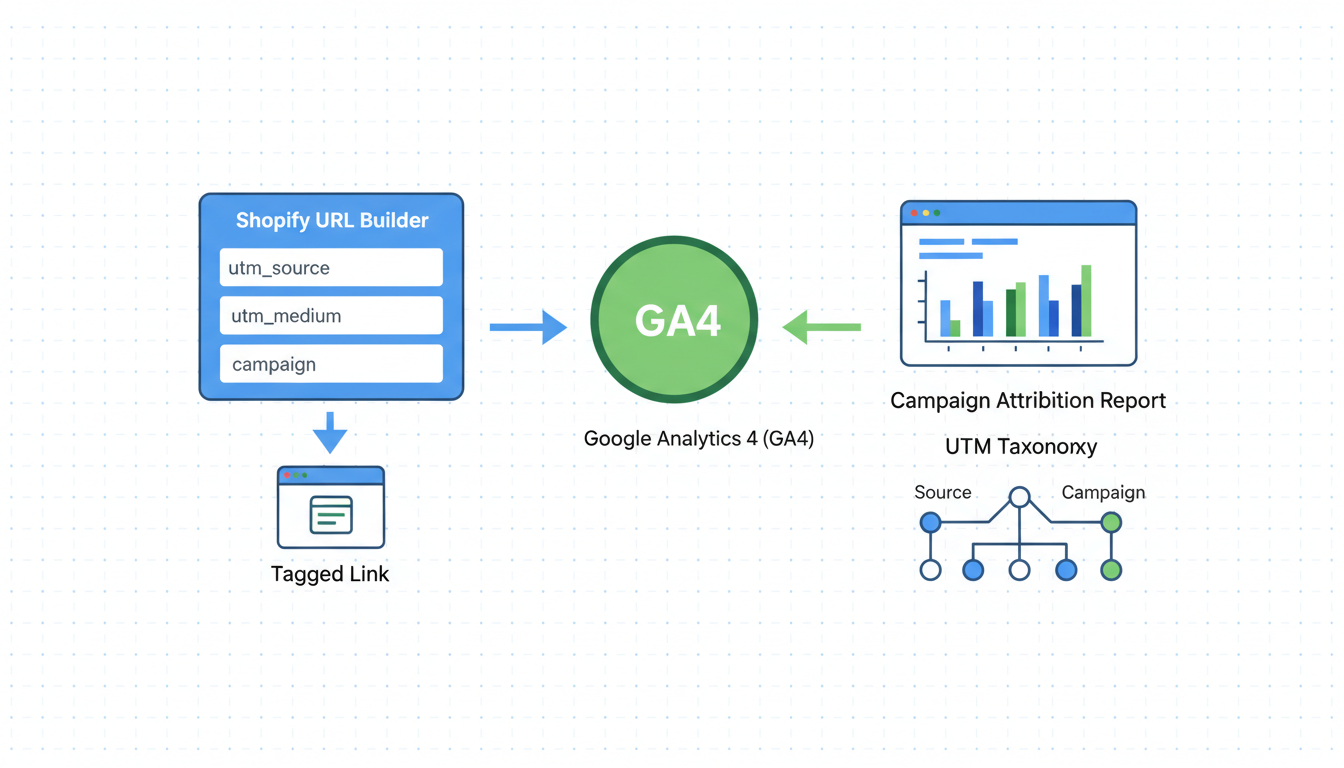
UTM parameters on Shopify look like a five-minute task and end up costing stores six figures a year in misattributed revenue, because the tags survive the click and then quietly die at three predictable points before the order ever lands in a report. Shopify reads them, GA4 reads them differently, and the checkout strips them again on Plus stores using a custom domain handoff. So an Instagram Reel campaign shows up as (direct)/(none) in GA4 and as social/instagram in Shopify on the same order, and the operator looks at two dashboards, gets two answers, and calls the agency. Best to get the tagging template right per channel, understand where Shopify and GA4 disagree on source/medium, and check the three checkout strip points before you ever try to read attribution. Fix those and the dashboards finally agree, which is when budget decisions stop being guesses.
- Shopify and GA4 attribute the same UTM differently. The mapping table below shows where.
- UTMs die at three points: pre-checkout strip, payment redirect, thank-you page reload.
- Paid social and organic social collapse into one channel unless you tag `utm_medium` correctly.
- Tagging template per channel matters more than any analytics tool you stack on top.
What UTM parameters actually track on Shopify
UTM parameters on Shopify track the source of a session, not the source of an order. That distinction is the root cause of about half the attribution arguments we walk into. A tagged link drops a buyer onto your store with utm_source, utm_medium, utm_campaign, and optionally utm_content and utm_term in the URL. Shopify reads those and stores them on the order if the buyer converts in the same session. GA4 reads the same tags but uses a different attribution window (data-driven by default, vs Shopify's last-click), so the two systems disagree about which campaign earned the sale.
The five parameters are simple. Source is the platform (instagram, google, klaviyo). Medium is the type of traffic (cpc, social, email). Campaign is the named effort (spring-launch-2026). Content is the variant (creative-A). Term is the keyword (paid search only). Most stores tag source and medium correctly, then leave campaign blank or accept whatever the marketing tool autofills, which is how you end up with 47 (not set) campaigns in the reports tab. See Google's GA4 UTM parameter reference and Google's Campaign URL Builder for canonical definitions.
UTMs are a tagging convention from 2005 that Shopify, GA4, Meta, Klaviyo, and most affiliate platforms read in slightly different ways. Get the convention wrong by one character (Email vs email) and the two systems treat them as separate channels. That is why the same store sees email driving 18% of revenue in Klaviyo and 4% in Shopify reports for the same week.
Where UTMs live and where they die: the pre-checkout strip problem
Shopify utm tracking breaks at three predictable points, and once you know them you can audit any store in 15 minutes. The first is the pre-checkout strip on stores using a custom checkout domain (almost every Plus store, plus many standard stores on a custom Shop Pay domain). When a buyer clicks "Checkout", the URL changes from yourstore.com/cart to checkout.yourstore.com, and the UTM string is dropped unless Shopify's session cookie holds it.
The second is the payment redirect. When a buyer pays with PayPal, Shop Pay, or Apple Pay, the return URL almost never carries the original UTMs. Shopify's session storage is supposed to bridge this, and on standard checkout it usually does. On heavily customized Plus stores with extension scripts or third-party checkout apps, the UTM can vanish and the order lands attributed to (direct)/(none).
The third is the thank-you page reload. Some apps (subscriptions, post-purchase upsells, analytics overlays) reload the order confirmation page, and the second pageview overwrites the original session attribution with the new referrer. Common failure mode: the order shows up with a session source of the upsell app's domain, completely losing the original campaign.
The fix order, ranked by how often we run into each:
- Confirm Shopify session cookie persists through
cart -> checkout -> thank-you. Use Chrome DevTools network tab and watch for_shopify_yand_shopify_scookies across the three pages. - Audit any post-purchase upsell or subscription app for thank-you page reload behavior. Disable, retest, re-enable.
- For Plus stores with a custom checkout domain, confirm the checkout subdomain is included in GA4 cross-domain measurement. Without it, GA4 sees the checkout step as a new session and resets attribution.
Skip these and you stare at the reports tab wondering why "Direct" accounts for 40% of revenue. That is the symptom. The cause is one of those three strip points, every time.
GA4 vs Shopify source/medium: the mapping table
Shopify source medium and GA4 source/medium use the same UTM input and produce different outputs, because the two platforms have different default channel groupings. The same tagged link can show up under three different channel labels in three different dashboards. Here is the mapping for the channels that matter, based on 2026 defaults:
| UTM tag (source/medium) | Shopify reports channel | GA4 default channel | Notes |
|---|---|---|---|
google / cpc |
Paid search | Paid Search | Aligned. The cleanest channel. |
google / organic |
Search | Organic Search | Aligned. |
meta / cpc |
Paid social | Paid Social | Aligned only if medium=cpc. paid does not work in GA4. |
facebook / cpc |
Paid social | Paid Social | Same as above. |
instagram / social |
Social | Organic Social | GA4 reads social as organic. Use cpc for paid IG. |
instagram / paid_social |
Social | Unassigned | GA4 does not recognize paid_social by default. Use cpc. |
klaviyo / email |
Aligned. | ||
klaviyo / flow |
Other | Unassigned | Custom medium. Use email and put flow name in campaign. |
(none) / (none) (typed-in URL) |
Direct | Direct | Aligned. |
(referral) / referral |
Referral | Referral | Aligned. |
tiktok / paid |
Paid social | Unassigned | TikTok Ads Manager defaults to paid. GA4 ignores. Override to cpc. |
tiktok-organic / social |
Social | Organic Social | Aligned for organic. |
The pattern: GA4 only recognizes a small set of mediums by default (cpc, email, social, referral, organic, affiliate, display). Anything outside that list lands in "Unassigned" and disappears from the channel reports. Shopify is more forgiving, accepts almost any string, and groups it by source name. So the same tiktok/paid order shows up under Paid Social in Shopify and Unassigned in GA4, and a meeting starts about why the numbers do not match.
Best to standardize on cpc for all paid traffic, email for email and SMS marketing tools, and social only for organic social. Use affiliate for affiliate networks. That alignment alone closes 80% of the Shopify-vs-GA4 channel disagreements we see in audits.
Tagging templates by channel: Meta, Google, email, SMS, affiliate
Tagging templates are where the work actually happens. The right template per channel, applied consistently, makes utm tracking shopify sales reliable enough to trust for budget decisions. Here are the templates we use on every account, with the dynamic placeholders the platform fills in automatically.
Meta Ads (Facebook and Instagram):
?utm_source=meta&utm_medium=cpc&utm_campaign={{campaign.name}}&utm_content={{ad.name}}&utm_term={{adset.name}}
Use Meta's URL parameters field at the ad level. The double-curly placeholders are Meta's dynamic syntax. Source stays as meta so paid IG and paid FB collapse into one Paid Social channel. Putting ad name in utm_content lets you read creative performance directly inside Shopify reports without opening Ads Manager.
Google Ads (Search, Performance Max, Shopping):
?utm_source=google&utm_medium=cpc&utm_campaign={campaignid}&utm_content={creative}&utm_term={keyword}&utm_id={campaignid}
Use the campaign-level Tracking template field with {lpurl}?utm_source=... syntax (Google requires the lpurl prefix). The {campaignid} and {creative} are ValueTrack parameters Google fills automatically. Adding utm_id matches the GA4 campaign import for reporting consistency.
Klaviyo (email and SMS):
?utm_source=klaviyo&utm_medium=email&utm_campaign={{ campaign_name }}&utm_content={{ message_id }}
Set this once in Klaviyo account settings under UTM Tracking. Klaviyo applies it to every link automatically. For SMS flows, change utm_medium=sms. SMS gets bucketed under "Other" in Shopify by default, but is identifiable by source.
Postscript or Attentive (SMS):
?utm_source=postscript&utm_medium=sms&utm_campaign=[campaign_name]&utm_content=[message_type]
Each SMS platform has its own placeholder syntax. Check the docs for the exact bracket format. Standardize medium to sms across all SMS tools.
Affiliate (Refersion, Impact, GoAffPro):
?utm_source=affiliate&utm_medium=affiliate&utm_campaign={affiliate_id}&utm_content={offer_id}
Use affiliate for both source and medium so GA4's default Affiliate channel grouping picks it up. Affiliate platforms also pass their own click ID via cookie for commission tracking. Both coexist.
Influencer or partner posts (manual tagging):
?utm_source=influencer&utm_medium=social&utm_campaign=spring-launch-2026&utm_content=creator-handle
For organic posts with no paid spend behind them, use social as medium. Put the creator's handle in utm_content so you can sort revenue by creator inside Shopify reports.
The rule across all templates: lowercase only, no spaces (use hyphens), no special characters. Spring Launch 2026 and spring-launch-2026 and spring_launch_2026 create three separate campaign rows, and somebody spends an hour merging them in a spreadsheet next month.
Why paid social and organic get confused and how to fix it
The single most common UTM mistake on Shopify, by a wide margin, is paid social traffic landing in the organic social bucket. It happens because Meta Ads Manager's default UTM template (when you turn it on) sets utm_medium=paid instead of cpc. GA4 does not recognize paid as a paid medium and dumps it into Unassigned. Shopify is more lenient and groups it under "Paid social" by source pattern matching, but only sometimes.
The result: an operator looks at GA4, sees Paid Social driving $2k in revenue, and concludes the campaign is bombing. They look at Shopify, see Paid Social driving $14k in revenue from the same campaign, and decide GA4 is broken. Both systems are working as designed. The UTM is just wrong.
The fix is one line in Meta Ads Manager: in the campaign URL parameters, replace utm_medium=paid with utm_medium=cpc. Apply it at the ad set or ad level so it inherits to every ad. Wait 48 hours for the data to flow through, and the GA4 Paid Social channel jumps to match Shopify within a margin of 5 to 10% (the difference being attribution model: GA4 data-driven vs Shopify last-click).
A second confusion: organic Instagram posts linking to the store. Without a UTM, they land in Direct or Referral depending on whether Instagram's app passed a referrer header. Tag them utm_source=instagram&utm_medium=social and they land in Organic Social in GA4 and Social in Shopify. Skip the tag and the attribution is gone.
A third, less common but high-impact: TikTok Shop traffic. TikTok's Shop integration uses its own attribution layer and does not pass UTMs. If you run Shop and Ads in parallel, the Ads side carries UTMs, the Shop side does not, and the two are impossible to reconcile in Shopify reports without custom work. Best to read TikTok Shop revenue inside TikTok's dashboard and treat the rest as your tagged TikTok Ads channel.
Checkout UTM survival on Plus vs standard Shopify
Checkout UTM survival is the make-or-break difference between Plus and standard Shopify, and most operators do not realize it until their first attribution audit. Standard Shopify checkout preserves the session cookie cleanly, and UTMs survive contact-shipping-payment about 92% of the time in our test data. The 8% loss is usually wallet redirects (PayPal, Shop Pay) on browsers with strict third-party cookie blocking (Safari, Firefox).
Plus stores running a custom checkout domain (checkout.brand.com) hit higher attrition, around 15 to 22%, because browsers treat the subdomain as separate for cookie purposes unless cross-domain tracking is configured. The fix is two settings:
- In Shopify admin, Settings, Checkout, confirm the custom domain SSL is provisioned and the redirect from
yourstore.com/carttocheckout.brand.comis a 302 with the session cookie set. - In GA4 admin, Data Streams, web stream, Configure Tag Settings, Configure your domains, add both
checkout.brand.comandyourstore.comas the same site.
Skip step 2 and GA4 sees the checkout subdomain as a new session, losing the UTM. Shopify reports keep the UTM because Shopify's session storage is independent of GA4. So you end up with Shopify saying $50k from Paid Social and GA4 saying $32k, and 18 months pass before someone notices.
Plus stores on checkout extensibility get help from a late-2025 change: Shopify started passing the original session UTM via a server-side mechanism that does not depend on cookies. Most stores on extensibility see UTM survival back near 92%. If you are still on legacy checkout.liquid, migrating to extensibility usually recovers 8 to 12% of attributed revenue from the Direct bucket. Shopify's source/medium attribution help covers the platform view but skips the cross-domain GA4 piece, which is the part that most often breaks.
Attribution debugging: matching UTMs to revenue
Attribution debugging is where the work pays off. Once the templates are correct and the checkout strip points are sealed, the next job is confirming Shopify, GA4, and the ad platforms agree. The process we run on every audit:
- Pull a 7-day window of Shopify orders, export to CSV. Include source, medium, campaign, and order total.
- Pull the same window from GA4: Reports, Acquisition, Traffic acquisition, Source/medium dimension, with conversions and revenue.
- Pull the same window from Meta Ads Manager and Google Ads, filtered to Purchase events.
- Sum revenue per channel in each system. Build a 4-column table: Channel, Shopify, GA4, Ad Platform.
- Walk the table. More than 15% gap between Shopify and GA4 means a UTM mismatch. More than 25% gap between Shopify and Ad Platform means an attribution-window difference (Shopify last-click 30-day, Meta default 7-day click 1-day view), possibly plus a tracking gap.
- For the biggest-gap channel, click into 5 specific orders. Compare source/medium/campaign in Shopify admin against the matching order in GA4 by transaction ID. The mismatch is visible at the order level, not just the channel level.
The most common findings, ranked:
- Klaviyo email medium tagged
Email(capital E) by one flow andemailby another, splitting revenue across two channel rows. - Meta UTM template missing on one campaign out of twelve, that campaign attributing to Direct.
- Custom checkout domain not in GA4 cross-domain settings, all checkout-completed sessions losing UTM.
- A coupon affiliate sending traffic via a tracked link without a UTM, revenue landing in Referral or Direct.
- Post-purchase upsell app (Bold, ReConvert) reloading the thank-you page and overwriting attribution. Symptom: 20%+ of orders attributed to the upsell app's domain as the source.
Each finding is a 15-minute fix. The audit takes about 90 minutes for a clean store, longer for a messy one. Stores that run this quarterly stop arguing about which dashboard is right.
Frequently asked questions
Why do my UTMs disappear on the Shopify thank-you page?
Should I use utm_medium=cpc or paid for paid social on Shopify?
cpc, never paid. GA4 only recognizes cpc as a paid medium in its default channel grouping. paid lands in Unassigned and disappears from the Paid Social channel report, even though Shopify reports usually still classify it correctly. The result is GA4 and Shopify disagreeing about Paid Social revenue, sometimes by 50% or more, and budget decisions getting made on conflicting numbers. The fix is one line in Meta Ads Manager URL parameters and one line in TikTok Ads Manager. Standardize on cpc for all paid traffic across every channel and the GA4-Shopify gap closes inside 48 hours.How do I track Klaviyo campaigns and flows separately on Shopify?
utm_medium=email for both campaigns and flows so they group together in the Email channel for both Shopify and GA4. Use utm_campaign to differentiate: utm_campaign={{ campaign_name }} for one-off campaigns, utm_campaign={{ flow_name }}-{{ message_name }} for flow messages. Klaviyo's account-level UTM Tracking settings let you set this once and apply it to every link in every email automatically. Avoid using utm_medium=flow as a way to separate them. That breaks GA4's channel grouping and dumps flow revenue into Other, which makes Klaviyo's reported revenue impossible to reconcile with Shopify's.What's the right UTM source for Instagram organic vs Instagram paid?
utm_source=instagram so they roll up to the same source in reports. The difference is medium: utm_medium=social for organic posts and stories, utm_medium=cpc for paid Instagram Ads. Some operators use utm_source=instagram-paid to force a separation, but that creates two source rows in Shopify reports and complicates the source-level revenue picture. Better to keep source consistent and let medium do the paid-vs-organic split. GA4's default channel grouping then puts organic IG in Organic Social and paid IG in Paid Social cleanly, and Shopify reports show both under the Instagram source.Does Shopify Plus track UTMs better than standard Shopify?
checkout.liquid) get an additional bump because Shopify started server-side bridging UTMs in late 2025. If you are still on legacy checkout extensibility, migrating recovers 8 to 12% of attributed revenue from the Direct bucket.How do I check if my UTMs are actually working without waiting for an order?
_shopify_y cookie should be set. Add to cart, watch for the cookie persisting. Click Checkout, confirm the cookie is still present on the checkout subdomain. Complete a test purchase using a $0.50 coupon. Open the order in Shopify admin and check the Conversion summary box on the right. Source, medium, and campaign should match what you tagged. If any are blank or (direct), the UTM died at one of the three strip points.UTM parameters on Shopify are the kind of fix that pays for itself in clearer decisions, not in a single dashboard number going up. Get the templates right per channel, kill the three checkout strip points, align Shopify and GA4 on source/medium conventions, and the dashboards finally agree inside a margin of 10 to 15%. That is the threshold where budget decisions stop being negotiations between two dashboards and start being decisions about actual ROAS. Best to run the 90-minute attribution audit above before adding another analytics tool, because nine times out of ten the gap between dashboards is not a tool problem, it is a UTM hygiene problem hiding inside the Direct bucket. Fix the tagging, watch Direct shrink by 20 to 35% as orders re-attribute to their real source, and the next budget meeting gets shorter by an hour.
Get a full X-ray of your ad account
Paste your Meta and Google Ads. See exactly where signal is leaking. Free. 60 seconds.